

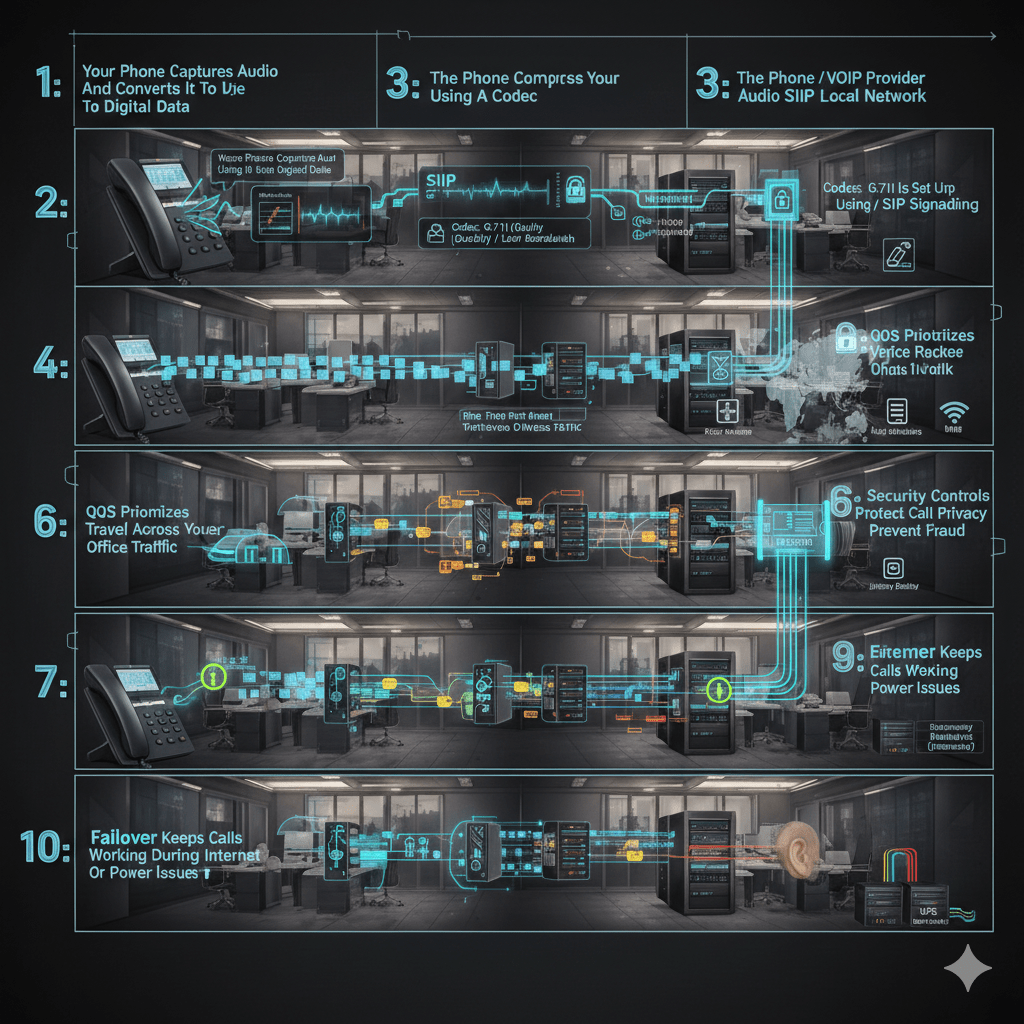
VoIP is not “internet calling.” It is real-time voice traffic riding on your network, competing with every other application in your office. If you understand the call flow, you can predict performance issues, eliminate dropped calls, and secure the system properly.
At Mindcore Technologies, we troubleshoot VoIP failures the same way we troubleshoot critical systems: we follow the packet path, identify where quality is lost, and lock down the exposure points.
Below is the step-by-step breakdown.
Step 1: Your Phone Captures Audio And Converts It To Digital Data
A VoIP desk phone or softphone captures your voice through a microphone, then converts it into digital audio.
Key points:
- Analog sound becomes digital samples that can be transmitted over IP.
- The phone begins preparing data for real-time delivery, not file storage.
- Device quality matters, low-end endpoints often introduce noise before the network is involved.
Step 2: The Phone Compresses Audio Using A Codec
VoIP uses codecs to compress audio so it can move efficiently across the network.
Common codec outcomes:
- Smaller packets reduce bandwidth use, but can reduce audio fidelity.
- Higher-quality codecs improve clarity but require more bandwidth.
- Codec mismatch between endpoints can cause poor quality or call failures.
Step 3: The Call Is Set Up Using SIP Signaling
SIP, Session Initiation Protocol, handles call setup and teardown.
What happens:
- Your phone sends a SIP request to the PBX or VoIP provider to start the call.
- The system authenticates the device or user.
- The system locates the destination and negotiates call parameters, including codec selection.
Why this matters:
- SIP is a primary target for attacks if exposed to the internet.
- Misconfigured SIP often causes one-way audio, failed calls, or dropped registrations.
Step 4: The Phone Breaks Audio Into Packets
Once the call is established, the voice stream is split into small packets.
Important details:
- Packets are time-sensitive, they must arrive in order and quickly.
- Each packet contains a small slice of the conversation.
- Even minor packet loss can impact speech clarity.
Step 5: Voice Packets Travel Across Your Local Network
Packets move through your switches, access points, and firewall before reaching the internet or another site.
This is where most office VoIP problems begin.
VoIP quality depends on:
- Latency, delay creates awkward conversation overlap.
- Jitter, inconsistent timing causes robotic or choppy speech.
- Packet loss, missing packets cause clipped words or silence.
- Congestion, large uploads and backups can degrade calls instantly.
Step 6: QoS Prioritizes Voice Traffic Over Other Office Traffic
Quality of Service, QoS, tells the network to prioritize voice packets.
What QoS does:
- Gives voice traffic priority over email, web browsing, and file transfers.
- Helps maintain clarity during peak usage.
- Reduces jitter and packet loss during congestion.
Common failure:
- Businesses “turn on QoS” without proper configuration, then calls still degrade because switches, firewalls, and Wi-Fi do not match policies end-to-end.
Step 7: The PBX Or VoIP Provider Routes The Call
The PBX, either cloud-hosted or on-premise, controls routing and call features.
Typical routing functions:
- Assigning extensions and inbound numbers.
- Managing auto-attendants and call queues.
- Handling voicemail, forwarding, ring groups, and failover rules.
- Logging call detail records for reporting and analytics.
If the PBX is misconfigured, you see:
- Calls ringing the wrong users.
- Calls dropping during transfers.
- Voicemail failures or delays.
Step 8: The Recipient Reassembles Packets And Plays Audio
At the destination, the receiving device buffers and reorders packets to reconstruct the conversation.
Key points:
- A small jitter buffer smooths packet timing variations.
- Too much jitter forces the buffer to stretch, causing lag.
- Too little buffering causes choppy audio if packets arrive unevenly.
This is why Wi-Fi instability shows up as robotic voices, not total call failure.
Step 9: Security Controls Protect Call Privacy And Prevent Fraud
Modern office VoIP needs security layered into both signaling and media.
Best-practice protections:
- TLS protects SIP signaling so call setup cannot be intercepted.
- SRTP encrypts the voice stream so conversations cannot be captured.
- Strong admin authentication prevents management console takeover.
- Dial plan restrictions reduce toll fraud exposure.
Security failures show up as:
- Fraudulent international calls.
- Unauthorized call forwarding.
- Rogue endpoint registrations.
Step 10: Failover Keeps Calls Working During Internet Or Power Issues
VoIP reliability depends on redundancy.
Office-grade failover includes:
- Secondary internet connection with automatic failover.
- Cloud call routing to mobile devices if the office goes offline.
- UPS battery backups for routers, switches, and access points.
- Regular failover testing so recovery is predictable.
Without redundancy, a short outage can cut off phones completely.
Common VoIP Problems And What Usually Causes Them
Choppy Or Robotic Audio
Common causes:
- Wi-Fi interference or weak coverage.
- No QoS enforcement.
- Network congestion during peak hours.
One-Way Audio
Common causes:
- Firewall or NAT misconfiguration.
- SIP ALG issues.
- Incorrect port rules for media traffic.
Dropped Calls
Common causes:
- ISP instability.
- Overloaded routers or switches.
- Registration timeouts and session handling issues.
How Mindcore Technologies Helps Modern Offices Run VoIP Properly
Mindcore supports business VoIP deployments by:
- Assessing network readiness, including latency, jitter, packet loss, and capacity.
- Designing segmented voice networks that protect both quality and security.
- Configuring QoS end-to-end across switches, Wi-Fi, and firewalls.
- Hardening SIP exposure and administrative access to prevent fraud.
- Designing redundancy and failover strategies to protect uptime.
VoIP works best when it is engineered, not installed.
Final Takeaway
VoIP works by converting voice into digital packets, establishing calls through SIP, routing them through a PBX or provider, and delivering them over your network in real time. Performance depends on network quality. Security depends on encryption, segmentation, and tight access control. Reliability depends on redundancy.
If you understand the call flow, you can diagnose issues quickly and design a system that stays clear, secure, and stable under load.

