

Most business owners think of a firewall as “something IT installs.” That assumption is exactly why many organizations misunderstand what their firewall does, and more importantly, what it does not do.
At Mindcore Technologies, we explain firewalls in plain language because business decisions depend on clarity, not technical jargon. A firewall is not magic. It is a control point, and like any control, its value depends on how it is designed, configured, and monitored.
This guide explains how firewalls actually work, without technical overload.
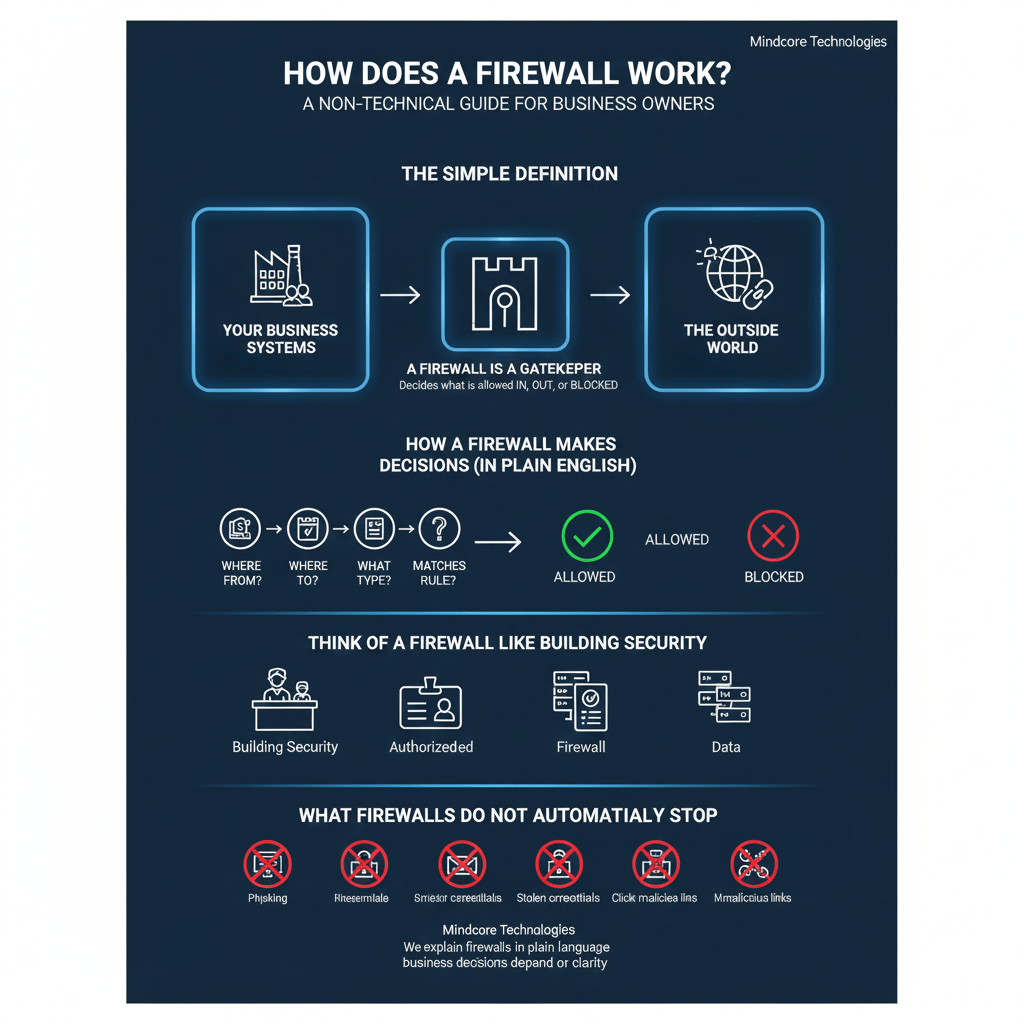
The Simple Definition
A firewall is a gatekeeper.
It sits between:
- Your business systems
- And the outside world
Its job is to decide what is allowed in, what is allowed out, and what gets blocked.
Every email, website visit, cloud connection, remote login, and software update passes through some form of firewall decision.
What A Firewall Is Really Protecting
A firewall protects:
- Your internal network
- Your business applications
- Your data and systems
- Your employees’ devices
It does this by enforcing rules about who and what is allowed to communicate.
How A Firewall Makes Decisions (In Plain English)
Every connection request answers a few basic questions:
- Where is this traffic coming from?
- Where is it trying to go?
- What type of traffic is it?
- Does this match an allowed rule?
If the answer lines up with the rules, the traffic passes.
If not, it is blocked or flagged.
That is the core function.
Think Of A Firewall Like Building Security
Imagine your office building.
- The firewall is the security desk
- The rules are the access policies
- Approved traffic is authorized visitors
- Blocked traffic is someone without a badge
The security desk does not know everyone personally. It checks credentials and follows rules.
Firewalls work the same way.
What Firewalls Commonly Block
Firewalls routinely block:
- Unauthorized access attempts
- Suspicious connections from known bad sources
- Malware trying to call out
- Unapproved applications
- Certain countries or regions if restricted
This filtering happens constantly and automatically.
What Firewalls Do NOT Automatically Stop
This is where business owners are often surprised.
A firewall alone does not stop:
- Phishing emails
- Stolen credentials being used legitimately
- Malware already inside the network
- Employees clicking malicious links
- Compromised cloud accounts
A firewall controls traffic. It does not make judgment calls about intent unless it is configured and monitored correctly.
Why “Having A Firewall” Is Not Enough
Most breaches we investigate did not happen because there was no firewall. They happened because:
- Firewall rules were outdated
- Too many exceptions were added over time
- Remote access was left too open
- Traffic was allowed but never monitored
- Alerts were ignored
A poorly managed firewall creates a false sense of security.
Different Types Of Firewalls (Simplified)
You do not need to know the technical names, but the concepts matter.
Basic Network Firewalls
- Control traffic based on rules
- Common in small offices
- Limited visibility into threats
Advanced Business Firewalls
- Inspect traffic more deeply
- Detect suspicious behavior
- Enforce application-level rules
Cloud-Based Firewalls
- Protect cloud systems and remote users
- Essential for modern businesses
Most organizations use a combination without realizing it.
How Firewalls Support Remote And Cloud Work
Modern work is no longer confined to one office.
Firewalls now:
- Protect remote employees
- Control access to cloud apps
- Secure VPN connections
- Enforce policies regardless of location
This shift is why firewall strategy matters more than ever.
Common Firewall Misconceptions We Hear From Business Owners
- “We’re small, attackers won’t target us.”
- “Our ISP router has a firewall, so we’re covered.”
- “If we had a breach, the firewall would stop it.”
- “Firewalls slow down business.”
None of these hold up in real-world incidents.
How Firewalls Actually Reduce Business Risk
When properly configured, firewalls:
- Limit the blast radius of an attack
- Prevent unauthorized access
- Reduce exposure to known threats
- Enforce business rules consistently
They are a foundational control, not a standalone solution.
Where Firewalls Fit In A Complete Security Strategy
Firewalls work best when combined with:
- Endpoint protection
- Identity and access controls
- Monitoring and alerting
- Employee awareness
- Regular rule reviews
Security is layered. Firewalls are one layer, not the whole system.
How Mindcore Technologies Helps Businesses Use Firewalls Correctly
At Mindcore Technologies, we help businesses move beyond “checking the firewall box” by providing:
- Firewall configuration and rule reviews
- Secure remote access design
- Cloud and hybrid firewall strategies
- Ongoing monitoring and alerting
- Alignment with business workflows
- Reduction of unnecessary exposure
Our goal is not just protection, but predictable, manageable security that supports operations.
The Business Owner Takeaway
A firewall is not a product you buy and forget. It is a control system that enforces how your business interacts with the internet and the cloud.
When it is designed, maintained, and monitored properly, it quietly reduces risk every day. When it is neglected, it becomes invisible until something goes wrong.
Understanding how your firewall works, at a high level, puts you in a better position to ask the right questions and make smarter decisions about your business security.
