

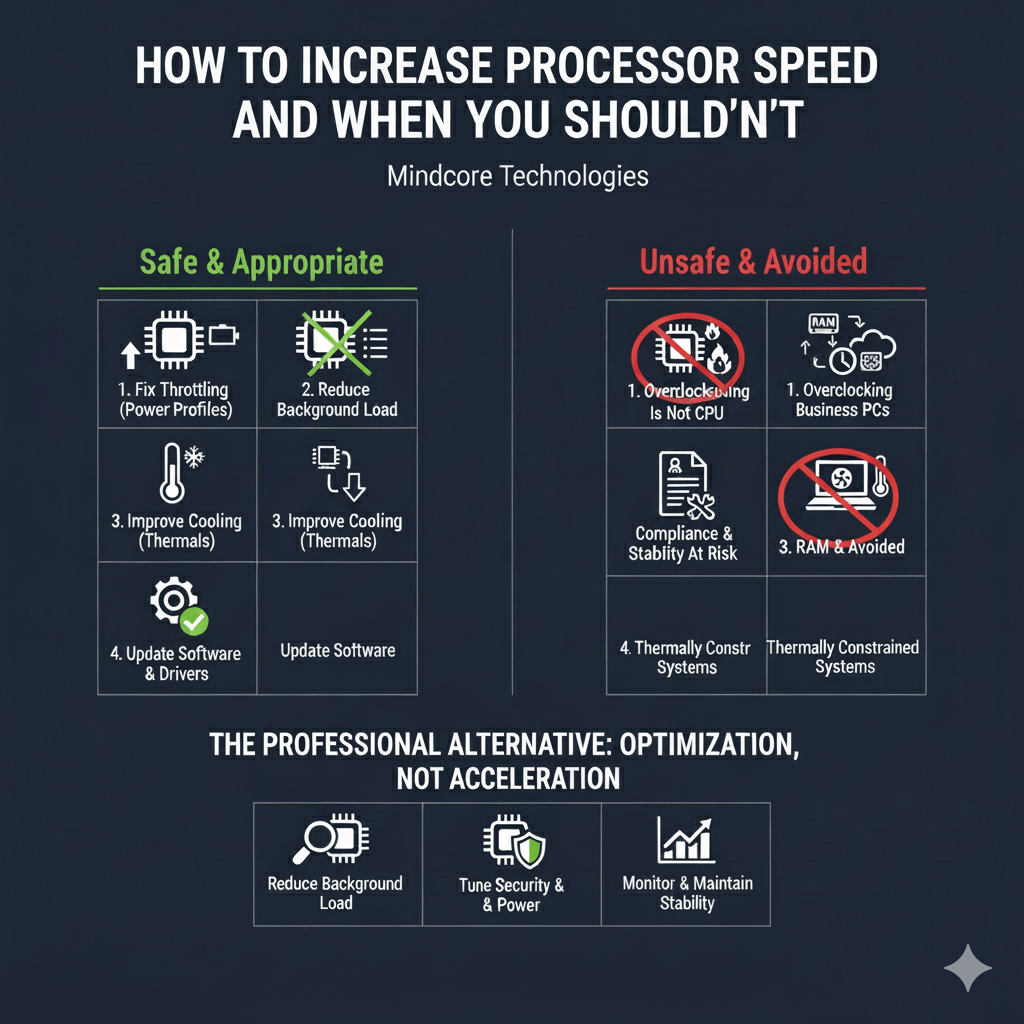
Most processor speed issues are not caused by weak CPUs. They are caused by wasted capacity, throttling, or environmental friction. The danger is that many “speed fixes” online treat every slowdown as a hardware limitation and push users toward risky actions that create instability.
At Mindcore Technologies, we draw a hard line between safe performance optimization and dangerous speed chasing. Knowing when to increase processor speed and when not to is critical for business machines where uptime, data integrity, and security matter more than benchmarks.
This guide explains both sides clearly.
The First Reality Check About Processor Speed
Modern CPUs are already optimized aggressively by design. They dynamically boost when needed and throttle to protect themselves when conditions are unsafe.
If a CPU feels slow, it is usually because:
- It is being throttled by power or thermal limits
- It is overloaded by unnecessary background processes
- It is waiting on memory, disk, or network operations
- Security tooling is consuming resources
- Malware or misbehaving software is present
Increasing raw clock speed rarely addresses the real problem.
When It Is Appropriate to Increase Processor Speed
There are limited, controlled scenarios where improving processor performance makes sense and can be done safely.
1. When the CPU Is Artificially Throttled
Many business systems are capped by conservative power settings.
Safe indicators:
- CPU never reaches expected clock speeds
- Performance improves briefly, then drops
- System is plugged in but still sluggish
Safe actions IT takes:
- Adjust power profiles from restrictive modes
- Ensure proper performance behavior when connected to power
- Verify throttling is not policy-driven
This does not push the CPU beyond safe limits. It allows it to operate as designed.
2. When Background Load Is Stealing CPU Cycles
If unnecessary processes are consuming CPU, reducing them effectively increases available processor speed for real work.
Professional steps:
- Disable non-essential startup services
- Remove unused applications
- Fix cloud sync loops
- Eliminate redundant agents
The CPU becomes “faster” simply because it is no longer busy with junk work.
3. When Thermal Conditions Are Limiting Performance
Thermal throttling is one of the most common causes of slow CPUs.
Safe optimization includes:
- Cleaning dust and improving airflow
- Ensuring fans function correctly
- Updating firmware and thermal drivers
Lower temperatures allow the CPU to maintain higher sustained performance without risk.
4. When Software and Drivers Are Inefficient
Outdated software wastes processor cycles.
Safe improvements:
- OS updates
- Chipset and power driver updates
- Removing unsupported applications
This improves processor efficiency, not raw speed, which is what business systems actually need.
When You Should Not Increase Processor Speed
These are the scenarios where trying to increase processor speed creates more problems than it solves.
1. Overclocking Business Machines
Overclocking forces the CPU beyond manufacturer specifications.
Why IT avoids it:
- Increased heat and power draw
- Reduced stability margins
- Higher crash risk
- Shortened hardware lifespan
- Voided warranties
In business environments, overclocking is an unnecessary risk with poor returns.
2. When the Real Bottleneck Is Not the CPU
If performance issues stem from:
- Low memory
- Slow storage
- Network latency
- Cloud application issues
Increasing CPU speed does nothing. It only masks the root cause temporarily.
3. When Security and Compliance Are at Stake
Unauthorized performance modifications:
- Complicate audits
- Break standard configurations
- Increase troubleshooting complexity
In regulated environments, undocumented hardware or firmware changes are a serious liability.
4. When Systems Are Already Thermally Constrained
Thin laptops and compact desktops have limited cooling capacity.
Pushing CPU speed in these systems:
- Triggers aggressive throttling
- Causes random shutdowns
- Creates user-facing instability
More speed on paper often means less usable speed in practice.
5. When Performance Issues Are Intermittent
Intermittent slowness usually points to:
- Network variability
- Cloud authentication delays
- Security scans
- Background tasks
Increasing CPU speed does not solve intermittent problems.
The Professional Alternative: Optimization, Not Acceleration
Professional IT improves processor performance by removing friction, not forcing acceleration.
This includes:
- Reducing background CPU load
- Tuning security tools correctly
- Fixing power and thermal constraints
- Ensuring systems are fully patched
- Monitoring utilization trends over time
This approach delivers stable, repeatable performance gains without risk.
Why Businesses Rarely Need Faster CPUs
Most business workloads are:
- Browser-based
- Cloud-driven
- Collaboration-heavy
They depend more on:
- Memory availability
- Disk responsiveness
- Network stability
Chasing processor speed often distracts from what actually improves productivity.
How Mindcore Technologies Handles Processor Performance Safely
Mindcore improves processor performance through:
- Endpoint performance monitoring
- Background process optimization
- Power and thermal tuning
- Security tool optimization
- Patch and driver management
- Malware and infostealer removal
- Data-driven performance analysis
We improve real-world speed without creating instability or risk.
A Simple Decision Rule
Increase processor speed only if:
- The CPU is artificially throttled
- Thermal limits can be improved
- Background load can be reduced
- Changes stay within vendor specifications
Do not increase processor speed if:
- It requires overclocking
- Stability matters
- Compliance is required
- The bottleneck lies elsewhere
Final Takeaway
Increasing processor speed is rarely about pushing the CPU harder. It is about letting it operate efficiently within safe limits.
When performance issues appear, the correct response is to remove what is holding the processor back, not to force it beyond its design. Businesses that follow this principle get faster systems, fewer crashes, longer hardware life, and predictable performance.
