

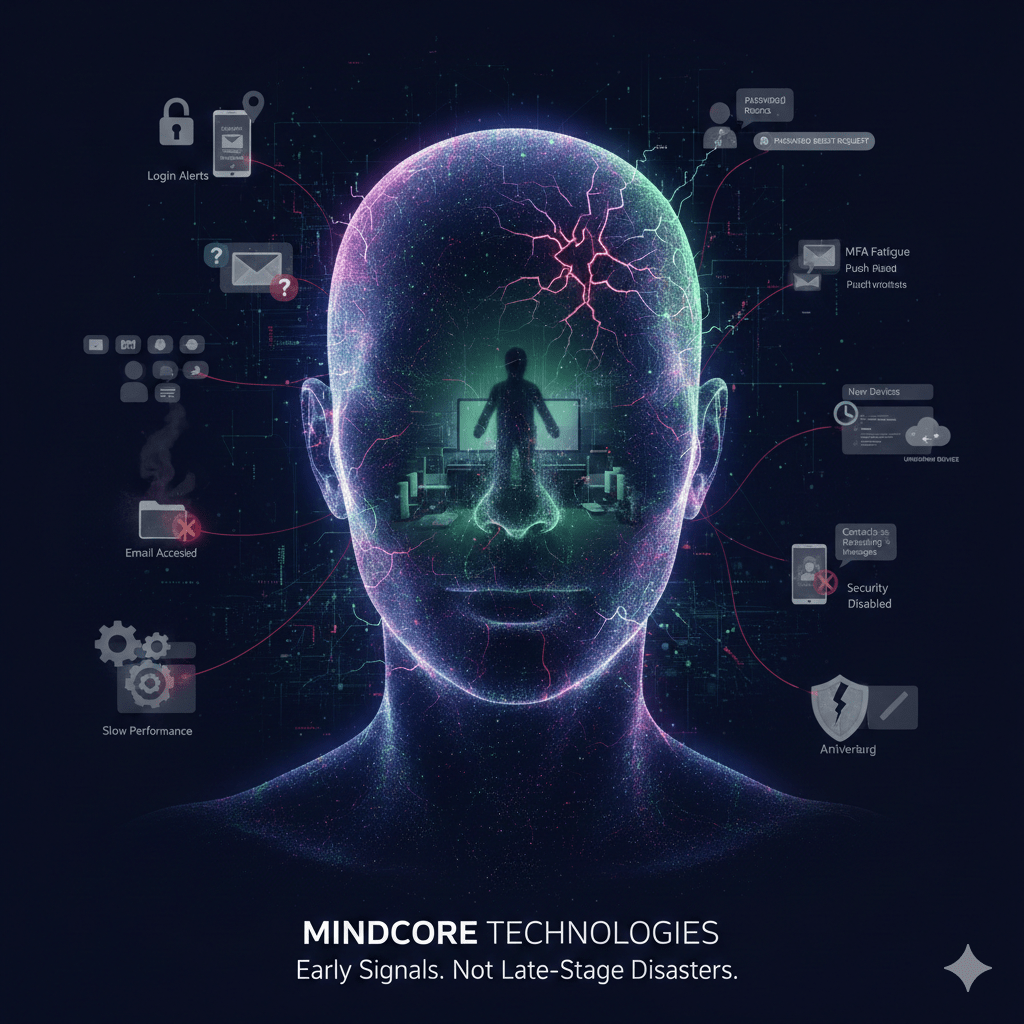
Most hacks don’t announce themselves. There is no pop-up. No ransomware note. No obvious system failure. The earliest signs are subtle behavioral changes that are easy to dismiss—until it’s too late.
At Mindcore Technologies, breach investigations almost always show the same pattern: the warning signs were there days or weeks earlier, but they didn’t look like an “attack.”
This guide outlines the real first indicators we see in the wild—and why they matter.
The Hard Truth About Early-Stage Hacks
If you wait for:
- Antivirus alerts
- Files being encrypted
- Systems going offline
You are already late.
The first signs of being hacked usually involve access abuse, not malware.
Early Sign #1: Login Alerts You Don’t Recognize
What it looks like:
- Login notifications from unfamiliar locations
- MFA prompts you didn’t initiate
- “Was this you?” security emails
Why it matters:
Attackers often test stolen credentials quietly. Even a single unexpected login attempt is a serious warning.
What to do immediately:
- Change the password
- Revoke active sessions
- Review recent login history
Early Sign #2: Password Resets You Didn’t Request
What it looks like:
- Password reset emails you didn’t trigger
- Security verification messages at odd hours
Why it matters:
This often indicates credential stuffing or an attacker probing account recovery paths.
Do not ignore these. They are reconnaissance signals.
Early Sign #3: MFA Fatigue or Push Notifications
What it looks like:
- Repeated MFA push requests
- Approval prompts you didn’t initiate
Why it matters:
Attackers rely on users eventually clicking “Approve” to stop the noise.
One accidental approval = full account access.
Early Sign #4: Email Rules or Settings Changed
What it looks like:
- Missing emails
- Auto-forwarding rules you didn’t create
- Replies disappearing from your inbox
Why it matters:
This is a classic indicator of email account compromise. Attackers hide their tracks while monitoring conversations.
Early Sign #5: Unexpected Account Lockouts
What it looks like:
- Being locked out of accounts suddenly
- Security settings changed without your action
Why it matters:
Attackers often change credentials after gaining access to secure persistence.
Early Sign #6: Files or Data Accessed Without Explanation
What it looks like:
- Files marked as “recently opened” that you didn’t touch
- Cloud audit logs showing access outside your normal hours
Why it matters:
Early-stage breaches focus on discovery, not destruction.
Early Sign #7: New Devices or Sessions Appearing
What it looks like:
- Unknown devices listed in account security settings
- Sessions remaining active when you are logged out
Why it matters:
Session hijacking allows attackers to bypass passwords and MFA entirely.
Early Sign #8: Slow Performance or Unusual Network Activity
What it looks like:
- Unexplained slowness
- Increased outbound traffic
- Fans running when idle
Why it matters:
This can indicate background processes, remote access tools, or data exfiltration.
Early Sign #9: Contacts Receiving Messages You Didn’t Send
What it looks like:
- Colleagues report strange emails or messages from you
- Shared links or invoices you didn’t create
Why it matters:
Attackers use compromised accounts to expand access.
Early Sign #10: Security Tools Disabled or Modified
What it looks like:
- Antivirus turned off
- Firewall rules changed
- Security warnings suppressed
Why it matters:
This usually indicates elevated access and preparation for a larger attack.
Why These Signs Are Missed So Often
Early indicators are ignored because:
- Access looks legitimate
- Activity happens during business hours
- No malware is detected
- Systems still “work”
Modern attacks are designed to blend in.
What Most People Get Wrong About Being Hacked
Being hacked does not mean:
- Your computer is destroyed
- Files are encrypted immediately
- Alerts go off right away
It means someone else is operating inside your trusted environment.
What To Do The Moment You Notice a Sign
If you see any of these indicators:
- Change passwords immediately
- Revoke all active sessions
- Enable or tighten MFA
- Check login and access logs
- Isolate the device if necessary
- Contact IT or a security provider
Speed matters more than certainty.
What Actually Reduces Damage
Organizations that limit impact do these things well:
- Short-lived sessions
- Identity-based access control
- Continuous monitoring
- Rapid containment playbooks
Prevention fails. Detection and response save you.
How Mindcore Technologies Helps Detect Early Compromise
Mindcore helps organizations identify and contain early-stage attacks through:
- Identity and access monitoring
- Cloud and email activity visibility
- Endpoint behavior analysis
- Session and login anomaly detection
- Rapid containment workflows
We focus on early signals, not late-stage disasters.
A Simple Reality Check
You are likely already compromised if:
- MFA prompts are ignored or approved casually
- Sessions persist indefinitely
- Login alerts aren’t reviewed
- Email rules aren’t monitored
- Devices aren’t consistently managed
These are the conditions attackers depend on.
Final Takeaway
The first signs of being hacked are subtle, behavioral, and easy to dismiss. They appear long before data theft or ransomware. Organizations that recognize and act on these early indicators stop attacks while damage is still minimal. Those that wait for obvious symptoms usually discover the breach after control is already lost.

