

Most Wi-Fi breaches do not happen because attackers “hack” wireless encryption. They happen because organizations and households are still using outdated or misconfigured Wi-Fi security standards that silently expose everything connected to the network.
At Mindcore Technologies, we regularly see compromised Wi-Fi networks used as the initial access point for ransomware, credential theft, and internal network compromise. Choosing the correct Wi-Fi security type is not a convenience decision. It is a foundational security control.
This article explains which Wi-Fi security types actually protect you, which ones are dangerous, and how the answer differs between home and business environments.
Why Wi-Fi Security Matters More Than People Think
Wi-Fi is not just internet access. It is:
- A gateway to internal systems
- A trusted entry point for devices
- A bridge into cloud accounts and identity
If Wi-Fi is weak, every connected device becomes a potential attack path. Once an attacker is on the wireless network, many other controls become easier to bypass.
The Wi-Fi Security Types You’ll Encounter
Most routers and access points offer several options. Not all of them should exist anymore.
WEP (Wired Equivalent Privacy)
Never use this. Ever.
WEP:
- Is trivially broken
- Can be cracked in minutes
- Provides no real protection
If WEP is available on your router, it exists only for legacy reasons and should never be selected.
WPA (Wi-Fi Protected Access)
Also unsafe today.
WPA improved on WEP, but:
- It uses outdated encryption
- It is vulnerable to modern attack techniques
- It no longer meets any reasonable security standard
WPA should be considered deprecated.
WPA2
The minimum acceptable standard in some cases.
WPA2 introduced strong encryption, but:
- It is vulnerable to password guessing if weak passwords are used
- It relies heavily on shared passwords in many environments
WPA2 can still be acceptable only if:
- A strong, unique passphrase is used
- Devices are patched
- Better options are not available
For businesses, WPA2 alone is increasingly insufficient.
WPA3
The current best practice.
WPA3 significantly improves Wi-Fi security by:
- Protecting against offline password cracking
- Enforcing stronger encryption
- Improving security even when passwords are weak
WPA3 is the recommended choice for:
- Home networks
- Small businesses
- Enterprises with modern hardware
If your devices support WPA3, this should be your default.
WPA2/WPA3 Mixed Mode
A transitional option.
This allows:
- New devices to use WPA3
- Older devices to fall back to WPA2
It is acceptable temporarily, but:
- It inherits WPA2 weaknesses for legacy devices
- It should not be a permanent solution
Long term, all devices should be moved to WPA3.
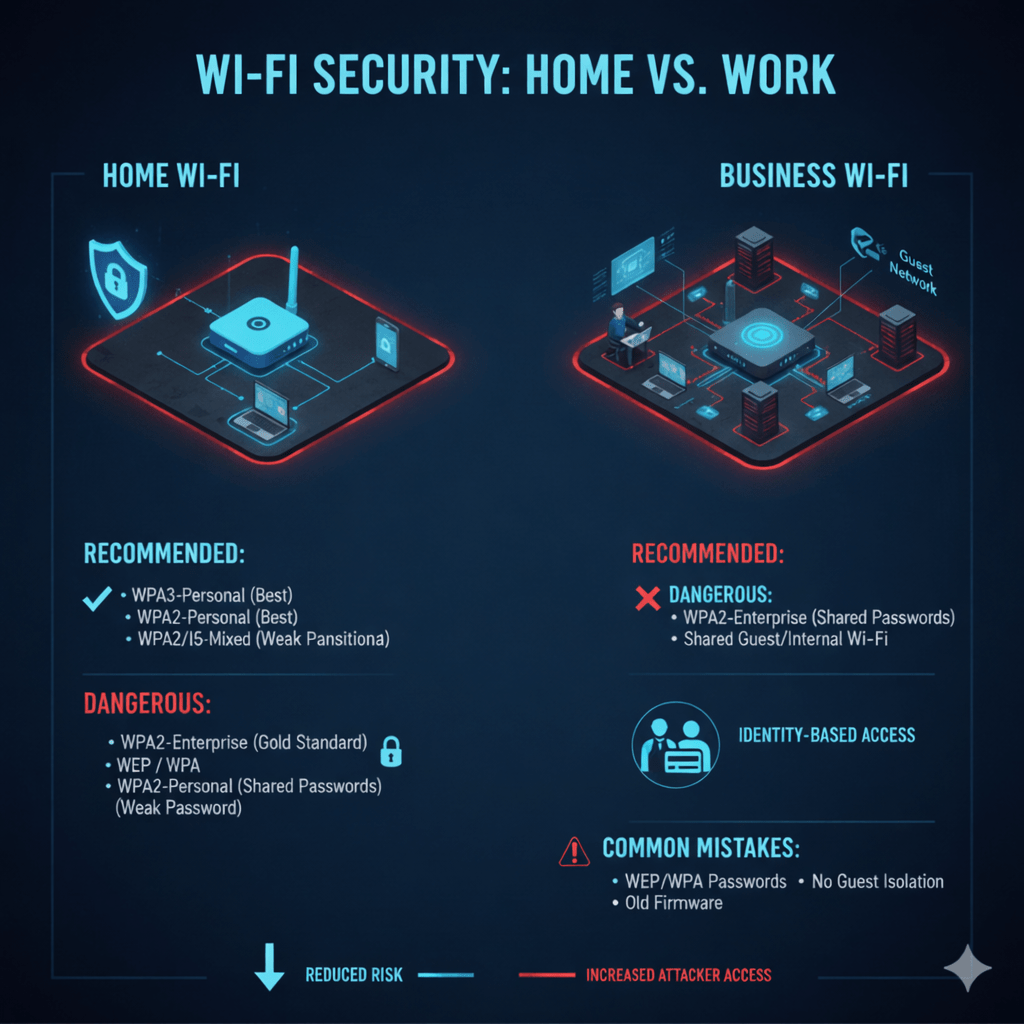
Home Wi-Fi: What You Should Use
For home environments, simplicity and security must balance.
Recommended Home Wi-Fi Security
- WPA3-Personal (best option)
- WPA2/WPA3 mixed mode if older devices exist
Home Wi-Fi Best Practices
- Use a long, unique passphrase
- Never reuse work or cloud passwords
- Disable WPS (Wi-Fi Protected Setup)
- Keep router firmware updated
Home Wi-Fi is often the bridge between personal devices and work accounts. Weak home Wi-Fi puts business data at risk.
Business Wi-Fi: Different Rules Apply
Business environments require stronger controls because:
- More users are involved
- Sensitive data is accessed
- Compliance requirements exist
- Attack impact is higher
WPA3-Enterprise (Best for Business)
This is the gold standard for business Wi-Fi.
WPA3-Enterprise:
- Uses individual user authentication
- Eliminates shared passwords
- Integrates with identity systems
- Allows access to be revoked per user
If one device or account is compromised, the entire Wi-Fi network is not.
WPA2-Enterprise (Still Common, But Aging)
WPA2-Enterprise can be acceptable when:
- WPA3 is not supported by hardware
- Strong authentication (802.1X) is used
- Certificates or centralized identity systems are enforced
However, it should be viewed as transitional, not future-proof.
Why Shared Wi-Fi Passwords Are Dangerous at Work
Shared Wi-Fi passwords:
- Cannot be revoked per user
- Are often reused or leaked
- Remain valid after employee departure
This creates permanent risk. Enterprise Wi-Fi should always tie access to identity, not a static password.
Guest Wi-Fi: Always Separate
Guest Wi-Fi should:
- Be isolated from internal systems
- Have no access to business resources
- Use separate security policies
Guests should never share the same wireless network as employees or systems.
Common Wi-Fi Security Mistakes We See
- Using WPA2-Personal in business environments
- Leaving default router credentials unchanged
- Mixing guest and internal traffic
- Never rotating Wi-Fi credentials
- Ignoring firmware updates
These mistakes are routinely exploited in real-world attacks.
How Wi-Fi Security Fits Into a Larger Security Strategy
Wi-Fi security supports:
- Network segmentation
- Identity protection
- Zero Trust principles
- Endpoint security
Weak Wi-Fi undermines firewalls, monitoring, and access controls by giving attackers a trusted foothold.
How Mindcore Technologies Secures Wi-Fi Networks
Mindcore Technologies helps organizations design and secure wireless networks by focusing on:
- WPA3 and enterprise-grade Wi-Fi security
- Identity-based authentication (802.1X)
- Guest network isolation
- Wireless segmentation and policy enforcement
- Continuous monitoring and review
- Alignment with Zero Trust architectures
We treat Wi-Fi as part of the network perimeter, not a convenience feature.
A Simple Reality Check
Your Wi-Fi security is weak if:
- You are using WEP or WPA
- Everyone shares the same password at work
- Guest and internal Wi-Fi are combined
- You do not know which devices are connected
- Router firmware has not been updated in years
Attackers look for easy entry points. Wi-Fi is often the easiest.
Final Takeaway
The correct Wi-Fi security type depends on where and how it is used, but the direction is clear. WPA3 is the standard moving forward, and identity-based Wi-Fi security is essential for businesses.
Homes should use WPA3-Personal with strong passphrases. Businesses should use WPA3-Enterprise or, at minimum, WPA2-Enterprise with strong authentication. Anything less creates unnecessary risk.
