

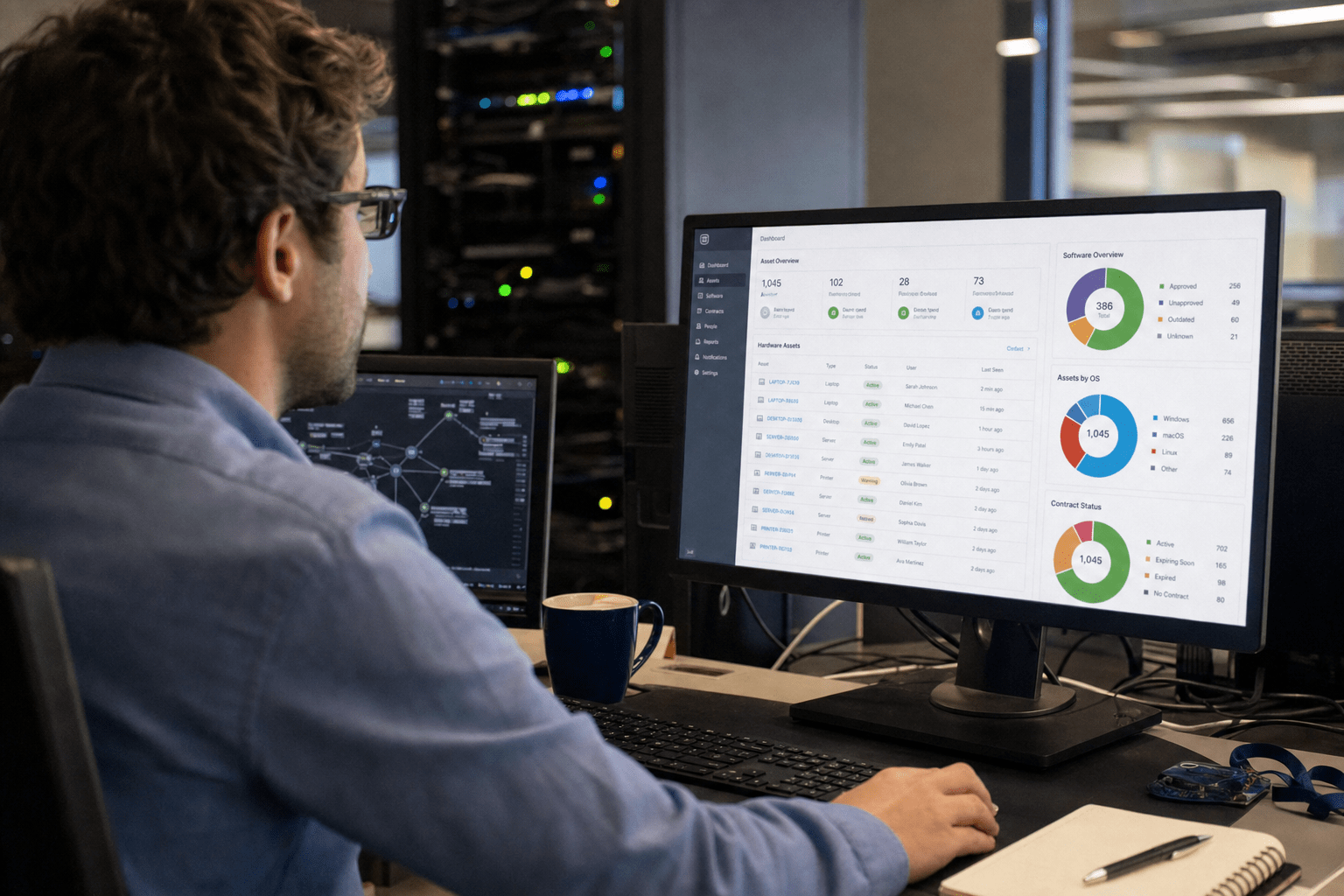
What Is an IT Asset Inventory is a continuously maintained record of every hardware device, software application, cloud instance, and license your organization owns, including who uses each asset, where it lives, and what it connects to. It matters in What Is an IT Asset Inventory because you cannot secure, budget for, or retire what you cannot see, and most companies are blind to roughly a third of what they actually run. That blind spot is rarely the laptops on people’s desks. It is the forgotten SaaS subscriptions and orphaned cloud instances nobody decommissioned. We see it on nearly every onboarding audit, and it is exactly where attackers get in.
Overview: The 5 Things That Decide Whether Your Inventory Works
Before we get into the mechanics, here is what separates an inventory that protects you from a spreadsheet that quietly rots:
- Coverage beats neatness. A messy list of all 100% of your assets is worth more than a pristine list of the 70% you remembered. The missing 30% is where the risk concentrates.
- SaaS and cloud are the real gap, not endpoints. Most teams track laptops and servers well. They lose the plot on per-team SaaS signups, abandoned cloud workloads, and licenses tied to people who left.
- Static documents go stale in weeks. An inventory is a living feed, not a once-a-year project. If it is a snapshot, it is already wrong.
- Ownership is data, not decoration. Knowing a device exists is half the value. Knowing who owns it, what it touches, and whether it is still needed is the other half.
- This is a security control first, an IT chore second. Frameworks like the CIS Controls put asset inventory at the very top because every other defense assumes you know what you are defending.
This guide is written for Operations Directors and CIOs at small and mid-sized businesses, the people who own the budget and the breach risk but rarely have a full-time team chasing every endpoint.
Why In What Is an IT Asset Inventory, the hidden 30 percent is the part that hurts you.
The assets you forget about are the ones attackers find first, and for most SMBs that hidden layer accounts for about a third of the real estate. When our team runs a first-pass discovery on a new client, the hardware count is usually close to what they expected. The shock lands in two columns: software-as-a-service subscriptions that individual teams signed up for without IT, and cloud instances that were spun up for a project and never shut down.
This is not a hypothetical. A marketing lead expenses a $40-a-month analytics tool, connects it to your customer data, then changes jobs. The subscription keeps billing, the integration keeps pulling records, and nobody is watching it. That is shadow IT, meaning any technology used inside the company without IT’s knowledge or approval, and it is the soft underbelly of almost every environment we inherit.
The damage shows up three ways. First, money: you pay for licenses and instances long after anyone uses them. Second, compliance: an asset you do not know about is an asset you cannot prove you secured, which is a problem the moment an auditor or a cyber-insurance underwriter asks. Third, and worst, security. The U.S. Cybersecurity and Infrastructure Security Agency keeps a Known Exploited Vulnerabilities catalog precisely because unpatched, forgotten systems are how intrusions begin. You cannot patch a server you forgot you were running.

How an IT Asset Inventory Actually Works
A working IT asset inventory continuously discovers, classifies, and tracks every asset across its full lifecycle, from procurement through active use to secure retirement. The word that earns its keep there is “continuously.” The old model was a once-a-year manual count, and it failed for an obvious reason: environments change faster than anyone can recount them by hand. A new hire gets three apps on day one. A team launches a cloud workload on a Tuesday. By the time a quarterly audit comes around, the picture has shifted under your feet.
We build inventories around automated discovery feeding a single source of truth. Agents on endpoints report hardware and installed software. Cloud APIs report active instances and services. Identity and single-sign-on logs surface which SaaS apps people actually log into. Network scans catch the rest, including the printer in the back office and the IoT sensor nobody documented. This connects directly to disciplined network management, because the network is where unknown devices first announce themselves.
What Counts as an Asset Worth Tracking
Every asset that stores data, connects to your network, or costs you money belongs in the inventory, full stop. Some teams argue for a narrower scope, counting only company-owned hardware to keep the list manageable. We understand the instinct, since a tighter list is easier to maintain. The trouble is that the assets people leave out, personal phones reaching email, free-tier SaaS tools, contractor laptops, are often the ones with the weakest controls.
The opposite position says track absolutely everything down to individual cables, which collapses under its own weight and helps no one. The honest answer sits between those poles, scoped to risk: hardware, operating systems and applications, cloud instances and services, SaaS subscriptions, licenses, and the identities tied to each. Mobile devices deserve particular attention, which is why mobile device management belongs alongside any serious inventory effort. The test is simple. If losing track of it would cost you money, fail an audit, or open a door, it goes on the list.
Automated Discovery Versus Manual Tracking
Automated discovery is the only approach that keeps pace with a real environment, though manual tracking still has a narrow role. Tools that scan, query APIs, and pull from identity providers find assets continuously and without human memory as the bottleneck. They catch the cloud instance spun up at 2 a.m. and the app a new employee installed yesterday. For anything beyond a handful of devices, this is not optional.
That said, the case for manual entry is not zero. Some assets resist automated detection, including air-gapped systems, certain operational technology, and contractual or warranty details that live in a procurement file rather than on a network. We do not pretend automation sees everything. The right build uses automated discovery as the backbone and manual entry as the targeted exception, with a clear owner for the gaps machines cannot reach. Treating manual tracking as the primary method is where SMBs lose the thread.
Where the Inventory Lives and Who Owns It
The inventory should live in a dedicated system that everyone treats as authoritative, with a single named owner accountable for its accuracy. A common pattern is the shared spreadsheet, and its appeal is real: it is free, familiar, and instant. For a 10-person shop it can even limp along for a while. The failure mode is predictable, though. Spreadsheets have no live discovery, no change history, and no enforcement, so they drift the moment the person maintaining them gets busy.
The counterargument for a purpose-built asset platform is that it integrates with discovery tools, tracks changes over time, and links assets to tickets, vulnerabilities, and contracts. The cost is licensing and setup effort. Neither tool choice matters as much as ownership. We have seen excellent platforms rot because no one owned them, and modest setups stay accurate because one accountable person ran the cadence. Decide who owns it before you decide what software holds it. Sound asset records also feed your broader cloud data management practice, since you cannot govern data sitting on systems you have not catalogued.
How a Living Inventory Strengthens Security and Compliance
A current asset inventory is the foundation every other security control quietly depends on, which is why the CIS Critical Security Controls list inventory and control of enterprise assets as Control 1. The logic is unforgiving. Your vulnerability scanner only scans what it knows about. Your patching process only patches catalogued systems. Your access reviews only cover documented accounts. Skip the inventory and every downstream defense inherits the same blind spot.
This is the direct line in What Is an IT Asset Inventory from the hidden 30 percent to a breach. An orphaned cloud instance does not get patched because nobody remembers it exists, so it stays vulnerable to a flaw that was fixed everywhere else months ago. Attackers scan for exactly these stragglers. The National Institute of Standards and Technology built an entire reference architecture, NIST SP 1800-5 on IT asset management, around the premise that you secure what you can see and lose what you cannot. A clean inventory also makes the work that follows it real, which is why we tie it straight into a disciplined vulnerability management process rather than letting findings pile up against assets no one owns.
Compliance compounds the value. Regulations and cyber-insurance questionnaires increasingly ask you to demonstrate, not assert, that you know your environment. When an underwriter asks how many endpoints you run and what controls cover them, a guess is a liability. A current inventory turns that question into a thirty-second answer, and it turns an audit from a fire drill into a report you export. We have watched the same document cut insurance premiums and shorten audits in the same quarter.
Frequently Asked Questions
What is the difference between IT asset inventory and IT asset management?
An IT asset inventory is the record of what you own, while IT asset management is the full discipline of governing those assets across their lifecycle. The inventory is the data layer, the authoritative list of every device, app, and instance. Asset management is everything you do with that data, including procurement decisions, license optimization, security controls, and retirement. You cannot do the management without the inventory underneath it.
How often should an IT asset inventory be updated?
A useful IT asset inventory updates continuously through automated discovery, not on a fixed quarterly or annual schedule. Environments change daily as people join, apps get installed, and cloud workloads spin up, so a periodic snapshot is stale almost immediately. Automated tools should refresh the record in near real time, with a human review cadence layered on top to catch the assets machines cannot detect.
Why does an IT asset inventory matter so much for small businesses?
For small and mid-sized businesses an IT asset inventory matters because lean teams are the most likely to lose track of assets and the least able to absorb a breach. Without a dedicated IT staff watching every signup and cloud project, shadow IT accumulates fast. The inventory is the single control that gives an SMB enterprise-grade visibility without an enterprise-sized team, and it is usually the cheapest security win available.
What assets do companies most often miss in their inventory?
Companies most often miss SaaS subscriptions and abandoned cloud instances, not physical hardware. Individual teams sign up for tools outside IT’s view, and cloud workloads launched for short-term projects rarely get shut down. These forgotten assets typically make up around a third of the real environment, and because nobody owns them, they go unpatched and unmonitored, which is precisely where attackers look first.
Can a spreadsheet work as an IT asset inventory?
A spreadsheet can serve as a starting point for a very small business, but it stops working as you grow. It has no automated discovery, no change history, and no enforcement, so it drifts out of date the moment maintenance slips. For anything beyond a handful of devices, a purpose-built platform with live discovery becomes the reliable choice, though clear ownership matters more than the tool itself.
Ready to See What You’re Actually Running?
The takeaway in What Is an IT Asset Inventory is straightforward: you cannot secure, budget for, or prove compliance on assets you cannot see, and most organizations are missing about a third of theirs. That gap lives in the SaaS tools and cloud instances nobody decommissioned, and it is the same gap attackers exploit, auditors flag, and finance overpays for. A continuously maintained IT asset inventory, owned by a named person and fed by automated discovery, turns that blind spot into a managed, defensible picture of your environment. It is the foundation under every other layer of IT and security you will ever build, which is why the major frameworks rank it first. If you are not certain what is running in your environment right now, that uncertainty is the problem worth solving before anything else. Our team can map your full asset picture, surface the hidden third, and build an inventory that stays current. Book a free strategy call and let’s find out what you’re actually running.
IT Asset Inventory and Technology Visibility Expertise from Matt Rosenthal
Matt Rosenthal, CEO of Mindcore Technologies, has over 30 years of experience helping SMBs surface the hidden third of their IT environment that most organizations cannot account for, including abandoned cloud instances, orphaned SaaS subscriptions tied to departed employees, and forgotten systems that go unpatched because nobody remembers they are running. He has seen firsthand how a neat spreadsheet of tracked laptops and servers coexists with an unmonitored analytics tool pulling customer data, a cloud workload spun up for a project that never got shut down, and a vulnerability left open on a system nobody documented as existing. Matt leads a team that builds continuously maintained asset inventories backed by automated discovery, so every downstream security control, every patch cycle, every access review, and every compliance attestation rests on a complete and current picture rather than an educated guess.

