

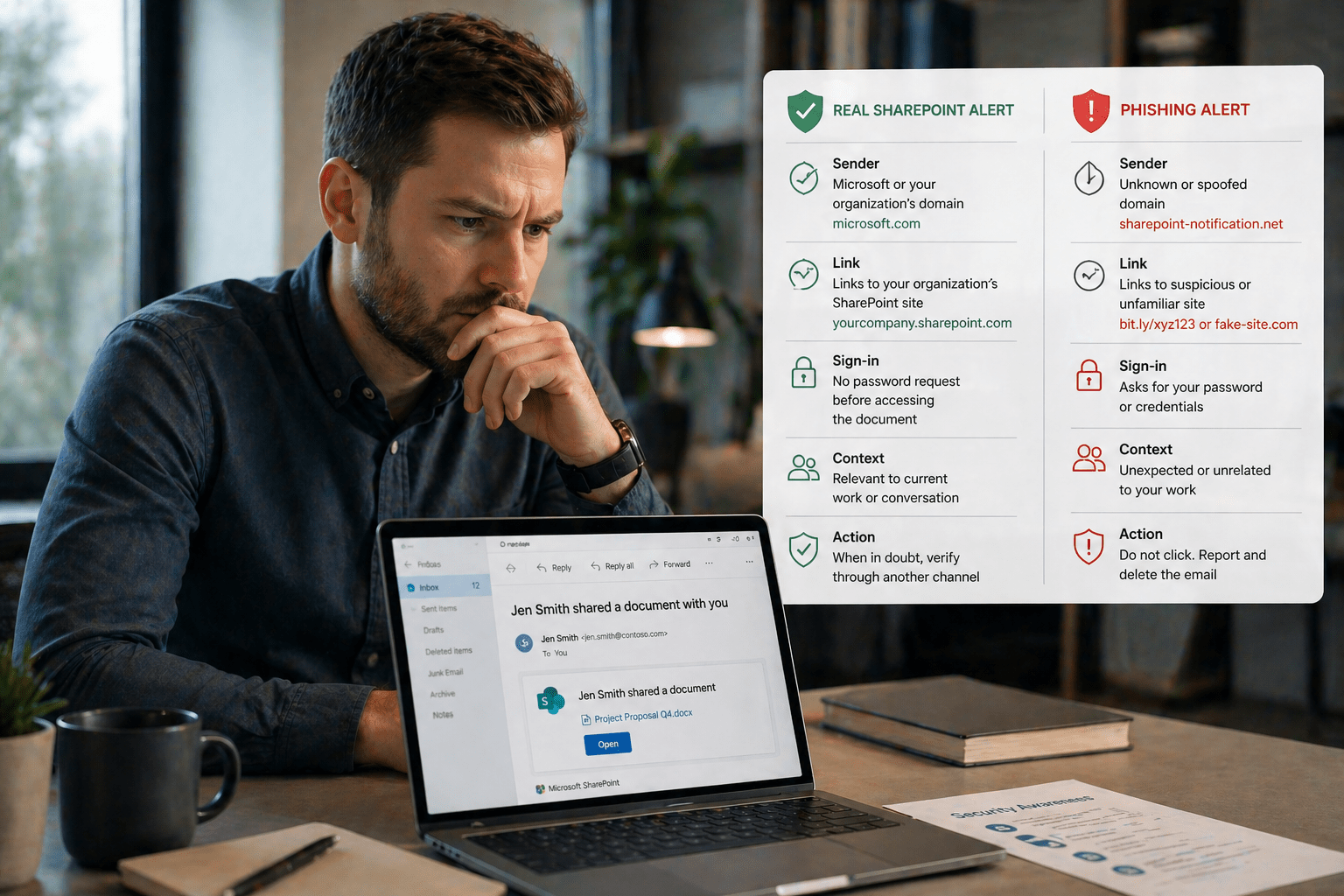
SharePoint and OneDrive are built for collaboration. That is their strength. It is also where most document security issues begin.
The platforms are not insecure. The problem is that default sharing settings prioritize accessibility, and most organizations never tighten them.
As a result, documents are often shared too broadly, permissions accumulate over time, and access extends far beyond what was originally intended.
Understanding how to secure document sharing is a key part of a modern cybersecurity strategy.
Overview
Secure document sharing in SharePoint and OneDrive is primarily a configuration and behavior issue. The controls exist. The difference comes down to how consistently they are applied.
- Tenant-level settings establish the baseline for all sharing
- User decisions determine how secure each share actually is
- Link type selection has the highest impact on security
- Access reviews prevent long-term permission sprawl
- External sharing requires additional safeguards
Organizations that align these controls often rely on managed IT services to maintain consistency and governance.
The 5 Why’s
Why are default sharing settings a security risk?
Default configurations are designed for ease of use, not restriction. Many environments allow broader sharing than intended unless they are actively configured.
Why does link type selection matter?
Choosing “Anyone with the link” allows unrestricted forwarding. This effectively turns a shared document into public access.
Using “Specific people” limits access to intended recipients only and significantly reduces exposure.
Why does access sprawl happen?
Access is easy to grant and rarely removed. Over time, permissions accumulate across projects, vendors, and teams without review.
Why is sensitivity labeling important?
Sensitivity labels apply controls automatically at the document level. This ensures security policies are enforced regardless of user actions.
This approach aligns with broader data governance practices.
Why is external sharing higher risk?
External sharing extends access beyond your organization’s identity boundary. Once shared externally, control is reduced.
Best Practices for Secure Sharing
Configure Tenant-Level Sharing Restrictions
Tenant-level settings define the minimum security baseline across your environment.
- Set default sharing to “Specific people”
- Restrict external sharing to approved domains
- Require authentication for external users
- Enable expiration for external links
Use “Specific People” Links for Sensitive Documents
Sensitive documents should always be restricted to named individuals.
- Use for financial, HR, legal, and client data
- Avoid broad sharing for sensitive content
- Reserve open links for public content only
Set Expiration Dates on External Shares
External access should never be permanent.
- Align expiration with business purpose
- Shorten access duration whenever possible
- Remove access after completion of work
Apply Sensitivity Labels
Sensitivity labels enforce security controls automatically.
- Restrict sharing based on classification
- Enable encryption and protection policies
- Prevent forwarding or downloading when required
Conduct Regular Access Reviews
Periodic reviews prevent uncontrolled access growth.
- Remove outdated user access
- Review external collaborators
- Eliminate unnecessary sharing links
These reviews are often part of a broader IT consulting strategy for governance.
Train Users on Secure Sharing Practices
Technology alone does not prevent over-sharing. Users must understand how to share securely.
- Educate on link types and risks
- Encourage verification before sharing
- Promote accountability in document access
Final Takeaway
SharePoint and OneDrive security is not limited by technology. The controls already exist within the platform.
The real challenge is consistent configuration, informed user behavior, and ongoing access management.
Organizations that address these areas significantly reduce document exposure without limiting collaboration.
Secure Your Microsoft 365 Document Environment With Mindcore
Mindcore Technologies helps organizations configure SharePoint and OneDrive for secure collaboration.
From sensitivity labeling to access governance, our approach ensures your environment remains both productive and protected.
Talk to Mindcore About SharePoint Security Configuration
Contact our team to assess your SharePoint and OneDrive sharing setup and strengthen your document security posture.

