

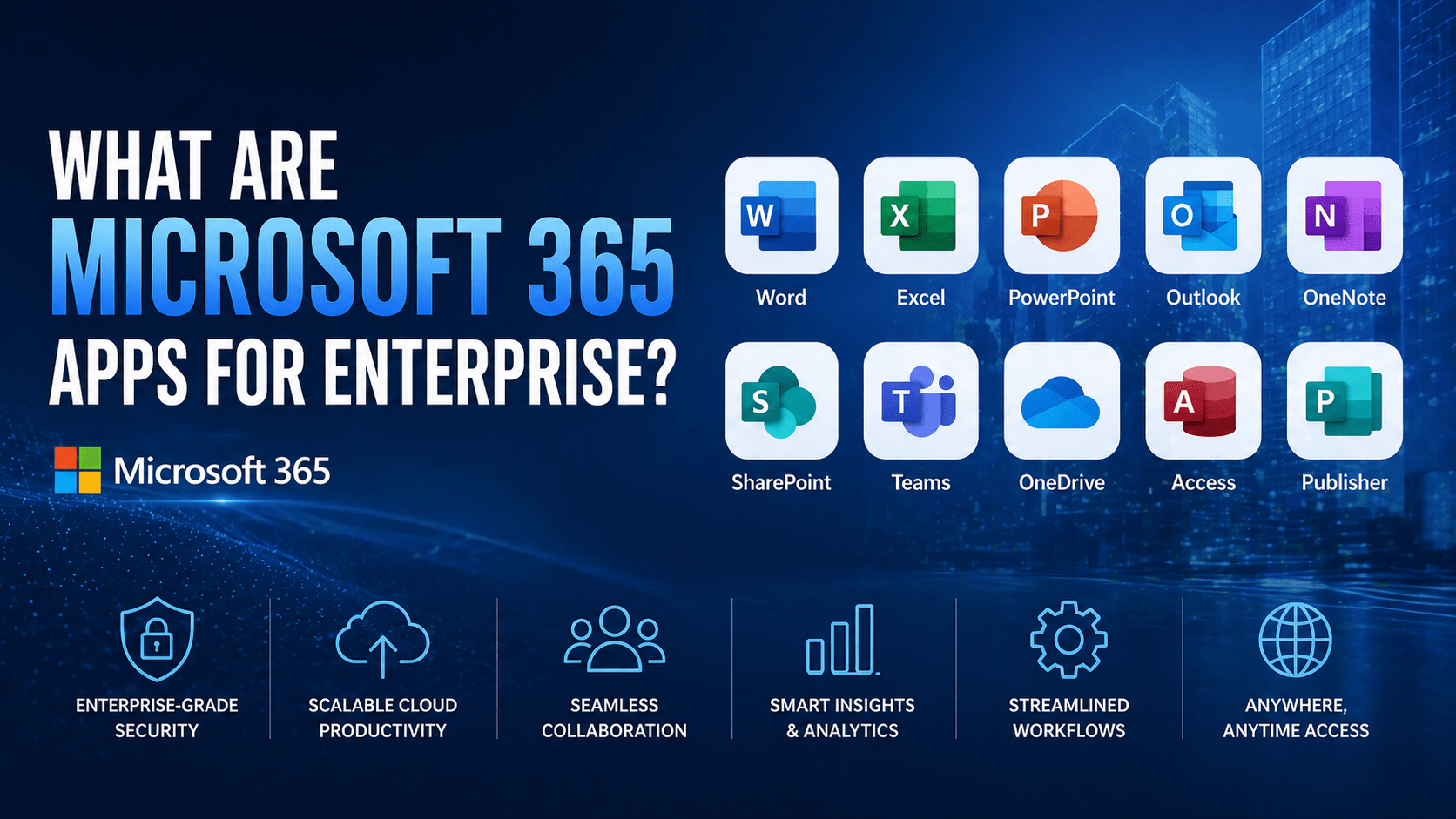
Microsoft 365 Apps for Enterprise is a subscription plan that provides the full Microsoft Office desktop application suite — Word, Excel, PowerPoint, Outlook, Access, Publisher — plus OneDrive, Teams, and enterprise-grade deployment and management features. It is the desktop application component of the enterprise Microsoft 365 experience, typically licensed alongside enterprise email and collaboration services.
It was formerly known as Office 365 ProPlus — the name changed when Microsoft rebranded the Office 365 product family under the Microsoft 365 umbrella.
Overview
Microsoft 365 Apps for Enterprise is specifically the application delivery component — not a complete enterprise productivity plan with email and SharePoint included. Organizations that need the enterprise Office applications with centralized deployment management typically combine Microsoft 365 Apps for Enterprise with other Microsoft 365 enterprise services (Exchange Online, SharePoint Online) or purchase a bundled plan (Microsoft 365 E3 or E5) that includes both applications and services.
- Delivers the full Office desktop application suite across Windows and macOS
- Supports installation on up to 5 PCs or Macs, 5 tablets, and 5 smartphones per user
- Includes enterprise deployment tools — Microsoft Endpoint Configuration Manager and Intune integration
- Always-current applications — continuous updates with new features and security patches
- Telemetry and policy management tools for enterprise IT control
- Priced at approximately $12/user/month as a standalone plan
The 5 Why’s
- Why is Microsoft 365 Apps for Enterprise specifically an enterprise designation rather than just a marketing term? Enterprise application deployment requires capabilities that consumer and small business subscriptions do not include: centralized deployment via SCCM or Intune, Group Policy management of application settings, update channel management (controlling which update cadence applications receive), compliance reporting on application versions, and integration with enterprise device management. Microsoft 365 Apps for Enterprise is designed for large-scale managed deployments.
- Why does the “up to 5 PCs or Macs” installation limit specifically matter for enterprise planning? Each user license covers up to 5 devices per category — a single user can have Office installed on their work laptop, home laptop, and tablet without requiring separate licenses. For enterprises with field staff or executives who work across multiple devices, this flexibility eliminates the license management complexity of per-device licensing.
- Why is update channel management specifically important for enterprise environments? Enterprises need control over when application updates roll out — not all organizations can accept immediate feature updates that might break line-of-business application compatibility, change workflows users are trained on, or require help desk support for new features. Microsoft 365 Apps for Enterprise supports multiple update channels (Current Channel for latest features, Monthly Enterprise Channel for tested monthly updates, Semi-Annual Enterprise Channel for twice-yearly updates) that IT can select per deployment group.
- Why do enterprises still deploy Microsoft 365 Apps locally rather than using only web-based applications? Web-based versions of Office (Word, Excel, PowerPoint in the browser) provide a subset of features compared to the desktop applications. Complex Excel models, advanced Word formatting, and presentation design work benefit from the full-featured desktop applications. Enterprises that do work requiring the full capability set need desktop installations; web apps are adequate for light editing and collaboration but not for all use cases.
- Why is Microsoft 365 Apps for Enterprise typically not purchased as a standalone plan by most enterprises? Most enterprise customers purchase bundled Microsoft 365 plans (E3, E5) that include Microsoft 365 Apps for Enterprise along with Exchange Online, SharePoint, Teams, and other services. Purchasing Apps for Enterprise standalone makes sense for organizations that have other arrangements for email and collaboration services, or that are adding Office application access for users who already have other Microsoft 365 services through a different plan.
What Microsoft 365 Apps for Enterprise Includes
Desktop Applications
Full desktop versions (Windows and macOS) of:
- Word — full-featured document creation
- Excel — full-featured spreadsheet and data analysis
- PowerPoint — full-featured presentation creation
- Outlook — full-featured email and calendar client (requires Exchange account; Exchange Online not included in this plan)
- OneNote — digital notebook
- Access (Windows only) — database creation and management
- Publisher (Windows only) — desktop publishing
Cloud Storage and Collaboration
- OneDrive for Business — 1 TB of cloud storage per user for storing, accessing, and managing business files across devices.
- Microsoft Teams — communication and collaboration platform
Enterprise Management Features
- Microsoft Endpoint Configuration Manager integration — centralized deployment via SCCM
- Microsoft Intune integration — cloud-based deployment and management
- Group Policy support — enterprise policy control over application settings
- Update channel management — control over update frequency and timing
- Telemetry and analytics — Office usage and compatibility reporting
- Volume license activation — centralized license management for large deployments
Microsoft 365 Apps for Enterprise vs Microsoft 365 Business Standard
| Feature | Apps for Enterprise | Business Standard |
|---|---|---|
| Desktop Office apps | Yes | Yes |
| Max devices per user | 5 PC/Mac, 5 tablet, 5 phone | Same |
| Exchange Online email | No (standalone) | Yes |
| SharePoint Online | No (standalone) | Yes |
| Domain-joined PC management | Enterprise tools | Limited |
| Update channel management | Full enterprise control | Basic |
| Max users supported | Unlimited | 300 |
Final Takeaway
Microsoft 365 Apps for Enterprise is the right choice for large organizations that need enterprise deployment management for Office desktop applications and have separate arrangements for email and collaboration services. For most SMBs and mid-market organizations, bundled Microsoft 365 plans (Business Standard, Business Premium, or E3) that include both applications and services in a single subscription are simpler to manage and typically more cost-effective.
Deploy and Manage Microsoft 365 Apps With Mindcore Technologies
Mindcore Technologies helps enterprise organizations plan and execute Microsoft 365 Apps for Enterprise deployments — update channel selection, Intune or SCCM integration, policy configuration, and ongoing version management.
Talk to Mindcore Technologies About Microsoft 365 Enterprise Deployment →
Contact our team to assess your application deployment approach and optimize your Microsoft 365 apps management.

