

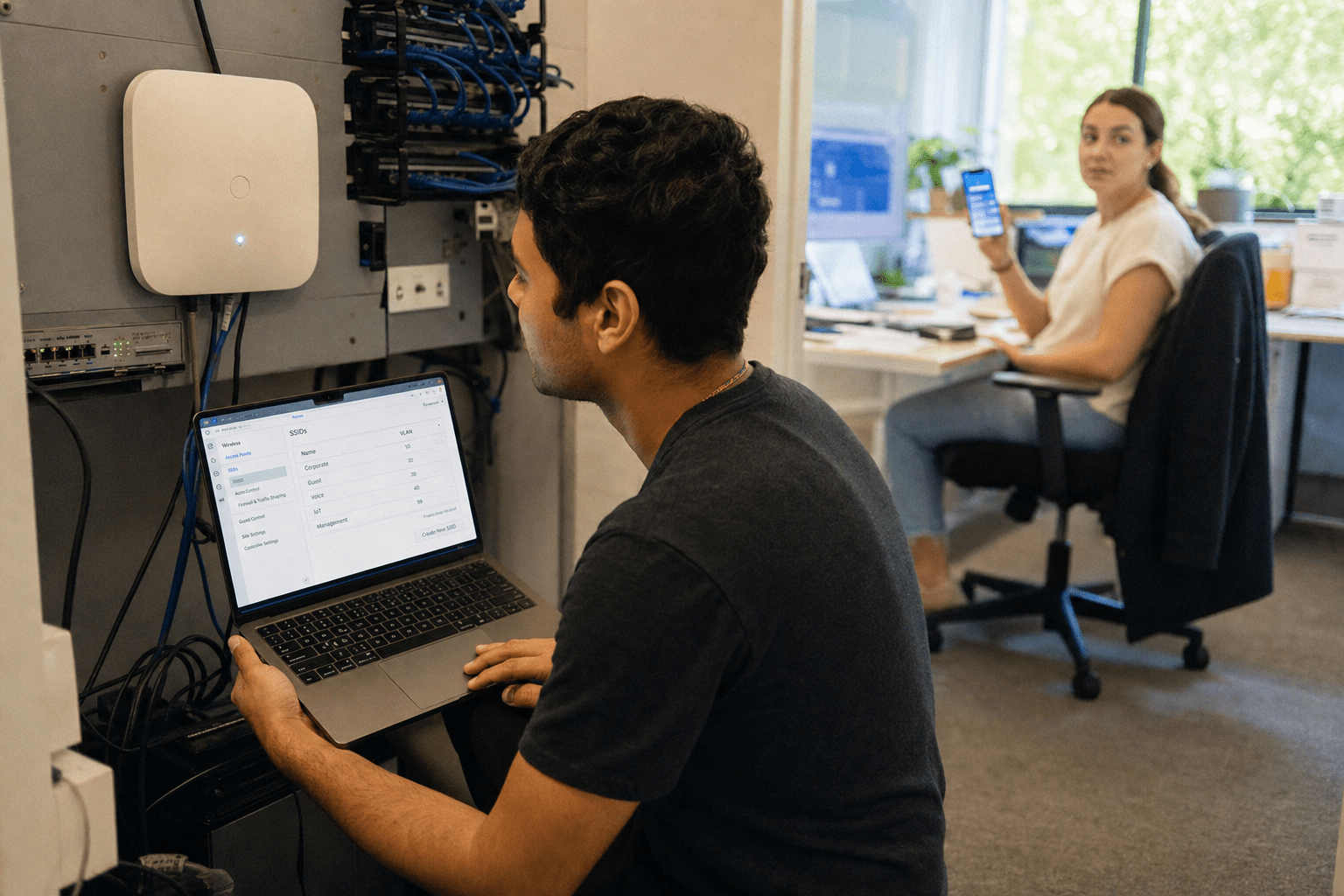
Offering visitors internet access looks like a simple courtesy, but knowing how to make a Guest WiFi Network properly decides whether that courtesy becomes an open door into your business. A properly configured guest Wi-Fi network, following the principles of how to make a Guest WiFi Network, keeps clients, vendors, and contractors online without ever letting their devices touch your servers, printers, or employee laptops.Done wrong, one infected phone in your lobby can reach the files that run your company. This guide walks you through building a guest network that stays friendly to visitors and hostile to attackers.
You are the one responsible for the people who walk through your doors and the data behind them. Mindcore works alongside your team as the guide, giving you the technical decisions and the reasoning so you can put a real security boundary in place with confidence.
The Short Answer
A secure guest Wi-Fi network is a separate, isolated lane on your existing hardware that gives visitors internet access while blocking them from every internal resource. You achieve this when you understand how to make a Guest WiFi Network using a dedicated SSID mapped to its own VLAN, client isolation, firewall rules, and per-user bandwidth limits to keep guests from impacting your business apps. Add a captive portal for a login screen and terms of use, keep firmware current, and review the logs. That combination gives you a network that is easy for guests and closed off from your core systems.
Five Things Every Secure Guest Network Needs
- A separate SSID mapped to its own VLAN, so guest traffic rides its own isolated lane
- Client isolation, so guest devices cannot see or attack each other
- A firewall policy that blocks all guest to private traffic while allowing internet access
- Bandwidth caps and Quality of Service, so guests never slow down your CRM, phones, or Microsoft Teams
- A captive portal plus firmware updates and log review for control and visibility over time
Why Guest Wi-Fi Is a Security Boundary, Not a Convenience
The moment a stranger connects to your network, their device becomes part of it. If your guest connection shares the same network your staff uses, that visitor can reach shared folders, network printers, point of sale terminals, and any device with a weak password. Malware on a guest phone does not need permission to move sideways. It scans the local network and jumps to whatever it can reach.
Treating guest access as a security boundary changes every decision that follows. You stop asking how to make Wi-Fi available and start asking how to make internet access available while keeping everything else out of reach. That framing is what separates a real setup from a router with two passwords.
The Cost of Getting It Wrong
A flat network, where guests and staff share the same address space, turns a minor incident into a company wide one. A single compromised visitor device can harvest credentials, encrypt shared drives, or sit quietly and watch traffic. The businesses that avoid these events are not luckier. They built a boundary before they needed one.
Step by Step: Building the Network
The work breaks into a clear sequence. Each step adds a layer, and the layers together are what make the network hard to abuse.
Start With Business Grade Hardware
Consumer routers often advertise a guest mode, but that mode is frequently just a second password on the same network with little real isolation. Business grade access points and routers support VLAN tagging, firewall rules, and multiple SSIDs on one device. You do not need to double your equipment. One capable access point can broadcast your private network and your guest network at the same time, keeping them apart at the hardware level.
If you are unsure whether your current gear supports VLANs and client isolation, that is a good moment to bring in help. Our team handles this as part of ongoing network management so the setup is correct the first time.
Create a Separate SSID and VLAN
When you broadcast a guest network, using the right configuration shows visitors how to join, and knowing how to make a Guest WiFi Network includes mapping that SSID to its own VLAN. A VLAN uses your existing switches and access points to carve out a separate lane for guest traffic. Devices on the guest VLAN cannot see the printers, servers, or workstations on your private VLAN. This single step delivers most of the security value, because it removes the path an attacker would use to move from the lobby to your file server.
Turn On Client Isolation
Client isolation prevents guest devices from talking to each other. Without it, two visitors on the same network can probe and attack one another, and a compromised device can target every other phone and laptop on the guest side. With isolation on, each device gets internet access and nothing else. This protects your visitors from each other and shrinks the damage any single infected device can do.
Write the Firewall Rule
The VLAN creates the lane. The firewall rule enforces the destination. Configure your firewall to deny all traffic from the guest VLAN to your private VLAN, while permitting traffic out to the internet. Deny local network resource access explicitly, so guests cannot reach shared folders, printers, or management interfaces. This is the rule that makes the separation real rather than assumed.
Set Bandwidth Limits and Quality of Service
A guest streaming video should never slow down the tools your staff depends on. Apply per user bandwidth caps on the guest network and use Quality of Service to prioritize business apps such as your CRM, phone system, and Microsoft Teams over guest sessions. This keeps the guest experience reasonable and your operations fast, and it also blunts anyone trying to abuse your connection.
Add a Captive Portal
A captive portal is the login screen a visitor sees before they get online. It gives you a place to display terms of use, capture a simple sign in, and add a layer of control over who connects. For many offices the portal is also where accountability lives, since it records that a guest agreed to your acceptable use terms before browsing.
Keeping the Network Secure Over Time
A secure setup is a starting point, not a finish line. The threats change, and your configuration has to be maintained to keep pace.
Patch and Monitor
Unpatched firmware is one of the most common ways attackers get in. Update the firmware on your routers and access points on a regular schedule, and change any default administrative ports and passwords on your equipment so no one can walk in through a factory setting. Review your usage logs so unusual activity gets noticed early. This is exactly the kind of ongoing visibility that network security monitoring is built to provide.
Know Your Record Keeping Obligations
Depending on where you operate, a business that provides internet access may carry legal duties to retain connection logs for a set period so law enforcement can be assisted if needed. Confirm what applies to your location and build log retention into your plan rather than discovering the requirement after an incident.
How This Fits a Bigger Security Picture
Guest Wi-Fi isolation is one piece of a segmented network. The same VLAN and firewall thinking that protects you from visitors also protects your finance systems from your break room devices and your sensitive data from your general staff traffic. If you want the full context, our guide on how to secure a computer network for a growing business shows where guest access sits inside a wider plan, and our walkthrough on how to set up guest Wi-Fi in your store, cafe, or office covers the retail angle.
Frequently Asked Questions
Is a guest network really necessary if I trust my visitors?
Trust in a person does not extend to their device. A visitor can be completely trustworthy while carrying a phone that is already infected. A guest network protects your systems from the devices, not the people, so it stays necessary regardless of who is connecting.
Can I build a guest network without buying new equipment?
Often yes. If your current access points and switches support VLAN tagging and client isolation, you can broadcast a separate guest SSID on the hardware you already own. If your gear is consumer grade with only a basic guest mode, a hardware refresh may be the safer path.
What is the difference between a guest network and just a second password?
A second password on the same network still puts guests inside your private address space, where they can reach shared resources. A true guest network places visitors on a separate VLAN with a firewall rule that blocks access to everything internal. The password is not the boundary. The isolation is.
How often should I update the firmware on my access points?
Check for firmware updates on a regular monthly cadence and apply security patches promptly when they are released. Unpatched firmware is a frequent entry point, so a steady schedule closes that gap before an attacker finds it.
Does a captive portal make the network more secure?
A captive portal adds control and accountability rather than raw encryption. It gives you a login screen, a place to present terms of use, and a record that a guest accepted them. Paired with VLAN isolation and a firewall rule, it rounds out a network that is both controlled and closed off.
Ready to Lock Down Your Guest Network?
A guest Wi-Fi network that keeps visitors online and attackers out is a boundary built through careful planning, and mastering how to make a Guest WiFi Network ensures it stays secure over time. If you want a second set of eyes on your current setup, or you would rather hand the whole thing to a team that does this every day, we are ready to help. Book a free strategy call with Mindcore and we will map out a guest network that fits your office and protects everything behind it.

