

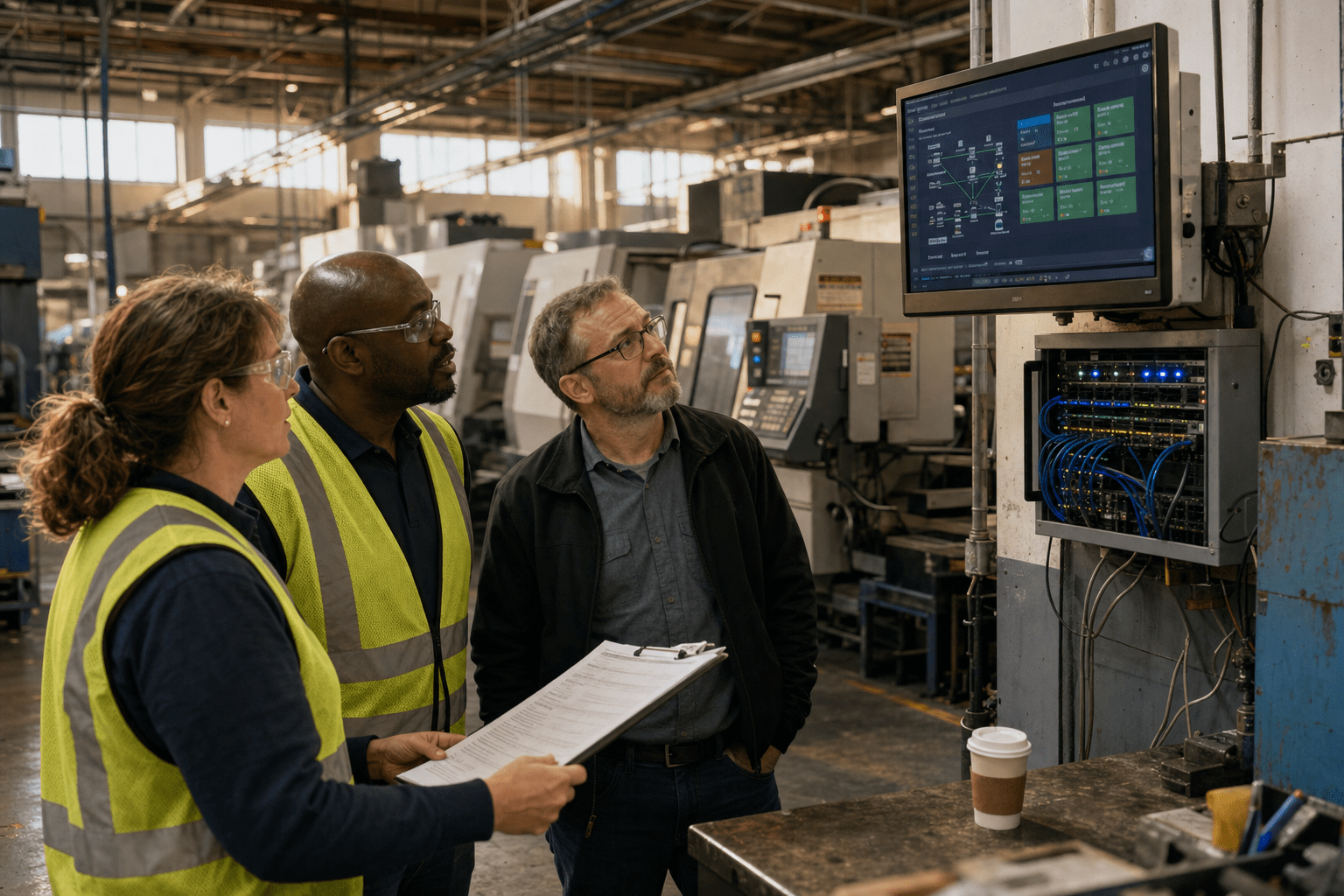
Managed IT services for manufacturers should be judged on production-floor uptime, not help-desk ticket counts, which is exactly what high-quality Managed IT Services for Manufacturers ensure. A plant runs on machines that generic office-IT contracts were never written to cover: PLCs on a decade-old controller, an ERP tied to shipping and inventory, and shop-floor networks that cannot tolerate a reboot during a shift. When we evaluate a provider for a manufacturing client, we look first at whether their SLA protects the line, then at whether they can support both the enterprise stack and the operational technology behind it. The right partner providing Managed IT Services for Manufacturers treats a stalled CNC cell as a P1 incident, not a routine ticket in a queue.
The Five Things That Separate a Real Manufacturing MSP
Before you compare quotes, anchor your evaluation on the five points that actually decide whether a provider fits a plant floor.
- Uptime protects production, not just email. The SLA should name a response time for line-down events, not fold them into a generic “critical” tier that also covers a printer outage.
- OT and IT are both in scope. A provider that only knows Windows domains and Microsoft 365 will freeze the first time a machine controller drops off the network.
- ERP and legacy systems are supported, not tolerated. Your ERP, MES, and any aging line-of-business software need a named owner, not a shrug.
- Cybersecurity assumes you are a target. Manufacturing is among the most attacked sectors, and ransomware on a plant network stops shipping, not just files.
- They scale with your footprint. A second site, a new production cell, or an acquisition should not force a contract rewrite from scratch.
Hold these five up against every proposal. A vendor that leads with ticket volume and desktop imaging, and goes quiet on the floor, is selling office IT with a manufacturing label.
Why Generic IT Support Fails Manufacturers
Managed IT Services for Manufacturers often fail when the provider treats a factory like a large office. We see this pattern in the wild constantly: a plant signs a standard MSP contract, the desktops get patched on schedule, and then a controller on the packaging line loses its network path during a maintenance window nobody coordinated with operations. The office side of the house was healthy. The line was down for four hours.
How Production Downtime Costs More Than a Ticket SLA
Production downtime for a manufacturer carries a cost per hour that dwarfs any standard support metric, which is why a line-down clause belongs in the contract itself. In one plant we assessed, a single hour of stopped output represented more lost margin than a full month of the IT contract. A provider selling a “one hour response” SLA sounds reasonable until you learn that clock only starts after a ticket is triaged, and the triage tier does not distinguish a jammed print spooler from a halted assembly line. The counterargument holds some weight: not every manufacturer runs continuous shifts, and a job shop with slack in its schedule can absorb an outage a high-volume plant cannot. The point is not that every minute is catastrophic. The point is that your contract should reflect your actual production reality, and a generic tier structure rarely does. Insist on a defined line-down severity with its own response and escalation path.
Why Office IT Skills Do Not Cover the Plant Floor
Office IT skills cover the enterprise network, but the plant floor runs on operational technology that a standard help desk was never trained to touch. Operational technology, or OT, is the hardware and software that monitors and controls physical equipment such as PLCs, SCADA systems, and industrial sensors. CISA notes that OT environments have different priorities than traditional IT, where availability and safety often outrank the confidentiality-first model of office systems. A technician who reflexively pushes a patch and reboots can stop a process that was mid-cycle. That said, some argue OT should stay fully walled off from the MSP and owned by the equipment vendors alone. In practice that split leaves a gap: nobody owns the network segment between the office and the floor, and that gap is exactly where incidents live. The provider does not need to reprogram your PLCs. They do need to understand the boundary, respect change control on the OT side, and coordinate with your engineers before touching anything that talks to a machine.
How the Right Partner Reduces, Not Adds, Complexity
The right managed IT partner reduces complexity by giving one accountable owner across office IT, network, and the OT boundary, rather than adding another vendor to coordinate. When a line stops, you should call one number, not spend twenty minutes deciding whether it is an IT problem, a network problem, or a machine problem. We have watched manufacturers juggle four vendors during an incident, each pointing at the other. A consolidated model has a real trade-off worth naming: it concentrates dependence on a single provider, so their competence and responsiveness matter more. That is why the vetting in this article is so specific. A single accountable partner is an advantage only when that partner has genuinely proven they can hold the whole environment.
What to Verify Before You Sign
Verifying a managed IT provider for manufacturing means testing their claims against your floor, not their brochure. This is where a buyer separates a specialist from a generalist wearing a manufacturing badge.
How to Test an MSP’s Manufacturing Experience
You test manufacturing experience by asking for a reference from a plant of similar size and asking what the provider did during that client’s last line-down event. Vague answers about “24/7 monitoring” tell you nothing. We recommend you ask three direct questions: Which OT systems have you supported? How do you coordinate change windows with plant operations? What is your escalation path when production stops? A provider with real experience answers in specifics, naming controller brands, MES platforms, and the operations contacts they worked with. One caution: a lack of a big-name manufacturing logo is not disqualifying on its own, since a strong regional provider may serve mid-size plants that never appear in a case study. Weigh the substance of the answers over the size of the portfolio. Our managed IT services team scopes this coverage explicitly during onboarding rather than after the first incident.
Why ERP and Legacy System Coverage Belongs in the Contract
ERP and legacy system coverage belongs in the written scope because these systems run your inventory, shipping, and production scheduling, and unsupported software becomes a security liability. Many plants run an ERP that predates the current IT team, plus line-of-business tools on operating systems the vendor no longer patches. NIST guidance for small manufacturers treats unsupported systems as a risk to isolate and monitor, not ignore. A capable provider inventories every one of these, names who owns updates and backups, and puts compensating controls around anything that cannot be patched. Some argue legacy systems should simply be replaced, and long term that is often right. In the near term, replacement is a capital project measured in quarters, and your MSP has to keep the current environment secure and running in the meantime. Get that interim ownership in writing.
How to Judge Cybersecurity Depth for a Plant Network
You judge cybersecurity depth by whether the provider segments the plant network, monitors the OT boundary, and has a documented ransomware response tied to production recovery, not just data restore. Manufacturing is a leading ransomware target because attackers know a halted line pressures fast payment. CISA’s industrial control systems guidance stresses network segmentation and monitoring at the IT/OT boundary. Ask how the provider would contain an attack that reaches the floor and how fast they restore production, not just files. Our managed security services and managed firewall services are built around segmentation for exactly this reason. A provider that answers only in terms of backups has not thought about the line.
Co-Managed or Fully Managed: Which Fits Your Plant
Choosing between co-managed and fully managed Managed IT Services for Manufacturers comes down to whether you have internal staff worth keeping and augmenting. Some manufacturers run a lean internal IT person or team who knows the plant intimately. Replacing that knowledge wholesale is a mistake. A co-managed IT model keeps your internal expertise and layers on 24/7 monitoring, after-hours coverage, and specialist depth your team cannot staff alone. The opposing case is real too: a plant with no internal IT, or one whose sole admin is about to retire, is often better served by a fully managed model where the provider owns the whole stack. Neither is universally correct. The decision hinges on the institutional knowledge you already have and how much of it walks out the door if you outsource everything. We map this honestly during scoping rather than pushing every client toward the larger contract.
Frequently Asked Questions
What do managed IT services for manufacturers include?
Managed IT services for manufacturers include network monitoring, cybersecurity, help desk support, ERP and application support, backup and disaster recovery, and coordination at the IT/OT boundary. The distinguishing feature versus generic MSP contracts is coverage of the plant floor, not just office systems. A strong provider also defines a line-down severity tier with its own response time.
How much do managed IT services for manufacturers cost?
Cost usually runs on a per-user or per-device monthly model, adjusted for the number of sites, the complexity of the OT environment, and the depth of security required. A plant with legacy systems and a production network will price higher than a comparable office because the scope is genuinely larger. Ask for pricing tied to your actual environment rather than a flat per-seat figure that ignores the floor.
Why is manufacturing a target for cyberattacks?
Manufacturing is a frequent ransomware target because a stopped production line creates immediate financial pressure that pushes fast ransom payment. Attackers also exploit the aging, hard-to-patch systems common on plant networks. Effective defense combines network segmentation, monitoring at the IT/OT boundary, and a recovery plan measured in production hours.
Can an MSP support our existing ERP and legacy systems?
Yes, a qualified provider inventories your ERP, MES, and legacy line-of-business tools, assigns clear ownership for updates and backups, and applies compensating controls around anything that cannot be patched. Confirm this coverage is written into the contract scope. Unsupported software left undocumented is one of the most common gaps we find during plant assessments.
Should we choose co-managed or fully managed IT?
Choose co-managed if you have internal IT staff whose plant knowledge is worth keeping and augmenting with outside depth and after-hours coverage. Choose fully managed if you have no internal IT or are about to lose your only admin. The right answer depends on the institutional knowledge you would keep or lose.
Talk to a Manufacturing IT Partner
The Managed IT Services for Manufacturers provider you choose should protect your production line first and prove they can hold both the office stack and the plant floor. Judge every proposal against uptime that names line-down events, OT coverage that respects your engineers, ERP and legacy ownership in writing, security built for a target industry, and a model that scales with your sites. A vendor that leads with desktop tickets and goes quiet on the floor is selling the wrong product. If you want a straight assessment of where your current setup is exposed and what a floor-ready contract should actually cover, our team will walk your environment and tell you plainly. Book a free strategy call and we will start with your production reality, not a template.

