

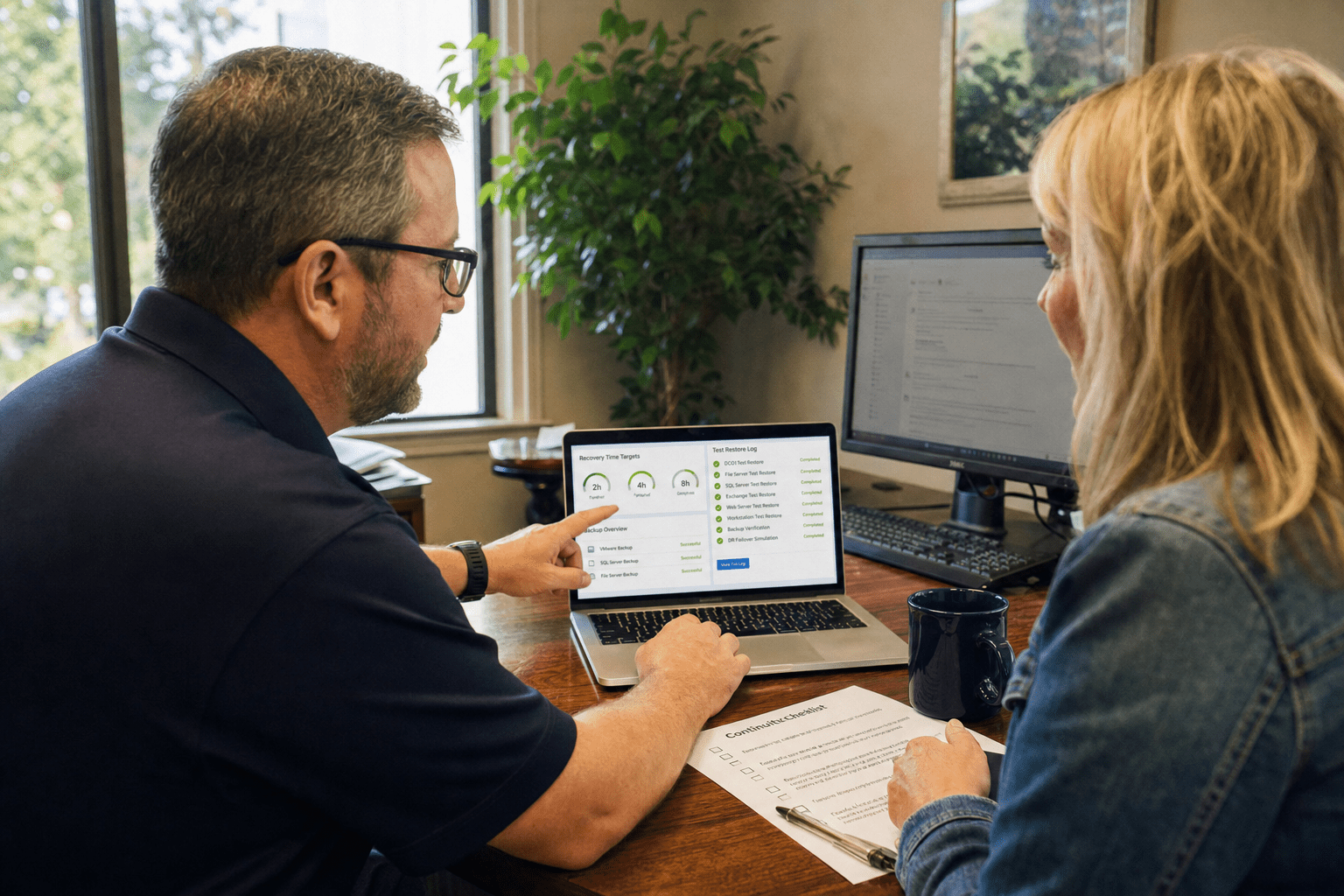
Backup and disaster recovery in South Carolina comes down to two numbers most SMBs never write down: how much data you can afford to lose, and how long you can afford to be offline. We have run these projects for businesses from the Upstate to the coast, and the pattern holds every time. The company that buys storage capacity and calls it a plan gets a false sense of safety. The company that sets a recovery-time target, tests the restore, and accounts for the storm season its actual address faces is the one that stays open after an incident. This guide explains the decisions that matter when evaluating South Carolina Disaster Recovery, so you buy a complete recovery plan rather than only a copy of your files.
What South Carolina SMBs Get Wrong About Recovery
South Carolina Disaster Recovery fails most often when a business confuses having backup copies with having a tested recovery plan. A copy of your data is necessary, but it answers only half the question. These are the points we see catch owners off guard, and each one is fixable before an incident rather than during one.
- No recovery-time target. If nobody has agreed how many hours of downtime the business can survive, the plan has no goal to hit.
- Untested restores. A backup that has never been restored is a guess. Silent corruption and misconfigured jobs surface only when you actually need the data.
- Single-location copies. A backup sitting in the same building as the servers dies in the same fire, flood, or theft.
- Storm-season blind spots. Coastal and Lowcountry addresses face hurricane and flood risk that an inland backup template never priced in.
- No documented runbook. When the person who set up the system is unreachable, an undocumented recovery is a scramble, not a procedure.
Why Backups Alone Do Not Protect a Business
Business continuity in South Carolina depends on recovery, not storage, because a backup only has value at the moment you can restore from it cleanly and fast enough to matter. The argument that “we back up nightly, so we are covered” holds for a business that can tolerate a full day of lost work and several days of downtime. For a firm that bills hourly, runs a production line, or serves patients, that same nightly job leaves a painful gap. Neither position is automatically right. The honest answer is that the amount of protection you need is set by what a day offline actually costs your business, and that number is different for a law office than for a warehouse. We start every engagement by putting a dollar figure on downtime first, because that number drives every other decision in the plan.
How to Set an RTO and RPO That Fit Your Business
Recovery Time Objective and Recovery Point Objective are the two targets that turn a vague wish into a plan you can buy against. RTO is how long you can be down before the damage is serious; RPO is how much recent data you can afford to lose. A tighter RTO of an hour costs more than a target of one business day, because it demands hot standby infrastructure rather than a slower rebuild. The counterview is real: some workloads genuinely tolerate a longer window, and paying for near-instant recovery on a low-stakes file share is waste. The task is to sort your systems by what the business cannot run without, then buy the tightest targets only where they earn their cost. Our disaster recovery team sets these targets per system rather than applying one number across the board.
Why the 3-2-1 Rule Still Holds
The 3-2-1 backup rule keeps a business recoverable when a single copy fails, and it remains the baseline for a reason. Three copies of your data, on two different media types, with one copy kept off-site or in the cloud, covers the failure modes that wipe out simpler setups. Some argue the cloud has made the “two media types” clause outdated, and for many SMBs a cloud-plus-local pairing satisfies the spirit of the rule cleanly. The point that survives is diversity: copies that can all fail together are not really three copies. CISA’s data backup guidance frames the same principle, and we build cloud backup so that no single event, ransomware included, can reach every copy at once.
How Often You Should Test a Restore
South Carolina Disaster Recovery should include scheduled restore testing that proves critical systems can be recovered before a real emergency occurs. A backup that runs green every night can still fail to restore because of an encryption key nobody saved, a corrupted chain, or an application that needs its dependencies rebuilt in order. The opposing view, that modern backup software is reliable enough to trust, has some merit for simple file recovery. It falls apart for full-system and application recovery, where the moving parts multiply. We recommend a documented test restore at least quarterly for critical systems, because the first time you restore should never be the real emergency.
The South Carolina Factor: Storm Season and Location
The South Carolina factor in disaster recovery is storm-season exposure, and it changes the plan for any business near the coast or in a flood-prone area. A recovery plan built for a low-risk inland office often assumes the building will be accessible and powered when you need to restore. For a business in Charleston, Myrtle Beach, or the Lowcountry, that assumption is thin during hurricane season. The federal Ready.gov business guidance is direct that continuity planning has to account for the disruptions a region actually faces, and here that means extended power loss, connectivity outages, and days when staff cannot reach the office. A strong South Carolina Disaster Recovery design operates independently of the primary office, local power, and physical access to the building.
Why Off-Site and Cloud Recovery Matter More on the Coast
Off-site and cloud recovery let a coastal South Carolina business keep operating when its building cannot, which is why they carry more weight here than in a low-risk region. If your only recovery copy sits in the same office as your servers, a single storm can take out both at once. The counterargument, that a well-hardened local setup with a generator can ride out most events, holds for shorter disruptions. It does not hold when access to the building itself is cut off for days. We design recovery so that a team working from home, a hotel, or a second office can bring critical systems back without physical access to the primary site, which is the whole point of business continuity and disaster recovery planning built for this coast.
How Local Support Speeds Recovery During a Regional Event
Local support shortens recovery during a regional South Carolina event, and its value shows up in the hours you are down rather than on the invoice. A remote-only provider handles routine tickets fine, but when a hurricane hits and every business in the state files at once, a queue is a queue. The other side is fair: cloud infrastructure is location-independent, so in theory help can come from anywhere. In practice, a team that already knows your systems and serves the region responds faster and asks fewer questions during the exact window when speed decides the outcome. That regional presence is why we serve businesses across South Carolina with recovery planning grounded in the risks this state actually carries.
How to Choose a Recovery Provider in South Carolina
Choosing a South Carolina Disaster Recovery provider means evaluating recovery targets, test results, regional outage planning, and documented procedures rather than storage price alone. Start by asking any provider to show you a documented recovery runbook and the results of a recent test restore for a client like you. Confirm they set RTO and RPO per system rather than quoting one blanket number, and that they map those targets to what a day of downtime costs your business. Ask specifically how the design handles a multi-day regional outage, because a plan that assumes the office stays reachable is built for a different state. The NIST Cybersecurity Framework treats recovery as its own core function alongside protection and detection, which is a useful checklist for confirming a provider covers the full lifecycle and not just the backup job.
Frequently Asked Questions
How much does disaster recovery cost for a South Carolina SMB?
Disaster recovery cost for a South Carolina SMB depends mostly on your recovery-time target, since a tighter target requires standby infrastructure that a slower rebuild does not. A business that can tolerate a day of downtime pays far less than one that needs systems back within an hour. The right way to price it is to size the plan to what a day offline actually costs your business.
What is the difference between backup and disaster recovery?
Backup is a copy of your data; disaster recovery is the tested process for getting your whole operation running again after an incident. Backup answers “do we still have the data,” while disaster recovery answers “how fast can we function.” A business needs both, because a copy of files you cannot restore quickly does not keep the doors open.
How often should a business test its backups?
A business should test a full restore of its critical systems at least quarterly, and after any major infrastructure change. Nightly jobs can run green for months while a hidden problem waits, and the first restore should never be the real emergency. Regular testing is what turns a backup into a recovery you can trust.
Does a South Carolina business need off-site backup?
A South Carolina business needs at least one recovery copy kept off-site or in the cloud, and it matters more here because of storm-season risk. A backup stored in the same building as the servers can be lost in the same flood, fire, or extended outage. Keeping a copy in a geographically separate location is what lets you recover when the primary site is unreachable.
How long does it take to recover from a disaster?
Recovery time depends entirely on the Recovery Time Objective you designed for, which can range from under an hour for hot-standby systems to a full business day or more for slower rebuilds. The determining factor is how much you invested in standby infrastructure before the incident. This is why setting an RTO per system up front is the single most important planning step.
Build a Recovery Plan Before the Next Storm
Backup and disaster recovery in South Carolina rewards the business that plans for recovery, not just storage, and it punishes the one that mistakes a nightly backup for a plan. The decisions that matter are the ones most SMBs skip: a written recovery-time target, a restore tested on a schedule, copies that cannot all fail together, and a design that accounts for the storm season your actual address faces. Every one of these is straightforward to get right before an incident and painful to improvise during one. The businesses that stay open after a hurricane or a ransomware hit are the ones that treated recovery as a program with real targets and real tests, not a checkbox. If you want a clear picture of where your current setup would fail, our team will review your systems, set recovery targets that fit your business, and build a plan sized for a South Carolina address. Book a free strategy call and we will start with the numbers that decide everything else.

