

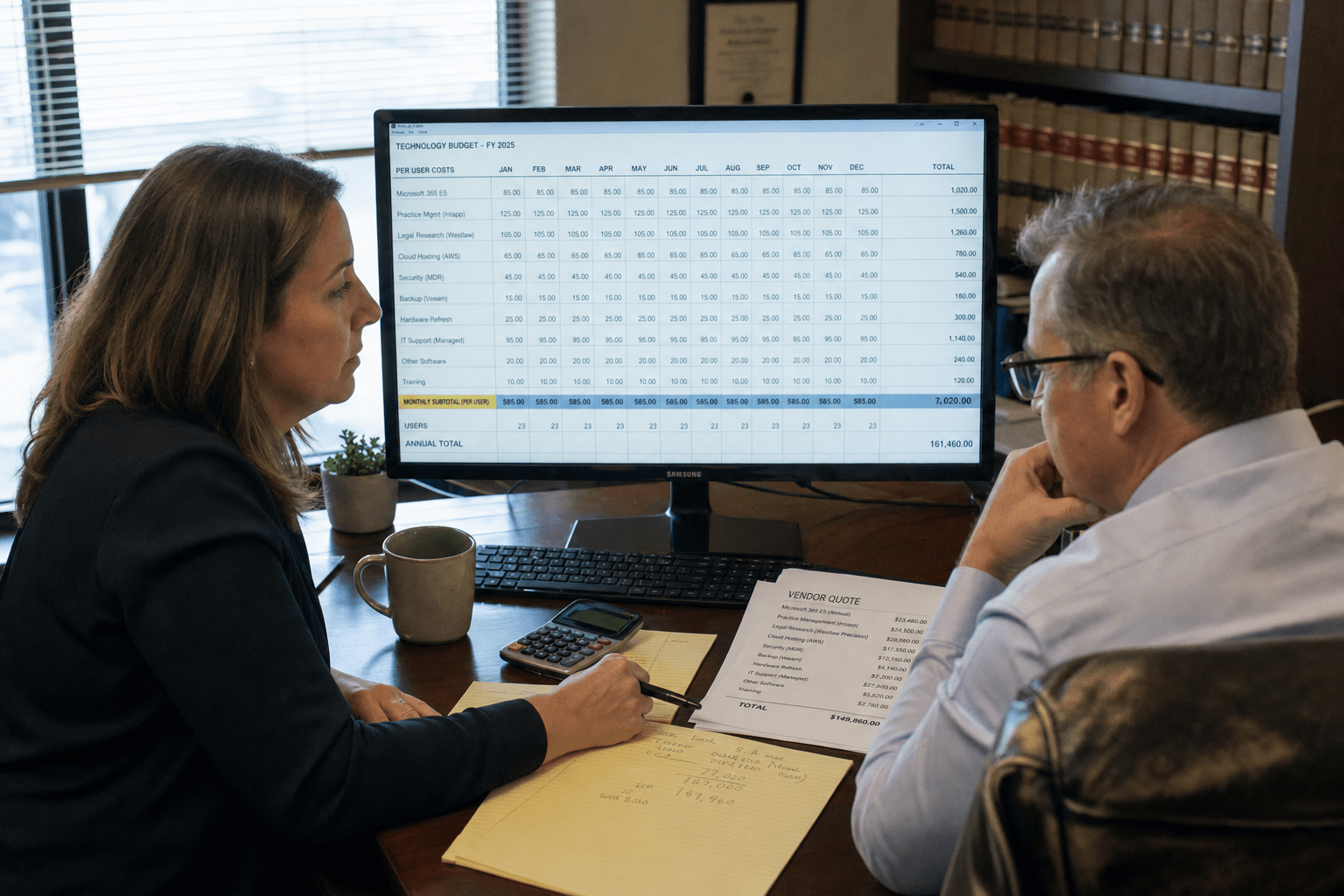
A law firm IT budget usually fails in the second half of the year, and rarely because the monthly support number was wrong. It fails because whole categories of work were never given a line: staff onboarding and offboarding, security tooling past antivirus, restore testing, hardware replacement cycles, and the hours attorneys lose while a system comes back. Our team reviews these plans for practices between five and two hundred people, and the same seven omissions appear almost every year. None of them are exotic. Each one is predictable enough to forecast, which is what makes leaving them out expensive. Below is what to plan for in 2026, and how to compare quotes so the number you approve is the number you spend.
The 5 Why’s Behind a Budget That Holds
Read these five points before the detail. They decide whether your plan survives contact with the year.
- A support rate is not a budget. The monthly or hourly figure covers a defined scope. Everything outside that scope still happens, and it still costs money.
- People movement is the most predictable cost nobody plans. Every hire needs a machine, licenses, and access. Every departure needs accounts closed and data preserved. Firms with turnover can forecast this from last year.
- Security spend has separated from IT support. Multifactor authentication, endpoint detection, email filtering, and awareness training are now separate line items that clients and carriers ask about by name.
- Backups are budgeted, restores are not. Paying for backup software is common. Paying for someone to test a restore quarterly and document it is not, and only the second one answers an underwriter.
- Lost billable time is the largest missing number. A half day of trouble across ten timekeepers costs more than most of the omissions above, and it never appears on a technology invoice.
Why a Law Firm IT Budget Breaks Mid-Year
Most plans break between June and September because the first half absorbs the surprises quietly and the second half runs out of room. The pattern is consistent enough that our team now asks to see the prior year’s actual spend before discussing any quote.
Hourly Work Cannot Be Forecast
Reactive support bills by the hour, so your annual figure depends on how bad the year is. That is a forecast of luck rather than a plan. Firms that budget from last year’s hourly total assume next year resembles the last one, and a single server failure or a compromised mailbox breaks the assumption. Coverage priced per user gives a number you can defend in a partner meeting, which is the argument we lay out in our breakdown of managed IT cost, budgeting, and return. Predictability is the product being purchased.
Deferred Maintenance Turns Into a Project
Work postponed for cost reasons does not stay the same size. A server left two versions behind stops being a maintenance task and becomes a migration with a project fee attached. We see this most often with document management platforms, where an upgrade deferred across two budget cycles eventually requires vendor involvement and weekend cutover time. The cheaper decision each year produces the expensive decision in year three. Plan the upgrade cadence and the number stays small.
Nobody Prices the Lost Billable Hour
Ask a managing partner what an afternoon of email trouble costs and the answer is usually the technician’s invoice. The real figure is ten timekeepers unable to bill, filings pushed, and client calls returned late. Multiply your standard rate by the hours your firm lost to technology last year, even roughly. That single number usually exceeds every omission in this article combined, and it belongs in the comparison whenever someone argues that reactive support is cheaper.
Seven Costs That Rarely Reach the Law Firm IT Budget
A law firm IT budget tends to carry the monthly support figure and the obvious hardware, then stop. These seven are the categories we most often add back during a review.
- Onboarding and offboarding labor. Machine setup, licensing, access provisioning, then the reverse on departure.
- Security tooling beyond antivirus. Multifactor authentication, endpoint detection, email filtering, and DNS filtering.
- Awareness training and phishing simulation. Recurring, not a one-time purchase.
- Backup restore testing and documentation. The test, the evidence, and the time to produce both.
- Hardware replacement on a cycle. Workstations and network gear aging out on a schedule rather than on failure.
- Project work priced outside the agreement. Migrations, office moves, and platform changes.
- Compliance and questionnaire response time. Client security reviews and insurance applications consume real hours.
People Movement Is the Predictable One
Every arrival needs a configured machine, licenses assigned, and access granted to the right matters. Every departure needs accounts disabled, mailboxes preserved, and devices recovered. Our team routinely finds active accounts belonging to people who left months earlier, which is both a budget miss and a confidentiality exposure. Firms that hired four people last year will likely hire something similar next year, so this is arithmetic rather than guesswork.
Security Tooling Is Now Its Own Line
Support and security were once one number. Client questionnaires and carrier applications have separated them by asking about controls individually: whether multifactor authentication covers email and remote access, whether endpoint detection is deployed, whether filtering is in place. Our managed security services exist as a distinct engagement for that reason. Budget the controls by name, because that is how you will be asked about them.
Restore Testing Is the Line That Gets Cut
Backup software is easy to approve because it sounds like the whole answer. A backup nobody has restored is an assumption, and our team has opened backup consoles where a job failed quietly for weeks. Testing means selecting data, restoring it, confirming the result, and writing down what happened. That takes hours somebody has to be paid for, quarterly. It is also the first item a carrier asks to see after an incident.
Hardware Cycles and Questionnaire Hours
The last two omissions are quieter. Workstations and network gear have a working life, and replacing them on a schedule costs less than replacing them on failure, when a machine dies mid-deposition and somebody pays a rush premium. Plan a rolling share of your fleet each year rather than a single large refresh, since a staggered cycle smooths both the spend and the disruption. The second one is response time for client security reviews. Corporate clients in banking, healthcare, and insurance now send outside counsel questionnaires, and our team has watched a partner and an office manager lose most of a week assembling answers that did not exist in written form. That labor is real whether or not anyone invoices for it. Firms that keep current documentation answer in hours, and the difference between hours and a week is the difference between funding the work and absorbing it.
What Belongs in a Law Firm IT Budget for 2026
Build the law firm IT budget in three layers so the recurring number stays clean and the unpredictable work has somewhere to live.
Per-User Coverage, Scope in Writing
Layer one is recurring coverage priced per user. Published rates vary widely by firm size, security depth, and how much infrastructure remains on premises, so treat any figure you read online as a starting point and get a written quote against your actual environment. What matters is the scope attached to it: named systems, response targets by severity, after-hours escalation, and monthly reporting. Our managed IT services engagements list supported practice applications by name, and our guide to what law firms should look for in a provider covers the terms worth requiring.
Projects Priced Separately
Layer two is project work, budgeted as a pool rather than itemized twelve months ahead. Migrations, office moves, and platform upgrades are real and mostly foreseeable in category if not in date. Firms that fold projects into the recurring number end up either overpaying monthly or discovering the work was never covered. Compliance projects behave the same way, and the budget traps we catalogued for CMMC assessment costs apply to legal compliance work as well.
A Reserve You Expect to Spend
Layer three is a reserve sized against your own history. Look at what surprised you in each of the last two years and hold something close to that average. A reserve is not padding: it is the acknowledgment that a failed hard drive, a burst pipe over the file room, or an urgent client questionnaire will arrive without asking your fiscal calendar first. Name an owner who can release it without convening the partners, because a reserve that needs a meeting is not available in the hour it is needed. Review what you drew against it at midyear, since two consecutive years of drawing the full amount is a signal that something recurring has been misfiled as a surprise.
How to Compare Quotes Without Guessing
Two quotes are only comparable once they cover the same work, and they almost never do on first reading.
Normalize Everything to Per User Per Month
Convert every proposal to a cost per user per month, then list what each includes across the same categories: monitoring, patching, security tooling, backup and restore testing, onboarding labor, after-hours support, and reporting. Gaps become visible immediately. A number that looks lower usually excludes a category the other quote carries.
Ask What Happens in Month Thirteen
Ask each provider what changes after the first year, how price adjusts as headcount moves, and what triggers a project fee. Firms with internal technical staff should also ask how the split works, since co-managed arrangements fail when duties are left informal, and the co-managed mistakes we see most often are nearly all budget and ownership problems rather than technical ones. Pricing model differences matter before you compare, which is why we wrote up how managed IT pricing models actually work.
Where the Lower Quote Usually Hides Its Gap
In our experience the cheaper proposal is rarely dishonest, it is simply narrower, and the narrowing sits in four predictable places. Onboarding and offboarding labor is billed hourly on top of the monthly fee. Security tooling is listed as available rather than included. Backup appears in scope while restore testing does not. After-hours coverage carries a separate rate, which matters for a practice filing against deadlines. Ask each provider to confirm those four in writing, and the two numbers usually converge. If one stays materially lower after that, the remaining difference is worth asking about directly, because it is either a genuine efficiency the provider can explain or a category still missing from the page.
Frequently Asked Questions
What should a law firm budget for IT support per user?
Published per-user ranges vary widely by firm size, security depth, and how much infrastructure sits on premises, so any figure you read is a starting point rather than a quote. Ask for pricing against your actual environment, with the scope in writing, then normalize competing quotes to cost per user per month.
How much of a law firm IT budget should go to security?
There is no single correct share, because it depends on the client data you hold and what your clients and carriers require. Budget the controls individually rather than as a percentage: multifactor authentication, endpoint detection, email and DNS filtering, and recurring awareness training.
Is it cheaper to keep IT support in house?
For some firms, yes, though the comparison is rarely like for like. One internal person cannot cover after hours, holidays, and vacation, and specialist work still gets outsourced. Many firms land on a co-managed split, keeping internal staff on attorney support and practice applications.
What technology costs surprise law firms most often?
Offboarding labor, restore testing, and project work that fell outside the support agreement. The largest surprise is not an invoice at all: it is billable time lost during outages, which no technology line item records.
When should a firm revisit its IT budget?
Twice a year is enough for most practices, plus any time headcount moves noticeably, an office opens, or a client sends a security questionnaire. A questionnaire often reveals a control the firm intended to have and never funded.
Who Stands Behind This Advice
Our team builds and reviews these plans with professional services firms, law practices included, and the work is less about pricing than about scope. We have sat with managing partners reconciling a support invoice against what was actually covered, rebuilt offboarding processes after finding live accounts for departed staff, and answered client security questionnaires under a deadline attached to a live matter. The seven omissions above come from those reviews rather than from a pricing sheet.
Matt Rosenthal, our chief executive, works with professional services clients on this side of the problem, particularly how a firm demonstrates its safeguards to the people who now ask about them. His position is that a technology budget is a governance document: the categories you fund reveal what the firm considers its own obligation, and clients read that faster than any policy.
Your Next Step Toward a Predictable IT Budget
A law firm IT budget holds up when it accounts for the work that happens between incidents rather than only the incidents themselves. The recurring support figure is the easy part. The seven categories above, people movement, security tooling, awareness training, restore testing, hardware cycles, project work, and questionnaire response time, are the ones that decide whether your plan survives past June. None of them require a large reserve. They require a line, an owner, and a number you revisit twice a year.
Start with last year’s actual spend rather than last year’s plan, add your own estimate of billable hours lost to technology, and ask any prospective provider to put scope in writing beside the price. Bring your headcount forecast and any client security questionnaire you have received, because both change what you should be funding. Book a free strategy call and our team will walk through your environment, tell you which categories are currently unfunded, and give you a per-user number you can take to your partners.

