

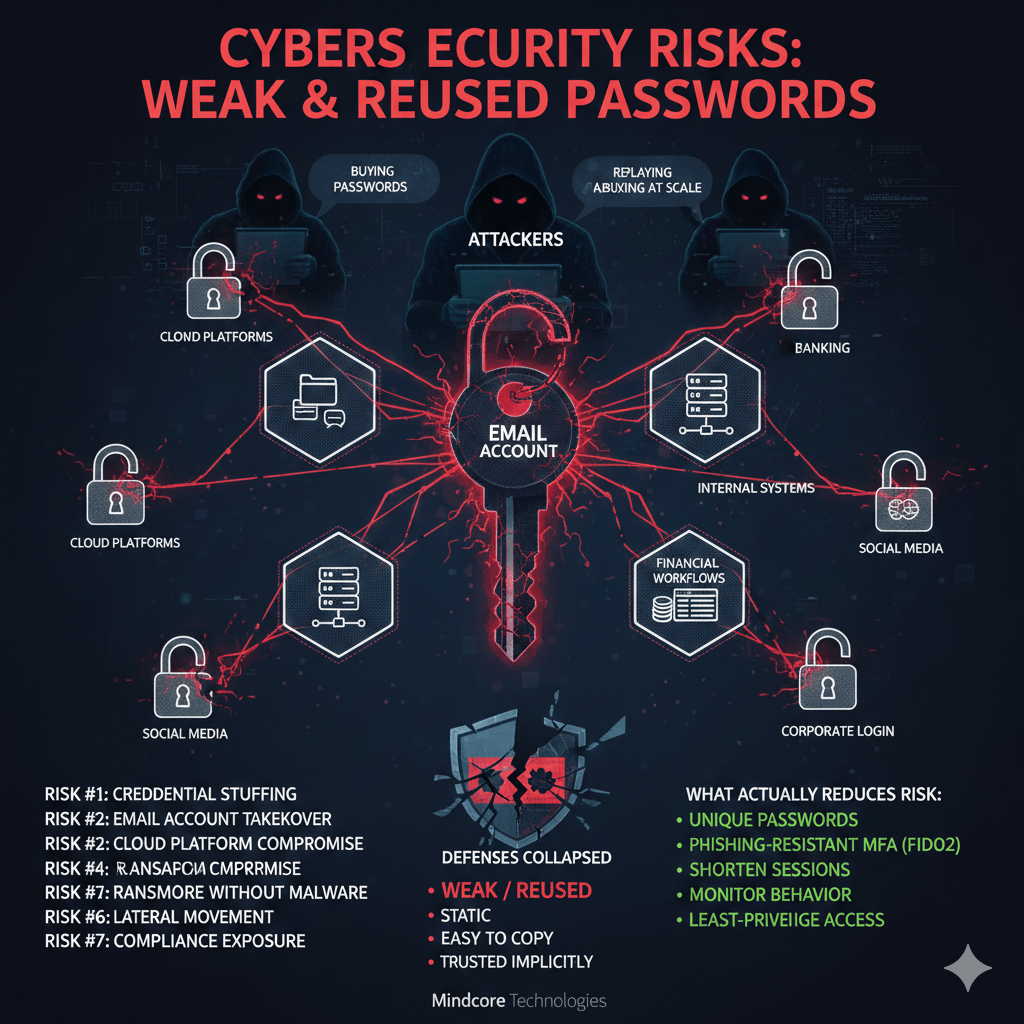
Attackers are no longer “guessing” passwords. They are buying them, replaying them, and abusing them at scale. Weak or reused passwords remain one of the highest-risk security failures because they collapse multiple defenses at once.
At Mindcore Technologies, we rarely see breaches that start with technical brilliance. We see breaches that start with one password unlocking far more than it should.
The Hard Truth About Passwords Today
If a password is:
- Reused across services
- Short or predictable
- Stored in a browser
- Not protected by phishing-resistant MFA
Then it should be treated as already compromised.
This is not pessimism. It is how modern attacks operate.
Why Weak and Reused Passwords Are So Dangerous
Passwords fail because they are:
- Static
- Easy to copy
- Hard to rotate at scale
- Trusted implicitly once accepted
Once attackers have a password, they rarely stop at the first system.
Risk #1: Credential Stuffing Attacks
What happens:
Attackers take credentials from previous breaches and automatically test them across:
- Email platforms
- VPNs
- Cloud applications
- Financial systems
Why reuse makes this work:
One leaked password often unlocks multiple services.
Impact:
- Account takeover without malware
- No alerts triggered
- Access appears legitimate
Risk #2: Email Account Takeover
Email is the master key.
Once email is compromised:
- Password resets are intercepted
- MFA prompts are approved via social engineering
- Invoices, wire instructions, and contracts are altered
- Cloud storage and SaaS access follows
A weak email password turns a single failure into an ecosystem breach.
Risk #3: Cloud Platform Compromise
Modern environments trust identity.
Weak passwords allow attackers to:
- Log into Microsoft 365 or Google Workspace
- Access files, chats, and internal data
- Create inbox rules to hide activity
- Persist for weeks undetected
No exploit required. No malware needed.
Risk #4: Ransomware Without Malware
Many ransomware incidents begin after password compromise.
Attack flow we see repeatedly:
- Password reused or phished
- VPN or cloud access gained
- Privileges escalated
- Ransomware deployed using legitimate tools
Weak passwords remove the first barrier entirely.
Risk #5: Session Hijacking and MFA Bypass
Passwords don’t protect sessions.
Attackers often:
- Steal browser session tokens
- Reuse authenticated sessions
- Bypass MFA entirely
If the password granted the session, the damage continues long after login.
Risk #6: Lateral Movement Inside the Network
Reused credentials inside environments are especially dangerous.
Common failures:
- Same password used for multiple systems
- Shared admin credentials
- Service accounts with weak passwords
Attackers move laterally without triggering alarms.
Risk #7: Compliance and Regulatory Exposure
Weak password practices violate:
- HIPAA safeguards
- PCI DSS requirements
- SOC 2 access controls
- Insurance policy conditions
After a breach, reused passwords become a liability multiplier.
Why Passwords Keep Failing (Even With Training)
User training alone does not solve:
- Password fatigue
- Reuse across dozens of services
- Phishing sophistication
- Session persistence
The problem is structural, not educational.
What Actually Reduces Password-Related Risk
Effective defenses assume passwords will fail and focus on limiting what happens next:
- Eliminate password reuse across systems
- Enforce unique credentials per service
- Require phishing-resistant MFA (FIDO2, hardware keys)
- Shorten session lifetimes
- Monitor for abnormal login behavior
- Restrict access based on identity and device posture
Passwords should never be the only control.
Why Password Managers Help (But Aren’t Enough)
Password managers:
- Reduce reuse
- Enable long, unique passwords
But they do not stop:
- Phishing
- Session hijacking
- Legitimate credential abuse
They are necessary, not sufficient.
The Real Risk Isn’t the Password Itself
The real risk is what the password unlocks:
- Cloud platforms
- Internal systems
- Financial workflows
When access is broad, weak passwords become catastrophic.
How Mindcore Technologies Reduces Password-Based Risk
Mindcore helps organizations move beyond password dependence by implementing:
- Identity-first access controls
- Phishing-resistant MFA enforcement
- Least-privilege access models
- Session and behavior monitoring
- Cloud and endpoint access governance
We design environments where one stolen password does not equal total compromise.
A Simple Reality Check
Your password risk is high if:
- Passwords are reused
- MFA is optional or SMS-based
- Email accounts aren’t tightly controlled
- Sessions persist indefinitely
- Access is broad by default
These are common—and fixable—conditions.
Final Takeaway
Weak or reused passwords remain one of the most dangerous cybersecurity risks because they fail silently and scale quickly. Attackers no longer need to break in; they log in.
Organizations that treat passwords as a temporary credential—not a security control—dramatically reduce breach impact. Those that rely on passwords alone continue to absorb avoidable risk.

