

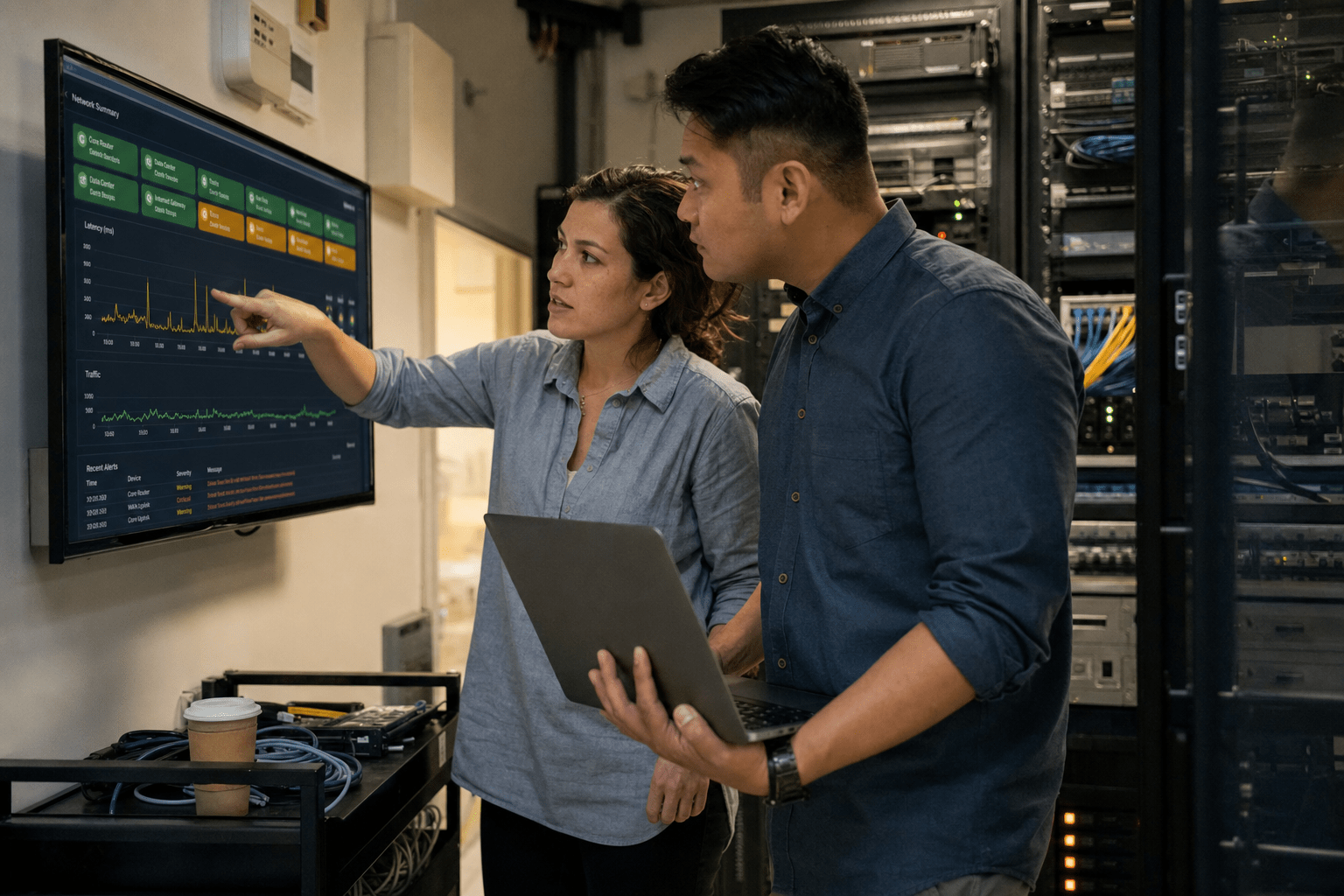
Understanding what is Network Monitoring means tracking your network’s devices, traffic, and performance continuously so issues are caught before they disrupt operations. Learning what is Network Monitoring involves gathering real-time data from routers, switches, servers, firewalls, and connections, and flagging any anomalies. For a business, that means a slow link, a failing switch, or an unusual traffic spike shows up as an alert instead of a support ticket from a frustrated employee. The point is not just knowing the network is up. It is knowing how well it runs, where it strains, and what is about to break, so your team can act first and keep operations moving.
Many IT teams realize what is Network Monitoring can prevent discovering network problems only after an employee can no longer work. By then the outage has already started and the cost is already climbing. Monitoring changes that order.
Five things network monitoring does for a business
- Watches every critical device and connection around the clock, so a failure gets noticed the moment it starts instead of hours later.
- Sends alerts on the early warning signs, such as rising latency, dropped packets, or a device running hot, before users feel the impact.
- Gives your IT team a clear map of what is normal, which makes troubleshooting faster and guessing rare.
- Surfaces security anomalies, like odd traffic patterns or a device talking to somewhere it should not, that often signal an attack.
- Produces the reports and history that back up capacity planning, vendor decisions, and compliance requirements.
How network monitoring actually works
Network monitoring works by collecting data from your equipment and comparing it against the baseline of what healthy looks like. Monitoring tools poll devices using protocols like SNMP, watch traffic flows, and run scheduled checks against servers and services. When a metric crosses a threshold you set, the system raises an alert through email, text, or a dashboard.
The data falls into a few buckets. Availability tells you whether a device or service is reachable. Performance covers bandwidth use, latency, and error rates. Health covers the physical side, such as CPU load, memory, temperature, and disk space on the hardware that keeps traffic moving. Together these paint a live picture of the network rather than a snapshot.
The metrics that matter most
A few numbers do most of the work. Uptime confirms whether services are reachable. Bandwidth utilization shows whether a link is saturated. Latency and packet loss reveal whether traffic is getting through cleanly. Device health, meaning CPU, memory, and temperature, flags hardware that is about to fail. When a business tracks these consistently, patterns appear. A switch that runs hot every afternoon or a link that saturates at month-end stops being a mystery and becomes a scheduled fix.
Where the alerts go
An alert is only useful if the right person sees it in time. Good monitoring routes notifications by severity, so a full disk on a backup server does not read the same as a core router going dark. Mature setups tie alerts into a response process, which is where a service like network outage emergency support turns a red dashboard into a resolved incident. The goal is a short path from signal to fix.
Why businesses need network monitoring
Organizations understand what is Network Monitoring and why it’s critical, because unmonitored networks fail silently, creating costly downtime. IBM reports that a single hour of IT downtime costs many mid-sized and large enterprises at least 300,000 dollars, and smaller companies feel a proportional sting through lost sales, idle staff, and missed deadlines. Monitoring shrinks that exposure by catching the failure early, often before a customer or employee ever notices.
The value shows up in four places.
It prevents costly downtime
Downtime rarely arrives without warning. A link degrades, a disk fills, a device overheats, and then service stops. Monitoring reads those early signals and gives your team a head start. Instead of scrambling after the phones go quiet, they replace the failing part or reroute traffic during a planned window. That head start is the difference between a quiet fix and a company-wide outage, and it is the same instinct behind cyber resilience rather than cybersecurity alone.
It strengthens security
A network you can see is a network you can defend. Monitoring surfaces the anomalies that often mark the first stage of an attack, such as a spike in outbound traffic, a device scanning the network, or a connection to an unfamiliar destination. Paired with network security monitoring, those signals get investigated instead of ignored. Early detection is what keeps a probe from becoming a breach.
It keeps your team focused on real work
Without monitoring, IT staff spend their days reacting to complaints and hunting for causes. With it, the system points them straight to the source. That shift frees skilled people from repetitive firefighting so they can work on projects that move the business forward. Steady network management built on good monitoring is what makes that possible.
It supports smart planning
Monitoring history is a record of how your network really behaves. That record tells you when a link is close to maxing out, which hardware is aging toward replacement, and where growth will strain capacity next. Instead of buying gear on a hunch, you buy it on evidence. The same history feeds compliance reporting and vendor conversations with facts rather than guesses. Regulated sectors lean on this hardest, as our look at why financial services firms need cloud migration shows.
What good network monitoring looks like in practice
Effective network monitoring is continuous, prioritized, and tied to action. Watching everything with equal weight buries the alerts that matter, so the strongest setups rank devices and services by how much the business depends on them. A core firewall and the line-of-business application get close attention. A rarely used printer does not.
Coverage should span the whole path that traffic takes, from the internet connection to the switches to the servers and the cloud services your team relies on. Blind spots are where outages hide. A common trap is monitoring the on-site gear while ignoring the cloud apps that carry daily work, which leaves half the picture dark. Our write-up on continuous monitoring and AI governance covers closing that gap.
The other mark of a mature setup is response. Alerts that no one owns become noise, and noise gets muted. That is why so many businesses pair monitoring with a managed team that watches the dashboard around the clock and acts on what it shows. If you are weighing that step, these signs your business needs 24/7 network monitoring are a practical gut check, and a look at how managed network services work will help you see where a partner fits.
We see the same pattern across the businesses we work with. The ones that treat monitoring as a live safety net, not a box to check, recover from incidents in minutes and rarely get surprised. The ones that installed a tool and walked away still find out about problems the same way they always did, from a person who cannot work. Our piece on proactive technology services explains the difference in practice.
Frequently Asked Questions
What is network monitoring in simple terms?
Network monitoring is the ongoing tracking of your network’s devices, connections, and traffic to make sure everything runs and to catch trouble early. Software checks your equipment on a schedule, measures things like speed and availability, and alerts your team when something looks wrong. Think of it as a health monitor for the systems your business runs on.
Why do small businesses need network monitoring?
Small businesses need network monitoring because they often feel downtime harder than large ones, with fewer staff to absorb the disruption and tighter margins to protect. Monitoring catches failing hardware, saturated links, and security anomalies early, which keeps a small problem from stopping the whole company. It also lets a lean IT team or an outside partner cover the network without watching it by hand every minute, which is the premise behind our AI operations monitoring service.
What is the difference between network monitoring and network security?
Network monitoring watches the health and performance of your network, while network security defends it against threats. The two overlap because monitoring often spots the first signs of an attack, such as unusual traffic. Strong programs run them together, using monitoring data to feed security decisions and using security tools to act on what monitoring flags.
How does network monitoring reduce downtime?
Network monitoring reduces downtime by catching the early warning signs of failure, like rising errors or a device running hot, before the failure takes a service offline. That warning gives your team time to fix or reroute during a planned window instead of reacting to a full outage. The result is fewer surprises and shorter interruptions when something does break.
Can network monitoring be outsourced?
Yes, network monitoring can be outsourced to a managed IT provider that watches your network around the clock and responds to alerts. This is a common choice for businesses that do not have the staff to monitor 24 hours a day or want expert eyes on the dashboard. A good partner combines the tools, the coverage, and a clear response process so alerts turn into fixes.
Ready to see your whole network?
Knowing what is Network Monitoring allows you to visualize and protect your entire network, preventing blind spots from creating hidden risks. Mindcore helps you put continuous monitoring in place, tie it to a real response process, and turn a wall of alerts into fewer outages and faster fixes. You stay in the driver’s seat, and we give you the visibility and the plan to keep operations steady. Book a free strategy call and we will map out where your network needs eyes and how to get them there.

