

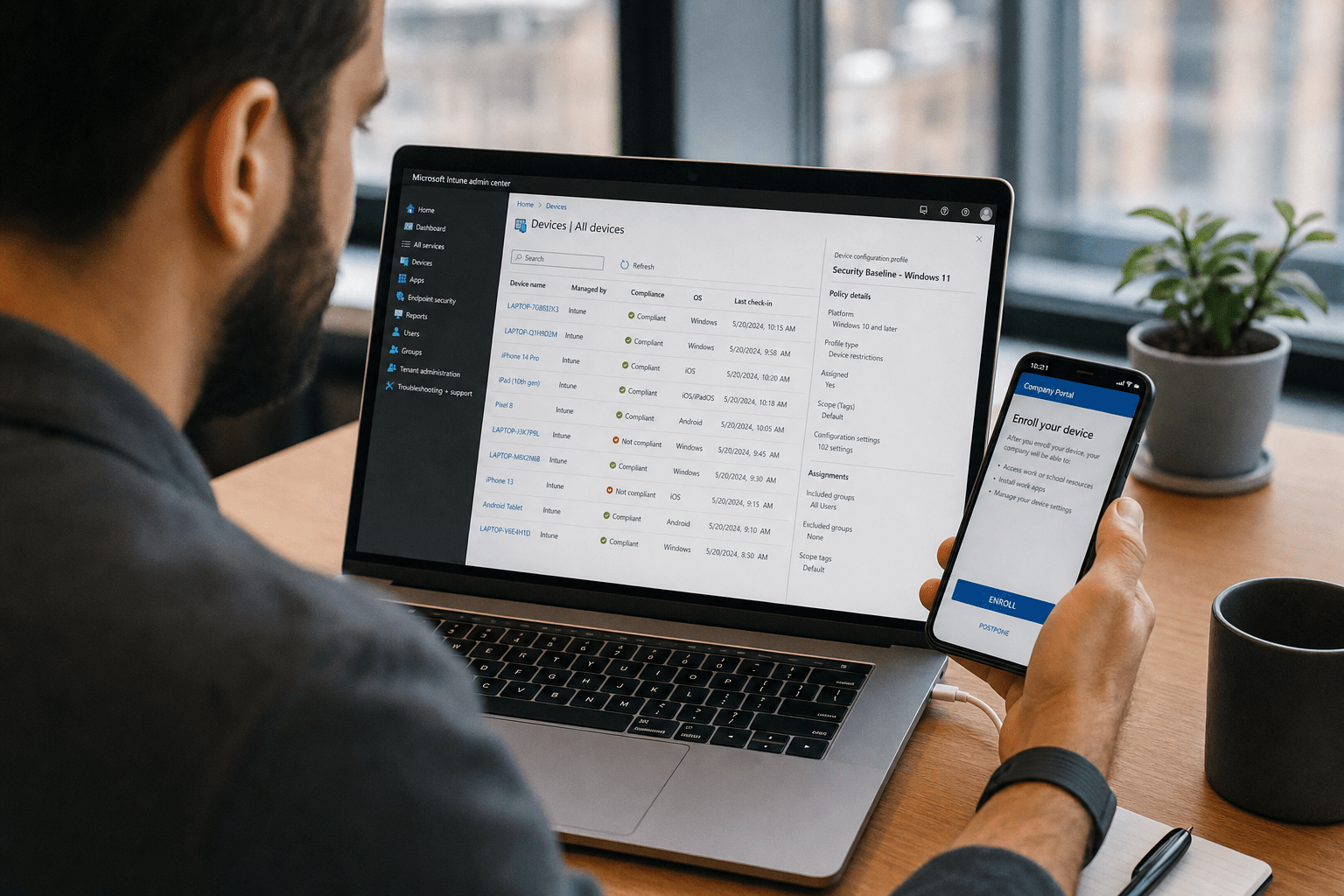
Understanding What Is Microsoft Intune helps businesses manage and secure all devices their employees use for work, from laptops to personal phones, through a single cloud-based console. It handles the full life of a device: enrolling it, configuring its settings, protecting the company data on it, and wiping that data when the device is lost or the employee leaves. Knowing What Is Microsoft Intune clarifies that its primary value lies in protecting company data and enabling safe remote work without fully controlling each employee’s device. Companies that treat Intune as a control tool end up fighting their employees. Those that treat it as a way to protect the data rather than the device succeed.
The Essentials at a Glance
If you are evaluating Microsoft Intune for your company, hold these points in mind:
- Intune manages and secures devices entirely from the cloud, with no servers to run.
- It supports two modes: full device management and lighter management of just the work apps and data.
- It covers Windows, Mac, iOS, and Android, so a mixed and personal-device fleet is manageable.
- The goal is protecting company data, not controlling employees’ personal phones.
- It works best paired with identity and security policies, not as a standalone setting.
What Intune Is and Why It Exists
Intune exists because the way people work changed faster than the old tools for managing devices could keep up. Employees now use laptops at home, phones on the road, and sometimes their own personal devices for work email, and the company still has to keep its data safe across all of it. Microsoft’s overview of Intune describes it as a cloud service that enrolls, configures, secures, and updates devices and apps, with no on-premises infrastructure required. That cloud-native design is what makes it practical for a small company: there is nothing to host, and devices anywhere with an internet connection can be managed.
The objection some leaders raise is that device management sounds like heavy-handed surveillance of staff. That concern is worth taking seriously, because if employees feel their personal phones are being watched, they resist enrollment and find workarounds that leave the company less safe, not more. The answer is in how Intune is configured, and specifically in choosing the right management mode for each situation. Used thoughtfully, it protects the business data on a device while leaving the employee’s personal apps, photos, and messages entirely alone. This data-first posture is the foundation of how we approach mobile device management for clients.
How It Works in Plain Terms
In plain terms, Intune connects each device to a cloud service that pushes settings, security policies, and apps to it, and reports back on its status. An administrator defines policies once, like requiring a passcode, encrypting the device, or installing a particular app, and Intune applies them automatically to every enrolled device that matches. Microsoft’s guidance on managing devices describes a lifecycle of enroll, configure, protect, and retire, all handled from the same place. The retire step is one of the most valuable for a business: if a phone is lost or an employee departs, an administrator can remotely remove the company data without touching anything personal, closing a gap that otherwise lingers for years.
The Two Ways Intune Manages Devices
Intune manages devices in two distinct ways, and choosing the right one for each situation is the decision that determines whether enrollment succeeds. The two modes exist precisely because company-owned and personal devices call for different approaches.
Full Device Management for Company Hardware
What Is Microsoft Intune in full device management mode means the company can comprehensively manage settings, security, and applications for devices it owns. Here Intune manages the entire device, including its settings, security configuration, and apps, because the company owns it and is responsible for it. This is the right mode for the laptops and phones you issue to staff, where comprehensive control is appropriate and expected. The benefit is thorough protection and consistency across the fleet; every company device meets the same standard automatically. There is little downside when the device genuinely belongs to the business, which is why this mode is the default for issued equipment.
App-Level Management for Personal Devices
Understanding What Is Microsoft Intune for app-level management ensures businesses can protect work applications on personal devices without accessing employee personal data, like Outlook and Teams, while leaving the rest of the device under the employee’s control. The company can require that work data stays encrypted, cannot be copied into personal apps, and can be wiped on demand, without ever touching the employee’s personal content. This is the approach that resolves the surveillance objection: the business protects what is its own and stays out of everything else. For any company allowing personal devices for work, this mode is what makes it safe without provoking resistance. Getting this split right is a core part of our Microsoft 365 deployments.
Keeping Devices Updated and Compliant
A quieter but important part of what Intune does is keep devices current and prove they meet your standards. Through update policies it can ensure laptops and phones install operating-system and app updates on a schedule rather than whenever a user gets around to it, closing the unpatched gaps attackers favor. Knowing What Is Microsoft Intune also helps organizations maintain compliance, ensuring all enrolled devices meet security policies such as encryption, passcodes, and updated operating systems, and marks any device that falls short. That compliance status is what lets you make access conditional: a device that drifts out of compliance can be quietly blocked from company data until it is fixed. This is the difference between hoping devices are healthy and knowing they are, and it runs automatically once configured rather than demanding someone check each machine by hand.

Where Intune Fits in a Bigger Picture
Intune fits as one layer in a larger management and security strategy, not as a standalone fix. It is most effective when paired with strong identity controls, so that access depends on both who the user is and whether their device meets your standards, and with the network and endpoint protections that guard the rest of your environment. On its own, device management sets the stage; combined with identity and security policy, it becomes a gate that only compliant devices and verified users can pass. The reasonable caution is not to treat enabling Intune as the finish line. Like any platform, it delivers value through deliberate configuration and ongoing management, and it connects to the broader network management and security posture that keeps a growing company safe.
Frequently Asked Questions
What is the difference between Intune MDM and MAM?
Mobile device management, or MDM, manages an entire device and suits company-owned hardware, while mobile application management, or MAM, manages only the work apps and data and suits personal devices. MDM gives comprehensive control where the company owns the equipment; MAM protects business data on a personal phone without touching the employee’s personal content. Most companies use both, matched to who owns each device.
Can Intune see what is on my personal phone?
When configured for personal devices using app-level management, Intune cannot see or touch your personal apps, photos, or messages, because it manages only the work apps and the data inside them. It can require that work data stays protected and can remove that work data if needed, but the personal side of the device remains private. This separation is what makes using a personal phone for work safe for both sides.
Do I need servers to run Microsoft Intune?
No, Microsoft Intune runs entirely in the cloud and requires no on-premises servers. Devices are managed over the internet from a web-based admin console, which is what makes it practical for small companies and for a remote or distributed workforce. There is no infrastructure to host, patch, or maintain, lowering both the cost and the effort of getting started.
Is Intune included with Microsoft 365?
Intune is included in some Microsoft 365 plans, notably Business Premium and several enterprise tiers, while other plans require a separate license. Whether you already have it depends on your specific subscription. The practical step is checking what your current plan includes before buying anything, since many companies discover they already have Intune available and simply have not configured it.
Talk to a Team About Managing Your Devices
Microsoft Intune gives a growing company a cloud-based way to manage and secure every device its people use for work, from issued laptops to personal phones, without running any servers. The key to success is mindset: Intune is at its best protecting company data rather than policing employees, and choosing full device management for company hardware while using app-level management for personal devices is what keeps both the business safe and the staff on board. Paired with identity and security policies, it becomes a real gate rather than a loose setting. If you want help deciding how to roll out Intune across your fleet without friction, book a free strategy call with the Mindcore team.
Microsoft Intune and Secure Device Management Expertise from Matt Rosenthal
Matt Rosenthal, CEO of Mindcore Technologies, has over 30 years of experience helping SMBs deploy Microsoft Intune as a data-protection tool rather than a device-control platform, ensuring that personal devices can be used safely for work without triggering the employee resistance that derails most mobile device management rollouts. He has seen firsthand how organizations that configure full management on personal phones create workarounds that leave company data less protected than before enrollment. Matt leads a team that matches the right Intune management mode to each device type, pairs enrollment with identity and compliance policies, and builds configurations that protect business data on every device while respecting the boundary between work and personal content.

