

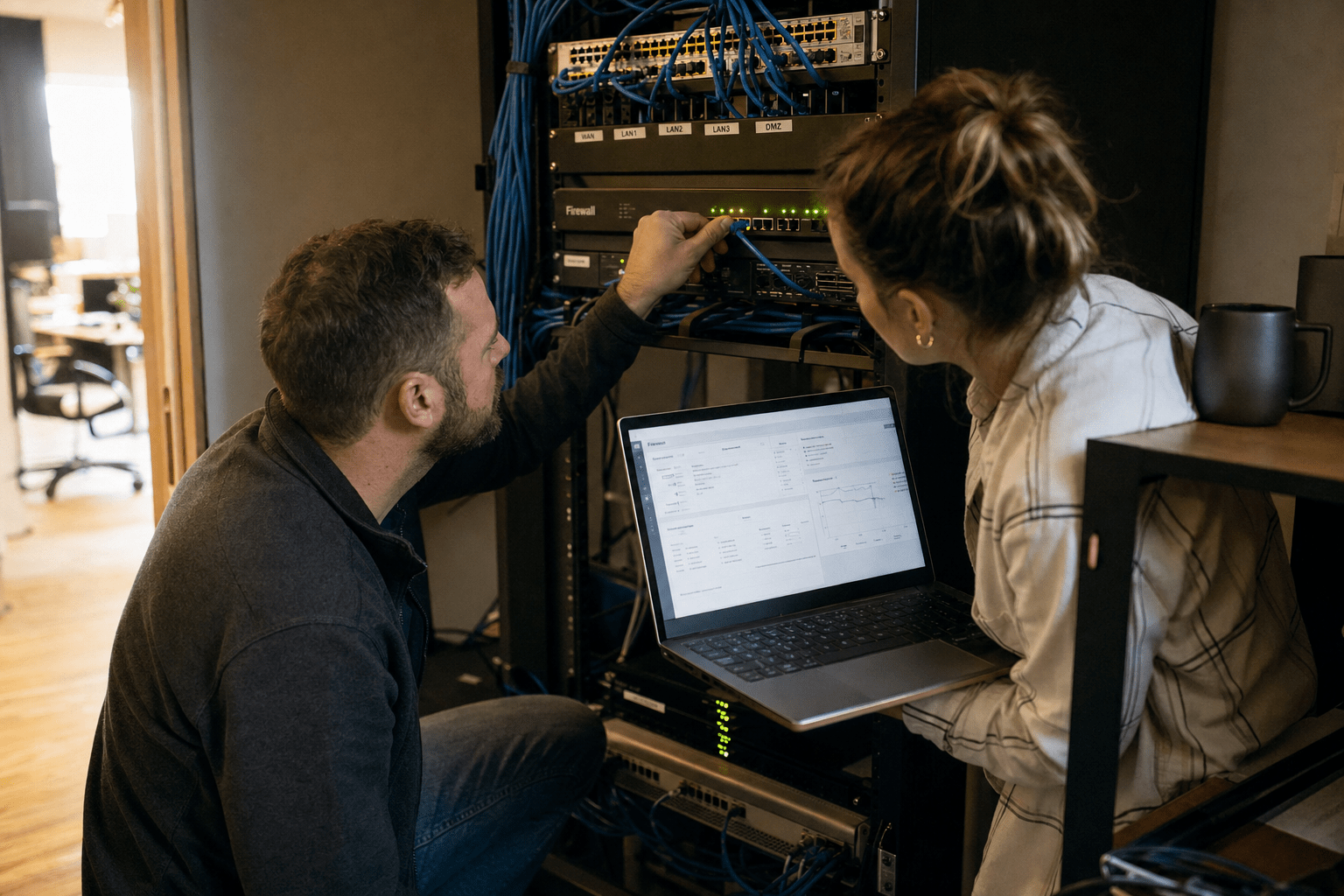
To decide how to choose the best firewall for my business, match the device to your actual internet bandwidth, your team’s working style, and the specific threats your organization faces. Understanding how to choose the best firewall for my business helps you avoid undersized devices or inexpensive models that compromise protection to maintain speed. When learning how to choose the best firewall for my business, begin with throughput, pick between hardware or software layers, and identify next-generation firewalls matching your team and budget. Proper planning in how to choose the best firewall for my business ensures you don’t overspend or select a firewall you cannot fully manage effectively.
Five things to settle before you buy
Before you compare a single product page, get these answers down on paper. They shape every decision that follows.
- Your actual internet speed and how many people share it during peak hours.
- Whether your team works mostly in one office, fully remote, or a mix of both.
- The kind of data you handle, and any compliance rules that apply to it.
- Who will manage the firewall day to day, and how technical they are.
- Your realistic budget for the device plus the yearly protection subscription.
With those five in hand, the rest of the choice gets much simpler. Each factor below maps back to one of them.
Match the firewall to how your business actually runs
The right firewall type depends on where your people and your data live, not on which brand markets hardest. A single-office company with servers on site gets the most value from a physical appliance at the network edge, while a remote-first team leaning on cloud apps is often better served by a cloud-delivered firewall that follows users wherever they connect. Most small businesses land somewhere in between and need both a network edge device and a lightweight software layer on each laptop.
Hardware appliances protect everything behind them at once and are simpler to administer because you configure one box instead of dozens of endpoints. Software firewalls add a second layer of defense for individual devices, which matters most for staff who take a laptop home or onto public Wi-Fi. Think of the appliance as the front door lock and the software layer as the deadbolt on each interior room.
The mistake to avoid is picking a category before you have honestly described how your business operates. A five-person accounting office with one server has very different needs than a fifteen-person agency where half the staff work from coffee shops two days a week. Write down where your data actually lives, count how many people touch it from outside the building, and let those two facts point you toward hardware, software, or the pairing most small businesses end up with. That short exercise costs an afternoon and saves you from buying a device that fights the way your team already works.
Single office with on-site servers
A wired appliance at the edge is usually the strongest fit here. It inspects all traffic entering and leaving the building and gives you one place to set rules, log activity, and push updates.
Remote or hybrid teams
When people work from anywhere, protection has to travel with them. A cloud-managed firewall paired with device-level software keeps remote workers covered without routing everything back through a single office box.
Weigh the features that actually change your risk
Focus on the handful of firewall features that measurably lower your risk, and treat everything else as a bonus. According to Fortinet’s SMB firewall guide, the shift for small businesses has been toward next-generation firewalls that combine traditional traffic filtering with deeper inspection and application awareness. That extra intelligence is what separates a modern device from a basic router filter, and it works best when paired with continuous network security monitoring.
Here is the short list worth paying for:
- Threat inspection at line speed. Real-time blocking of malware and phishing traffic, running fast enough that it does not slow your connection.
- Application control. The ability to see and limit which apps run on your network, not just which ports are open.
- VPN support. Encrypted remote access so staff can reach internal resources safely from outside the office.
- Central cloud management. A single dashboard to change rules, read alerts, and check health without touching the physical box.
- Room to grow. Support for more users and devices as you hire, so you are not replacing the unit in a year.
Check Point’s buyer guidance makes a similar point: the feature set matters more than the sticker, because a cheaper device that cannot inspect encrypted traffic leaves a growing blind spot as more of the web moves to HTTPS. If you are still mapping your broader security priorities, our guide on how to choose the right cybersecurity services pairs well with this one.
Size the device to your bandwidth, not the price tag
The single most common mistake we see is a device rated for far less throughput than the internet plan sitting behind it. A firewall has two speed numbers that matter: raw firewall throughput, and the much lower throughput once threat inspection is switched on. Vendors advertise the big number, but the inspection number is the one your users will feel. Buy a unit whose inspection throughput comfortably exceeds your download speed, or you will be forced to disable the very features you paid for just to stop the connection from crawling.
Count your VPN users too. A small appliance may be rated for only a handful of simultaneous encrypted tunnels, and once you pass that ceiling, remote access stalls. If half your team works from home, size the VPN capacity for peak, not average.
This is also where a partner earns its keep. A firewall is not a set-and-forget purchase, and the right size today can be undersized after a growth spurt. Teams that pair the device with managed firewall services get the rules kept current, the firmware patched, and the alerts watched, which is where most small businesses fall short on their own. If uptime is a concern, tie the plan to your business continuity and disaster recovery approach so a hardware failure never means an open door.
Plan for who runs it after the box is plugged in
The best firewall for your business is the one your team can actually operate, so weigh management fit as heavily as the feature list. A powerful appliance that no one on staff knows how to tune will drift out of date, and stale rules are how attackers slip through a device you thought was protecting you. Decide up front whether an internal person owns it, or whether you hand day-to-day care to an outside partner.
Ongoing care means reviewing logs, applying firmware updates, adjusting rules as your apps change, and responding when an alert fires at 2 a.m. Small teams rarely have the hours for all of that, which is why many pair the hardware with an IT partner who handles it. That same partnership tends to reduce outages, a benefit we cover in how managed IT services reduce downtime. Whichever route you pick, name the owner before you buy, not after the first incident.
Frequently Asked Questions
Do small businesses need both a hardware and a software firewall?
In most cases, yes. A hardware appliance protects the whole network at the edge and is easy to manage from one place, while software firewalls guard individual laptops and desktops, especially for staff on the road or on home Wi-Fi. The two work together as layered defense rather than as either-or choices.
What is a next-generation firewall, and is it worth it for a small business?
A next-generation firewall adds application awareness, deep traffic inspection, and threat intelligence on top of the basic port and address filtering older firewalls do. For most small businesses it is worth it, because a large share of today’s attacks hide inside normal-looking web traffic that a basic filter waves through.
How much bandwidth should my firewall support?
Look at the throughput number with threat inspection turned on, not the headline figure, and make sure it comfortably exceeds your internet download speed. If the inspection throughput is lower than your bandwidth, you will either slow every user down or be tempted to switch off protection to keep speeds up.
Can I just use the firewall built into my internet router?
A router firewall handles very basic filtering, but it rarely inspects encrypted traffic, controls applications, or gives you central management and alerting. For a business handling customer data or subject to compliance rules, a dedicated firewall is the safer floor.
How often does a business firewall need attention?
A firewall needs regular care, not a one-time setup. Plan on routine firmware updates, periodic rule reviews as your apps and staff change, and active monitoring so alerts get answered quickly. Many small teams outsource this upkeep because the work is steady and easy to let slide.
Get your firewall sized right the first time
Choosing well comes down to matching the device to your bandwidth, your working style, and the threats you face, then making sure someone owns it after it is installed. If you would rather not guess at throughput tiers and VPN limits, book a free strategy call and we will size the right firewall for your team, map it to your compliance needs, and take the day-to-day management off your plate. One crucial step in how to choose the best firewall for my business is sizing the device correctly for your throughput, including encrypted traffic inspection overhead.
To choose the right firewall for a small business, match the device to three things: your real internet bandwidth, the way your team actually works, and the threats you need to stop at the edge.

