

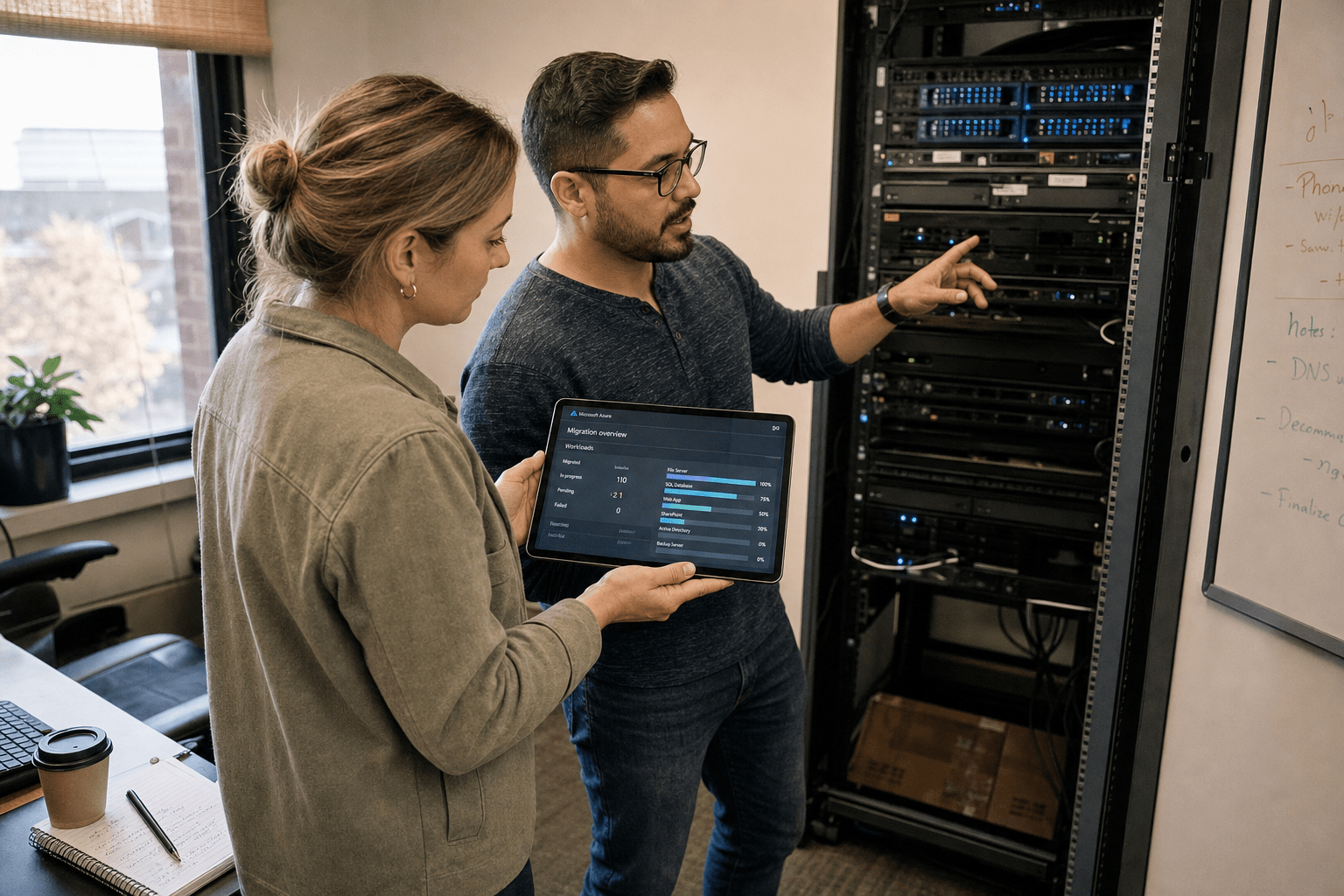
Cloud Migration for Small Businesses in New Orleans involves transferring your systems, emails, files, and business applications from outdated on-premises servers to hosted platforms like Microsoft Azure, AWS, or Microsoft 365. For a small business here, the decision is rarely about cost alone. It is about getting critical data out of a first-floor server closet before the next storm season, keeping staff productive when a building loses power, and finally retiring hardware that no vendor will patch anymore. Done right, a migration removes those single points of failure. Done in a rush, it copies the same fragile setup into a place you understand less.
Why New Orleans Small Businesses Migrate Sooner Than Most
Cloud Migration for Small Businesses in New Orleans carries unique risks overlooked by national guides, making timing critical. We have walked port logistics firms, hospitality groups, and energy-services shops through this move, and the pattern repeats. Here are the five points that shape almost every migration we plan in this market:
- Storm exposure is a data problem, not just a facilities problem. On-premises servers in flood-prone parishes are a liability every June through November. Hurricane season sets a hard clock on when the move should happen.
- Downtime has a local cost. When power drops after a storm, a business running email and files on a local server goes dark. A cloud-hosted business keeps working from anywhere with a connection.
- Legacy applications complicate the lift. Many New Orleans firms run older accounting, dispatch, or reservation software that was never built for the cloud. That software drives the migration path.
- Compliance follows the industry. Healthcare, finance, and government-contract work each carry rules that decide where data can live and who can touch it.
- Bandwidth and connectivity vary block to block. A migration plan has to account for the internet you actually have, not the connection a national playbook assumes.
How Small Businesses Should Plan a Cloud Migration in New Orleans
A sound cloud migration in New Orleans LA starts with an inventory of every system, not a rush to pick a provider. We map what you run, what depends on what, and what breaks if a given server goes offline, before anyone touches a migration tool. Microsoft’s Cloud Adoption Framework calls this the assess phase, and skipping it is the most common reason a migration stalls halfway. The National Institute of Standards and Technology defines the essential characteristics of cloud computing in SP 800-145, and that definition helps set expectations about what actually changes when you move.
Which Workloads Move First
For Cloud Migration for Small Businesses, email and file storage are ideal first targets since they migrate smoothly and provide instant resilience. We usually start a small business on Office 365 migration so staff email, calendars, and shared documents live off-site within the first phase. The counter-argument is real: some owners want to lead with their most critical line-of-business app to prove the whole project out. That approach front-loads the hardest work and the highest risk. We hold both views in the plan and then sequence by dependency, moving low-risk, high-value workloads first so the team builds confidence before the complex systems move.
Azure, AWS, or Microsoft 365
Selecting the right platform for Cloud Migration for Small Businesses depends on your existing software. A New Orleans small business standardized on Windows, Outlook, and Teams usually lands most naturally on Microsoft Azure cloud services and Microsoft 365, because identity, email, and files share one management layer. A firm running custom Linux workloads or large data pipelines may fit AWS cloud services better. There is no universal winner. The honest answer is that many small businesses end up with a mix, and the planning job is to keep that mix manageable rather than to force everything onto one platform for the sake of a clean diagram.
Timing Around Hurricane Season
Migration timing in this region should respect the storm calendar, and the strongest window is the quieter months from late fall through early spring. We plan the heaviest cutover work outside the June-through-November peak so a named storm never lands in the middle of a data move. Some businesses argue the opposite: that the threat of an active season is exactly the push to migrate right now. That urgency is valid when hardware sits in a flood zone. When it does, we accelerate the resilience-critical pieces first and stage the rest, rather than treating the whole project as one all-or-nothing sprint during peak risk.
How to Protect Data and Uptime During the Move
Protecting data during a cloud migration in New Orleans LA rests on two disciplines: a tested backup before anything moves, and security controls built into the new environment from day one. We never start a cutover without a verified backup of the source systems, because a migration that fails without a fallback turns a routine project into a crisis. The federal continuity-planning guidance at Ready.gov frames this well for small businesses that lack a dedicated recovery team.
Backup and Disaster Recovery
A migration is the right moment to fix backup gaps you have lived with for years. We pair every move with cloud backup so a second copy of business data lives in a separate region, well away from Gulf Coast weather. The debate here is cost versus coverage. Full geo-redundant backup adds monthly expense, and a very small shop may push back on that line item. We respect the budget pressure, and we also make clear what a single-copy setup risks in this specific geography. The middle path we often land on protects the systems a business cannot operate without and applies lighter retention to the rest.
Security in the New Environment
Moving to the cloud does not make a business secure by default, and treating it that way is the mistake we see most. A migration should carry cloud security forward as a design requirement: multi-factor authentication on every account, least-privilege access so staff only reach what their role needs, and encryption for data at rest and in transit. Some owners view these controls as friction that slows the team down. That friction is real on day one and fades fast once staff adjust. The larger risk runs the other way, since a migrated environment with weak identity controls is an easier target than the old server ever was.
Keeping Staff Working Through the Cutover
During Cloud Migration for Small Businesses, uptime relies on careful sequencing and clear communication. Cutovers are scheduled during low-traffic periods, legacy systems remain in read-only mode, and staff are briefed to prevent productivity loss. The counterpoint is that a phased approach stretches the project timeline, and a business eager to be done may prefer a single weekend cutover. That works for a small, simple environment. For a firm with legacy applications and mixed connectivity, the phased path protects revenue, and protecting revenue is the point of doing this carefully.
What Cloud Migration Costs a New Orleans Small Business
The cost of Cloud Migration for Small Businesses in New Orleans depends on data size, application complexity, and the extent of environment re-engineering required beyond a simple lift-and-shift. A straightforward email-and-files move is modest and often pays back quickly in retired hardware and lower maintenance. A migration involving custom applications, database rework, or strict compliance requirements costs more because the engineering work is real. We give a fixed-scope estimate after the assessment, not before, because a number quoted without knowing your systems is a guess. Our cloud migration services start with that assessment so the plan and the price reflect what you actually run.
Frequently Asked Questions
How long does cloud migration take for a small business in New Orleans?
Most small business migrations run four to twelve weeks from assessment to final cutover. A clean email-and-files move can finish in a few weeks, while migrations involving legacy line-of-business applications or compliance requirements take longer because each system needs its own tested plan.
Will my business lose access to files during the migration?
No, a well-planned migration keeps you working throughout. We move systems in phases, keep the source environment available during each cutover, and schedule the disruptive steps for evenings or weekends so staff productivity holds steady.
Is the cloud safe for a business in a hurricane-prone area like New Orleans?
Yes, and that safety is one of the strongest reasons to migrate here. Cloud data lives in hardened data centers in other regions, so a local power outage or flood no longer takes your systems offline. Pairing the move with geo-redundant backup keeps a second copy far from Gulf Coast weather.
Should I choose Azure, AWS, or Microsoft 365 for my migration?
The right platform follows what you already run. Businesses standardized on Windows, Outlook, and Teams usually fit Azure and Microsoft 365, while custom Linux or heavy data workloads may suit AWS. Many small businesses land on a practical mix, and the assessment decides the best fit for your systems.
What happens to my old servers after the migration?
Once workloads are verified in the cloud and a backup is confirmed, on-premises servers can be decommissioned and retired. Removing that hardware ends the patching, cooling, and physical-risk burden that made the flood-zone server closet a liability in the first place.
Talk to a New Orleans Cloud Migration Team
Cloud migration in New Orleans LA works best when the plan fits your systems, your industry rules, and the storm calendar you actually live with, and that is the plan we build with every small business we work with here. We have moved local firms off fragile on-premises setups without losing a workday, and the projects that go smoothly all share the same trait: an honest assessment first, a sequence that moves low-risk workloads before complex ones, and backup and security built in from the start rather than bolted on later. You do not have to carry the risk of an aging server through another hurricane season, and you do not have to guess your way through the move alone. Our team maps your environment, sequences the migration around your operations, and stays on through cutover so the transition holds. If you are weighing a move to the cloud, book a free strategy call and we will walk through your systems and give you a straight answer on the right path, the realistic timeline, and what it takes to protect your data through the change.

