

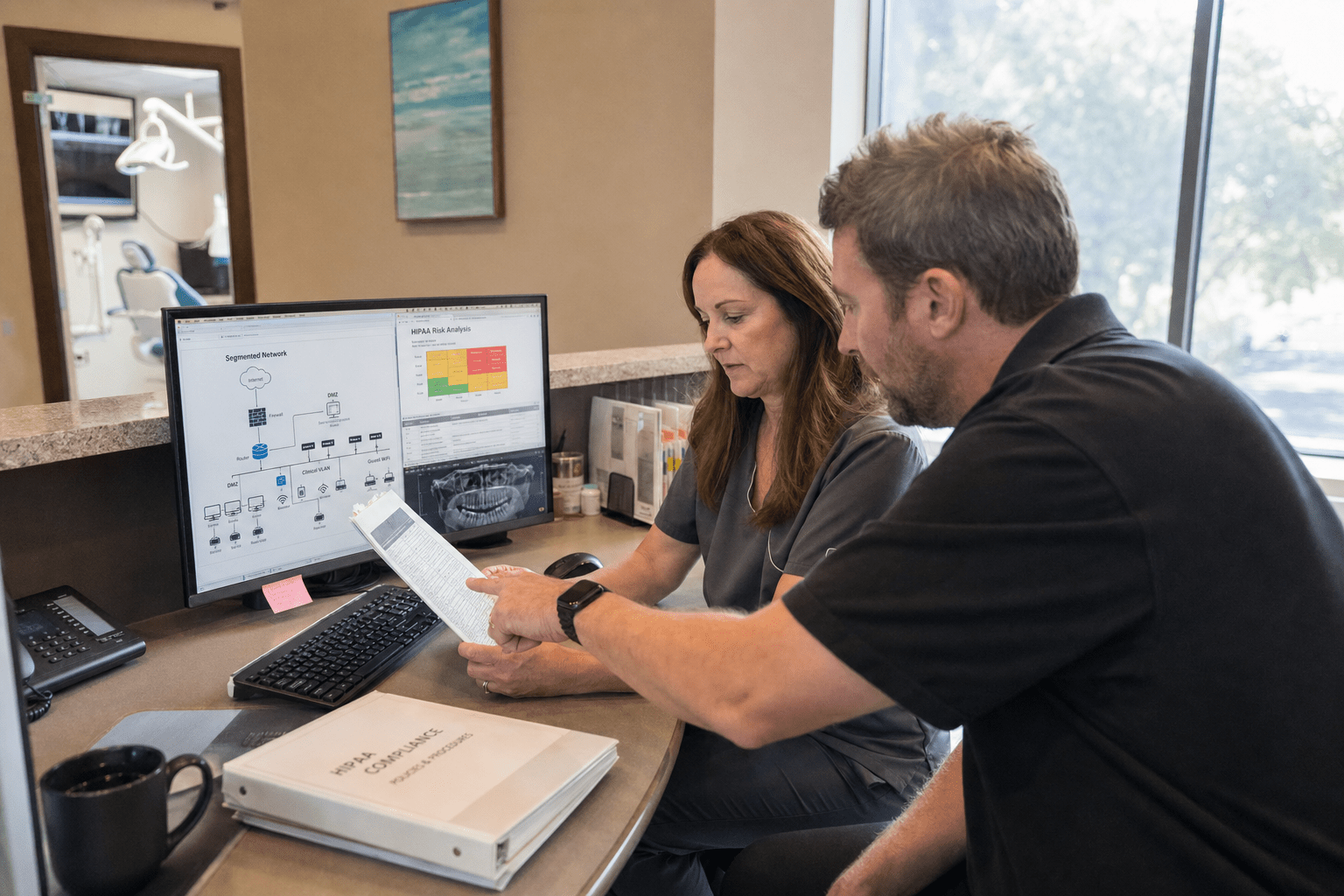
Network security for dental practices is a HIPAA problem before it is a technology purchase. Network Security for Dental Practices requires more than antivirus and a firewall because the exposures that trigger fines and breach notifications often exist elsewhere: a flat network where the front-desk computer can reach the imaging server, backups that were never encrypted, and staff who click a phishing email because nobody trained them not to. A dental office holds protected health information that attackers value and regulators protect, which makes the network a compliance surface, not just an IT convenience. This guide walks what network security actually has to cover in a practice, so you protect patient data and your license, not just check a box.
What Dental Practices Get Wrong About Network Security
Network Security for Dental Practices breaks down when the office treats it as a product it already bought rather than a program tied to HIPAA. The antivirus subscription feels like protection, but it leaves the gaps that cause real breaches wide open. These are the exposures we find most often in dental networks, and each one is fixable before it becomes a reportable incident.
- Flat networks. When the front-desk PC, the imaging system, and guest Wi-Fi share one network, a single infected device reaches patient data.
- Unencrypted backups. A backup of PHI that is not encrypted is a breach waiting to be lost or stolen.
- Untrained staff. Phishing and social engineering target the people who never learned the warning signs.
- Unpatched practice-management software. Dental software left un-updated carries known holes attackers actively scan for.
- No documented risk analysis. HIPAA requires one, and most small practices have never completed it.
Why HIPAA Makes Network Security a Compliance Issue
Network security in a dental practice is a HIPAA compliance obligation, not just an IT preference, because the Security Rule requires you to protect electronic protected health information with real safeguards. The argument that a small practice is too minor to target misreads how attackers work, since automated ransomware does not check the size of the office before encrypting it. The other side has a grain of truth: a two-chair practice does not need enterprise-grade tooling. But it does need the administrative, physical, and technical safeguards the HHS HIPAA Security Rule spells out, scaled to its size. The rule is explicit that “we are small” is not a defense, and a breach of even a few hundred patient records triggers notification duties, fines, and reputational damage that a dental practice cannot easily absorb.
How Network Segmentation Protects Patient Data
Network segmentation protects patient data by keeping the systems that touch PHI separate from everything else, so one compromised device cannot reach the imaging server. In a flat dental network, an infected front-desk computer or a guest phone on the same Wi-Fi can become a path straight to protected records. The counterpoint is that segmentation adds setup work a small office may resist, and for the very smallest practices basic separation is enough rather than complex zoning. Even so, isolating clinical systems, keeping patient Wi-Fi off the business network, and restricting who can reach the imaging and practice-management servers is foundational. We design segmentation to fit the practice as part of ongoing network security monitoring, tight around PHI and simple elsewhere.
Why Encryption and Backups Must Work Together
Encryption and tested backups protect a dental practice against both theft and ransomware, and they only work when they work together. Encrypting PHI at rest and in transit means a stolen laptop or intercepted transfer does not become a reportable breach, since encrypted data that is lost is generally not treated as a disclosure under HIPAA. The opposing view is that encryption adds complexity and can slow older systems, which is a fair concern for aging hardware. The answer is not to skip it but to modernize, because an unencrypted backup is the exposure attackers and auditors both look for. We build encrypted, tested backups so a ransomware hit does not force a practice to choose between paying and losing its records, backed by managed security services that verify the restores actually run.
How Staff Training Stops the Attacks Tools Miss
Security awareness training stops the attacks that no dental network appliance can catch, because most breaches begin with a person, not a port. Phishing emails, fake vendor invoices, and phone-based social engineering target front-desk and clinical staff who were never taught the warning signs. Some argue that email filtering and multi-factor authentication reduce the need for training, and strong technical controls do block many attacks. They do not stop a staff member from entering credentials on a convincing fake login or approving a fraudulent request. The honest position is that people and tools reinforce each other, which is why we build security awareness training into the security program for every practice we protect.
The Dental Practice Factor: PHI, Uptime, and Small Teams
The dental practice factor in network security is a small team running critical clinical systems on tight margins, where downtime stops patient care and a breach threatens the license. A dental office cannot see patients when the imaging or scheduling system is down, so security that ignores uptime fails the practice. At the same time, the office rarely has dedicated IT staff, so the security program has to run without constant in-house attention. CISA’s StopRansomware guidance stresses that healthcare providers are frequent ransomware targets precisely because downtime pressure makes them more likely to pay, which raises the stakes for a small practice.
Why Managed Security Fits Small Practices Better Than DIY
Managed security fits most dental practices better than a do-it-yourself approach because a small office lacks the time and expertise to run security tools well. Buying appliances and software without someone to monitor and maintain them leaves the practice with a false sense of safety and unwatched alerts. The counterargument is cost, and a very cost-sensitive office may hesitate to pay for managed coverage. But the alternative is usually a set of tools nobody tends until an incident, which is more expensive in the end. We deliver security as a managed program so the practice gets monitoring, patching, and response without hiring an IT team, with regular cyber security audits that keep HIPAA documentation current.
How to Keep Clinical Systems Available During an Incident
Keeping clinical systems available during an incident means designing security that isolates a threat without shutting down the whole practice. If your only response to malware is pulling the plug on the entire network, you stop patient care to contain a problem that segmentation could have limited. The other view is that during a serious breach, full isolation is sometimes the safe choice, and occasionally it is. But a well-segmented network lets you quarantine the affected zone while imaging and scheduling keep running, which is the difference between a bad afternoon and a closed office. The NIST Cybersecurity Framework treats respond and recover as core functions for exactly this reason, and we plan both so a practice can contain an incident and still see patients.
How to Choose a Security Provider for Your Dental Practice
Choosing a network security provider for a dental practice means finding one that speaks HIPAA and dentistry, not just general IT, and asking to see how they handle PHI specifically. Ask any provider whether they will complete and maintain your HIPAA risk analysis, how they segment clinical systems, and how they encrypt and test backups. Confirm they include staff training and that they understand dental practice-management software rather than treating it as a generic app. A provider that talks only about firewalls and antivirus is missing the compliance half of the job. Ask for their incident response plan and how they keep clinical systems available during a threat, because in a dental office, uptime and compliance are the same conversation.
Frequently Asked Questions
Do dental practices have to comply with HIPAA for network security?
Dental practices must comply with HIPAA, and the Security Rule requires safeguards for the electronic protected health information they hold. That includes administrative, physical, and technical protections scaled to the size of the practice. A small office is not exempt, and a breach triggers the same notification duties and potential fines.
What is the biggest network security risk for a dental office?
The biggest network security risk for a dental office is usually a flat network combined with untrained staff, because that pairing lets a single phishing click reach patient data. Ransomware and stolen laptops follow closely. Segmentation, encryption, and training address the exposures that cause most reportable breaches.
How much does network security cost for a dental practice?
Network security cost for a dental practice depends on the number of systems and whether monitoring is managed around the clock. A managed program for a small office costs far less than the fines and downtime of a single breach. The right starting point is a HIPAA risk analysis that shows where the real gaps are.
Does a dental practice need network segmentation?
A dental practice needs at least basic network segmentation to keep systems that hold patient data separate from front-desk, guest, and general-use devices. This limits how far an attacker can spread from any single compromised device. The depth of segmentation should match the size and layout of the practice.
How often should a dental practice review its security?
A dental practice should review its security and update its HIPAA risk analysis at least annually, and after any major system or staffing change. Threats and software vulnerabilities evolve, so a one-time setup goes stale. Regular audits keep both the protection and the required documentation current.
Protect Your Patients and Your License
Network security for dental practices rewards the office that treats it as a HIPAA program and punishes the one that mistakes an antivirus subscription for protection. The exposures that actually cause breaches and fines are predictable: a flat network that lets the front desk reach the imaging server, unencrypted backups, unpatched software, and staff who were never trained. Every one of them is fixable before it becomes a reportable incident, and fixing them costs a fraction of a breach that threatens both patient trust and your license. The practices that stay out of trouble treat network security as an ongoing program with segmentation, encryption, training, and a maintained risk analysis, not a product bought once. If you want a clear picture of where your practice would fail a HIPAA review or a real attack, our team will assess your network, complete the analysis regulators expect, and build protection sized for a dental office. Book a free strategy call and we will start with the risks that matter most to your patients and your practice.

