

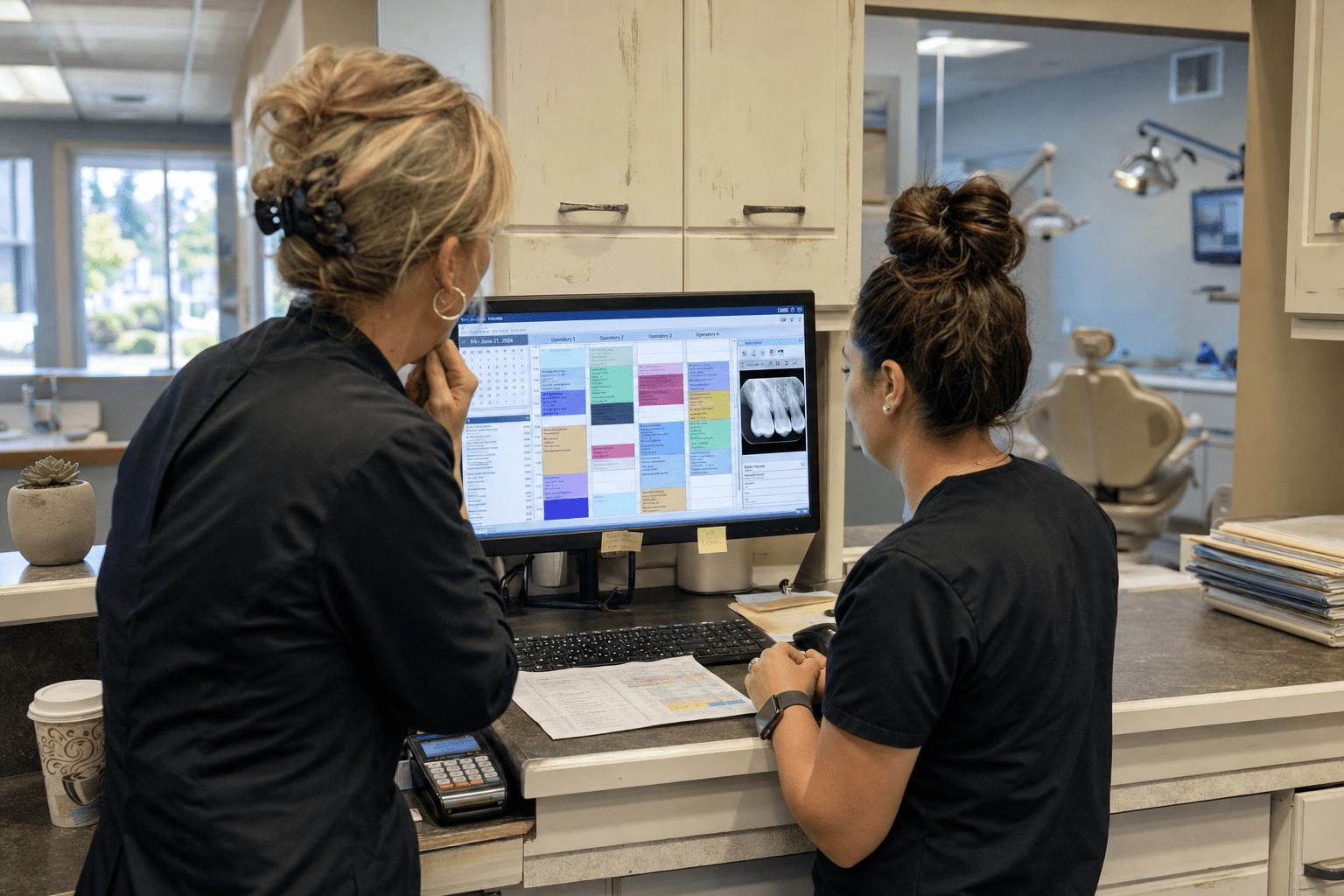
Managed IT services for dental practices should be scoped around chair time, because that is the unit a practice actually loses when something fails. Expect four commitments in writing: a recovery target for chairside workstations and imaging, a storage plan for radiographs that accounts for how fast image volume grows, named ownership of the practice management and payment vendors, and access control that survives a staffing review. Most agreements we inherit were written for an office with desks. A practice runs six operatories on a schedule booked weeks out, and a 40-minute imaging failure does not cost 40 minutes. It costs the appointments that cannot be moved.
Five Points Behind Everything Below
Dental practices buy IT support the way they buy most vendors, on referral and price, then discover the gaps during a busy week. The points below are the ones that decide whether a practice notices its provider at all. This is written for practice owners and office managers running one to six locations, typically 4 to 20 operatories in total.
- Chair time is the real currency. Ask for a recovery target on operatory workstations and imaging, not a site-wide uptime percentage that averages the schedule away.
- Imaging storage grows faster than anyone plans for. Three-dimensional volumes and intraoral scans expand a practice’s storage need year over year, and a plan that fit at signing may not fit at renewal.
- The practice management system is the single point of failure. Scheduling, charting, claims, and recall all live there, so its vendor relationship needs an owner named in the agreement.
- Payment and merchant systems sit in scope even when nobody says so. A terminal that stops taking cards at checkout is an IT problem in every way that matters to the patient standing there.
- Access control has to survive turnover. Dental teams change more often than most, and a practice with five former employees still holding logins has a problem that predates any attacker.
Why Managed IT Services for Dental Practices Are Judged on Chair Time
Managed IT services for dental practices are judged on chair time because a dental schedule is dense, pre-booked, and hard to reflow, so a short technical failure produces a long operational one. Our team has sat in enough operatories during an imaging outage to watch the schedule unravel in real time. Three areas produce most of what we are called in to fix.
An Imaging Failure Is a Scheduling Failure
When the sensor software or the imaging server stops responding, the appointment in the chair cannot proceed, and the two behind it start sliding. A practice can chart on paper. It cannot take a radiograph on paper, and many procedures cannot responsibly continue without one.
There is a real argument for treating imaging as an acceptable single point of failure. Redundant imaging infrastructure is expensive relative to a small practice’s IT budget, the failure rate is genuinely low, and money spent there is money not spent on chairs or staff.
The counterargument is that the exposure is almost never priced before it is accepted. Three lost appointments, none of which can be rebooked inside the same week, is a number a practice owner can weigh against a modest standby arrangement. Our position is that the practice should see both numbers and choose deliberately. That is how we scope managed IT services where the schedule is the constraint, and it is a decision better made in a quiet month.
The Practice Management System Has a Vendor, and Someone Must Own It
Most dental outages we are called into involve two parties: the practice management vendor and whoever runs the network. Each has a plausible account of why the other is responsible, and the office manager ends up mediating during a full schedule.
Some owners prefer to keep the vendor relationship in house, and that is defensible. Front office staff often know the vendor’s support team by name and get answers faster than a third party would.
What rapport cannot settle is a boundary dispute at eight-thirty on a Monday. That takes a written sentence saying one party owns the incident through restoration regardless of eventual fault. We take that duty for our clients, and practices that want to keep the vendor relationship internal can do so under a co-managed arrangement where we still carry the escalation. Practices weighing providers at this stage often find our earlier piece on what to look for in managed IT services for dental practices a useful checklist for the interview.
Storage Plans Age Faster Than Practices Expect
Radiographic volume grows with every scanner upgrade. A practice that adds cone beam imaging or moves to intraoral scanning can multiply its annual storage need without changing patient volume at all, and the backup window grows with it.
The case for a lean storage plan is straightforward: you pay for what you use, and buying years ahead wastes money on capacity that may never be needed if the practice does not upgrade.
The case against it is that storage rarely fails politely. It fills, backups begin failing quietly, and the practice learns during a restore attempt. What we recommend is a reviewed growth figure every year and an alert threshold well below full, so the conversation happens on a calendar rather than during an incident. Practices carrying older archives also need to decide what leaves the primary system and when, which is a retention question as much as a technical one.
Restores Matter More Than Backups
A backup nobody has restored is a belief rather than a safeguard, and imaging is where that belief is most often misplaced. Radiographic files are large, they are frequently held in a vendor-managed database rather than plain folders, and restoring them can require the vendor’s own tooling. A practice can hold a year of clean backup reports and still be unable to bring images back inside a working day.
Ask for a restore test at least quarterly, performed on imaging rather than only on documents, with a written result naming what was restored, how long it took, and who verified it. The test does not need to be dramatic. Recovering a handful of studies from a date chosen at random is enough to prove the path works end to end.
Some providers push back that full restore rehearsals are disruptive, which is fair for a complete environment recovery. A partial test is not disruptive, and it catches the failure mode that matters most: a backup that runs successfully every night while writing something nobody can read back. We would rather find that in a quiet quarter than during a hardware failure, and the report from that test is one of the few documents that tells a practice owner something concrete about their exposure.
What Managed IT Services for Dental Practices Should Cover on Security and Access
Managed IT services for dental practices should cover access control, evidence, and payment-path security explicitly, because dental practices hold protected health information and process card payments in the same building, often on the same network. Both obligations arrive together and are frequently addressed separately.
Access That Survives Staff Turnover
Dental teams turn over. Hygienists, assistants, and front office staff move between practices more often than in most professional settings, and each departure leaves credentials behind unless somebody closes them the same day.
Small practices sometimes run shared operatory logins for practical reasons, and the practical case is real. A shared chairside login is faster between patients, avoids repeated sign-in during a procedure, and gloved hands make individual authentication genuinely awkward.
The problem is that a shared login makes every audit trail meaningless, since the record cannot say who viewed what. The middle ground we deploy is individual accounts with fast reauthentication at the chair, which keeps the workflow tolerable and the trail intact. Our overview of HIPAA compliant IT services covers how these accounts are usually structured on first setup.
Payment Systems Belong Inside the Security Conversation
A dental practice takes card payments at checkout, often alongside financing applications and patient portals. Those paths deserve the same attention as clinical systems, and they are regularly left to the merchant vendor by default.
Expect your provider to state where payment traffic sits on the network, whether it is separated from clinical workstations, and who is responsible if the terminal stops working during checkout. Network separation is the ordinary answer, and it is worth confirming rather than assuming. A practice running managed firewall services should be able to see the rule that enforces that separation, in writing, on request.
Evidence on Request, Not Evidence on Demand
Expect access logs, patch status by device, alert history, and a coverage exclusion list within one business day of asking. The exclusion list is the document that tells you what you are not buying, and it is the one most providers produce last.
Some providers argue that small practices rarely need this depth, and that preparing it adds cost without benefit. That holds right up to the first incident or the first review, at which point a practice with no evidence is in a much worse position than one with imperfect evidence. We treat managed security services as an evidence obligation for this reason, and practices comparing providers on that basis may find our roundup of HIPAA compliant managed IT providers a fair place to build a shortlist.
How to Test a Provider Before You Commit
Testing a dental IT provider is mostly a matter of asking for artifacts and specific answers, since both are hard to improvise. Two questions do most of the work.
Ask What Happens During a Full Schedule
Describe a Monday with every operatory booked, imaging down in two rooms, and the practice management system slow but running. Ask who is dispatched, in what order rooms are recovered, and how long it takes to reach the office in person if remote work does not resolve it.
You are listening for a sequence and an arrival time. A provider who answers with a service ticket process is describing a queue. A provider who answers with names, an order of recovery, and a drive time is describing an operation that has done this before. Practices in healthcare-adjacent settings often ask a version of the same question, which our piece on why healthcare practices need managed IT services frames from the clinical side.
Ask for a Redacted Monthly Report and the Exclusion List
Request a redacted monthly report from a practice of similar size along with the standard coverage exclusion list. Both should arrive within a few days. A provider offering a testimonial instead of a report is describing intent rather than practice.
If confidentiality is raised, a redacted document with identifiers removed and metrics intact resolves it. If the metrics cannot survive redaction, the report was never really a report.
Frequently Asked Questions
What uptime commitment makes sense for a dental practice?
A recovery target per operatory workstation and for imaging is more useful than a site-wide percentage, because a dental schedule cannot absorb a long single outage even when the monthly average looks healthy. Ask for a maximum restoration time during business hours and a defined response for imaging failures.
Do dental practices need the same IT security as medical practices?
Yes on protected health information, plus attention to payment systems that many medical practices handle differently. A dental office typically processes card payments at checkout on the same premises, so network separation and terminal ownership belong in the agreement.
How should a practice handle imaging storage growth?
Review projected growth annually, set an alert threshold well below capacity, and decide in advance what older imaging moves to secondary storage. Storage problems announce themselves through failed backups rather than obvious errors, so the threshold matters more than the total.
Can a practice keep its practice management vendor relationship in house?
Yes, and many do. Keep the relationship, but put in writing that your IT provider owns any incident through restoration regardless of fault, so nobody is mediating between vendors during a full schedule.
How fast should access be removed when someone leaves?
Same day, covering the practice management system, imaging, email, remote access, and any payment portal, with written confirmation to the practice. Dental turnover makes this routine rather than exceptional, so it should run as a standard sequence.
Who Is Behind This Advice
Our team spends a lot of time in practices where the schedule is the boss, and that shapes how we approach dental work. What matters in an operatory is not the most capable technology, it is technology that behaves the same way at four in the afternoon as it did at eight in the morning. Most of what is written above came from practices we took over mid-contract, where the equipment was fine and nobody had ever written down what happens when a room goes down. We would rather agree on that sequence before it is needed.
Mindcore is led by Matt Rosenthal, who focuses on making support and security commitments measurable for smaller practices, so an office manager can verify what is being delivered without a technical background.
Talk Through Your Practice’s Setup
Four commitments tell a practice owner most of what they need to know about their current arrangement: a recovery target expressed in chair time, a storage plan reviewed on a schedule, one party who owns an incident through restoration, and access that closes the day someone leaves. Reading your agreement against those four is usually a ten-minute exercise, and the gaps are rarely subtle.
If you would like a second read on where your practice sits, we are glad to go through it with you. Bring the agreement, your most recent monthly report if you receive one, and a rough figure for how much imaging storage you added last year. We will tell you which of the four you hold today and which are missing, and if your current provider is doing a good job we will say so directly. You can book a free strategy call and we will work through it together.

