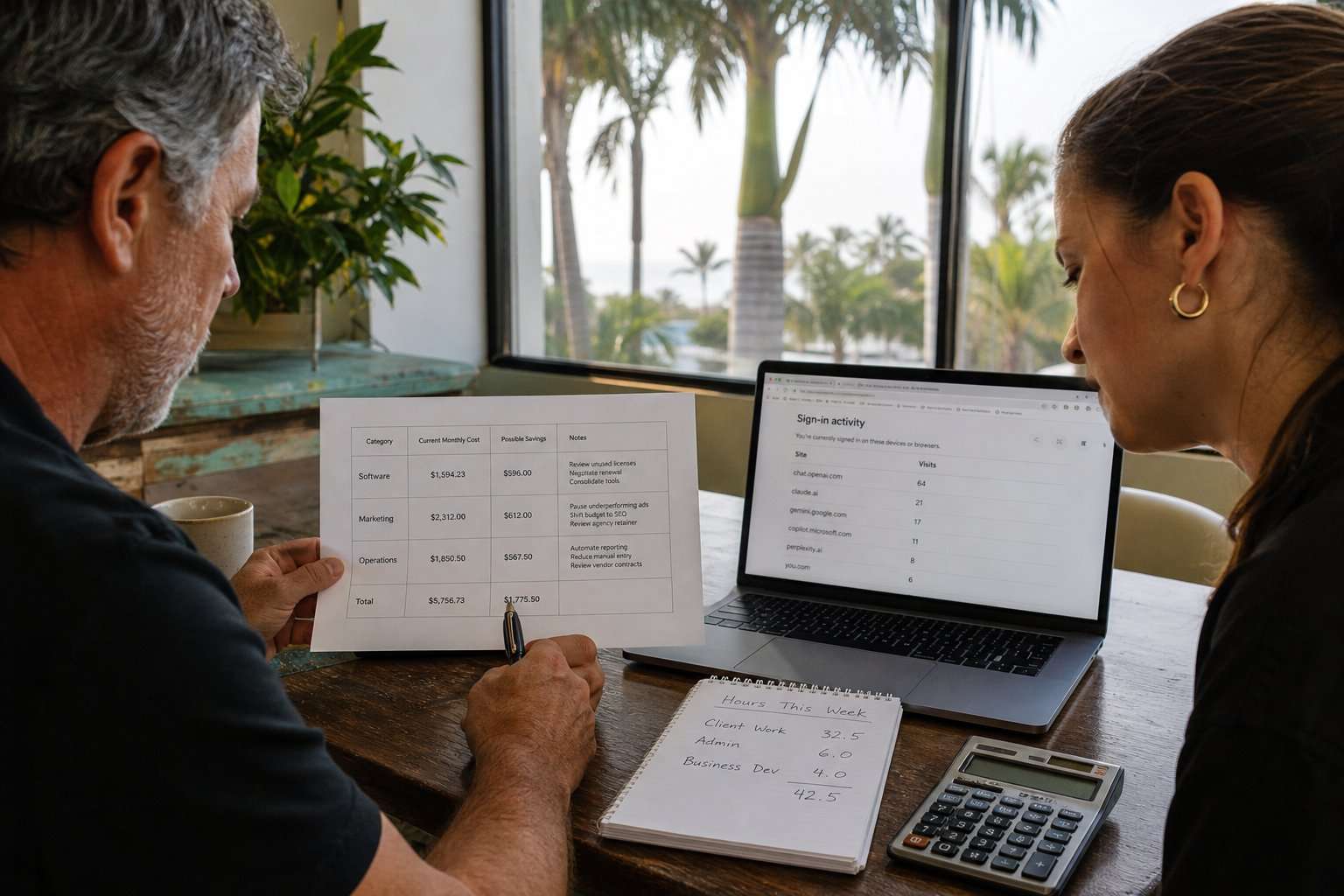
Shadow AI oversight cost is the price of finding and governing the AI tools your staff already use, and it arrives in three levels. Level one is a two-week log review that costs staff hours. Level two is an approved-tool program that costs seats and manager time. Level three is a monitoring layer that costs licenses plus alert triage. In the worked example below, a 40-person firm spends about $3,660, $16,260 or $27,300 a year, against $55,060 for one incident that sends client data to a public AI tool. This guide is for owners of companies with 10 to 200 people who suspect staff paste company or client data into free tools. It prices each level, divides it by the incident, and shows which step up your data can justify.
Five Points to Settle Before You Pick a Level
These five points summarize the method for the owner and the person who approves the budget.
- Oversight is three levels, and each level includes the one before it, so the real question is whether the next step is worth its extra cost.
- Level one costs hours, level two costs seats, and level three costs alerts. The biggest line changes at every step.
- One client-data incident can be priced as a ledger, and dividing each level by that ledger gives a break-even you can argue with.
- The data you hold decides the level. Headcount decides the size of the bill, not the level.
- Every dollar figure in this post is an example input. Replace each one with your own wage rate, quote or contract.
Why Shadow AI Oversight Cost Gets Argued From the Wrong End
Shadow AI oversight cost gets argued from the wrong end because owners price the tool they would buy and never price the hours it takes to make that tool matter.
Owners price the license and forget the calendar
A quote for a monitoring product has a clear number on it, so that number becomes the budget. Nobody adds the afternoon the IT lead spends tuning it, the manager who approves each new tool request, or the monthly half hour spent checking that the list still matches how people work. A monitoring product with no approved list behind it raises alerts about tools nobody has ruled on, so every alert becomes a debate.
The incident number is not yours to look up
No public table says what a client-data leak costs a 40-person firm. The best public anchor is the IBM Cost of a Data Breach Report 2026, produced with the Ponemon Institute from interviews at more than 600 organizations breached between March 2025 and February 2026, as reported by Help Net Security. It found that workers using unapproved AI tools figured in more than four in ten of the security incidents studied, about one in five of those incidents drew a regulatory fine, and close to seven in ten breached organizations lacked governance for managing AI or spotting unapproved use. Its average breach cost was $4.99 million. That sample leans toward larger organizations, so treat it as a signal that the risk is common and build your own incident figure below.
Level One: The Fourteen-Day Log Review, Priced in Staff Hours
A fourteen-day log review is the cheapest level because it buys a fact you do not have today: a list of the AI tools your staff actually use, found in records you already own.
What the two weeks cost in a 40-person office
Our planning estimate for a 40-person office is about 37 hours over fourteen days, and you should replace each number with your own. Twenty-four hours go to the person who reads sign-in logs, app consent records, browser extension inventories and card statements. Six hours go to the owner, who rules on what the list found. Seven hours are staff time, ten minutes each for 40 people to answer a no-blame question about which AI tools they use. At a loaded rate of $60 an hour, the sprint costs $2,220. Add three eight-hour refreshes a year to keep the list current, and Level one lands at 61 hours, or $3,660.
Our shadow AI oversight guide to six unapproved tool categories names the places to look, so the hours above go to reading records and not to guessing where to start.
What Level one cannot see
A log review is a photograph, and it ages the day after it is taken: it cannot see the account a new hire opens next month. It also misses AI features that a vendor switches on inside software you already approved, because that traffic looks like normal use of a trusted tool. Staff phones are a third gap, since a contract photographed and pasted into a chatbot at home leaves nothing in your logs. Level one gives you facts, and the next level adds control.
Level Two: An Approved-Tool Program, Priced in Seats and Manager Time
An approved-tool program is the level where the biggest line stops being hours and becomes seats, because the surest way to move staff off free tools is to give them a paid one that is easy to reach.
Why seats become the largest line
Level two adds a short list of approved AI tools, usually one general assistant and one tool built into software you already own. The paid business tiers of those tools carry data terms that free accounts do not, and that difference is what you are buying. If 25 of your 40 people need a seat and your quote is $30 a seat a month, that is $9,000 a year. Treat $30 as an example, since the right figure is whatever your vendor quotes today. At that quote, seats cost more than the staff hours in the level.
The hours that make the seats work
The seats do nothing without the hours around them. In our example, 8 hours go to writing data rules as plain nouns (client names, account numbers, health records, source code), and 30 hours go to a 45-minute session for each of 40 people. Twelve hours go to a monthly one-hour review of the list, and 10 hours cover a half hour each for 20 tool requests a year. Added to Level one’s 61 hours, that is 121 hours, or $7,260. With the $9,000 in seats, Level two costs $16,260 a year. Our guide to AI data privacy risks small firms should fix helps you decide which data classes go on the do-not-paste list.
The case against stopping here
Some owners argue that a list and a training session are enough, because staff who know the rules will follow them. Others argue that rules without a check are a wish. Both are partly right: training changes the behavior of people who want to follow the rules, and it does nothing about the one who is behind on a deadline at 9 p.m. Level three exists for that gap.
Level Three: A Monitoring or Data Loss Prevention Layer, Priced Per Alert
A monitoring or data loss prevention layer watches what leaves your accounts and devices, flags or blocks labeled data headed for AI sites, and turns your written rules into something a machine can check.
What the layer adds to the bill
In our example, the layer costs $8 per user per month for all 40 people, which is $3,840 a year, plus 16 hours of setup at $60, or $960. Check your current Microsoft 365 tier before you buy anything, because some plans already include basic data loss prevention features. Our comparison of Microsoft 365 Business Premium and Standard shows where those features sit.
The line owners forget: someone must read the alerts
An alert nobody reads is a record of a leak you were told about. In our example, two hours a week of triage costs 104 hours a year, or $6,240, and that is larger than the license. Add everything and Level three costs $16,260 plus $3,840, $960 and $6,240, which is $27,300 a year. A managed security provider can fold the triage into a contract, but the work still has to happen, so ask who does it.
When Level three is more than you need
If your staff never touch client records, health data, payment data or controlled defense information, the layer mostly catches mistakes that Level two already makes unlikely. The next section tests that choice with arithmetic.
Pricing the Incident You Are Insuring Against
Pricing the incident means writing one realistic event as a ledger, so each level has something to be divided into.
One client-data event, six lines
Our example event is an account manager who pastes a client’s contract terms and account details into a free AI tool, and the client learns of it. Six lines follow, and every figure is an example input.
- Outside counsel reviews the client contract and the tool’s terms: 6 hours at $450, or $2,700.
- Staff trace what was pasted, by whom, and what else went the same way: 40 hours at $60, or $2,400.
- Staff notify the client and handle follow-up calls: 16 hours at $60, or $960.
- A contract clause entitles the client to a fee credit: $15,000 in the example.
- An outside IT review of your accounts and logs: $4,000.
- The client does not renew a $30,000 annual agreement: $30,000.
The total is $55,060. The last line is the one most firms leave off, and it hurts most. Read your own contracts for the fee credit and termination clauses, since you can look them up today. Our post on the true cost of ransomware beyond the ransom shows how a long tail of costs builds on a single event.
The break-even for each level
Divide each level by $55,060. Level one is 7 percent of one incident, so it pays for itself if it prevents one such event about every fifteen years. Level two is about 30 percent, so it pays off if it prevents one about every three and a half years. Level three is about 50 percent, so it needs to prevent one about every two years.
Judge the step, not the total
The more useful test is the extra cost of each step. Moving from Level one to Level two adds $12,600, which is about 23 percent of the incident, so it pays off if it stops one event a little more than every four years that Level one would have missed. Moving from Level two to Level three adds $11,040, about 20 percent, so it pays off if it stops one event about every five years that Level two would have missed. Both depend on how likely you think the event is, and a firm with fifteen client contracts that carry data clauses should answer that differently from a firm with two. Our cybersecurity budget guide for small businesses shows where an oversight line fits next to the other security costs you carry.
Which Level Fits Which Firm: Decide by the Data You Hold
The level fits the data you hold, so start with what a leak would expose and not with how many people you employ.
Firms that hold regulated or contract-bound data
If you hold health records, payment card data, controlled defense information, or client files covered by contract clauses, we recommend Level three, or Level two with a firm date to add Level three. The IBM figures above matter most to you, because regulatory fines show up in about one in five unapproved-AI incidents in that sample. A regulator or a client will ask what you did before the event, and a list, a training record and a monitoring log answer it.
Firms with no regulated data and a short client list
If your staff handle little sensitive data, Level two is a sound stopping point. Run Level one every quarter, keep the approved list short, and write one rule: no client names in tools off the list. Revisit the choice when you sign a client whose contract adds a data clause.
What South Florida Firms Add to the Ledger
South Florida firms add three costs that a generic budget misses, and each one changes the staff-hours column more than the license column.
Seasonal staff and winter-season hiring
Offices that add staff for the winter season onboard people who may be gone in April. Each new person needs the 45-minute session from Level two, and each leaves an account to close. Budget the training hour and the offboarding hour for every seasonal hire, and put the approved list on the first-day checklist.
Bilingual teams and free translation tools
Bilingual teams often paste client emails, letters and notices into free translation and writing tools to get a clean version in the other language. That is shadow AI, and it feels like using a dictionary. Put translation on your approved list on purpose, with a business-tier tool that has data terms.
Multi-office firms
A firm with offices in Boca Raton, Fort Lauderdale and a second state ends up with several sets of local habits and one set of client contracts. One shared list, one owner and one monthly review cost less than a version per office. Our Florida managed IT services team supports firms across the state, and the same list works in every office.
Frequently Asked Questions
How much does shadow AI oversight cost a small business?
The cost depends on the level, and in our worked example for a 40-person firm it ran about $3,660, $16,260 or $27,300 a year. The first level is mostly staff hours, the second is mostly paid seats, and the third is mostly license and alert triage. Replace each figure with your own wage rate and quotes.
Is a monitoring layer necessary if we already have an AI policy?
A policy states the rule, and a monitoring layer checks it, so they do different jobs. If you hold regulated or contract-bound data, a check is worth the extra cost. If you hold little sensitive data, a short list plus quarterly reviews may be enough.
What does the cheapest level actually find?
It finds the AI tools used from work accounts and devices that appear in sign-in logs, consent records, browser extensions and card statements. It does not find tools used on personal phones or features switched on inside software you already approved.
Can we just ban AI tools instead of paying for oversight?
A ban moves the use out of sight, and you cannot govern what you cannot see. An approved list with a reason behind it works better, because staff keep the tool and you keep the data terms.
How often should we repeat the log review?
We suggest every quarter at about eight hours each time, and again after a major software change or a merger.
Who Stands Behind These Numbers
Mindcore Technologies is a managed IT and cybersecurity firm with offices in Boca Raton, Florida and Fairfield, New Jersey, and the three levels in this guide come from oversight work we have planned with owners and operations leads. Our CEO, Matt Rosenthal, holds the team to a simple standard: we show the arithmetic and you make the decision. Every figure above is a placeholder for your own.
Price Your Own Level on a Free Strategy Call
Fill in the three levels this week with your own wage rate and quotes, then write the one incident your contracts make most expensive and divide each level by it. If the extra cost of the next step is under a quarter of that incident, take the step. Our AI services team can help you choose and set up the approved tools, our managed security services team can run the monitoring and the alert review, and our managed IT services team keeps the list and the accounts current. Book a free strategy call and bring your draft numbers.