

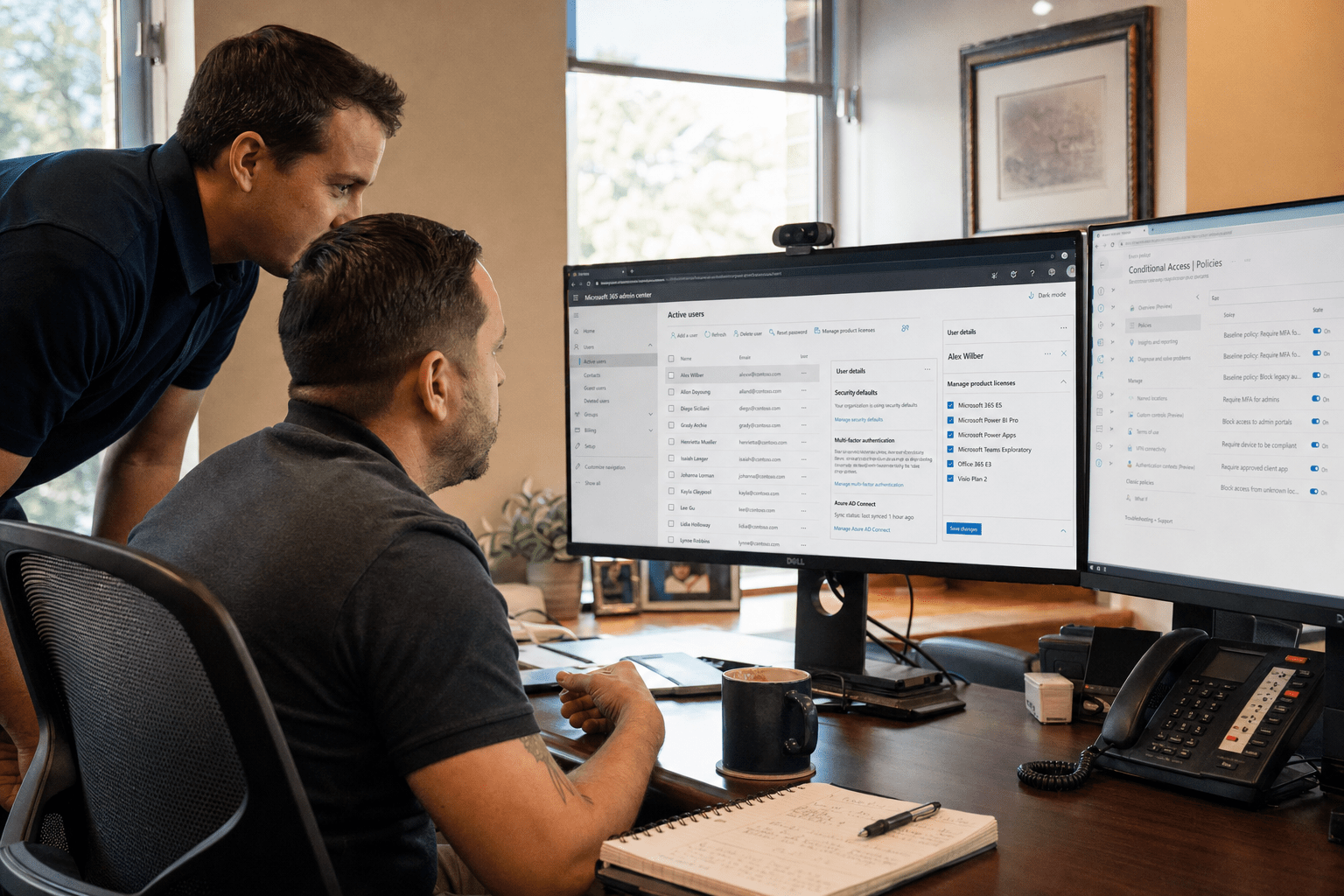
Microsoft 365 management in Fairfield NJ is one of those services that sounds simple until you look at what is actually going wrong inside most small-business tenants. The platform runs, email arrives, files sync, so it feels managed. Underneath, the security settings often sit at their weak defaults, the license mix is paying for seats and features nobody uses, and onboarding a new hire is a scramble every time. Managing Microsoft 365 well is not about keeping the lights on, because the lights stay on by themselves. It is about closing the security gaps Microsoft leaves open, right-sizing what you pay, and making the everyday tasks smooth. This guide walks a Fairfield business through what real Microsoft 365 management should deliver and how to tell whether you are getting it.
What Microsoft 365 Management Actually Involves
Microsoft 365 management in Fairfield NJ should cover four connected jobs: securing the tenant, controlling licensing and cost, handling user onboarding and offboarding, and supporting the tools your team uses every day. Most businesses have the fourth job half-covered and the first three barely touched. The platform ships with defaults that favor getting started over staying secure, so an unmanaged tenant tends to drift into risk quietly. A managed approach treats the tenant as an environment to be configured and maintained, not a subscription to be paid. Our Office 365 and Microsoft 365 services center on exactly that difference, because the gap between a running tenant and a well-run one is where the real cost and risk hide.
Security Beyond the Defaults
The single most important part of Microsoft 365 management is hardening security past the defaults, because those defaults were never meant to be your final configuration. Out of the box, multi-factor authentication may not be enforced on every account, legacy authentication protocols can remain open, and admin roles are often over-assigned. Microsoft’s own Microsoft 365 admin guidance documents the controls, but documenting them is not the same as your tenant using them. The counterview that the defaults are fine for a small business is exactly the assumption attackers rely on, since the tools that break into small tenants target unenforced MFA and open legacy protocols first. The CISA cybersecurity best practices treat identity hardening as foundational, and for a Fairfield SMB that means someone has to actually turn the controls on and keep them on.
License Right-Sizing That Stops the Waste
License right-sizing is where Microsoft 365 management pays for itself, because most businesses are quietly overpaying. Over time a tenant collects licenses assigned to former employees, premium seats given to people who only need basic ones, and add-ons purchased for a project that ended. The honest counterpoint is that under-licensing is also a risk, since stripping features people rely on creates its own problems. The work is matching the license mix to how your team actually uses the platform, which requires looking at real usage rather than guessing. A managed provider reviews this regularly and adjusts, so you are neither paying for empty seats nor starving your team of tools they need.
Backup Is Not Included by Default
One gap that catches Fairfield businesses off guard is that Microsoft 365 does not back up your data the way owners assume. Microsoft keeps the service running and protects its infrastructure, but under the shared responsibility model your data is your responsibility, and the built-in retention windows are short. A deleted mailbox, a file removed past the recovery period, or a ransomware event that encrypts synced files can leave you without a clean copy. The counterargument that the cloud is inherently safe confuses uptime with recoverability, and they are not the same thing. Real Microsoft 365 management includes a third-party backup with a genuine retention policy, so an accidental deletion or an attack does not become permanent data loss.
Why Local Management Matters in Fairfield NJ
Local Microsoft 365 management matters in Fairfield NJ because the parts of the job that involve your people, onboarding, training, and untangling a problem under pressure, go better when the person handling them can be present. A distant provider can administer a tenant remotely, and much of the work genuinely is remote. But when a new hire starts Monday and needs their accounts, devices, and access working by 9 a.m., or when a permissions problem is blocking a whole department, a provider based near Essex County can respond in a way a remote-only vendor cannot. The value is not that everything requires an on-site visit, it is that the exceptions are exactly the moments that matter most.
Onboarding and Offboarding Done Right
User onboarding and offboarding is the everyday task most tenants handle badly, and it carries more risk than it appears to. A rushed onboarding leaves a new hire without the right access, or worse, with too much. A sloppy offboarding leaves a departed employee’s account active, which is a genuine security hole. A managed approach uses repeatable, documented processes so each new hire is set up consistently and each departure is fully closed out. Pairing that with Microsoft 365 training means your team actually uses the tools they are licensed for, rather than defaulting to old habits because nobody showed them the better way.
Integration With the Rest of Your Stack
Microsoft 365 rarely lives alone, so managing it well means fitting it into the rest of your environment. For many Fairfield businesses that includes Microsoft Azure cloud services for identity and infrastructure, and a migration path if the business is still moving off older systems. A provider who understands the whole Microsoft stack can make identity, security, and access work as one, rather than treating Microsoft 365 as an island. If your business is still in the middle of that move, a scoped Office 365 migration handled locally is often the cleanest way to get onto solid ground before the ongoing management even begins.
How to Choose a Microsoft 365 Management Provider
Choosing a Microsoft 365 management provider in Fairfield NJ comes down to a few direct questions that reveal whether they manage the tenant or just bill for it. Ask how they harden security beyond the defaults, and expect a specific answer about MFA enforcement, legacy authentication, and admin roles. Ask how they review licensing and whether they will actually reduce your seats when usage drops. Ask how they handle onboarding and offboarding, and whether the process is documented. Ask whether they can be on-site in the Fairfield area when it matters. The NIST Cybersecurity Framework is a useful yardstick here, because a provider who can map their management practices to a recognized framework is one who treats the tenant as something to be secured and maintained, not just kept running.
Frequently Asked Questions
What does Microsoft 365 management include?
Microsoft 365 management includes securing the tenant, controlling licensing and cost, handling user onboarding and offboarding, and supporting the day-to-day tools your team uses. Many businesses only have the daily support piece covered while security and licensing drift. A complete managed approach treats all four as ongoing work rather than a one-time setup.
Is the default Microsoft 365 security good enough?
No. The defaults favor easy setup over strong protection, often leaving multi-factor authentication unenforced and legacy protocols open. Attackers specifically target those gaps in small tenants. Real management means turning on and maintaining the identity and access controls that Microsoft documents but does not enable for you.
Can Microsoft 365 management reduce our costs?
Often, yes. Most tenants pay for licenses assigned to former staff, premium seats for people who need only basic ones, and add-ons from finished projects. A provider who reviews real usage and right-sizes your license mix can cut that waste, while making sure no one loses tools they genuinely need.
Why choose a local Fairfield NJ provider over a remote one?
Most administration is remote, but the moments that matter most, a new hire needing access on day one, a permissions issue blocking a department, are handled better by someone who can be present. A provider near Essex County pairs remote management with local response when the situation calls for it.
How is Microsoft 365 management different from just having Microsoft 365?
Having Microsoft 365 means the subscription is paid and the apps run. Managing it means the tenant is secured beyond defaults, the licensing is right-sized, users are onboarded and offboarded cleanly, and the whole thing is maintained over time. The subscription keeps the lights on; management is what keeps it secure and cost-efficient.
Get Microsoft 365 Managed Right in Fairfield NJ
Microsoft 365 management in Fairfield NJ is worth doing well because the cost of doing it poorly is invisible until it is not, an overpaid invoice you never questioned, an open security gap you never saw, a departed employee’s account still live. The businesses that get real value treat the tenant as an environment to secure, right-size, and maintain, with the people-facing work handled by someone close enough to help in person when it counts. None of that happens on its own, and none of it shows up in a running tenant until you go looking. If you want a clear read on where your Microsoft 365 setup is exposed or overspending, our team serving Fairfield and Essex County will review your tenant, show you the security and licensing gaps, and lay out a management plan sized to your business. Book a free strategy call and we will start with the security review most tenants have never had.

