

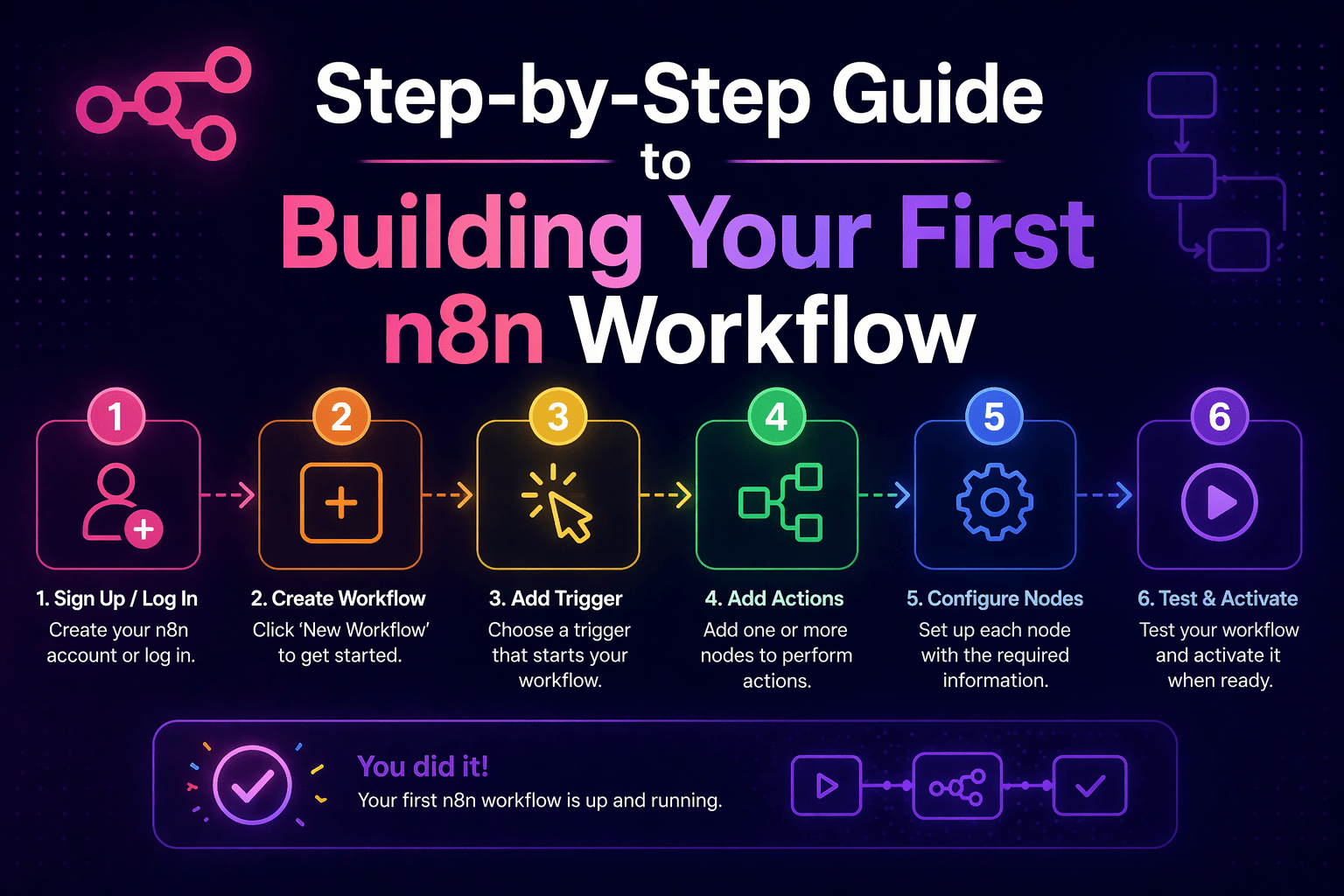
The best first n8n workflow is not the most ambitious one — it is the one that is simple enough to complete in a few hours, valuable enough to justify the effort immediately, and instructive enough to teach the concepts that more complex workflows build on.
This guide walks through the process of building a first n8n workflow correctly — from choosing the right starting automation through understanding the core concepts, building the workflow, testing it, and deploying it with the basic quality practices that should apply to every workflow from the first one forward.
The example workflow: a lead capture form submission triggers a CRM contact creation and a Slack notification to the sales team. Two output steps, one trigger, real business value — a good first workflow.
Overview
Building a first n8n workflow requires understanding five things: how to choose a starting automation that is appropriately scoped, how n8n’s core concepts (triggers, nodes, credentials, connections) work together, how to build the workflow in the visual editor, how to test it before deployment, and what basic quality practices to apply before calling it done. Each section addresses one of those requirements in sequence.
- Choose a starting automation that is simple, complete, and valuable — not ambitious, partial, or hypothetical
- Understand triggers (what starts the workflow), nodes (what the workflow does), and connections (how data moves)
- Build the workflow in the n8n visual editor using the node configuration panels
- Test with real or realistic test data before deploying to production
- Add error handling and monitoring before calling the workflow production-ready
This aligns with modern AI automation strategies and scalable workflow development.
Step 1: Choose the Right Starting Workflow
The common mistake with first workflows is choosing something too complex. Complex workflows require understanding branching logic, error handling, and data transformation before the basic node connection model is clear. The result is a workflow that does not work, frustration that impedes learning, and a first deployment that never happens.
Choose a starting workflow with these characteristics:
- Single trigger — the workflow starts when one thing happens
- Two or three output steps — the workflow does two or three things in response
- Real data connection — it connects to systems you actually use, with credentials that exist
- Immediate value — someone will notice and appreciate when it starts running
The lead capture example fits: form submitted (one trigger) → create CRM contact + notify sales team (two output steps). It connects to real systems and delivers real value from the first execution.
Step 2: Understand Core n8n Concepts
Before opening the n8n editor, establish a working understanding of four concepts:
Triggers start the workflow. Common trigger types:
- Webhook trigger: an external system sends an HTTP request to n8n when an event occurs
- Schedule trigger: the workflow runs at defined intervals (every hour, every day at 8 AM)
- App trigger: an n8n integration watches for events in a connected app (new CRM contact, new email, form submission)
Action nodes do the work. Each action node connects to a system and performs an operation (create a record, send a message, update a field). Action nodes receive input data, perform their operation, and pass output data to the next node.
Credentials are the authentication information that lets n8n connect to external systems. Always configure credentials in n8n’s Credentials section before building workflows — not inside workflow configurations.
Connections carry data between nodes. The output of one node connects to the input of the next. Data in n8n flows as JSON objects; each node receives the output of the previous node and can access any field from it.
Step 3: Build the Workflow
3.1 Create a New Workflow
In the n8n interface, click “New Workflow.” The workflow editor opens with an empty canvas. Name the workflow descriptively: “Lead Form → CRM + Slack.”
3.2 Add and Configure the Trigger
For the lead form example, use a Webhook trigger:
- Search for “Webhook” in the node panel and drag it to the canvas
- In the node configuration, copy the webhook URL that n8n generates
- Set the HTTP method to POST
- Note the test URL (for testing) and production URL (for live use)
- Configure your form to send submission data to this webhook URL
3.3 Add the CRM Node
- Add a CRM node (e.g., HubSpot) to the canvas
- Connect it to the Webhook node
- Select “Create Contact” as the operation
- Map form submission fields to CRM contact fields
- Save the node configuration
3.4 Add the Slack Node
- Add a Slack node to the canvas
- Connect it to the CRM node
- Select “Send Message” as the operation
- Choose the destination channel
- Compose the message using expressions:
New lead: {{$json.firstName}} {{$json.lastName}} from {{$json.company}}
3.5 Configure Credentials
- Assign CRM API credentials via n8n’s Credentials section
- Assign Slack OAuth credentials
- Use “Test Connection” to verify each credential works
Step 4: Test the Workflow
Never deploy a workflow to production without testing it first.
Testing Process:
- Enable the test webhook URL
- Send a test form submission
- Click “Execute Workflow” in n8n
- Review each node’s output
- Verify CRM contact creation
- Verify Slack message delivery
- Fix issues and retest
Common issues:
- Field name mismatches
- Incorrect credential permissions
- Slack channel formatting errors
Step 5: Add Basic Error Handling Before Deploying
- Enable “Continue on Error” for critical nodes
- Add error notification nodes (e.g., Slack alerts)
- Ensure every failure produces a visible alert
Step 6: Deploy and Monitor
- Switch webhook to production mode
- Update form to use production webhook URL
- Confirm first live execution succeeds
- Review execution history regularly
What You Learned From This First Workflow
- How triggers connect to action nodes
- How data flows between nodes
- How credentials are configured and used
- How to test workflows before deployment
- Why error handling is critical
Final Takeaway
Your first n8n workflow teaches the core model. Build it, test it, deploy it with basic error handling, and observe it in production for a week. The workflow that runs reliably in production for 30 days — handling real form submissions, creating real CRM contacts, notifying the real sales team — is more valuable than the complex workflow that is still being designed three months later. Start with the simple one. Build from there.
Get Expert n8n Help From Mindcore Technologies
Mindcore Technologies helps businesses build their first n8n workflows and develop the automation programs that follow — from initial workflow design through enterprise-grade automation infrastructure that scales with your operations.
Schedule your free strategy call to discuss your first automation use cases and get started with workflows that deliver value from day one.

