

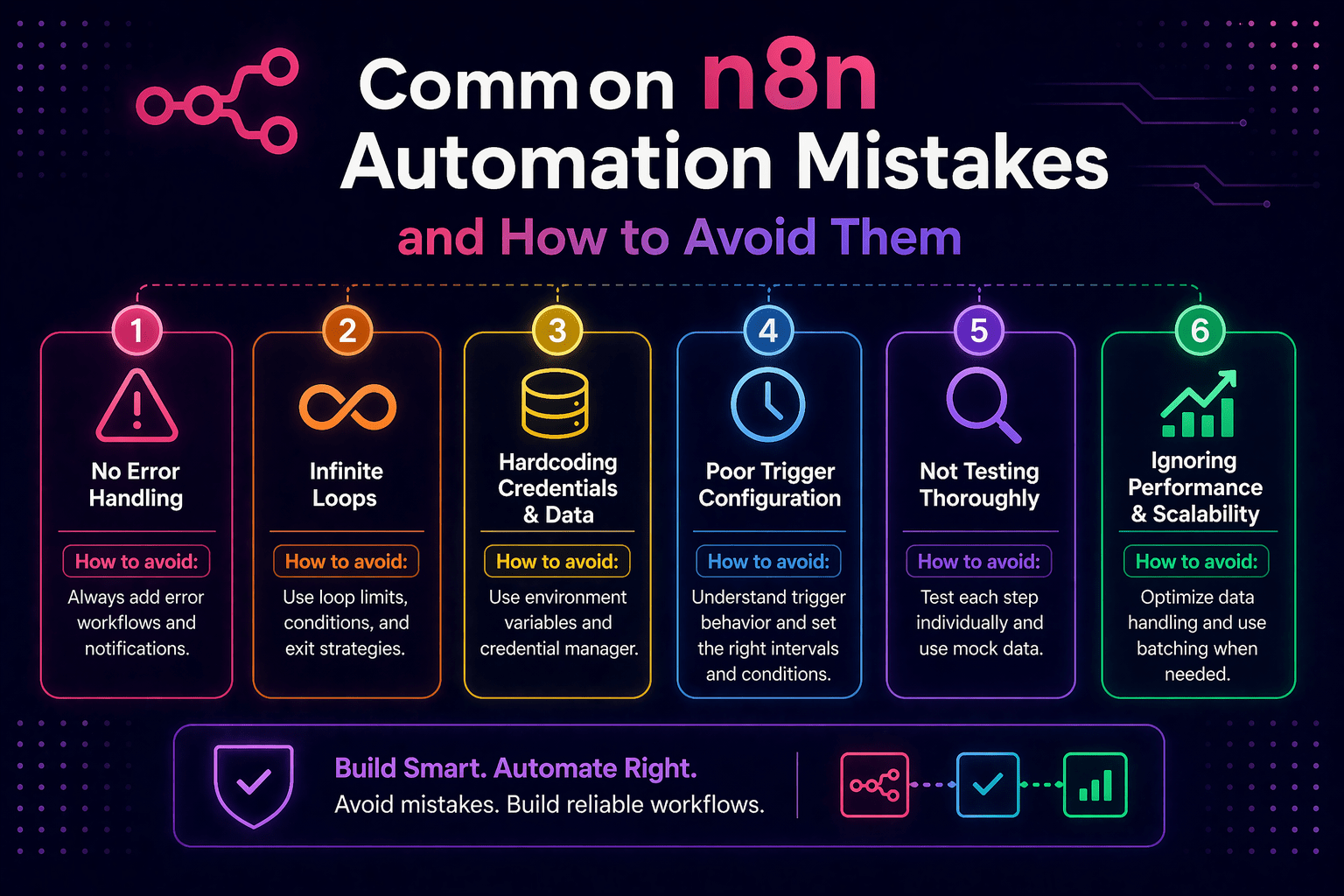
n8n is approachable enough that most people can build a workflow that works within their first few hours with the platform. It is complex enough that the workflows most people build in their first few hours have problems that are not visible until they fail in production.
The mistakes that cause those production failures are consistent and predictable. They appear across organizations, across experience levels, and across use cases — because they reflect misunderstandings about how n8n handles data, failures, and execution at scale that are easy to have before encountering the consequences.
This is the practical list of those mistakes, what they cause, and what to do instead.
Overview
The most common n8n automation mistakes fall into five categories: data handling errors, missing error handling, testing gaps, credential and security mistakes, and performance design errors. Each category has specific mistakes with specific remedies.
- Data handling: incorrect expression syntax, missing null checks, misunderstood array iteration
- Error handling: no error output connections, silent failures, missing retry logic
- Testing: testing with ideal data only, not testing error paths, testing in production
- Security: credentials in workflow configurations, sensitive data in logs, no access controls
- Performance: synchronous processing of high-volume lists, no rate limit handling, missing pagination
This aligns with modern AI automation strategies and production-grade workflow design.
Data Handling Mistakes
Mistake 1: Incorrect Expression Syntax for Data Access
n8n uses a specific expression syntax to access data from previous nodes: {{$json.fieldName}} to access a field from incoming data, {{$node[“NodeName”].json.fieldName}} to access data from a specific node.
What goes wrong:
- Fields map as literal text instead of values
- Workflow fails with undefined property errors
Correct approach:
- Use n8n’s expression editor instead of typing manually
- Select data from available context instead of guessing syntax
Mistake 2: Not Handling Null or Missing Fields
Workflows built on ideal data fail when production data has missing values.
What goes wrong:
- Workflow crashes when expected fields are missing
- Some records are skipped silently
Correct approach:
- Use null-coalescing expressions: {{$json.company ?? “Unknown”}}
- Add validation steps for required fields
Mistake 3: Misunderstanding Array Iteration
n8n processes arrays as separate items automatically.
What goes wrong:
- Only one record is processed instead of all
- Unexpected behavior when handling lists
Correct approach:
- Use Merge node to recombine items
- Use Split in Batches intentionally for controlled processing
Error Handling Mistakes
Mistake 4: No Error Output Connections
Every node has an error output — ignoring it creates silent failures.
What goes wrong:
- Failures occur without alerts
- Business processes break without visibility
Correct approach:
- Connect error outputs to notification workflows
- Send alerts via Slack or email with error details
Mistake 5: No Retry Logic for Transient Failures
APIs fail temporarily — workflows must retry.
What goes wrong:
- Temporary failures become permanent data loss
Correct approach:
- Enable retry logic on API nodes
- Differentiate between transient and permanent errors
Testing Mistakes
Mistake 6: Testing Only with Ideal Data
What goes wrong:
- Workflow works in testing but fails in production
Correct approach:
- Test with edge cases: null values, duplicates, unusual formats
Mistake 7: Not Testing Error Paths
What goes wrong:
- Error handling logic fails when needed
Correct approach:
- Simulate failures intentionally
- Validate full error-handling flow
Security Mistakes
Mistake 8: Credentials in Workflow Configurations
What goes wrong:
- Credentials exposed to users
- No rotation or lifecycle management
Correct approach:
- Use n8n credential store exclusively
Mistake 9: Sensitive Data in Execution Logs
What goes wrong:
- PII and sensitive data exposed in logs
Correct approach:
- Mask or remove sensitive fields
- Set proper log retention policies
Performance Mistakes
Mistake 10: Synchronous Processing of Large Lists
What goes wrong:
- Slow workflows
- Timeout failures
Correct approach:
- Use batching and queue mode
- Respect API rate limits
- Design for concurrency
Final Takeaway
The mistakes that make n8n automation unreliable in production are all preventable — they require awareness of how n8n handles data, failures, and scale, and the discipline to apply correct practices consistently rather than taking shortcuts. Building correctly from the first workflow establishes the habits that prevent these issues at scale.
Build Reliable n8n Workflows With Mindcore Technologies
Mindcore Technologies helps organizations build n8n automation that avoids these common mistakes — data handling standards, error architecture, security design, performance optimization, and testing practices that produce reliable automation from day one.
Schedule your free strategy call to review your workflows and eliminate hidden risks before they impact your operations.

