

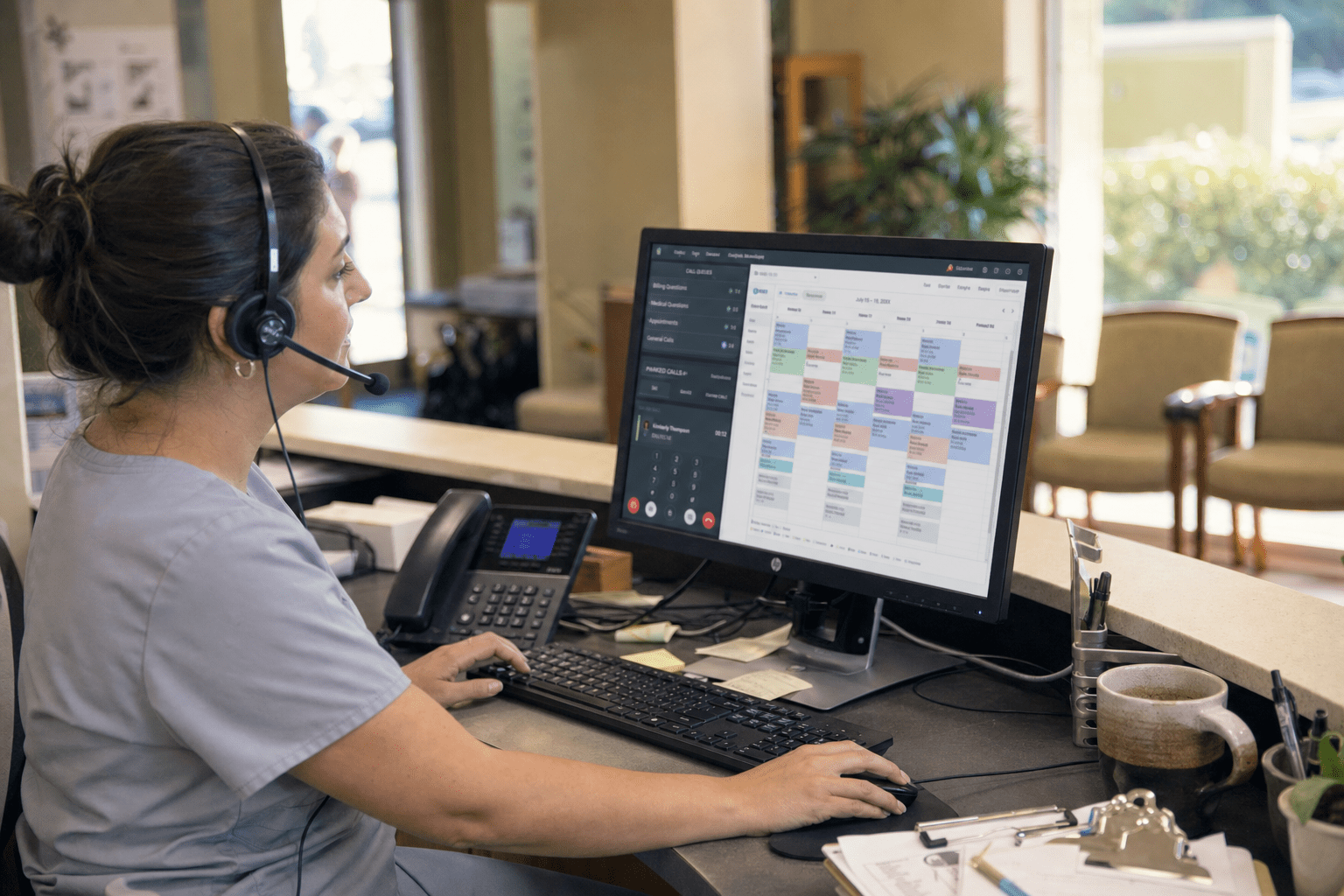
VoIP and unified communications for healthcare practices gets sold on cost savings and a HIPAA checkbox, and both miss what actually decides whether a phone system helps a medical office. What a practice feels every day is patient access: whether a caller reaches the right place without the front desk drowning, whether a voicemail containing protected health information is handled safely, and whether a call turns into a booked appointment instead of a missed one. Unified communications, voice, messaging, and video working as one system, can transform how a practice runs, but only when it is chosen for patient flow and protected data rather than for the lowest monthly rate. This is what medical practices should prioritize when they evaluate VoIP and unified communications.
What Healthcare Practices Should Prioritize
VoIP and unified communications for healthcare practices should be judged on five priorities, and cost is the least important of them. These are what we tell practice managers and physician owners to weigh first.
- HIPAA-grade handling of PHI. Voicemail, call recordings, and messages often contain protected health information, so encryption and a signed business associate agreement are required, not optional.
- Smart patient-access routing. Calls should route by reason, provider, or urgency so the front desk is not the bottleneck for every request.
- EHR and scheduling integration. A phone system that connects to the practice’s records and calendar turns calls into booked appointments and saves staff time.
- Reliability. A medical office cannot go dark. The system needs redundancy so a single outage does not cut patients off from the practice.
- Unified messaging and video. Secure text and telehealth video in the same platform meet patients where they are without adding disconnected tools.
Why Patient Access Matters More Than Cost
Patient access matters more than cost in a healthcare phone system because a practice that cannot answer its patients loses them, no matter how cheap the line is. Medical offices field a heavy call volume, appointments, prescription refills, results, and billing questions, and routing all of it through one front-desk line creates hold times, missed calls, and frustrated patients. Unified communications lets a practice route calls by reason, provider, language, or urgency, so an appointment request and a provider referral take different paths. The HHS HIPAA privacy guidance reminds practices that patient information must be protected across every channel, and a well-designed system does that while cutting the front-desk overload that pushes patients toward voicemail and away from care.
How Call Routing Reduces Front-Desk Overload
Smart call routing reduces front-desk overload by sending each call down the right path instead of stacking everything on one staffer. The simple model, every call hits the front desk, feels controllable and works for a very small practice with light volume. It buckles as a practice grows, because the front desk becomes a single point of congestion and patients wait or give up. Routing by reason and urgency spreads the load and gets patients to the right place faster. We design unified communications for healthcare practices so a refill request, a new-patient call, and an urgent clinical question follow separate routes, which shortens hold times and frees the front desk to handle the calls that genuinely need a person.
How HIPAA Shapes a Healthcare Phone System
HIPAA shapes a healthcare phone system because voicemail, recordings, and messages routinely contain protected health information that must be secured. A patient leaving a message about symptoms, or a voicemail with test results, is creating PHI inside the phone system, and the HHS HIPAA Security Rule requires that data be protected with appropriate safeguards. The view that a phone system is outside HIPAA scope is a common and costly mistake. A compliant VoIP setup encrypts communications, restricts who can access messages, and comes with a signed business associate agreement from the vendor. We treat HIPAA as a design requirement from the start, building on secure workspace solutions for healthcare so protected data is handled correctly across voice, voicemail, and messaging rather than bolted on afterward.
How EHR Integration Turns Calls Into Appointments
EHR and scheduling integration turns calls into booked appointments by connecting the phone system to the records and calendar staff already use. Without integration, a caller’s information is looked up manually, appointments are entered by hand, and details get lost between the call and the chart. The argument that integration is a luxury holds only until you count the staff minutes spent bridging systems on every call. Integration surfaces the patient’s record when they call, lets staff book directly into the schedule, and reduces the errors that manual re-entry creates. It also shortens calls, which matters when a practice handles hundreds a day. The result is fewer missed appointments and staff time returned to patient care instead of data entry.
The Reliability Question Practices Underrate
The reliability question practices most underrate is what happens when the phone system goes down, because for a medical office a dead line is a patient-safety and continuity problem, not just an inconvenience. Patients call to reach care, and an outage cuts that link entirely. A cloud VoIP system can be more resilient than an old on-premises setup, since calls can reroute to mobile devices or a backup location when a single site loses power or connectivity. The CISA guidance on core protections applies here in spirit: plan for the disruption, do not assume it away. A practice should confirm how the system fails over and where calls go when the office cannot answer, before an outage forces the question.
How Redundancy Keeps a Practice Reachable
Redundancy keeps a practice reachable by giving calls somewhere to go when the primary path fails. The case for a lean, single-path system is cost, and a very small practice might accept the risk. For most, the exposure is too high, because an unreachable medical office during an outage means patients cannot get care instructions, confirm appointments, or reach a provider. Cloud unified communications can reroute to staff mobile phones or an alternate site automatically, so a local failure does not silence the practice. We build failover into the design, because the point of the phone system is that patients can always reach the practice, and that promise cannot depend on a single connection staying up.
How Unified Messaging and Video Extend Care
Unified messaging and secure video extend care by meeting patients through the channels they actually use, inside one protected system. Adding secure text for appointment reminders and telehealth video for virtual visits can feel like scope creep to a practice focused on the phones. The counterpoint is that patients increasingly expect these options, and delivering them through disconnected apps creates both friction and compliance gaps. A unified platform keeps voice, secure messaging, and video under one HIPAA-compliant roof, which is simpler to manage and safer for PHI. Pairing the phone system with tools like Microsoft Teams phone lets a practice consolidate communication rather than juggle separate vendors, and our work across healthcare IT keeps all of it aligned to the practice’s clinical and compliance needs.
Frequently Asked Questions
Is VoIP HIPAA compliant for medical practices?
VoIP can be HIPAA compliant for medical practices when it encrypts communications, restricts access to voicemail and messages that contain protected health information, and the vendor signs a business associate agreement. VoIP is not automatically compliant out of the box, so a practice must confirm these safeguards. A system configured for HIPAA treats voicemail, recordings, and messaging as protected data rather than ordinary telephony.
How does unified communications help a medical office?
Unified communications helps a medical office by combining voice, secure messaging, and video into one system and by routing calls intelligently so the front desk is not overwhelmed. It shortens hold times, gets patients to the right place faster, and can integrate with the EHR and scheduling to turn calls into booked appointments. The result is better patient access and less administrative load on staff.
Can a healthcare phone system integrate with our EHR?
Many healthcare VoIP and unified communications systems integrate with electronic health record and scheduling systems, surfacing a patient’s record when they call and letting staff book appointments directly. Integration reduces manual data entry, shortens calls, and lowers the errors that come from bridging separate systems. The specific integration depends on the EHR in use, which should be confirmed during selection.
What happens to patient calls if the phone system goes down?
With a cloud unified communications system, patient calls can automatically reroute to staff mobile phones or a backup location when the primary site loses power or connectivity, so the practice stays reachable. A system without redundancy leaves patients unable to reach the office during an outage. Practices should confirm the failover plan before an outage tests it, because an unreachable medical office is a continuity risk.
Build Communications Around Your Patients
VoIP and unified communications for healthcare practices should be chosen for the things that shape patient care and protect patient data: HIPAA-grade handling of PHI, routing that keeps the front desk from becoming a bottleneck, integration that turns calls into appointments, reliability that keeps the practice reachable, and unified messaging and video that meet patients where they are. Cost matters, but it is the last question, not the first. The practices that get the most from unified communications are the ones that designed the system around patient access and compliance rather than the lowest rate. That design is what keeps patients connected to care and their information safe along the way. If you want a communication system built around how your patients reach you and how your data must be protected, our team will review your call flow, your compliance needs, and your systems. Book a free strategy call to get started.

