

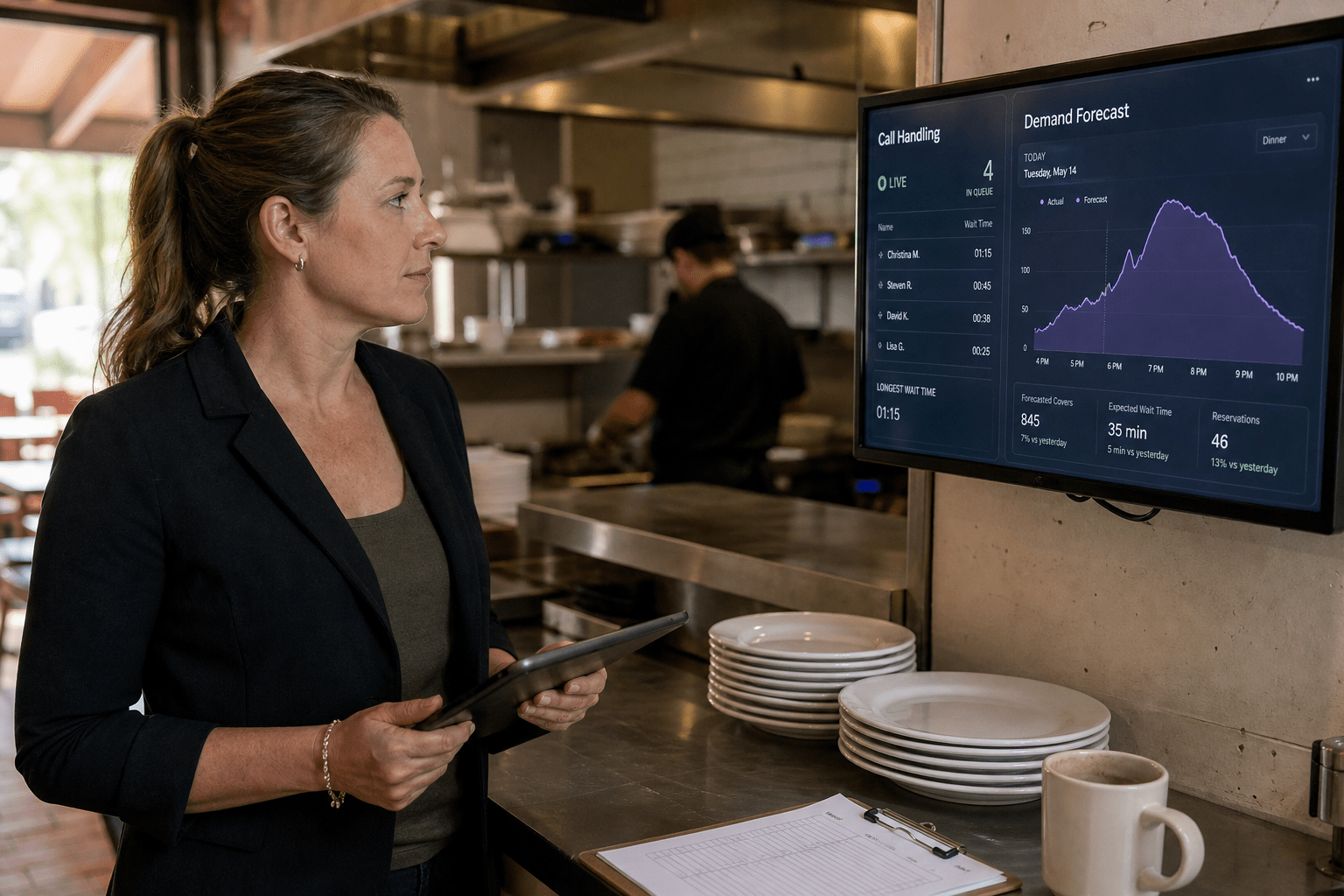
The best AI tools for hospitality and restaurant groups in 2026 are the ones that survive a Friday dinner rush at your weakest location. That sounds like a low bar. It is not.
Most of these products demo beautifully in a quiet conference room on corporate wifi. The environment they actually have to work in is a service counter with a saturated network connection, a manager covering two roles, and staff turnover that means the person trained on the system in March is gone by June. A tool that needs stable connectivity, careful configuration, and consistent staff behavior is not a bad tool. It is just a tool that will underperform in a multi-unit group unless somebody solves those three problems first.
Our team supports hospitality and restaurant operators across New Jersey, Florida, South Carolina, and Louisiana. This guide covers the categories delivering real results in multi-location groups, and the infrastructure work that decides whether any of it holds up in service.
The 5 Why’s Behind AI Adoption in a Multi-Unit Group
- Phone abandonment is the fastest measurable win. Missed calls are lost covers and lost catering orders, and they happen most during the exact hours nobody can answer.
- The gains concentrate off the floor. Scheduling, forecasting, ordering, and review response are where the hours come back. Front-of-house automation is harder and slower to pay off.
- Consistency across locations is the real prize. A single strong location does not need much help. A group whose fifth location performs like its first is worth far more.
- Connectivity decides everything. Cloud tools at the unit level fail on the network, not on the software. This is the most underestimated line item in every hospitality technology plan we see.
- Staff turnover breaks anything requiring training. Choose tools that work without a trained operator, or accept that adoption resets every few months.
AI Phone Handling: Start Here
If you run more than two locations, this is where we would spend first.
The Problem It Solves
Restaurants miss a large share of inbound calls during service, and hotels miss them overnight. Those calls are reservations, large party bookings, catering inquiries, and takeout orders. The caller does not leave a voicemail. They call the next place on the list.
An AI voice system answers every call, handles hours, directions, reservations, and takeout, and routes anything unusual to a human. The measurable outcome is calls answered, and it is visible in the first week rather than the first quarter.
What to Configure Carefully
Set the escalation path deliberately. A caller with a complaint, an allergy question, or a large event request should reach a person quickly, and the handoff should not require them to repeat everything. Test this yourself before launch, from a real phone, at a real service hour.
Also decide what the system is allowed to promise. A tool that confirms a large party booking your floor plan cannot seat creates a worse problem than the missed call it prevented.
Where It Fails
Heavy accents, loud backgrounds, and callers who talk over the prompt still cause trouble. Expect a meaningful percentage of calls to escalate, and staff the escalation path accordingly rather than treating the system as a full replacement.
Guest Messaging and Review Response
The second category worth a serious look.
Messaging
Text and web chat handle a growing share of guest contact, and the questions are highly repetitive: hours, parking, dietary options, reservation changes, room availability. These are well suited to automation because the answers are stable and the stakes on any single exchange are low.
The operational benefit is that a manager stops being interrupted twenty times a shift by questions the system can answer.
Review Response and Sentiment
Reviews shape local search visibility and booking decisions, and most groups respond inconsistently because nobody owns it across locations. AI drafts responses for a manager to approve, and more usefully, it reads sentiment across hundreds of reviews and tells you what is actually going wrong at a specific location.
That second use is the one operators underrate. A pattern of complaints about wait times at one unit, surfaced in week two rather than in the quarterly numbers, is genuinely actionable.
Keep a human approving the responses. An automated reply to a serious complaint reads as dismissive, and guests can tell.
Forecasting, Scheduling, and Ordering
The least visible category and often the largest financial return.
Demand forecasting that accounts for weather, local events, day of week, and history produces better labor schedules and better prep and ordering decisions. In a group with thin margins, a few points of improvement in food cost and labor cost against sales matters more than anything happening at the host stand.
The requirement is clean historical data from your point of sale. Groups with inconsistent item-level data across locations get poor forecasts, and the fix is data hygiene rather than a better algorithm. That work is unglamorous and it is the difference between a useful forecast and an ignored one.
This is ordinary business systems work at heart, and the same principles we cover in choosing the right tools for your company apply directly.
Back Office and Administration
Multi-unit operators run a surprising amount of the business on documents and email: vendor invoices, compliance paperwork, permit renewals, incident reports, and staff onboarding. General purpose AI assistants handle summarization, drafting, and data extraction here well, and the risk is low because nothing is guest-facing.
This is the quiet productivity layer, and it is worth giving your corporate team access to a proper business tier rather than letting people use personal accounts. Our comparison of AI assistants against traditional office tools covers where the real gains sit.
The Infrastructure Nobody Budgets For
Here is the part that determines whether any of the above works.
Network at the Unit Level
Every tool discussed here is cloud dependent. If a location runs on a single consumer-grade connection shared with guest wifi, the point of sale, and now three AI services, service hours will produce failures that look like software problems and are not. Business-grade connectivity, a failover path, and separation between guest and operational traffic are prerequisites rather than upgrades.
Integration With the Point of Sale
A tool that cannot read your point of sale creates double entry, and double entry does not happen during a rush. Confirm the integration exists for your specific system and version before purchase, and confirm it across every location if your group runs more than one platform, which many do after an acquisition.
Access Control and Offboarding
Hospitality turnover means accounts accumulate. Every tool added is another system where a departed manager may still have access. Centralize identity where you can, and audit quarterly. A general view of the tooling side is in our look at managed IT services software for streamlining operations.
Two Risks Specific to This Sector
Payment environments carry PCI obligations, and adding systems that touch order or payment flow can change your scope. Confirm before deploying, not during your next assessment.
And the tools themselves are now a target. Fake AI applications and malicious browser extensions are a live problem, particularly when staff install things independently. We covered the pattern in malware disguised as AI tools, and the broader habit of unsanctioned adoption in shadow AI oversight. Both hit hospitality harder than most sectors because so much software gets bought at the unit level.
A Sequence That Works
Phones first. Fastest measurable result, least dependent on staff behavior.
Then reviews and messaging. Low risk, immediate visibility into location performance.
Then forecasting. Highest financial return, but only after your point of sale data is consistent.
Pilot at your weakest location, not your best. A tool that works at your strongest unit tells you nothing about the rest of the group. A tool that works at the hardest one will work everywhere.
Fix the network before, not after. Every group that skips this concludes the software was bad.
Working With Mindcore
Mindcore has supported multi-location operators for over twenty years, and our founder and CEO Matt Rosenthal has built the practice around handling the unglamorous half of these projects: the connectivity, the point of sale integration, the identity and access work, and the security review that keeps a new tool from becoming a new exposure. Our team handles the infrastructure so the operations team can judge the software on whether it actually helps in service.
We provide managed IT services and managed security services for groups running anywhere from three to fifty locations.
If you are planning AI tooling across your locations and want the network and integration questions answered before you commit, book a free strategy call.
Frequently Asked Questions
What AI tool should a restaurant group buy first?
AI phone handling, in most cases. Missed calls are direct lost revenue, the result is measurable within a week, and it does not depend on staff changing how they work.
Will AI phone answering annoy our guests?
Less than voicemail does, provided the escalation path to a person is fast and the system does not force callers through a long menu. Test it yourself from a real phone during a service hour before launch.
Do we need new internet service at each location?
Often yes. These tools are cloud dependent, and a single consumer connection shared with guest wifi and the point of sale will produce failures during exactly the hours that matter most.
How much historical data do forecasting tools need?
Generally a year or more of consistent item-level sales data. Groups with inconsistent data across locations should fix the data before buying the forecast.
Does adding these tools affect PCI compliance?
It can, if a tool touches order or payment flow. Confirm scope implications before deployment rather than discovering them at your next assessment.

