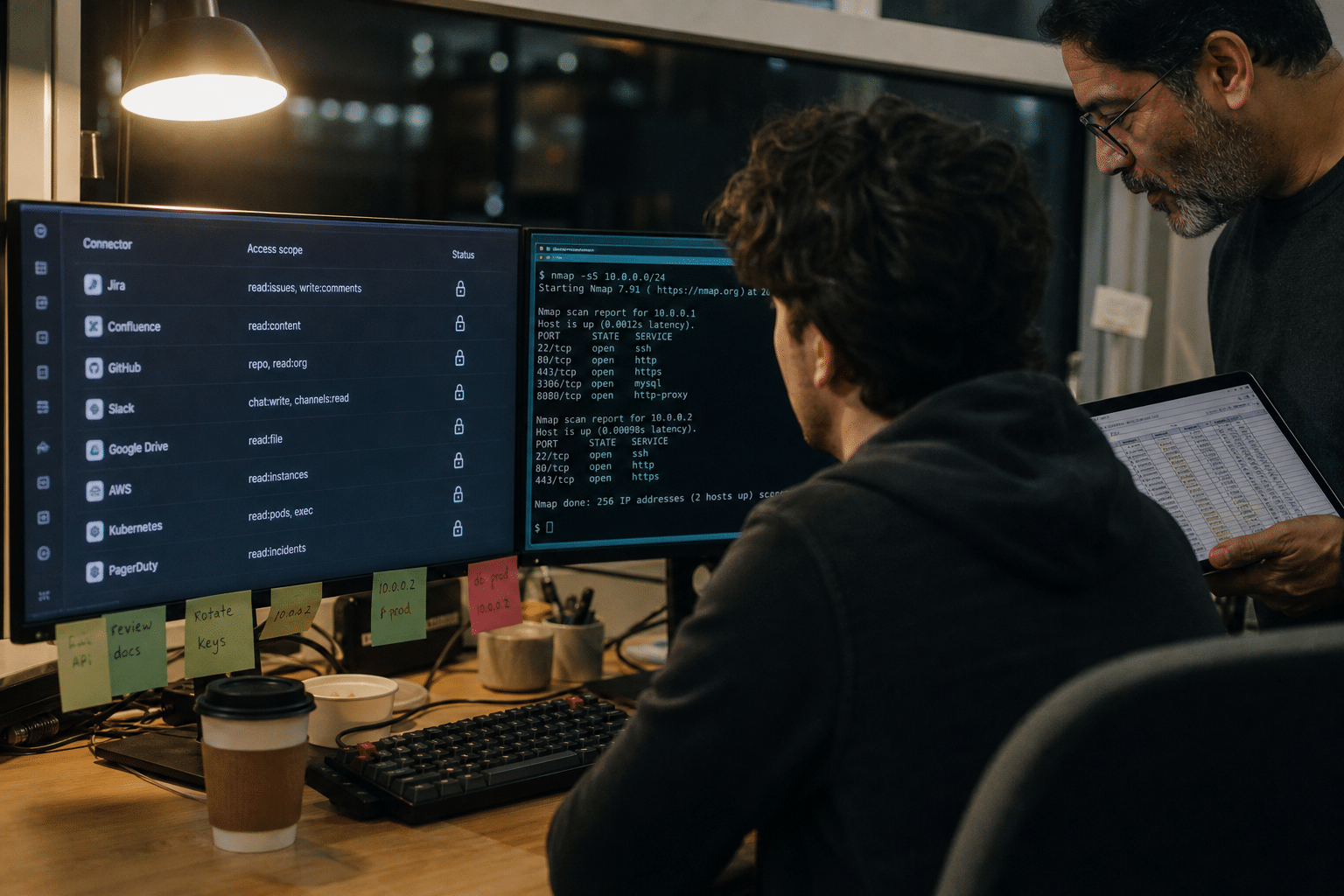
Exposed MCP servers are Model Context Protocol endpoints reachable from the internet, or from a wide internal network, that let any caller list and often invoke the tools an AI agent uses to work with business systems. MCP is the open standard that connects AI assistants to things like a CRM, a file share, a ticketing system or a cloud console, and it has spread quickly because it makes those connections easy. Security researchers have now catalogued thousands of public MCP servers, with one recent study counting more than 15,000. In an earlier review that manually verified 119 exposed servers, every one listed its internal tools without asking for credentials, and some offered connectors to legal databases, CRM platforms and container management with command execution. For a small or midsize business, the risk is that an AI pilot quietly publishes a door into production systems, with no login on it.
Overview: Five Points About MCP Exposure
Our AI integration team builds MCP connections for clients and reviews existing ones, and these five points come up in nearly every review.
- MCP servers are APIs. Anything that can reach the endpoint can ask what tools it offers and call them unless authentication is added.
- Pilots create most exposure. A developer starts a server on a cloud VM or opens a port for testing, and it stays up after the pilot ends.
- Tool listings leak information. Even without invoking anything, a tool list reveals which systems you run and how they connect.
- Permissions are usually too broad. Few deployments scope each tool to the minimum access it needs, so one connector can reach far more than intended.
- Nobody owns the inventory. MCP servers rarely appear on the asset list, so they miss patching, monitoring and offboarding.
Why Exposed MCP Servers Are a Business Risk
Exposed MCP servers are a business risk because they turn the access an AI agent needs into access anyone can request, often with the full permissions of the service account behind them. Our explainer on what Claude MCP is and how it connects AI to real business systems covers the protocol itself.
What a Tool Listing Reveals
When an MCP server answers a tools request, it returns names, descriptions and input fields for every tool. A listing such as “query_crm_accounts”, “send_invoice” or “run_k8s_exec” tells an outsider exactly what to try next.
One view is that a listing alone is harmless if calls still require authorization. The opposing view is that reconnaissance is half of most attacks, and listings hand it over for free. We side with treating the listing itself as sensitive, because servers that expose listings without auth rarely enforce auth on calls either.
Service Accounts With Wide Reach
Each connector behind an MCP server usually runs with a single API key or service account. During a pilot, that credential is often an administrator token because it is quickest to set up.
Developers argue that narrow scopes slow experimentation. That is fair for a sandbox with test data. It is not acceptable once the connector touches real customer records, payroll or infrastructure.
Prompt Injection Through Connected Data
Even a properly authenticated MCP server can be misused if the agent reads content that contains hidden instructions, such as a support ticket or a web page, and then calls a powerful tool. Our article on the security risks of using AI agents in business workflows explains this pattern. Scoping tools narrowly limits what an injected instruction can do.
How to Find the MCP Servers You Already Run
Finding MCP servers is the first control, because you cannot secure endpoints you do not know exist, and most SMBs we review have more than they expect. Inventory should cover laptops, cloud VMs, containers and any hosted MCP service an AI vendor runs for you.
Asking the People Who Built Them
Start with a short survey of developers, analysts and power users who have tried AI agents. Ask what tools they connected, where the server runs and what credentials it uses.
Some leaders worry this invites people to hide experiments. Framing it as an inventory rather than an audit, with no penalty for disclosure, gets better answers.
Scanning for Listening Endpoints
Next, scan your cloud subscriptions and public IP ranges for open ports and HTTP endpoints that respond to MCP requests. A vulnerability assessment can include this check alongside the usual web and service scans.
Where Pilot Servers Usually Hide
In our reviews, forgotten MCP servers tend to sit in four places. The first is a cloud virtual machine created for a demo, given a public address so a remote colleague could test it, and never shut down. The second is a container in a development cluster with a load balancer in front of it. The third is a developer laptop running an HTTP transport on a port the corporate firewall allows inbound over the VPN. The fourth is a no-code automation platform that exposes an MCP endpoint by default when a workflow is published.
Each has a different owner and a different fix. Cloud and container cases need tagging rules so every resource names an owner and an expiry date. Laptop cases need endpoint policy that blocks unexpected listening ports. Automation platform cases need a review of which published workflows expose agent endpoints and to whom. Checking all four takes an afternoon and usually turns up at least one server nobody remembered.
Reviewing AI Vendor Connectors
Many AI platforms now host MCP connectors on your behalf. Review which connectors are enabled in each platform, which accounts authorized them, and what scopes they hold.
How to Lock Down Each MCP Connection
Locking down an MCP connection means adding identity, narrowing permissions, restricting network reach and logging every call. Each step is achievable in a day for most small deployments.
Require Authentication on Every Endpoint
The MCP specification supports OAuth-based authorization for remote servers. Use it, tie it to your identity provider, and refuse unauthenticated requests, including tool listings.
For local servers that run on a single workstation over standard input and output, the risk is lower because nothing listens on the network. The danger appears when someone switches a local server to an HTTP transport for convenience. Make that a change that requires review.
Scope Each Tool to the Minimum
Give each connector its own credential with only the rights it needs: read-only where reading is enough, one mailbox rather than all, one project rather than the whole cloud account. Split high-risk actions, such as payments or infrastructure commands, into separate servers that require human approval.
Our guide to AI integration security for custom business tools walks through scoping patterns.
Restrict Network Reach
Place MCP servers behind your VPN or a zero trust access broker rather than on public addresses. Our zero trust resource center explains how identity-aware access replaces open ports.
Log Calls and Review Them
Record each tool call with the calling identity, parameters and result. Review high-risk tools weekly at first, then set alerts for unusual volumes or new callers.
How to Keep MCP Under Control as You Grow
Keeping MCP under control as AI use expands requires a simple policy and an owner, so new servers enter the inventory on day one rather than after someone finds them. Our article on the top AI integration challenges enterprises face shows the same governance gaps at larger scale.
A One-Page MCP Policy
State that MCP servers must be registered, authenticated, scoped and logged, and that public exposure needs written approval. Keep it short enough that people read it.
Offboarding Connectors
When a pilot ends or an employee leaves, revoke the connector credentials and shut down the server. Tie this to your existing offboarding checklist.
Building With a Partner
If your team lacks time to build connectors safely, an enterprise AI integration partner can deliver them with authentication and scoping in place from the start. Our piece on Claude MCP and the future of AI system integration shows where the protocol is heading.
Frequently Asked Questions
What is an exposed MCP server?
It is a Model Context Protocol endpoint reachable from the internet or a broad network that lets callers list or invoke the tools an AI agent uses, often without authentication.
Are local MCP servers safe?
Local servers that communicate over standard input and output on one machine carry less exposure because they do not listen on the network. Risk rises sharply when they are switched to an HTTP transport or run on shared hosts.
Does MCP support authentication?
Yes. The specification supports OAuth-based authorization for remote servers. It has to be configured; many quick deployments skip it.
What permissions should an MCP connector have?
Only what its tools require. Use separate credentials per connector, prefer read-only access, and require human approval for payments, deletions and infrastructure commands.
How often should we review our MCP inventory?
Quarterly at minimum, and whenever a new AI pilot starts or ends. Automated scans for listening endpoints help catch servers between reviews.
Who Is Behind This Guidance
Mindcore Technologies designs and secures AI agent integrations, including MCP connectors, for small and midsize businesses, and our security team reviews the infrastructure those agents run on. This guidance reflects the deployments we build and the pilot environments we are asked to clean up. You decide which systems your AI tools should reach; our role is to make sure that access is deliberate, limited and visible. Mindcore is led by CEO Matt Rosenthal, who focuses on helping companies adopt AI quickly without handing attackers new ways in.
Secure Your AI Connections With a Free Strategy Call
Exposed MCP servers turn a helpful AI pilot into an open door, but the fixes are well understood: inventory every server, require authentication on every endpoint including tool listings, scope each connector to the minimum, keep servers off public addresses and log every call. A one-page policy and an offboarding step keep the inventory accurate as AI use grows. If you want help finding and locking down the MCP connections in your environment, or building new ones safely, book a free strategy call with our AI integration team. We will map your connectors and give you a practical plan to secure them.