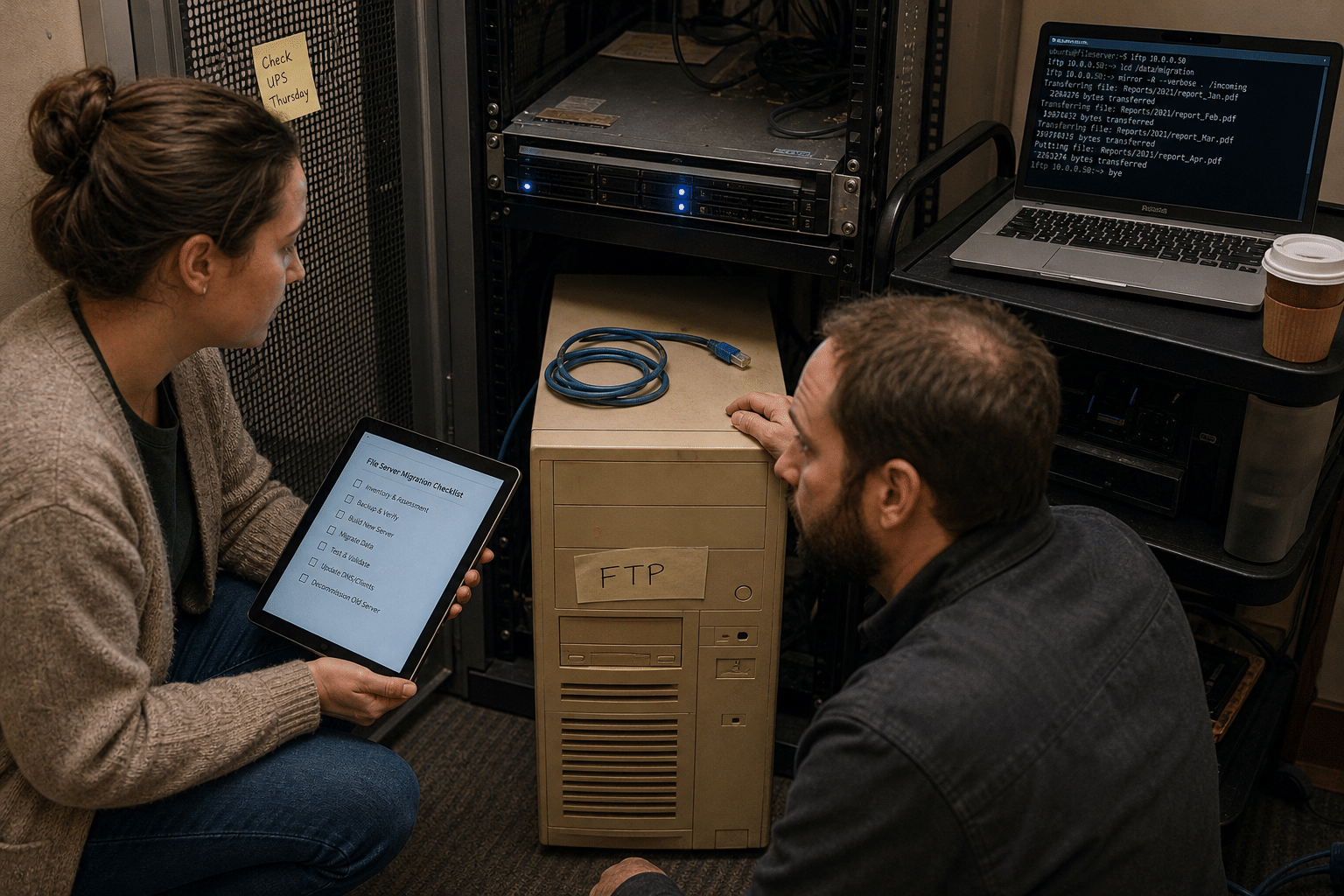
ProFTPD CVE-2015-3306 is a flaw in the mod_copy module of ProFTPD 1.3.5 that lets anyone who can reach the server copy files from one location to another using the SITE CPFR and SITE CPTO commands, without logging in first. That turns an FTP server into a tool for reading private files and planting new ones, and public exploit code has existed since 2015. CISA has now added it to its Known Exploited Vulnerabilities catalog, which means attackers are still finding and using unpatched servers. The quick fix is to upgrade ProFTPD or disable mod_copy today. The lasting fix is to ask why a plain FTP server is still running at all, and to replace it on a plan your team can actually finish.
Why a 2015 FTP Bug Is Back on the Radar
A ten-year-old bug shows up on a current watch list for one reason: the servers it affects never went away. FTP is the kind of service that gets installed once for a specific job and then disappears from everyone’s mental map of the network.
Where plain FTP still hides in small businesses
In our experience, plain FTP survives in three places. The first is the partner drop box, a server stood up years ago so a printer, a lab, a payroll vendor or a customer could send large files. The second is the device upload target, where scanners, copiers, cameras and building systems were configured to push files over FTP because that was the only option in their menus. The third is the appliance nobody remembers, such as a NAS, a hosting control panel or a Linux virtual machine that shipped with an FTP daemon switched on by default.
None of these feel like critical systems, which is exactly why they drift out of the patch cycle. The person who set them up has often moved on, and the vendor who depends on them only notices when uploads stop.
What the mod_copy flaw actually lets an attacker do
The SITE CPFR command marks a file to copy from, and SITE CPTO names where to copy it. In the affected releases, the server accepted both commands before a user authenticated. An attacker can copy a sensitive file, such as a configuration file or a key, into a folder that is readable over the web. They can also copy content they control into a web root, where the web server will run it as code. That is how a file copy bug becomes remote code execution on the host, and the original CVSS score of 10.0 reflects that reach.
What the CISA KEV listing changes
Federal agencies receive a fixed deadline when a flaw enters the KEV catalog. Private businesses do not, but the listing is still the clearest public signal that exploitation is happening in the real world, not only in a research lab. Many cyber insurers and auditors now ask whether KEV items are addressed on a set timeline, so an open listing on your network can become a question at renewal time as well as a security gap. If you track KEV entries as part of vulnerability management, this one belongs at the top of the list for any firm that runs ProFTPD.
Phase 1: Contain the Exposure This Week
Before planning any migration, close the door that is open right now. Containment should take hours, not weeks.
Find every FTP listener you own
Start with an external scan of your public IP addresses for port 21, along with any nonstandard ports your firewall forwards. Then scan the internal network, because a server that is not exposed today can be exposed tomorrow by a single firewall rule change. Check cloud accounts too, since a forgotten virtual machine in a hosting account is a common source of surprise listeners. Record the host, the software and version, who uses it and what it is for. A vulnerability assessment can do this sweep quickly if you do not have scanning tools in house.
Patch or disable mod_copy on ProFTPD hosts
For each ProFTPD server, upgrade to a fixed release from your Linux distribution or the ProFTPD project. If an upgrade has to wait, remove or disable the mod_copy module in the server configuration and restart the service. Nobody in a typical small business uses SITE CPFR or SITE CPTO on purpose, so disabling the module rarely breaks anything a user would notice. After the change, confirm from outside the network that the commands are refused.
Assume the box may already be touched
A server running an unpatched, internet-facing ProFTPD 1.3.5 for years should be treated as possibly compromised until you show otherwise. Look for unfamiliar files in web roots and upload folders, new user accounts, unexpected cron jobs and outbound connections to addresses you do not recognize. If anything looks wrong, preserve a copy of the disk before you clean it, so you can answer questions later about what was taken.
Phase 2: Map Who and What Depends on the Server
Containment buys time. The next step is understanding why the server exists, because you cannot retire a service until you know every workflow it supports.
Build a simple dependency sheet
For each FTP server, list every account, the person or company behind it, what they send or collect, how often, and how large the files are. Pull this from the server’s own account list and its transfer logs rather than from memory. Logs often reveal a vendor nobody remembered or an automated job that runs once a quarter.
Separate people from machines
Human users and automated systems need different treatment in a migration. A person can install a new client or click a link. A copier or a lab instrument may only support FTP, or may need a firmware update before it can use something better. Tag each dependency as a person, a partner system or a device, because that tag decides which target you move it to.
Check the data that moves through it
Note whether the files contain personal data, health records, payment details, financial statements or controlled information for government contracts. Plain FTP sends usernames, passwords and file contents in clear text across the network. If regulated data has been flowing through it, that is a compliance finding in its own right, separate from the CVE, and it raises the priority of the move.
Phase 3: Choose the Right Replacement
There is no single correct replacement for FTP. The best choice depends on who is sending files and how much control you need.
SFTP for scripts and technical partners
SFTP runs over SSH, encrypts both credentials and data, and is supported by nearly every scripting language and file transfer tool. It is usually the easiest swap for automated jobs and for partners with technical staff, since many of their existing tools already speak it. Use key based authentication instead of passwords where possible, and restrict each account to its own folder.
Managed file transfer for audit trails and approvals
A managed file transfer platform adds what SFTP alone does not: central logging, alerts when expected files do not arrive, retention rules, encryption at rest and a clean record of who sent what and when. If you handle regulated data or answer to auditors, this is often worth the cost, because it turns file movement into something you can prove rather than something you hope happened correctly.
Secure cloud sharing for occasional senders
For people who send a file now and then, a link based sharing service inside your existing cloud tenant is often the simplest answer. It uses identities your team already manages, supports expiring links and keeps files inside a platform you already secure. Our guide on keeping cloud data secure covers the settings that matter, and cloud security reviews can confirm the tenant is ready before partners start using it.
Phase 4: Run the Migration in Waves
Moving everyone at once is how migrations stall. Waves let you learn on low risk users before you touch the critical ones.
Start with internal users and friendly partners
Pick one internal team and one or two partners who respond quickly. Create their new accounts, send clear instructions, and run both the old and new paths side by side for a short period. Ask them to confirm that files arrive complete and on time. Fix anything awkward in the instructions before the next wave.
Move automated jobs with a test window
Scripts and devices need a planned change window. Update the destination, credentials and protocol, run a test transfer, and compare file sizes or checksums on both ends. Keep the old account available but read only for a few days, so a failed job can be rerun without reopening write access.
Set a firm cutoff date
Once most dependencies have moved, announce a cutoff date for the old server and stick to it. Give partners two or three reminders, then disable logins on the date. Leaving the old server running for one last vendor is how a temporary exception becomes a permanent exposure.
Phase 5: Decommission and Verify
Turning off the service is not the same as removing the risk. A careful shutdown makes sure nothing comes back.
Shut down, archive and remove
Disable the FTP service, remove any firewall rules or port forwards that pointed to it, and archive the data you are required to keep into a protected location. Then wipe or rebuild the host. A powered off virtual machine with an old FTP daemon is one accidental restart away from being live again.
Rescan from outside
Run the same external scan you used in Phase 1 and confirm nothing answers on port 21 or any forwarded port. Check your domain’s DNS records for names like ftp or files that still point at old addresses, and remove them. Attackers often find forgotten servers through stale DNS entries rather than through scanning.
Update your asset records and patch process
Record the change in your asset inventory so the server does not reappear in a future audit as an unknown. If you do not yet have a written patch and review routine, our article on how to implement a vulnerability management process lays out the steps that would have caught this server years earlier.
Phase 6: Keep File Transfer Visible After the Move
The goal is not only to remove one server but to make sure file transfer never goes dark again.
Monitor transfers and failed logins
Send logs from your SFTP or managed transfer platform to the same place you watch other security events. Alert on repeated failed logins, logins from unexpected countries and large transfers at odd hours. Network security monitoring gives a small team someone watching those alerts around the clock.
Review accounts every quarter
Partner relationships end, but their accounts often do not. Once a quarter, list every file transfer account, confirm each one still has an active business purpose, and disable the rest. Rotate keys and passwords on a schedule rather than waiting for an incident.
Treat every internet-facing service the same way
FTP is one example of a broader pattern: services that face the internet but are owned by nobody. Phone systems, remote access tools and old web applications follow the same path, as we covered in our piece on why your PBX is an internet-facing server. Governing what data moves where, and who can see it, is also part of a wider data governance approach to secure file handling.
A Realistic Timeline for a Small Business
For a firm with 10 to 500 employees and one or two FTP servers, this plan usually fits inside six to eight weeks:
- Week 1: Contain. Patch or disable mod_copy, scan inside and out, check for signs of compromise.
- Week 2: Map. Build the dependency sheet from accounts and logs, tag people, partners and devices.
- Week 3: Choose. Decide on SFTP, managed transfer or cloud sharing for each group, and set up the new service.
- Weeks 4 to 6: Migrate in waves, starting with internal users and moving automated jobs during test windows.
- Week 7: Cut off and decommission. Disable logins, archive data, wipe the host and remove DNS records.
- Week 8: Verify and monitor. Rescan, update the inventory and confirm alerts are flowing.
Devices that cannot speak anything but FTP may stretch the timeline. In those cases, keep the device on an isolated network segment that cannot reach the internet, and put the replacement on your next hardware budget.
Frequently Asked Questions
Is ProFTPD CVE-2015-3306 still a risk in 2026?
Yes. Any ProFTPD 1.3.5 server with mod_copy enabled and no fix applied is still vulnerable, and the CISA KEV listing confirms attackers are actively exploiting it.
How do I know if my ProFTPD server is affected?
Check the installed version and whether mod_copy is loaded in the configuration. If the server is 1.3.5 from before the fix and mod_copy is present, treat it as affected and patch or disable the module.
Is disabling mod_copy enough on its own?
It closes this specific flaw, but it does not encrypt passwords or files sent over plain FTP, and it does not remove any changes an attacker may already have made. Use it as containment, then migrate.
What should replace FTP for a small business?
SFTP suits scripts and technical partners, managed file transfer suits regulated data and audit needs, and secure cloud sharing suits occasional senders. Many firms use a mix of the three.
How long does an FTP retirement project take?
Most small businesses can finish in six to eight weeks if they contain the risk first and migrate users in waves. Legacy devices that only support FTP may need extra time.
Who Is Behind This Guidance
Mindcore Technologies helps small and midsize firms find and retire the forgotten services that attackers rely on, from old FTP boxes and file shares to remote access tools and unmanaged appliances. Our engineers run KEV response, external exposure scans and file transfer migrations as everyday work, so this plan reflects what tends to go wrong in practice: the vendor nobody listed, the scanner that only speaks FTP, the DNS record that outlives the server. Your team knows its partners and its workflows, and our job is to give you a clear sequence and an extra pair of hands to finish it. Matt Rosenthal, Mindcore’s CEO, has built the company around practical, zero-trust security for growing organizations, focused on closing the everyday gaps that cause real incidents.
Retire Your FTP Server With a Plan That Finishes
ProFTPD CVE-2015-3306 is a reminder that a single forgotten service can undo years of careful security work. Patching mod_copy closes today’s hole, and a phased move to SFTP, managed transfer or secure cloud sharing removes the class of risk for good. If you are not sure where FTP still runs in your environment, or you want help planning the migration around your partners and devices, our cybersecurity services team can map it with you. Book a free strategy call and we will review your exposed services, flag anything on the KEV list and hand you a migration plan your team can complete this quarter.