

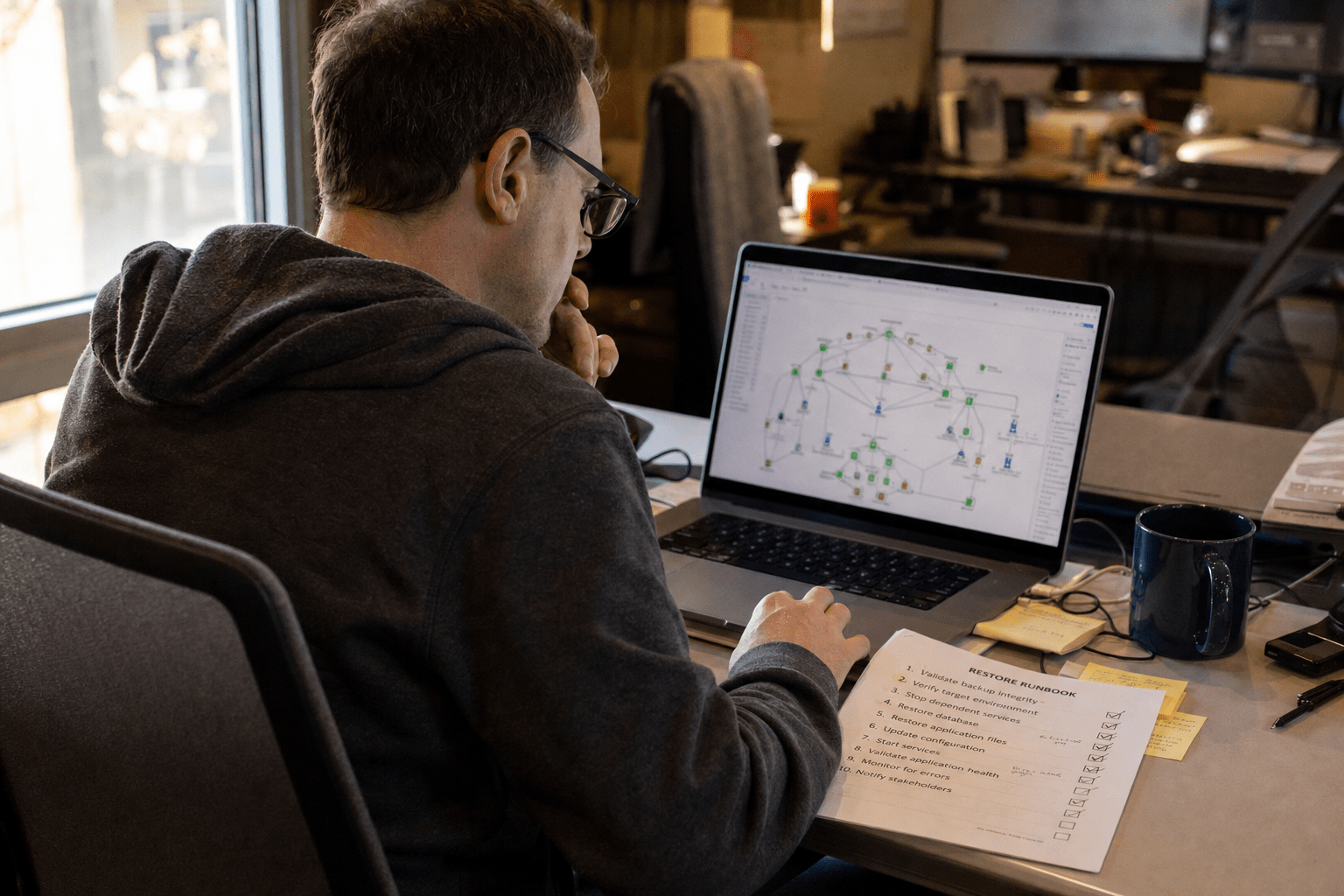
The best way to Document IT Systems for business continuity is to capture five key artifacts: asset and vendor inventory, network diagrams, restore runbooks, access and credential escrow, and a dependency map. These five answer the only questions that matter at 2 a.m. during an outage: what do we have, how is it connected, how do we bring it back, who can get in, and what fails next. Write them for the person who has never touched the system, store them somewhere reachable when your primary environment is offline, and review them on a fixed schedule so they stay true.
The 5 things that decide whether your documentation survives a crisis
Knowing the best way to Document IT Systems prevents critical gaps that can be discovered during an outage, ensuring fast recovery even under pressure. Here is what we see in the wild during real incidents, and what separates a fast recovery from a multi-day scramble.
- Asset and vendor inventory. You cannot restore what you cannot account for. Know every system, where it lives, and who to call.
- Network diagram. During an outage, a current map of how everything connects is worth more than any written explanation.
- Restore runbooks. A backup you have never tested is a hope, not a recovery. Runbooks turn hope into a repeatable procedure.
- Access and credential escrow. If one person holds the keys and that person is unreachable, your recovery stops at the login screen.
- Dependency map. Bringing systems back in the wrong order can cause a second failure. The map tells you the safe sequence.
These principles assume a 10 to 500 employee company without a deep bench of IT staff, where one outage touches the whole business. Federal guidance backs the same priorities: NIST’s Contingency Planning Guide and CISA’s IT disaster recovery guidance both treat current system documentation as a precondition for recovery, not an afterthought.
Why IT documentation fails small businesses when they need it most
IT documentation fails most small businesses because it was written for compliance or onboarding, not for a recovery scenario where the primary environment is gone and the person who built the system is unavailable. The document exists, but it answers the wrong questions. We have walked into incidents where the company had a thick binder of policies and not a single page that told the on-call technician how to actually bring the order system back online.
The gap is rarely effort. It is timing and audience. Documentation written during calm periods assumes context that vanishes during a crisis: which admin account works, where the backups land, which vendor owns the firewall contract. Our team treats documentation as an operational tool that a stranger can execute under pressure, which is a higher bar than a reference someone reads at their desk. That bar is also the foundation of any real business continuity and disaster recovery program.
Why the timing of your documentation matters
Documentation written before an incident is the only kind that helps during one, because mid-crisis is when capacity to write disappears and the cost of a missing detail peaks. Teams that wait until an outage to “figure it out” pay for that decision in downtime.
There is a fair argument on the other side. Some operations leaders push back that detailed documentation goes stale fast and creates a false sense of safety, so a lean team is better off keeping knowledge with skilled people than maintaining pages that drift from reality. That concern is legitimate. Stale documentation can mislead a responder worse than no documentation at all.
Both can be true at once. The answer is not to skip documentation or to over-document, but to write the small set of artifacts that change slowly and matter most, then keep them current with a light, scheduled review. A network diagram and a restore runbook earn their maintenance cost. A 90-page system manual usually does not.
Who actually needs to read it under pressure
Your documentation needs to be readable by the least-informed person who might respond, because business continuity events do not respect your org chart or your vacation calendar. The right reader test is a competent technician who has never seen your environment.
The opposing view holds that writing for a complete outsider wastes effort, since your own team or your managed provider will handle real incidents and they already know the systems. In a stable team with low turnover, that holds up reasonably well.
The trouble is that continuity planning exists for the abnormal day, not the normal one. The key person is out sick, the provider’s senior engineer is on another emergency, a new hire is on call. Writing for the stranger costs a little clarity up front and removes a single point of failure later. We lean toward the stranger test because the downside of guessing wrong is measured in hours of lost revenue.
Where documentation should live so you can reach it
Your continuity documentation must live somewhere that stays reachable when your primary systems are offline, because documentation trapped inside the environment you are trying to restore is documentation you do not have. We have seen recovery plans stored only on the file server that the ransomware encrypted.
Some teams argue that keeping everything in one internal wiki is simpler and more secure, and that scattering copies creates version drift and exposure. There is merit there: more copies mean more places to keep current and more places to leak.
The resolution is a controlled second location, not a dozen loose copies. Keep the working copy where your team manages it, and keep a synced, access-controlled copy somewhere independent of your production environment, such as a separate cloud tenant or an offline encrypted store. Pair that with cloud disaster recovery services so the documentation and the recovery target share the same survivability.
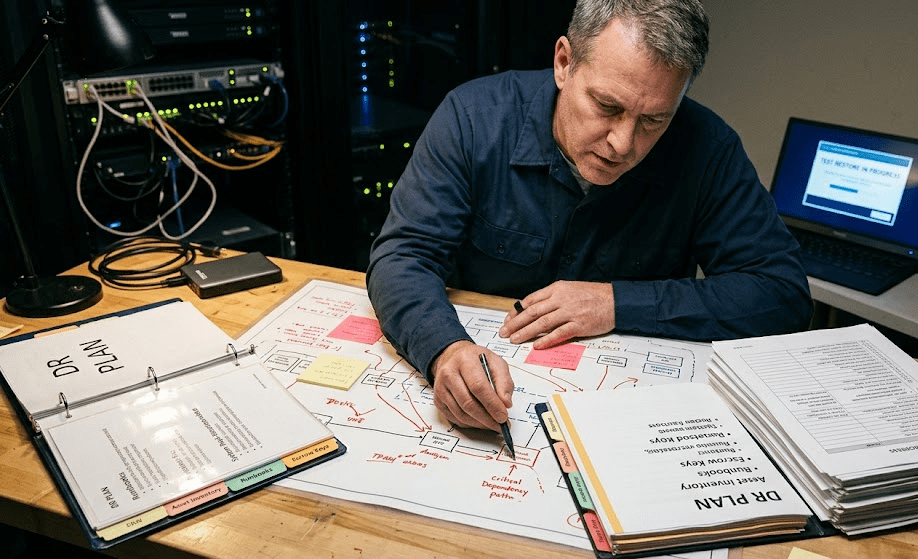
The 5 artifacts to document first, in priority order
When you document your IT systems for business continuity, build these five artifacts in order, because each one answers a question the next one depends on. Start at the top and you will always have something useful, even if you never finish the list.
Asset and vendor inventory
The asset and vendor inventory is the foundation, because every recovery step starts with knowing what you have and who supports it. List each system, its physical or cloud location, its business owner, its support vendor, the contract or account number, and the support phone line. Include the boring assets too: the domain registrar, the SSL certificate provider, the internet circuit. Outages stall constantly on a forgotten vendor login or an expired contract nobody could find. Our team keeps this as a living table, not a one-time audit, because the day you need a vendor’s emergency line is the day you will not have time to hunt for it.
Network diagram
A current network diagram shows how your systems connect, which is the context every responder needs and almost nobody writes down accurately. Capture the core flow: internet circuit, firewall, switches, servers, key applications, and how remote users and cloud services attach. It does not need to be a work of art. It needs to be true as of this quarter. A diagram that matches reality lets a technician trace a failure in minutes instead of guessing across a dozen devices. We redraw this whenever infrastructure changes, because a diagram that is six months stale quietly becomes fiction.
Restore runbooks
Following the best way to Document IT Systems includes creating tested restore runbooks, which turn assumptions into repeatable recovery procedures. A runbook names the system, the recovery target, the backup location, the exact sequence of steps, the credentials required, and the verification check that proves the restore worked. The discipline that makes a runbook real is testing it: a restore procedure you have never executed is an assumption. We run test restores on a schedule and update the runbook every time reality differs from the page. This is the heart of how managed IT services improve business continuity.
Access and credential escrow
A critical step in the best way to Document IT Systems is securing access and credential escrow so that recovery is possible even if key personnel are unavailable. This is not a spreadsheet of passwords in a drawer. It is a documented, secured process: which accounts hold admin rights, where break-glass credentials live, who is authorized to use them, and how they rotate. A password manager with an emergency-access policy and a sealed offline copy of root credentials covers most SMBs. The goal is simple: no single unreachable person should be able to halt your recovery.
Dependency map
Including a dependency map is part of the best way to Document IT Systems, ensuring systems are restored in the correct sequence to prevent cascading failures. Many applications will not start cleanly until their database, authentication service, or network share is already up. Document those chains: this app needs that database, that database needs this storage, all of it needs identity and DNS. With the map in hand, your restore runbooks can specify a safe startup sequence. Without it, teams routinely restore the visible application first, watch it fail, and lose an hour rediscovering a dependency they already solved once.
How to keep your documentation from going stale
Documentation stays useful only when its accuracy is somebody’s standing job, because every system change quietly invalidates a page somewhere and nobody notices until the next incident. The fix is process, not heroics. Tie a documentation review to your change process so any infrastructure change updates the diagram, the inventory, and the affected runbook in the same ticket. Schedule a quarterly walk-through where someone reads each runbook and confirms it still matches reality. Run at least one test restore per quarter and treat every gap you find as a documentation defect, not just a technical one. These habits are what turn a static binder into a working business continuity planning capability, and they pair directly with the work of building a business continuity plan that holds up during an incident. Federal continuity guidance from Ready.gov makes the same point: a plan is only as current as its last honest review.
Frequently Asked Questions
What IT systems should you document first for business continuity?
Document your asset and vendor inventory first, then your network diagram and restore runbooks, because those three answer what you have, how it connects, and how to bring it back. Add access escrow and a dependency map next. Starting in this order means you always hold something useful even before the full set is finished.
How often should IT documentation be reviewed?
Review continuity documentation at least quarterly, and update it immediately whenever infrastructure changes as part of the same change ticket. A fixed quarterly walk-through catches drift that day-to-day work misses. Tying updates to change management keeps the documentation accurate between those scheduled reviews.
Where should business continuity documentation be stored?
Store it in a controlled second location that stays reachable when your primary environment is offline, such as a separate cloud tenant or an offline encrypted copy. Documentation kept only on the systems you are trying to restore is unavailable in exactly the moment you need it. Keep the working copy where your team manages it and a synced, access-controlled copy independent of production.
What is a restore runbook?
A restore runbook is a step-by-step procedure for bringing a specific system back online, including its backup location, recovery steps, required credentials, and a verification check. It turns a recovery from improvisation into a repeatable process. A runbook is only trustworthy once you have tested the restore it describes.
Can a managed IT provider handle documentation for us?
Yes, a managed IT provider can build and maintain your continuity documentation as part of an ongoing service, and many SMBs choose this so accuracy becomes a standing responsibility rather than a project that lapses. The provider owns the reviews, test restores, and updates. You keep visibility into the artifacts so you are never dependent on a single party.
Talk to a strategist about your continuity documentation
Documenting your IT systems for business continuity comes down to a small, ordered set of artifacts that answer the questions a real outage forces on you: what you have, how it connects, how to restore it, who can get in, and what depends on what. The companies that recover fast are not the ones with the thickest binders. They are the ones whose five core artifacts are current, tested, reachable when production is down, and written so a stranger can execute them under pressure. Build the inventory first, then the diagram, then the runbooks, then access escrow, then the dependency map, and put a quarterly review and a test restore on the calendar so none of it drifts into fiction. That is the difference between a continuity plan on paper and one that works on the worst day. If you want a second set of eyes on where your documentation stands today, our team can walk through it with you. Book a free strategy call at mind-core.com/schedule-a-consultation and we will help you find the gaps before an incident does.
IT Systems Documentation and Business Continuity Planning Expertise from Matt Rosenthal
Matt Rosenthal, CEO of Mindcore Technologies, has over 30 years of experience helping SMBs build the five core continuity documentation artifacts that decide how fast they recover rather than how long they scramble, treating each one as an operational tool a stranger can execute under pressure rather than a compliance document someone reads at a desk. He has seen firsthand how companies arrive at an incident with a thick binder of policies and not a single page telling the on-call technician how to bring the order system back online, or with a recovery plan stored only on the file server that ransomware already encrypted. Matt leads a team that writes asset inventories, current network diagrams, tested restore runbooks, and dependency maps as living artifacts tied to the change management process, then runs quarterly walk-throughs and scheduled test restores so the documentation reflects reality on the worst day rather than the day it was written.

