

Understanding IT Infrastructure Services
Modern businesses rely on IT Infrastructure Services to support daily operations, improve scalability, and maintain secure and reliable technology environments, improve scalability, and maintain secure technology environments. These IT Infrastructure Services range from interconnected components that work together to build a resilient IT environment capable of supporting evolving business needs. In this blog post, we will go through the primary types of IT infrastructure services and explain how IT infrastructure support contributes to business efficiency and growth.
These services highlight challenges that every business must address, making reliable IT infrastructure solutions essential regardless of size. They usually affect a business’s operational efficiency, scalability, and competitiveness, making strong IT and infrastructure planning critical in today’s digital environment. Whether you are a small startup or a large enterprise, investing in reliable IT infrastructure services can make the difference between thriving and merely surviving in today’s competitive business environment.
For instance, a medium-sized e-commerce business will probably use a mix of cloud servers powering the website, local storage for sensitive customer information, and a reliable IT infrastructure service to ensure operations across offices and warehouses are seamless. Partnering with trusted providers ensures reliable IT infrastructure support along with the expertise and scalability needed to keep everything running efficiently.
Network Infrastructure Services
Network infrastructure is a foundational layer of IT and infrastructure, providing secure communication channels and reliable data transfer within an organization and to the outside world. The robust network infrastructure will ensure that your data travels as smoothly as possible, supported by strong IT infrastructure support to increase productivity and collaboration.
Local Area Network (LAN)
LANs are computer networks that connect devices in a small area, usually an office building, allowing fast and secure internal communication and sharing of resources. They operate on Ethernet technology or through Wi-Fi; then, as regards the network’s topologies used by computers in communicating with each other, stars, buses, or even rings may be applied.
Wide Area Network (WAN)
WANs further prolong this connectivity to a larger geographical area, enabling many LANs located in different places to interconnect. This is essential for any organization that has more than one office and/or people working from home. Various technologies, including leased lines, MPLS (Multiprotocol Label Switching), or SD-WAN(Software-Defined WAN), can be used to construct WANs for long-distance, efficient, and secure communication.
Wireless Networks
Wi-Fi and other wireless technologies bring flexibility and mobility to workers, while reliable business internet connectivity helps support fast access across modern workplaces. Current wireless networks support high-speed data transfer, seamless roaming, and advanced security protocols—WPA3. They’re instrumental in supporting BYOD (Bring Your Own Device) and IoT (Internet of Things) deployments.
Content Delivery Networks (CDNs)
CDN is a network of servers that has distributed content to users based on their geographical location. They help reduce latency and enhance the load times of websites, improving user experiences of businesses around the world.
Server Infrastructure Services
A server is the core computing engine within IT and infrastructure environments, playing a key role in delivering IT infrastructure support for mission-critical applications. Servers process requests and store data for executing various applications and services, forming a critical part of IT infrastructure support for your organization. Choosing the right server architecture is a critical part of implementing effective it infrastructure solutions that support long-term business growth.
Physical Servers
Traditional on-premise servers are located within a company’s data center, giving a company full control over the hardware and data. It gives maximum control over servers and can be customized to use more resources for performance-oriented tasks; hence, it is suitable for businesses that have strict compliance requirements or firms that need dedicated servers for high-performance applications.
Virtual Servers
Virtualization technology allows multiple virtual servers to be created on top of a single physical machine, improving resource utilization and flexibility. The Virtual Servers offer benefits such as easier management, improved disaster recovery capabilities, and more efficient usage of hardware resources. They are very good for any business looking forward to consolidating their server infrastructure while at the same time reducing hardware costs.
Cloud Servers
These are third-party hosted servers based in the cloud, offering scalability and reducing the need for on-site hardware management. They take different forms, including solutions based on public, private, and hybrid cloud sets. They therefore offer advantages in terms of rapid scaling, pay-as-you-go pricing models, and low maintenance overhead. This would be particularly valuable to any business whose resource demand changes significantly or would like to minimize capital expenditure on IT infrastructure.
Edge Servers
Edge servers enable distributed computing, bringing processing power closer to input or end-users. This is primarily applied in low-latency requirement applications such as IoT devices, real-time analytics, or content delivery. Edge servers reduce bandwidth usage and create better responsiveness between users who are spread across geographical
locations.
Storage Infrastructure Services
A modern business dealing with large volumes of information requires efficient methods for storing and managing data within its IT and infrastructure systems. Proper storage infrastructure strengthens overall IT infrastructure by delivering secure and scalable IT infrastructure solutions for managing organizational data.
Direct-Attached Storage (DAS)
Dire-attached storage (DAS) directly attaches devices to the server or computer. It is best for small-scale operations. DAS offers simplicity and lower costs but no scalability and flexibility like networked storage solutions can offer. This applies to small businesses or large organizations within specific applications seeking dedicated local storage.
Network-Attached Storage (NAS)
Network-attached storage (NAS) are independent storage devices plugged into a network to allow users, or even devices, access to data from one central location. NAS systems incorporate ease of operation, high scalability, built-in data protection features such as RAID (Redundant Array of Independent Disks), and offer shared storage and file-level access for small to medium-sized business needs.
Storage Area Networks (SAN)
Storage area networks (SAN) are high-performance networks of storage devices. SANs are best for large enterprises with complex data management requirements. This technique provides access to storage at the block level, hence SANs are very fast with lower latency. They are suitable for applications that require a large number of I/O operations, for example, databases or virtual machine storage.
Object Storage
Object storage systems are designed to handle huge volumes of unstructured data, such as documents, images, videos, and the like. They provide absolute scalability, data durability, and cost-effective solutions that will be required by the most diverse needs of backup, archiving, and cloud-native applications.
Software-Defined Storage (SDS)
SDS Separates storage management software from the hardware to a large extent, allowing flexibility and better automation in provisioning and storage management. This allows enterprises to leverage commodity-class hardware for storage, with advanced enterprise-type features typically associated with enterprise storage systems.
Security Infrastructure Services
Safeguarding sensitive data and systems against various threats is an established mandate in today’s digital world. A strong security infrastructure, supported by reliable IT infrastructure services, is paramount for protecting against cyber threats and ensuring long-term business resilience.
Firewalls
Firewalls are systems that monitor and control incoming as well as outgoing traffic based on predetermined security rules for network security. Next-generation firewalls are embedded with new capabilities for understanding applications and performing intrusion prevention coupled with SSL inspection.
Intrusion Detection and Prevention Systems (IDPS)
Intrusion detection and prevention systems (IDPS) are tools that actively scan networks for suspicious activity and potential breaches in security. IDPS can detect and prevent attacks caused by malware infections, denial-of-service attacks, violation of security policies, and others.
Virtual Private Networks (VPNs)
Virtual private networks (VPNs) are secure, encrypted connections that allow remote users to safely access a private network over the Internet. VPNs are key to protecting in-transit data, particularly for remote workers or branch offices connecting to a corporate network.
Identity and Access Management (IAM)
IAM systems manage users’ identities and control access to various organizational resources. They contain inbuilt functionality pertaining to single sign-on (SSO), multi-factor authentication (MFA), and role-based access control (RBAC). These features all work together to ensure that sensitive data and systems are only accessed by authorized persons.
Security Information and Event Management (SIEM)
SIEM solutions gather and analyze log data from all kinds of sources within the IT infrastructure to detect security incidents and compliance violations. They facilitate real-time monitoring, alerting, and reporting that allows organizations to react easily in case of potential threats.
Endpoint Protection
Endpoint security solutions defend individual devices, whether it’s your computer, smartphone, or any other IoT device, from targeted malware and ransomware attacks. The cutting-edge endpoint protection platforms now include antivirus and endpoint detection and response, as well as application control, among others.
Cloud Infrastructure Services
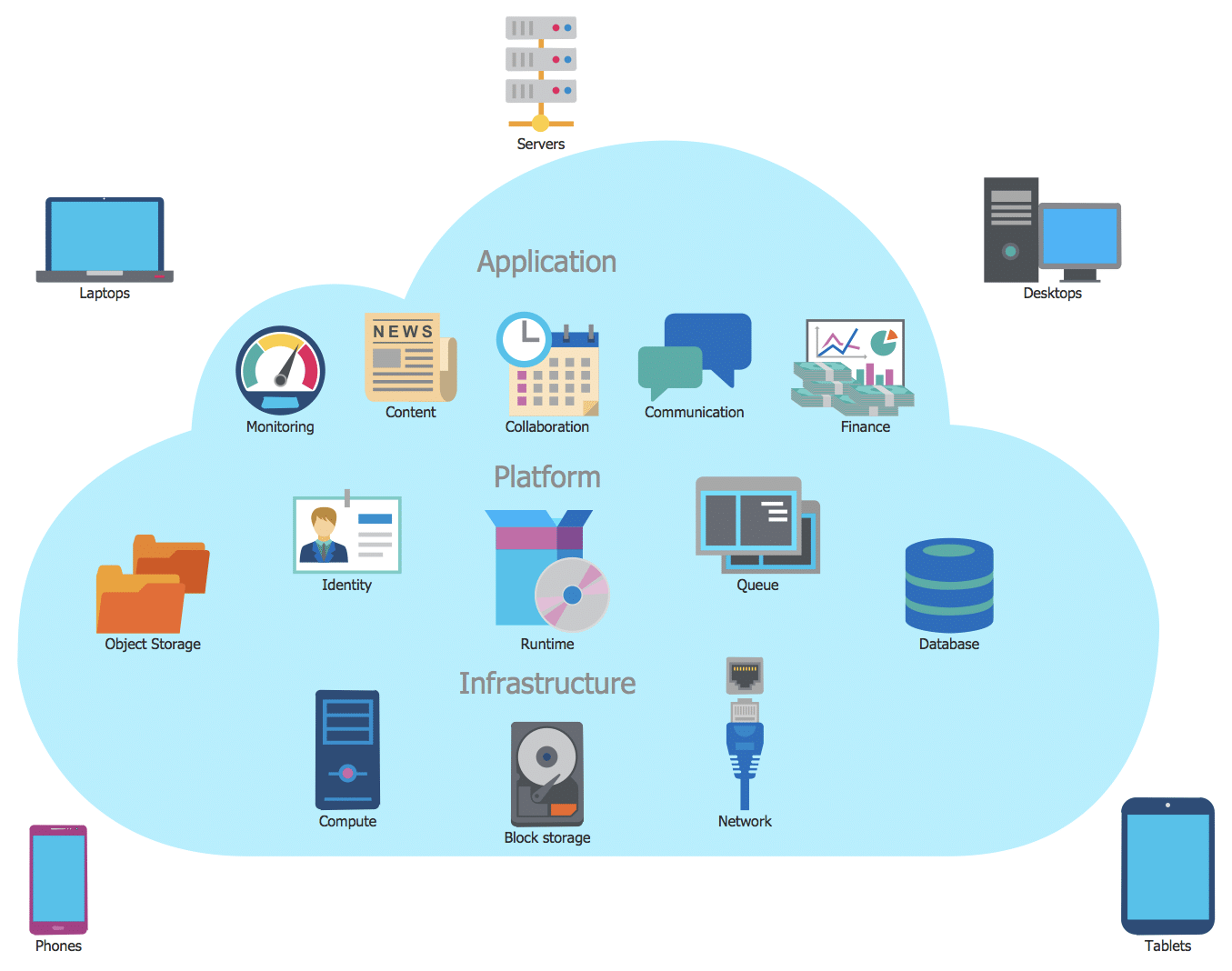
Cloud services have transformed modern IT infrastructure by introducing flexible, scalable, and cost-efficient solutions for businesses of all sizes. They can provide access to enterprise-grade technology without large up-front investment.
Infrastructure as a Service (IaaS)
Infrastructure as a Service (IaaS) provides virtualized computing resources via the Internet with the exception of virtual machines, storage, and networks. IaaS provides maximum flexibility and control over IT resources while averting the need to deal with physical hardware. This is the best for companies that want to reduce capital spending on IT infrastructure while attaining the added advantage of quickly scaling up resources.
Platform as a Service (PaaS)
Platform as a Service (PaaS) provides a platform for the development, execution, and management of applications without worrying about the headache of maintaining the underlying infrastructure. Most of the PaaS solutions generally include development tools, database management systems, and application servers. This will benefit all those organizations that intend to integrate and smooth out their application development and deployment processes.
Software as a Service (SaaS)
Software as a Service (SaaS) delivers software applications via the Internet, removing the need for local installation and maintenance. SaaS applications have a very wide range of business areas covered, including productivity suites and Customer Relationship Management (CRM) through to enterprise resource planning systems. This enables benefits in the form of automatic updating, access from any device, reduced IT management overheads, and so on.
Function as a Service (FaaS)
FaaS, otherwise referred to as serverless computing, is a cloud model that enables running each function or part of code without being worried about managing the underlying infrastructure. It provides extreme scalability and cost efficiency for event-driven applications and microservices architectures.
Disaster Recovery as a Service (DRaaS)
Disaster Recovery as a Service (DRaaS) provides cloud-based, disaster-proof backup and recovery solutions to preserve business continuity in case a disaster happens. Compared with the traditional disaster recovery methods, DRaaS ensures quicker recovery times and less complexity.
Choosing the Right IT Infrastructure Services
Choosing the right mix of IT infrastructure services is essential for the success of any business. Considerations would then include:
- Business size and growth projections: Ensure that the infrastructure can grow along with your business.
- Budget constraints: Balancing upfront costs against long-term operational expenditure
- Security requirements: Look into industrial regulations and data protection in your business.
- Scalability Needs: Make sure to have solutions that scale up and down whenever necessary to accommodate the changing dynamics of your business.
- In-house IT expertise: Be aware if you have the skills to run complex infrastructure or whether you will need managed services.
- Performance requirements: Assess how much speed and reliability your critical applications will need.
- Geographic distribution: Run solutions that support the business’s physical locations while addressing remote work needs.
- Integration possibilities: The new infrastructure components can integrate without a hitch into the remaining existing systems.
- Vendor lock-in concerns: These concerns entail the long-term implications of choosing certain technologies or providers.
- Compliance requirements: It must meet all the industry standards and regulations that apply to the infrastructure.
By carefully evaluating these factors and cognizance of the available types of IT infrastructure services in the market, organizations will be well-situated to roll out a strong, effective, and scalable IT environment to support corporate objectives.
Take Your IT Infrastructure to the Next Level
Is your current IT and infrastructure framework limiting performance, scalability, or long-term growth? Our expert team can assess your environment and deliver the right mix of IT infrastructure solutions to strengthen performance, security, and scalability across your organization. We provide end-to-end solutions in accordance with your requirements to make your IT infrastructure a strategic asset for the organization.
Contact us today for your free consultation and discover how our IT infra services can transform your capabilities. We’ll help you build an agile, secure, and efficient IT infrastructure that drives success in today’s digital age. As one of the most trusted IT infrastructure services companies, we deliver solutions tailored to your business needs.
Frequently Asked Questions
What are IT infrastructure services?
IT infrastructure services are the systems, technologies, and support functions that keep a business’s digital environment operating reliably. They typically include networks, servers, storage, cybersecurity, cloud platforms, disaster recovery, and ongoing IT support that help organizations maintain performance, security, scalability, and business continuity.
These services form the technology foundation businesses use to connect employees, run applications, store information, protect systems, and maintain access to critical resources. Depending on organizational needs, infrastructure may be deployed on-premises, in the cloud, or through a hybrid environment.
What are the main types of IT infrastructure services?
The main types of IT infrastructure services include network infrastructure, server infrastructure, storage systems, security infrastructure, cloud services, and disaster recovery. Together, these services support connectivity, computing, data protection, application delivery, remote access, scalability, and the resilience businesses need to keep critical operations running.
Each category serves a different function. Network services connect users and systems, servers provide computing resources, storage protects and organizes data, security services reduce cyber risk, and cloud and disaster recovery services improve flexibility and operational resilience.
Why are IT infrastructure services important for businesses?
IT infrastructure services help businesses improve reliability, security, scalability, and operational efficiency by supporting the technology employees and customers depend on every day. A well-designed infrastructure reduces downtime, strengthens data protection, improves system performance, and gives organizations a more stable foundation for growth and digital transformation.
Reliable infrastructure also helps businesses support remote work, integrate applications, manage increasing data volumes, maintain regulatory requirements, and respond more effectively when systems fail or demand changes.
How should a business choose the right IT infrastructure services?
A business should choose IT infrastructure services based on its size, growth plans, budget, security requirements, compliance obligations, performance needs, and internal IT capabilities. The right mix should support current operations while remaining flexible enough to scale, integrate with existing systems, and adapt as business requirements change.
Businesses should also consider geographic distribution, vendor dependencies, recovery requirements, existing technology investments, and whether internal teams have the expertise to manage complex infrastructure. These factors help determine whether on-premises, cloud, hybrid, or managed infrastructure services are most appropriate.
How do cloud infrastructure services support business growth?
Cloud infrastructure services support business growth by providing flexible access to computing, storage, applications, and disaster recovery without requiring businesses to manage all hardware on-site. Cloud models such as IaaS, PaaS, SaaS, FaaS, and DRaaS can improve scalability, reduce capital costs, and simplify technology management.
Cloud infrastructure can also help organizations respond faster to changing workloads, support distributed teams, deploy new applications more efficiently, and expand technology capacity without purchasing additional physical infrastructure.
Matt Rosenthal’s Expertise in IT Infrastructure Services
Matt Rosenthal, CEO of Mindcore Technologies, brings decades of IT, cybersecurity, cloud, and infrastructure leadership experience to business technology planning. His expertise helps organizations understand how networks, servers, storage, cloud platforms, security controls, and disaster recovery work together to create a reliable IT foundation. Under Matt’s leadership, Mindcore helps businesses design scalable, secure, and efficient infrastructure environments that improve performance, reduce operational risk, and support long-term growth.

