

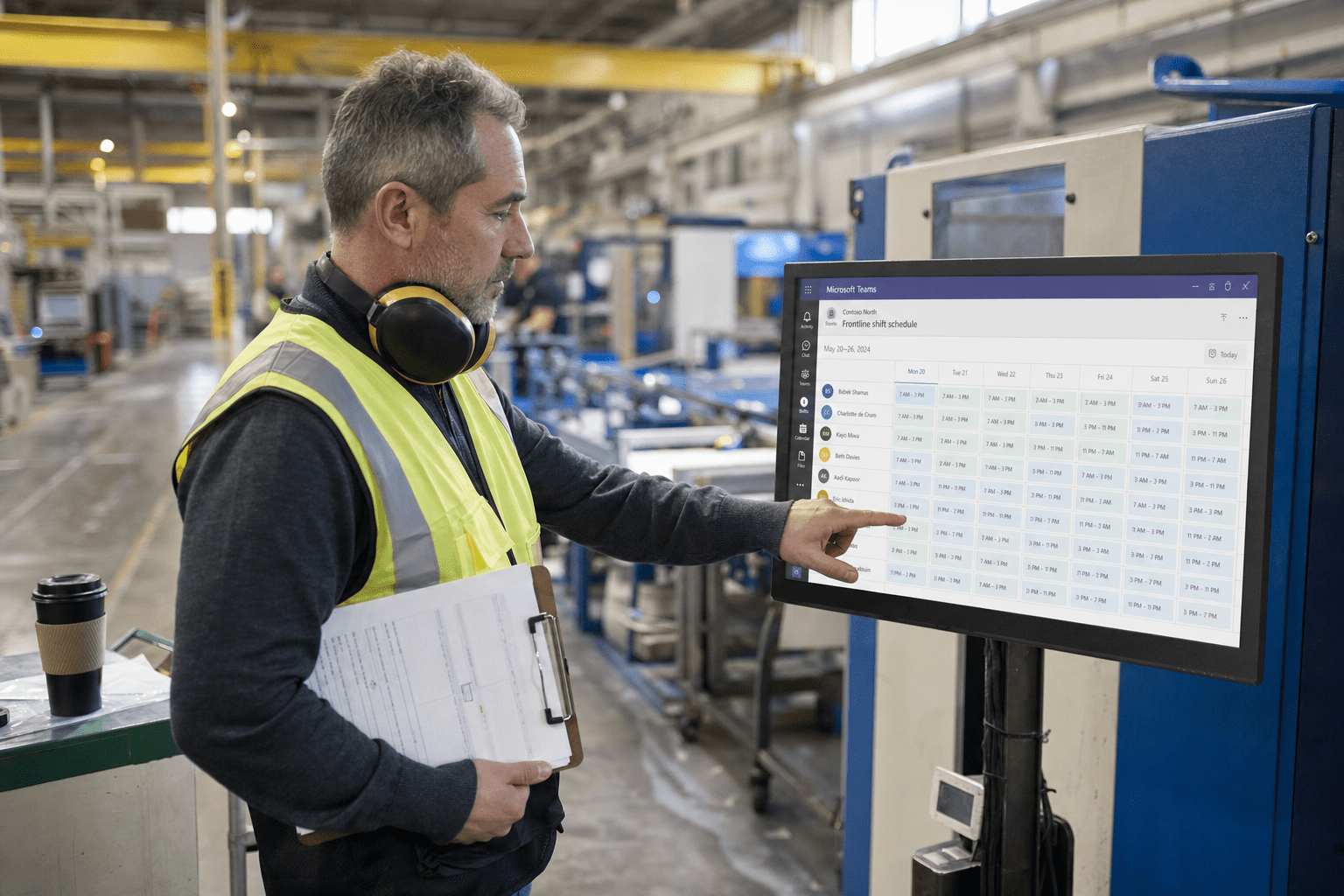
Microsoft 365 management for manufacturers hinges on one decision most firms get wrong: which license each worker actually needs. A plant is full of frontline staff who do not sit at a dedicated PC, and Microsoft built the F1 and F3 frontline tiers for exactly them, yet most manufacturers hand every worker the same full office license and overpay by a wide margin. We have managed Microsoft 365 for manufacturers for years, and the pattern is consistent. The savings and the security both live in treating the shop floor differently from the front office, from the license each worker carries to how their accounts are protected.
The 5 Decisions That Shape Manufacturing Microsoft 365
Microsoft 365 management for manufacturers works when you manage the plant and the office as the different environments they are. These five decisions drive most of the cost and risk.
- Frontline licensing. Plant workers usually fit the F1 or F3 tier at a fraction of an office license. Assigning them full plans wastes real money.
- Shared and kiosk accounts. Shop-floor devices are often shared across shifts. How you handle those accounts affects both cost and security.
- Security for the floor. A shared plant terminal faces different risks than an office laptop, and one-size security fits neither well.
- Teams for shift work. Frontline features in Teams handle schedules, shift handoffs, and tasks, and most manufacturers never turn them on.
- Backup and continuity. A manufacturer that loses email or files loses production coordination. Backup is not optional here.
Why Microsoft 365 Management for Manufacturers Starts With Licensing
Microsoft 365 management for manufacturers should start with licensing, because the gap between what a plant pays and what it needs is usually the largest single waste in the tenant. Microsoft’s own frontline worker licensing guidance defines frontline staff as workers directly involved in making and moving products, the people who do not sit at a dedicated desk. The F1 and F3 tiers were built for them and cost a fraction of a full enterprise plan, yet many manufacturers never split their workforce this way.
The counterview is fair. Mixing license tiers adds administrative work, and a manufacturer that prizes uniformity might accept a higher bill to keep every account identical. For a plant with dozens or hundreds of frontline workers, though, the math rarely favors uniformity. The difference between a frontline tier and a full office plan, multiplied across a shift-heavy workforce, is often thousands of dollars a month. We anchor our Office 365 management on getting that split right before touching anything else.
How to Match Frontline Workers to F1 or F3
Matching frontline workers to F1 or F3 comes down to what each role actually does, because the two tiers serve different levels of need. F1 gives a worker a secure, connected experience with Teams, email, and access to shared information, which suits staff who mainly need to receive schedules, communicate, and view documents. F3 adds productivity and automation capability for frontline staff who create content or use apps like Power Apps as part of their work.
The opposing consideration is that under-licensing frustrates workers who turn out to need more than their tier allows, and re-licensing mid-stream is disruptive. That risk is why the assignment should follow a real look at each role, not a guess. A team lead coordinating a line may warrant F3, while a worker who only clocks in and reads announcements fits F1. Getting this right the first time avoids both overpaying and the churn of constant reassignment.
How Shared and Kiosk Accounts Should Be Handled
Shared and kiosk accounts should be handled deliberately, because manufacturing devices are frequently used by many workers across shifts, and the way you configure them affects both cost and risk. A single terminal on the plant floor might serve a dozen people in a day, and treating it like a personal office workstation creates both licensing confusion and security gaps. Frontline scenarios support shared-device sign-in models built for exactly this pattern.
There is a trade-off to weigh. Shared accounts simplify licensing but can blur accountability, since it becomes harder to trace who did what on a shared terminal. Individual accounts give cleaner audit trails but cost more and add friction on a fast-moving floor. The right answer depends on how much traceability the operation needs, and a managed provider helps a manufacturer choose per device type rather than applying one rule everywhere.
The Manufacturing Factors a Generic Rollout Misses
The manufacturing factor in Microsoft 365 is that the plant floor is a different security and workflow environment than the office, and a generic rollout treats them the same. A shared terminal in a loud, dusty, high-traffic space faces different threats and constraints than a laptop at an office desk. The federal CISA advisories increasingly flag manufacturing as a target because production downtime pressures firms to pay ransoms, which raises the stakes on how plant systems are secured.
Workflow differs just as much. Frontline features in Microsoft Teams handle shift scheduling, task assignment, and shift handoffs, capabilities built for shop-floor coordination that most manufacturers never enable. Meanwhile the office side of the business often runs an ERP system, and connecting Microsoft 365 with a platform like Microsoft Dynamics 365 ties production data to the tools staff already use. Managing both sides well means recognizing they are not the same environment.
How Plant-Floor Security Differs From the Office
Plant-floor security differs from office security because the devices, users, and physical setting all change the risk. A shared terminal that many workers touch cannot rely on a single personal password and a locked office door. Microsoft’s Microsoft 365 security guidance supports policies that fit shared and frontline scenarios, such as sign-out timers and device-based access, rather than assuming a one-user-one-device model.
The counterargument is that heavy security controls can slow workers who need fast access during a shift, and a locked-down terminal that takes too long to sign into becomes a bottleneck. That tension is real, which is why plant security should be tuned to the floor rather than copied from the office. The goal is protection that fits the pace of production, not the pace of a desk job.
How Backup Protects Production Continuity
Backup protects production continuity because a manufacturer that loses access to email, files, or Teams loses the coordination that keeps a line running. Microsoft protects the availability of its service, but it does not protect your data from accidental deletion, ransomware, or a departing employee. For a plant where a missing schedule or a lost work order stalls production, that gap is a direct operational risk, not just an IT concern.
The opposing view is that a manufacturer with strong paper or ERP fallbacks might weather a short Microsoft 365 outage. Some operations genuinely can. For most, though, the tools that coordinate shifts and orders have become load-bearing, and losing them stops work. Pairing Microsoft 365 with a separate backup, and planning the migration with continuity in mind, keeps a production floor coordinated when something goes wrong.
How to Choose a Microsoft 365 Partner for Your Plant
Choosing a Microsoft 365 management partner for a manufacturing business means testing whether they understand the plant floor, not just the office. A strong partner asks about your shift structure, your shared devices, and your frontline roles before recommending licenses, and they can explain the F1, F3, and enterprise tiers in terms of your actual workforce. A weak one quotes a uniform plan and misses the savings entirely.
Ask a prospective provider how they would split your workforce across license tiers, how they secure shared plant terminals, and how they back up Microsoft 365 data. Ask whether they have enabled Teams frontline features for a manufacturer before. If you want a straight read on where your Microsoft 365 setup is overspending or leaving the floor exposed, we offer a free strategy call to walk through it with no obligation to buy. Targeted Microsoft 365 training for your staff turns the plan you land on into productivity your workers actually use.
Frequently Asked Questions
What Microsoft 365 license do manufacturing workers need?
Most manufacturing frontline workers fit the Microsoft 365 F1 or F3 tier rather than a full office plan, because they do not work at a dedicated PC. F1 covers communication and information access, while F3 adds productivity and automation features. Matching each role to the right tier can cut a manufacturer’s Microsoft 365 cost significantly.
How much can a manufacturer save by right-sizing Microsoft 365 licenses?
A manufacturer can often save a substantial share of its Microsoft 365 bill by moving frontline workers off full office plans and onto F1 or F3 tiers. The savings scale with how many shift and plant-floor workers the business employs. A license review usually finds the exact opportunity for a given workforce.
Can multiple plant workers share one Microsoft 365 device?
Yes, multiple plant workers can share one Microsoft 365 device using shared-device sign-in models built for frontline scenarios. This fits terminals used across shifts, though it involves a trade-off between simpler licensing and cleaner individual audit trails. A managed provider helps you choose per device type.
Does Microsoft 365 help with shift scheduling in manufacturing?
Yes, Microsoft 365 includes frontline features in Teams that handle shift scheduling, task assignment, and shift handoffs, built specifically for shop-floor coordination. Most manufacturers never enable them. Turning these features on can replace scattered spreadsheets and paper schedules with tools workers already have.
Do manufacturers need a separate Microsoft 365 backup?
Yes, manufacturers need a separate Microsoft 365 backup because Microsoft protects the availability of its service, not your data from deletion, ransomware, or a departing employee. For a plant that coordinates production through email, files, and Teams, losing that data stalls work. A separate backup closes a gap most firms overlook.
Talk to a Microsoft 365 Team That Knows Manufacturing
Microsoft 365 management for manufacturers is not about buying more, it is about managing the plant and the office as the different environments they are. The firms that get this right split their workforce across the correct license tiers, secure shared floor terminals for how they are actually used, enable the shift tools built into Teams, and back up their data. The ones that struggle hand everyone the same plan and overpay while leaving the floor exposed. If you want a clear picture of where your Microsoft 365 setup stands, our team offers a free strategy call to map it out. You leave knowing your options, whether or not you ever work with us.

