

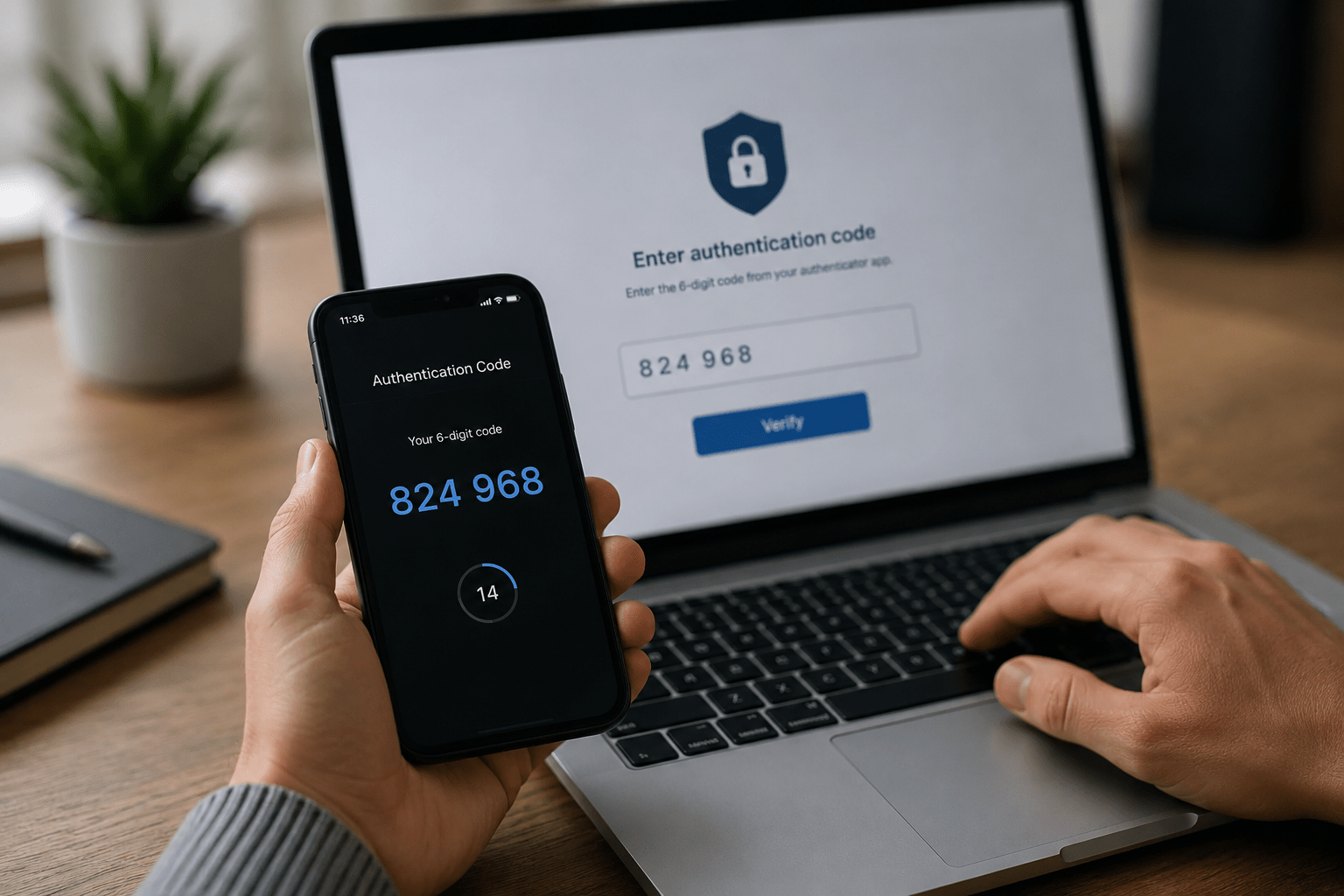
Most people know they should be using multi-factor authentication. Very few actually have it enabled on every account that matters.
That gap is exactly what attackers count on.
Matt Rosenthal, CEO of Mindcore Technologies, has seen the consequences firsthand. His team responds to cybersecurity breaches regularly, and the presence or absence of MFA is often the single factor that determines whether a compromised password becomes a full breach or a non-event.
“You’ve got to turn that on for every single account that you have. It should be your email, the banks, the credit cards. If you don’t have that turned on, you’re literally asking for a problem.”
That is not an exaggeration. It is a pattern repeated across thousands of incidents every year.
Organizations strengthening account security should prioritize multi-factor authentication services alongside broader cybersecurity strategies.
What Multi-Factor Authentication Actually Is
Multi-factor authentication is a security process that requires a user to verify their identity using two or more independent factors before gaining access to an account or system.
The three categories of authentication factors are:
- Something you know: A password or PIN
- Something you have: A mobile device, hardware token, or authenticator app
- Something you are: A fingerprint, face scan, or other biometric
Standard username and password login uses only one factor. If that password is stolen through phishing, a data breach, or credential stuffing, the attacker has everything they need to get in.
MFA adds a second requirement. Even if an attacker has your password, they cannot access the account without the second factor, which they typically do not have.
Businesses implementing modern identity protection often combine MFA with Zero Trust security models and secure workspace architecture.
Why Passwords Alone Are Not Enough
Passwords have a fundamental problem. They can be stolen without the account owner knowing.
Here is how passwords get compromised:
- Phishing attacks: Users are tricked into entering credentials on fake login pages
- Data breaches: Passwords stored by third-party services are exposed when those services are hacked
- Credential stuffing: Attackers use lists of leaked passwords from one breach to try access on other platforms
- Password reuse: The same password used across multiple accounts means one breach affects all of them
- Brute force attacks: Weak or common passwords are cracked through automated guessing
The Canvas cyberattack, which disrupted universities nationwide including Baylor University, is a reminder of how quickly compromised access on a large platform can cascade into a massive data exposure event affecting millions of users.
A stolen password on a platform with no MFA is an open door.
Companies reviewing account security should also evaluate data breach prevention strategies and social engineering defense measures.
The Accounts That Need MFA Right Now
Not all accounts carry the same risk, but the consequences of a breach on high-value accounts are severe enough that MFA should be treated as mandatory across the board.
Highest Priority
- Email accounts: Your email is the recovery method for almost every other account. If an attacker controls your email, they control everything.
- Banking and financial accounts: Direct access to funds and financial data
- Work accounts and company systems: A compromised work account gives attackers a foothold inside your organization
- Cloud storage and file sharing: Google Drive, OneDrive, Dropbox often contain sensitive personal or business documents
Also Important
- Social media accounts
- E-commerce accounts with saved payment methods
- Healthcare portals with personal health information
- Any platform with personal identification data
Organizations handling regulated data should also review cybersecurity compliance requirements and HIPAA security obligations.
Types of MFA: What to Use and What to Avoid
Authenticator Apps (Recommended)
Apps like Microsoft Authenticator or Google Authenticator generate time-based one-time codes that expire every 30 seconds. These are not tied to your phone number and cannot be intercepted through SIM swapping. This is the recommended standard for most accounts.
Hardware Security Keys (Highest Security)
Physical devices like YubiKey plug into a USB port or tap via NFC. They are the most phishing-resistant form of MFA and the standard for high-security environments. Recommended for executives, IT administrators, and anyone with access to sensitive systems.
Push Notifications
An app sends a push notification asking you to approve or deny a login attempt. Convenient and effective, but vulnerable to MFA fatigue attacks where attackers send repeated requests hoping the user approves out of frustration.
SMS Text Message Codes (Least Recommended)
A one-time code is sent via text message. While better than no MFA, SMS codes can be intercepted through SIM swapping attacks where a criminal convinces a carrier to transfer your phone number to their device. Use it if it is the only option, but upgrade when possible.
Businesses with elevated risk profiles often supplement MFA with network security monitoring and managed firewall services.
MFA for Organizations: Beyond Individual Accounts
For businesses, MFA is not just a personal security habit. It is a security control that needs to be enforced at the infrastructure level.
What enterprise MFA implementation looks like:
- Conditional access policies requiring MFA based on user role, device status, location, or risk level
- Single sign-on with MFA enforcement before accessing connected systems
- Privileged account protection for administrators and executives
- MFA for remote access, VPNs, and remote desktop environments
- Incident response integration with failed MFA attempt monitoring and alerts
Compliance frameworks including HIPAA, CMMC, FINRA, and the FTC Safeguards Rule increasingly reference multi-factor authentication as either a required or strongly recommended control.
Organizations operating in regulated industries that have not yet enforced MFA are behind.
Businesses pursuing stronger compliance readiness should review CMMC services, compliance frameworks, and IT risk assessments.
Common Reasons People Skip MFA (and Why They Do Not Hold Up)
“It slows me down.”
An authenticator app adds roughly 5 to 10 seconds to a login. A breach costs days, weeks, or months of recovery time, financial loss, and reputational damage. The tradeoff is not close.
“I have a strong password.”
Strong passwords reduce brute force risk. They do not protect against phishing, credential stuffing, or third-party breaches where your password is exposed without your knowledge.
“My accounts are not interesting to hackers.”
Attackers rarely target individuals specifically. Automated tools run credential stuffing attacks against millions of accounts simultaneously. If your password exists in a leaked database, your account will be tested.
“It is too complicated to set up.”
Most platforms walk users through MFA setup in under two minutes. Authenticator apps are designed to be accessible to non-technical users.
How to Enable MFA: Where to Start
- Download an authenticator app – Microsoft Authenticator or Google Authenticator are free and widely compatible
- Start with your email account – This is the highest priority. Go to your account security settings and look for “two-step verification” or “multi-factor authentication”
- Move to financial accounts – Banking, investment, and payment platforms next
- Enable on all work accounts – Microsoft 365, Google Workspace, your company VPN, and any business software
- Work through remaining accounts – Social media, cloud storage, healthcare portals, and any account with personal data
- Save backup codes – Most platforms provide recovery codes when you set up MFA. Store these somewhere secure and offline
Businesses rolling out organization-wide authentication controls should consider Microsoft 365 security management and CISO consulting services.
FAQ: Multi-Factor Authentication
What is multi-factor authentication?
Multi-factor authentication is a security process requiring users to verify their identity through two or more independent methods before accessing an account. It combines something you know with something you have or something you are, making unauthorized access significantly more difficult.
Does MFA completely prevent account breaches?
MFA dramatically reduces the risk of unauthorized access but does not eliminate all attack types. Authenticator apps and hardware security keys provide stronger protection than SMS-based MFA.
Is SMS-based MFA safe?
SMS MFA is better than no MFA, but it carries risk from SIM swapping attacks. For business accounts and high-value personal accounts, authenticator apps or hardware security keys are the better choice.
What happens if I lose access to my MFA device?
Most platforms provide backup recovery codes during setup. Store them securely offline so you can recover access if your device is lost or replaced.
The Bottom Line
MFA is the single most accessible, highest-impact security control available to individuals and organizations. It does not require technical expertise to set up. It does not require a large budget to implement. It requires a decision to take it seriously.
The organizations and individuals who skip it are not saving time. They are accepting a risk they do not need to carry.
Mindcore Technologies helps businesses implement and enforce MFA across their entire technology environment, from Microsoft 365 and cloud platforms to remote access and privileged accounts.
If your organization has not enforced MFA across all systems, the window to fix that before an incident is now.
Schedule a consultation with Mindcore to assess your current security posture and strengthen your authentication strategy before attackers exploit the gap.

