

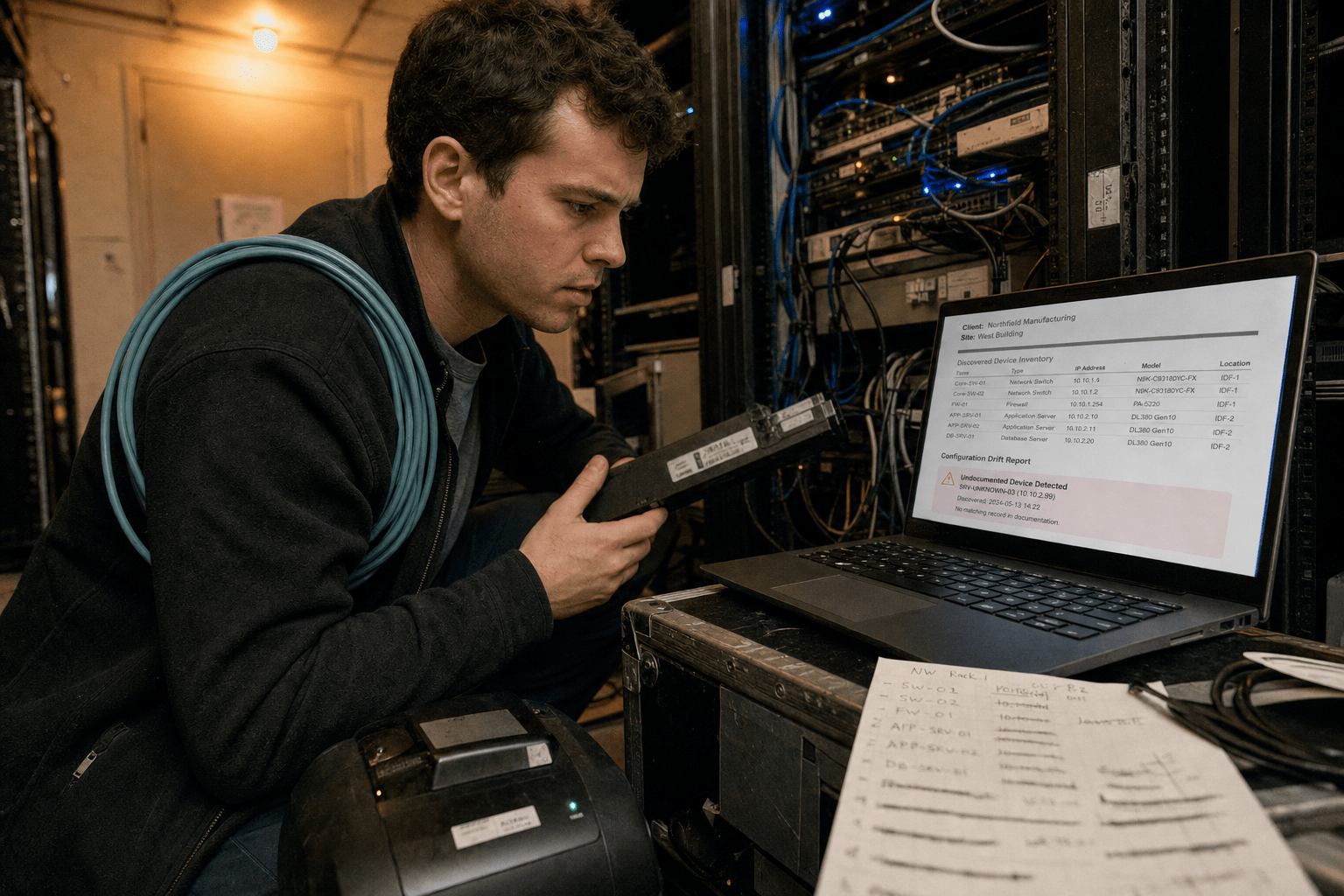
The best AI tools for MSP onboarding documentation in 2026 are the ones that keep documentation true after the onboarding project ends. Producing it was never the hard part. Any provider can assemble a thorough client runbook in the first month, when a project manager is assigned and everyone is paying attention.
What almost nobody solves is decay. Six months later a firewall has been replaced, an application retired, a key contact has left, and the runbook still describes the environment as it was. The document is now worse than useless, because a technician at 2am reads it and acts on it. An obviously missing document makes someone ask; a confidently wrong one does not.
Overview: five things that decide whether documentation tooling works
- Decay is the real problem, not authoring. Choose on how the tool detects that something has changed.
- Discovery beats interviews for the technical layer. Scanning the environment produces more accurate inventory than asking.
- Business context cannot be discovered and has to be captured. Which system stops invoicing is not on the network.
- Documentation lives where technicians already work or it is not read. In the PSA at ticket time, not in a separate portal.
- Generated content needs a factual review before anyone relies on it. A plausible wrong step is the dangerous output.
Written for MSP owners, onboarding leads and service delivery managers running client transitions and inheriting undocumented environments.
Decay detection is the capability worth paying for
Decay detection is what separates a documentation platform from a document store. The mechanism is continuous comparison: the tool reads the live environment through your remote monitoring and management tool, compares it against what the documentation says, and flags the differences.
A new server appearing with no documented purpose. A firewall model that no longer matches. A user account with administrative rights not listed in the access record. Each is a small drift, and together they are the difference between documentation that is trusted and documentation that is quietly abandoned.
Ask what it compares and how often
The specific questions are which attributes are compared, how frequently, and where the discrepancies are reported. A weekly drift report to the account technician is useful. A dashboard nobody opens is not.
Also ask what happens when the tool disagrees with reality. Automatically overwriting documentation with discovered values sounds appealing and destroys human context, because the note explaining why a server is configured unusually gets replaced by the configuration itself.
Confidence and freshness should be visible
The most useful presentation marks each section with when it was last verified. A technician reading a runbook needs to know whether the network diagram was confirmed last week or eighteen months ago.
That single piece of metadata changes behaviour more than any amount of content quality, because it tells the reader how much to trust what they are looking at. It is the same principle behind our guidance on documenting IT systems for business continuity.
Discovery beats interviews for the technical layer
Automated discovery produces a more accurate inventory than asking the client, and it produces it faster. Devices, operating system versions, installed software, network topology and open ports are all observable, and the observed answer is correct by construction.
Client-supplied inventory is reliably incomplete, not through any fault of theirs. The person you are interviewing does not know about the server in the storeroom that runs one legacy application, because nobody has thought about it in four years.
Run discovery before the interviews, not after
Sequencing matters. Discovery first gives you a factual base, and the interviews then become targeted: what is this device for, who uses this application, why is this rule in place.
That is a much better use of the client’s time than asking them to enumerate their own environment, and it consistently surfaces the forgotten systems that cause incidents later. It also sets the tone for the relationship, which matters in the transitions our piece on finding the best managed service provider describes from the client’s side.
Credential and access documentation needs its own treatment
Discovery finds accounts and cannot tell you which are legitimate. An inherited environment typically contains service accounts nobody can explain, administrative accounts belonging to former staff, and shared credentials.
Document these as findings requiring resolution rather than as facts about the environment. An onboarding runbook listing a shared administrative credential as normal has recorded a problem as a configuration.
Business context has to be captured deliberately
The layer no discovery tool reaches is why any of it matters. Which application stops invoicing if it fails. Who must be called before a production system is touched. Which client contact can authorise an emergency change at midnight. What the practical recovery expectation is for each system, as opposed to the contractual one.
That information exists only in people’s heads and it is what makes documentation useful during an incident. A perfect technical inventory with no business context tells a technician what exists and nothing about what to protect first.
Ask the impact question directly
The most productive onboarding question is what breaks in the business if this goes down for a day. It gets a specific answer, it prioritises everything downstream, and clients answer it readily because it is their language rather than ours.
Capture it per system and keep it beside the technical detail. This is the same information that drives recovery ordering, which is why it belongs alongside business continuity planning rather than in a separate document nobody links to.
Shared-responsibility environments need the boundary written down
Where a client retains their own IT staff, documentation must record who does what. Ambiguity here is the source of most co-managed friction, and it surfaces during incidents when nobody is in a position to negotiate.
Write the boundary per system rather than in general terms, because “they handle applications and we handle infrastructure” collapses the moment an application problem turns out to be a network one. Our piece on co-managed IT mistakes covers where these gaps usually appear, and it is central to how we structure co-managed IT services.
Documentation has to live where technicians work
The best-maintained documentation in the wrong place is not read. A technician resolving a ticket at speed will use what is in front of them in the PSA and will not open a separate portal, log in again, and search.
So integration into the ticket view is not a convenience feature, it is the difference between documentation being used and being maintained for its own sake. Ask specifically whether relevant articles surface against a ticket automatically based on the client and the issue.
Capture at resolution time is where content comes from
The second half of the same idea is capture. A technician who has just solved something unusual is the only person who knows it, and they will not write it up later.
Tools that prompt at resolution, and that can draft an article from the ticket’s own notes for the technician to correct, get documentation written. Tools that require a separate authoring session get an empty knowledge base and a recurring complaint that nobody documents anything. That gap is one of the quiet contributors to the issues in our piece on managed IT services performance failures.
Generated content needs a factual review
Drafting from tickets, configuration exports and discovery data saves substantial time and produces occasional confident errors. A generated runbook step that describes a plausible but wrong procedure is the failure to design against, because it reads exactly like a correct one.
The rule that holds is that generated content is a draft until a technician who knows that environment has confirmed it, and the article shows whether it has been. Unreviewed content should be visibly marked as such rather than sitting alongside verified material indistinguishably.
Do not let volume substitute for accuracy
It is now easy to produce a great deal of documentation quickly, and a large knowledge base of unverified articles is worse than a small verified one. The reader cannot tell which is which, so trust drops across everything.
Prioritise the articles that get used: onboarding runbooks, recovery procedures, and the top recurring issues per client. Everything else can wait, and much of it never needs to exist, which is the same triage logic we apply across managed IT services generally. For organisations still deciding what to expect from a provider, our explainer on what IT managed services covers sets the baseline.
A practical onboarding sequence
Run automated discovery before any interview. Use the interviews for purpose, ownership and impact rather than inventory. Capture business impact per system and the escalation contacts. Write the responsibility boundary per system where the client retains IT staff. Record credential findings as problems to resolve, not as configuration. Publish into the PSA where technicians see it at ticket time. Turn on drift detection and route the weekly report to the account technician.
The step most often skipped is the last one, and it is the one that decides whether any of the preceding work still has value next year.
Frequently Asked Questions
How long should client onboarding documentation take?
Discovery is fast, usually days. The business context interviews and verification are the real work and take a few weeks depending on complexity. The completion date matters far less than whether drift detection is running afterwards, because undocumented change is what makes the effort worthless.
Can AI write our runbooks from scratch?
It can produce good drafts from discovery data, configuration exports and ticket history, and every draft needs a technician who knows that environment to confirm it. The dangerous output is a plausible wrong procedure, because it reads exactly like a correct one at 2am.
What is the biggest documentation mistake MSPs make?
Treating it as a project rather than a process. Documentation produced during onboarding and never updated becomes actively harmful within a year, because technicians act on it. Continuous comparison against the live environment is the fix.
Where should documentation live?
Where technicians already work, which for most providers means surfaced inside the PSA against the ticket. A separate portal requiring another login and a search will not be used under time pressure, however good the content is.
How do we document an inherited environment nobody understands?
Discovery first for the factual layer, then targeted questions to the client about purpose and impact. Record anything unexplained as an open finding rather than as normal configuration, particularly service accounts and shared credentials, so it gets resolved instead of enshrined.
Who is behind this guidance
Our team runs client transitions and inherits environments other people documented, which is where the difference between a thorough runbook and a current one becomes obvious. We have run discovery that found a production server in a storeroom nobody had mentioned in two days of interviews, and we have also worked from an inherited runbook whose network diagram had been accurate three firewalls earlier. Both are why this article treats drift detection as the buying criterion rather than authoring features.
Matt Rosenthal, our CEO, puts it in terms of what documentation is for: it exists to be right at the worst possible moment, and anything that is not maintained will not be. That is why freshness marking and drift reporting appear here ahead of content quality, and it shapes how we structure onboarding for the clients we take on.
Choose on drift detection, not on authoring features
The providers whose documentation is still trustworthy a year after onboarding did one thing differently. They ran discovery before the interviews, captured business impact in the client’s own words, published into the PSA where technicians actually work, and turned on continuous comparison against the live environment so that drift surfaced weekly instead of during an incident. The authoring tooling mattered least of all.
If you are evaluating now, the question that separates the shortlist is not how quickly a platform can produce a runbook. It is how you will find out, six months from now, that the runbook has stopped being true.
Book a free strategy call and we will look at your onboarding process and documentation currency with you.

