

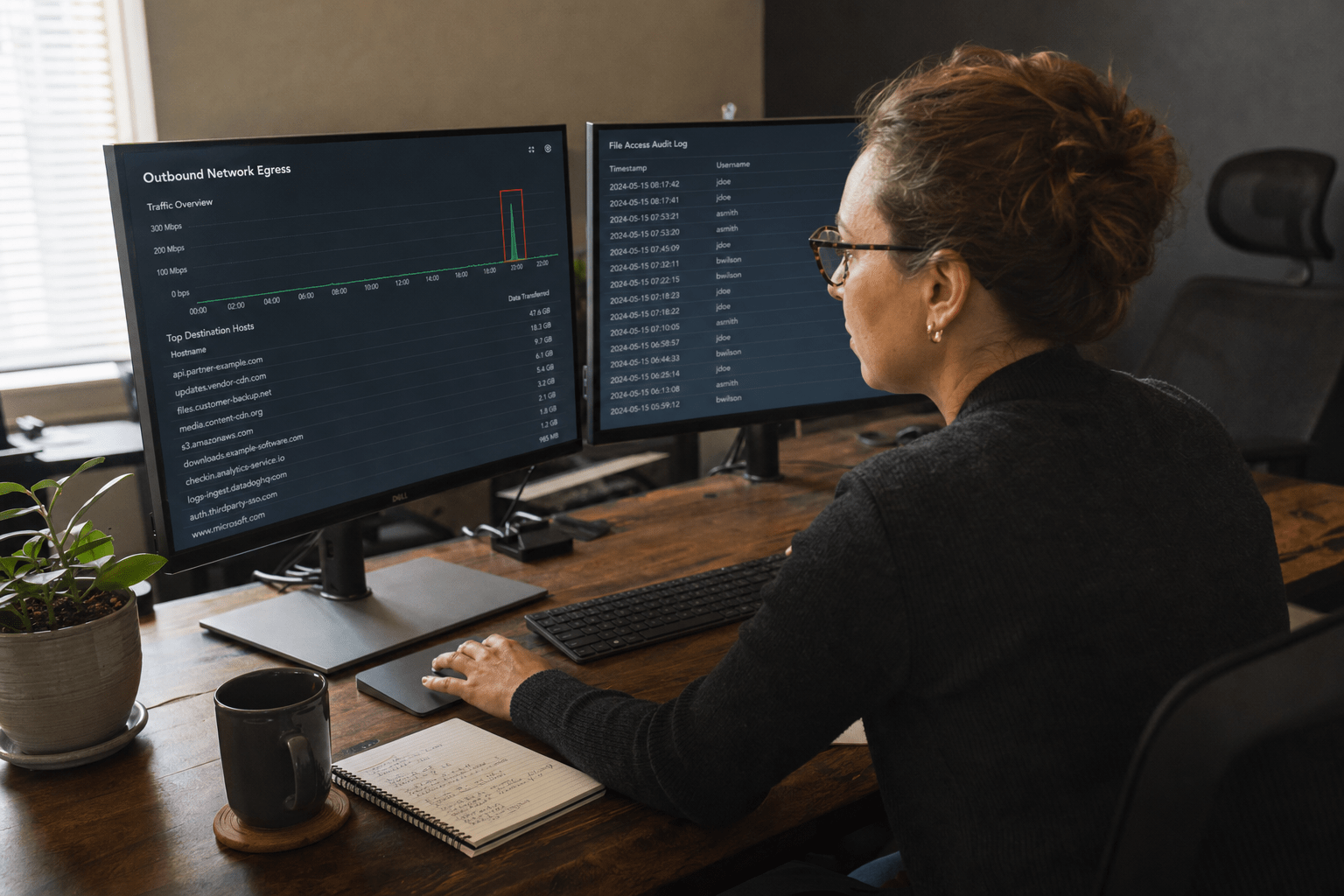
Data exfiltration is the unauthorized movement of company data out of your environment, and at most small businesses it produces no alert at all. The transfers that hurt you rarely look like an attack. They look like a sales manager syncing a folder to personal cloud storage, a contractor’s API token pulling records long after the project ended, or a departing engineer copying a repository the week before resignation. None of that trips a firewall rule written to stop inbound intrusion. We find these gaps in SMB environments constantly, and the pattern is consistent: the data was gone for months before anyone asked a question. This is a detection and response problem, not a perimeter problem.
Why Data Exfiltration Slips Past SMB Defenses
Data exfiltration slips past small business defenses because nearly every control an SMB owns is pointed at traffic coming in, while exfiltration is traffic going out through channels the business itself approved. Your firewall inspects inbound sessions. Your email gateway filters inbound phishing. Your endpoint agent watches for malware execution. Outbound movement to Dropbox, Google Drive, a personal Gmail account, or a vendor’s API endpoint looks identical to the work people do all day.
The second reason is staffing. Detection needs someone to notice that an account which normally touches forty files a day touched four thousand. A 60-person firm has no analyst assigned to that question, and the platform logs that would answer it are frequently set to a 30 or 90 day retention window by default.
The third reason is framing. Most businesses first hear the word exfiltration during a ransomware conversation, where the stolen copy becomes the pressure behind a leak site. That framing is real, and we cover it in depth in our breakdown of double extortion ransomware traps. But it teaches teams to look for exfiltration only alongside encryption. Plenty of data walks out with no ransom note attached, and nothing ever breaks.
Five Data Exfiltration Risks Worth Auditing This Quarter
Before the detail, here is what our team checks first in any SMB environment. These five gaps account for most of the exposure we find:
- Channel blindness. Personal cloud sync clients, webmail, USB drives, screenshots, and generative AI prompt boxes all move data out, and blocking one channel simply routes the activity to another.
- The departure window. Access review that begins on someone’s last day misses activity that started weeks or months earlier, which is when the copying usually happens.
- Volume thresholds. Alerting on large transfers misses patient siphoning of a few hundred records a night, which never crosses the line you drew.
- Machine identities. Third-party integrations, service accounts, and long-lived API tokens read data continuously and are almost never reviewed after the project that created them ends.
- Forensic readiness. After an incident, your insurer, your counsel, and your customers ask which records left. Log retention set before the event decides whether you can answer.
Each one is fixable with tooling an SMB already licenses. The work is configuration and process, not a new platform.
Risk 1: The Channels Nobody Monitors
Most data exfiltration at small businesses travels through sanctioned software rather than attacker infrastructure. Current insider-risk research puts personal cloud storage at roughly a fifth of observed exfiltration events, removable media at around a sixth, and generative AI tools now sitting in the same tier as USB. That last one moved fast. A person pasting a customer list into a chatbot to reformat it has moved regulated data to a third party, and no security tool logged an alert.
The argument for locking channels down is straightforward. Disable USB mass storage by policy, block unsanctioned sync clients at the endpoint, and restrict which AI tools can accept company data. It works, and it is cheap.
The argument against pure blocking is equally sound, and we take it seriously with clients. Every channel you close pushes the same person toward the next one, and if the last available path is a personal phone camera, you have gained nothing and cost your team an hour a day in workarounds. Blocking without visibility also removes your evidence trail. Our position is to instrument every channel first, then block the ones nobody has a legitimate reason to use. Visibility is the durable control. Our network security monitoring work usually starts here, because you cannot govern a path you cannot see.
Risk 2: The Departing Employee Window
Departing employees are the most predictable data exfiltration risk a business carries, and the riskiest period starts long before the resignation letter. Published insider-threat research describes a sharp spike in exfiltration activity in the final 24 hours before a layoff, with suspicious file access frequently beginning up to six months earlier. Insider incidents also take far longer to surface than external ones, often measured in months.
This breaks the usual offboarding checklist. Revoking accounts on the last day is a hygiene step, not a detection step. By then the copy exists on a personal drive.
What actually helps is narrower than most teams expect. Pull a 90-day access history for the individual at the moment notice is given, not a full audit. Compare their file access and download volume against their own prior baseline rather than a team average. Watch for first-time use of a sync client or a personal webmail address on a managed device. Then disable long-lived tokens tied to that identity, which frequently outlive the account itself.
The counterargument deserves a hearing. Monitoring people who are leaving reads as surveillance, and applied carelessly it damages trust across the whole company. We recommend writing the trigger into policy in advance, applying it uniformly to every departure regardless of seniority, and telling employees it exists. A rule everyone knows about is defensible. An investigation improvised after the fact is not.
Risk 3: Low and Slow Transfers That Never Trip a Threshold
Volume-based alerting misses the data exfiltration pattern that costs SMBs the most, because a patient actor never moves enough at once to cross your threshold. Set an alert at 500 megabytes in an hour and someone pulling 300 records a night for four months stays permanently invisible while removing the entire customer database.
Rate alerts still earn their place. They catch smash-and-grab activity, and a script dumping a database in one session is a real scenario worth catching in minutes rather than weeks.
The addition that closes the gap is behavioral rather than volumetric. Baseline each account and each service identity over 30 days, then alert on shape rather than size: access at hours that account has never worked, a first connection to a destination the account has never reached, a steady nightly cadence where the person’s history shows bursts, or breadth of access widening across folders unrelated to their role. This is the same analytic direction we describe in our look at how AI is changing incident response, and for a small team the practical route is usually a managed service that already runs the baselining. Our comparison of managed detection and response providers for mid-size businesses is a reasonable starting point for that evaluation.
Risk 4: Machine Identities and Third-Party Integrations
Service accounts and API tokens are the data exfiltration channel with the least oversight in a typical SMB, because they were approved once by someone who has since changed roles. A marketing platform granted read access to your CRM in 2023 is still reading it. A contractor’s personal access token still authenticates. A retired app’s OAuth grant still sits in your tenant with mailbox scope attached.
The case for tolerating this is real: revoking tokens breaks production, and nobody wants to be the person who took down billing on a Friday. That is precisely why the sprawl accumulates.
The workable middle ground is a quarterly review of every OAuth grant and API token, sorted by last-used date and by scope. Anything unused for 90 days gets revoked. Anything holding write or mailbox scope for a read-only purpose gets reissued narrower. Every token gets a named human owner and an expiry, because an unowned credential is never retired. Compromised machine identities are a common thread in the cases we see, alongside the credential-theft path we outline in how one phishing click causes a data breach.
Risk 5: Proving What Actually Left
The hardest question after an incident is not whether data exfiltration happened, it is which records left the building, and log retention set months earlier decides whether you can answer. Insurers, regulators, and customers all want a defined scope. “We saw unusual outbound traffic in March” is not a scope, and absent evidence, counsel will often advise notifying every individual whose data could plausibly have been in reach.
That distinction is expensive. Notification cost scales with the size of the population you cannot rule out, and so does reputational damage. Retention is the cheapest insurance available here: extend audit logging in your productivity suite beyond the default window, keep endpoint telemetry and DNS or proxy logs for at least a year, and store file-access logs for the systems holding regulated data.
The counterweight is cost and privacy exposure, since long retention means storing detailed records of employee activity. Scope it deliberately. Keep long history for systems holding sensitive data, keep short history elsewhere, and write the schedule down. When something does happen, that schedule is what makes a data breach incident response engagement productive instead of speculative, and it feeds directly into the reporting obligations we walk through in data breach notification laws and what to report.
Frequently Asked Questions
How is data exfiltration different from a data breach?
Data exfiltration is the act of moving data out of your environment without authorization, while a breach is the broader event that includes how access was gained and what followed. Exfiltration can happen with no intrusion at all, as when an authorized employee copies files they were allowed to read. Our guide on what to do after a data breach exposure covers the response sequence once either is confirmed.
Can a small business detect data exfiltration without a security team?
Yes, provided the detection is behavioral and the monitoring is delegated. Baselining accounts and alerting on unusual destinations, hours, and access breadth is standard capability in managed detection services and in the licenses most SMBs already hold. The gap is almost always configuration and ownership rather than budget.
Does blocking USB drives stop data exfiltration?
It closes one channel and moves the activity to another, usually personal cloud sync or webmail. Blocking is worth doing for paths with no business justification, but it works only alongside visibility across the remaining channels. Coverage matters more than any single restriction.
How long does insider data exfiltration usually go undetected?
Insider incidents commonly run for months before anyone identifies them, far longer than externally driven intrusions. The delay comes from the activity resembling normal work and from short log retention erasing the earliest evidence. Extending retention shortens the eventual investigation considerably.
Should we monitor employees who have given notice?
Monitoring during a notice period is defensible when it is written into policy in advance, applied to every departure the same way, and disclosed to staff. Improvised investigations of individuals create legal and cultural problems. Our team helps clients define that trigger before it is needed as part of emergency cybersecurity compliance planning.
Find Out What Your Environment Would Show
Data exfiltration is a quiet risk because the movement uses paths you approved, at volumes you never set an alarm for, through identities nobody reviewed. The businesses that catch it early are not the ones with the largest security budget. They are the ones that baselined normal behavior, kept enough log history to reconstruct a timeline, and reviewed their machine identities on a schedule. Every one of those steps is available to a 50-person company this quarter. Our team can walk your environment and tell you which channels are currently visible, how far back your evidence reaches, and which tokens are still reading data for projects that ended years ago. Book a free strategy call with Mindcore, or reach us through our IT and cybersecurity emergency line if you already suspect something left.

