

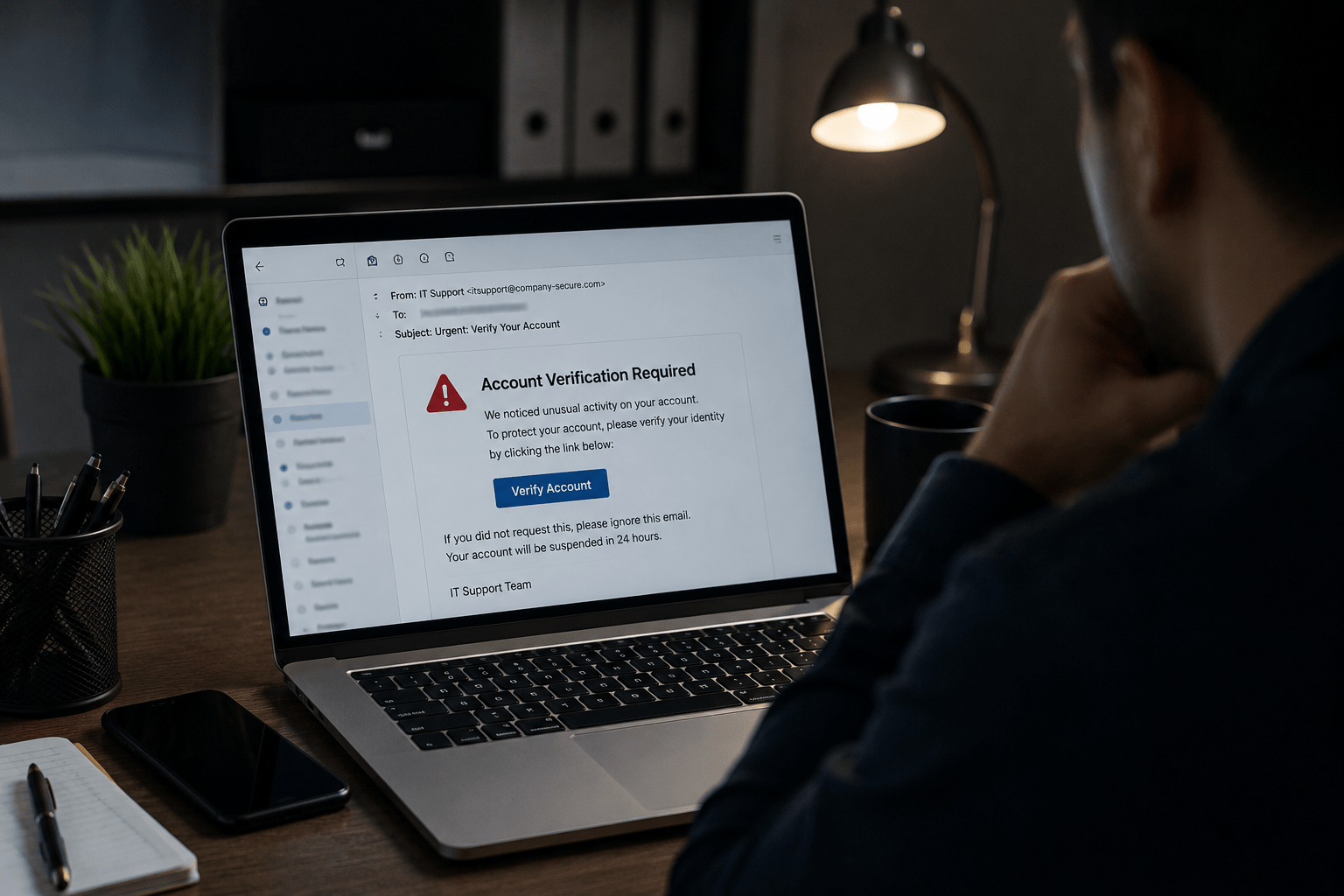
Phishing is the starting point for the majority of cyberattacks. Not because it is sophisticated. Because it works.
It works because it does not attack systems. It attacks people. And people, under the right conditions, can be convinced to do almost anything, including handing over the credentials that open every door in an organization.
Matt Rosenthal, CEO of Mindcore Technologies, sees this play out constantly:
“Almost every single breach that we deal with, and we deal with them every single day, somebody either clicked on an email that had a link in it, or they actually clicked on it, opened it and entered some information. As soon as you do that, you’re giving people a key to the front door.”
This is Phishing 101. What it is, how it works, and how one click becomes a catastrophic breach.
Organizations working to reduce phishing exposure should evaluate layered cybersecurity services, identity protection strategies, and employee awareness programs before a breach occurs.
What Phishing Is
Phishing is a social engineering attack delivered through digital communication, most commonly email, that tricks a recipient into taking an action that benefits the attacker.
That action could include:
- Clicking a link that leads to a fake login page
- Downloading an attachment that installs malware
- Entering credentials, payment information, or personal data into a fraudulent form
- Approving a fraudulent financial transaction
- Responding with sensitive information directly
The term comes from the idea of casting a wide net and waiting for someone to take the bait.
Modern phishing has evolved far beyond mass spam campaigns into precisely targeted attacks designed to fool even security-aware users.
Businesses concerned about social engineering threats should review security awareness training and secure remote access practices.
The Anatomy of a Phishing Email
Understanding what makes a phishing email convincing is the first step in recognizing one.
The Sender Field
Attackers spoof sender names so the display name looks legitimate even when the actual email address is not.
A name like “Microsoft Support” or “IT Department” creates immediate trust, especially on mobile devices where the actual address is often hidden.
The Subject Line
Phishing subject lines are engineered to create urgency, fear, or curiosity.
Common patterns include account suspension warnings, package delivery notifications, shared document alerts, and security verification requests.
The goal is to make the recipient feel they need to act immediately.
The Body
Professional phishing emails mirror legitimate communications with precision.
Logos, formatting, color schemes, and language are copied from real companies. Grammar and spelling, once reliable warning signs, have improved dramatically with AI-generated content.
The Link
The call to action almost always involves a link.
The visible text may appear legitimate while the actual destination points to a fraudulent domain.
Attackers often register domains closely resembling real brands to appear trustworthy.
The Landing Page
The destination is typically a near-perfect replica of a legitimate login page.
Once credentials are entered, they are captured by the attacker and the victim is often redirected to the legitimate site to avoid suspicion.
Organizations modernizing authentication security should implement multi-factor authentication and Zero Trust security controls to reduce credential-related risk.
From One Click to Full Breach: The Attack Chain
This is where phishing becomes devastating. The click is not the end of the attack. It is the beginning.
Step 1: Credential Capture
The user enters their username and password on the fake login page. The attacker now has authenticated access to that account.
Step 2: Account Access
The attacker logs into the compromised account. Depending on the account type, this may provide access to email, cloud storage, financial systems, HR platforms, or corporate networks.
Step 3: Lateral Movement
Inside a corporate environment, attackers use the compromised account to move laterally.
They send internal phishing emails from trusted accounts, access shared drives, and expand into additional systems.
Step 4: Privilege Escalation
Attackers search for administrative or elevated access opportunities.
A single compromised employee account can eventually lead to full domain administrator access if environments are not properly segmented.
Step 5: Data Exfiltration or Ransomware Deployment
With elevated access, attackers exfiltrate sensitive data, deploy ransomware, or both.
At this stage, one clicked link becomes a full organizational crisis.
The entire chain can happen within hours. In some cases, attackers remain undetected for weeks or months while maximizing damage.
Organizations looking to limit lateral movement and ransomware impact should evaluate secure workspace architecture, ransomware protection, and network security monitoring.
Types of Phishing Attacks
Standard Phishing
Mass campaigns sent to large numbers of recipients. Less targeted but highly scalable.
Spear Phishing
Targeted attacks crafted for specific individuals using information about their role, projects, or colleagues.
Whaling
Spear phishing specifically targeting executives or senior leadership.
The objective is often wire fraud or access to high-value systems.
Smishing
Phishing delivered through SMS text messages. Mobile devices make link inspection more difficult.
Vishing
Voice phishing conducted over phone calls where attackers impersonate IT support, financial institutions, or government agencies.
Business Email Compromise
A sophisticated attack where attackers compromise or convincingly spoof legitimate business email accounts to authorize fraudulent payments or redirect funds.
BEC attacks have cost organizations billions globally.
Businesses concerned about executive impersonation and payment fraud should review managed security services and virtual CISO consulting.
Why People Keep Falling For It
Security awareness does not make people immune to phishing. Even trained professionals get tricked.
Here is why:
- Cognitive load: Busy employees working under pressure make faster, less careful decisions
- Authority bias: Emails appearing to come from executives or IT departments trigger compliance instincts
- Urgency: Time pressure overrides caution and critical thinking
- Familiarity: Emails referencing real colleagues, projects, or systems feel more trustworthy
- AI-enhanced quality: Modern phishing campaigns are polished, grammatically correct, and highly personalized
Organizations reducing human-layer risk should prioritize ongoing security awareness programs and regular phishing simulations.

What Stops Phishing Attacks
No single control eliminates phishing risk. Effective defense requires layers.
Technical Controls
- Email filtering that quarantines suspicious messages
- Link scanning that evaluates URLs before navigation
- Multi-factor authentication so stolen credentials alone are insufficient
- Endpoint detection and response to identify malicious activity
- DNS filtering to block known malicious domains
Human Layer Controls
- Regular security awareness training
- Simulated phishing campaigns with immediate feedback
- Clear reporting processes for suspicious emails
- A culture encouraging employees to report mistakes quickly
Rosenthal’s recommendation on MFA is the single most impactful technical control: “You’ve got to turn that on for every single account that you have. It should be your email, the banks, the credit cards. If you don’t have that turned on, you’re literally asking for a problem.”
Organizations strengthening layered defenses should also assess penetration testing services and IT risk assessments.
Actionable Steps to Reduce Phishing Risk
- Slow down before clicking – Urgency is a warning sign, not a reason to act faster
- Verify the actual sender address – Display names are easy to fake
- Hover over links before clicking – Preview the destination URL before navigating
- Go directly to websites instead of clicking through – Manually type URLs for sensitive accounts
- Enable MFA on every account – A stolen password alone should not grant access
- Use unique passwords for every account – Password reuse multiplies breach impact
- Report suspicious emails immediately – Visibility helps security teams respond faster
Businesses improving phishing resilience should also review co-managed IT services and managed IT support for ongoing operational security support.
FAQ: Phishing Attacks
What is the difference between phishing and spear phishing?
Standard phishing uses mass campaigns with generic messaging. Spear phishing targets specific individuals using personalized details to make attacks more convincing and effective.
Can phishing attacks be stopped by spam filters?
Email filters reduce phishing volume but cannot eliminate the threat entirely. Sophisticated campaigns are designed to bypass automated detection, which is why layered controls and user training remain essential.
What should I do immediately after clicking a phishing link?
Disconnect from the network if using a corporate device, change affected passwords immediately, notify your IT or security team, and enable MFA if it is not already active.
How do attackers use AI to make phishing more convincing?
AI allows attackers to generate grammatically polished, personalized phishing emails at scale using publicly available information about targets from social media, websites, and professional profiles.
The Bottom Line
Phishing is not a technical problem. It is a human problem with technical components.
The most sophisticated security stack in the world does not prevent a user from willingly entering credentials on a page that looks identical to a legitimate login portal.
The defense is a combination of smart controls and an educated workforce that knows what to look for, what to do when something feels wrong, and how to respond when mistakes happen.
Mindcore Technologies builds security programs addressing both layers, helping organizations reduce phishing exposure through technical architecture, employee training, and simulated attack programs.
If your organization has not tested how employees respond to phishing attempts, you do not know your actual risk.
Schedule a consultation with Mindcore to evaluate your phishing exposure, strengthen employee awareness, and improve your organization’s resilience against modern social engineering attacks.

