Defender signature updates are the daily security intelligence files that tell Microsoft Defender Antivirus what current malware looks like, and a technique published in September 2026 called BigDiskBuster shows how an attacker can quietly stop them while Defender keeps running. A researcher released proof-of-concept code on September 19 that watches for Defender to begin an update, fills the remaining space on the system drive with a hidden temporary file so the update fails, then deletes the file and waits for the next attempt. It works on supported Windows versions, and at disclosure there was no patch, no CVE and no Microsoft advisory. The attacker must already be running code on the machine, so this is a persistence and evasion trick rather than a way in. That is exactly why it matters: once someone has a foothold, a stale antivirus gives them time. For a small or midsize business, the lesson is to stop trusting the green icon and start measuring signature age centrally.
Overview: Five Facts About Stale Defender Signatures
Our security operations team reviews Defender health across client fleets every day, and BigDiskBuster reinforces five points we already track.
- Running is not current. Defender’s real-time protection keeps working on old content, so the user sees no warning.
- The attack needs a foothold first. BigDiskBuster runs as a background process, so it follows an initial compromise such as phishing or a malicious download.
- Disk exhaustion is the tell. A system drive that briefly hits zero free space around update times is unusual and detectable.
- Signature age is measurable. Intune, the Defender portal and PowerShell all report the definition version and last update time.
- Layers cover the gap. Cloud-delivered protection, behavior monitoring and EDR alerts still work when local signatures fall behind.
Why Defender Signature Updates Fail Without Warning
Defender signature updates can fail without any visible warning because the antivirus engine keeps running and the update error is logged rather than shown to the user. That design makes sense for everyday hiccups, and it is what an attacker exploits.
How BigDiskBuster Works
The tool monitors the paths Defender uses to stage updates. When a new staging folder appears, it writes a hidden file large enough to consume the remaining free space. The update cannot unpack, Defender cleans up, and the tool removes its file so the disk looks normal again.
Some analysts argue this is a low-severity issue because the attacker already has code execution. Others point out that defenders depend on fresh signatures to catch the tools an attacker brings in next. Both are correct: it does not grant access, but it extends the attacker’s stay.
What Stays Protected
Defender’s cloud-delivered protection queries Microsoft’s service for unknown files, and behavior monitoring watches what processes do, not only what they look like. Those layers continue working with stale local signatures, provided the device can reach the cloud service.
That is why we recommend confirming cloud-delivered protection and tamper protection are on everywhere. Our explainer on what Microsoft Defender for Business is and how it works covers those settings.
Why Ordinary Update Failures Hide It
Updates fail for ordinary reasons too: a laptop offline for a week, a proxy blocking the download, a full disk on an old machine. Teams that see occasional failures learn to ignore them, which is the background noise this technique hides in.
How to Measure Signature Age Across Every Device
Measuring signature age centrally is the control that turns BigDiskBuster from invisible to obvious, because it compares every device against the expected update cadence rather than waiting for a user to notice. Defender usually updates its security intelligence several times a day.
Intune and Defender Portal Reports
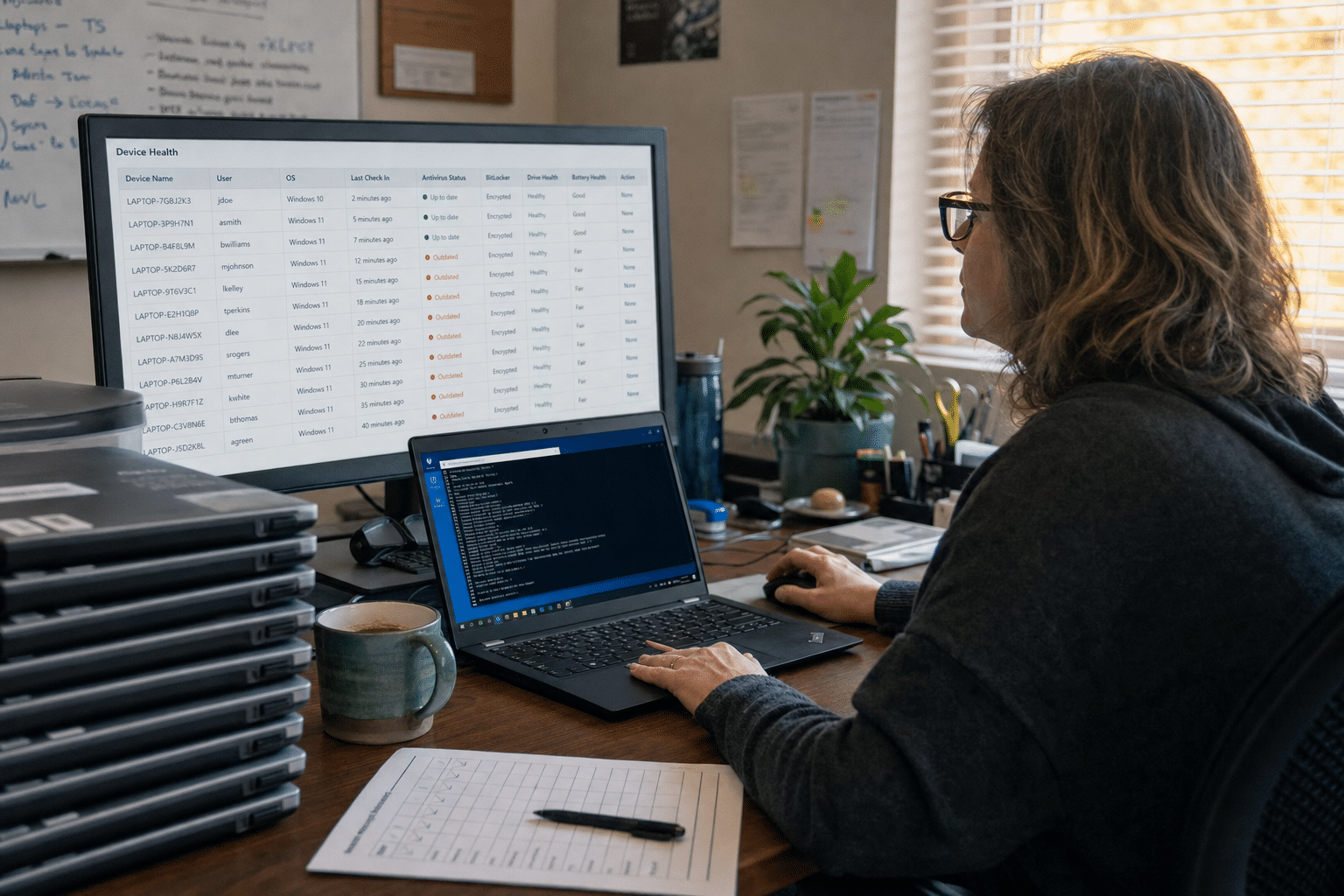
If your devices are enrolled in Microsoft Intune, the antivirus agent status and device health reports show the security intelligence version and last update time for each machine. The Defender portal offers similar views for onboarded devices.
Build a saved view or report filtered to devices whose signatures are more than 48 hours old. Review it daily, or better, alert on it.
PowerShell Checks for Unmanaged Machines
For machines outside Intune, the Get-MpComputerStatus command returns fields such as AntivirusSignatureLastUpdated and AntivirusSignatureAge. A scheduled script that collects those values and reports outliers covers servers and stragglers.
Some teams prefer not to run custom scripts. That is reasonable if every device is managed. In most SMBs we find a handful that are not, and those are exactly the machines that drift.
Setting a Sensible Threshold
A threshold of one to two days balances noise and risk. Laptops that were legitimately offline will appear, and that is useful in itself: a device that has been dark for a week deserves a check when it returns.
Servers and Virtual Desktops Need Their Own View
Servers and pooled virtual desktops deserve separate attention because they update differently. Many servers pull definitions through a WSUS server or a file share rather than straight from Microsoft, so a broken internal distribution point can leave every server stale at once. Non-persistent virtual desktops often revert to a golden image at logoff, which means each session may start with definitions as old as the image itself.
For servers, include the distribution point in your monitoring and alert if it stops receiving new packages. For virtual desktops, update the golden image on a schedule and confirm sessions pull current definitions within minutes of starting. These two groups are where we most often find fleet-wide drift, and neither shows up if you only look at staff laptops.
How to Detect the Technique Itself
Detecting BigDiskBuster directly relies on spotting its side effects: sudden disk exhaustion, repeated update failures and an unknown process writing very large files. Your network security monitoring and endpoint tooling can watch for all three.
Disk Space Telemetry
Alert when the system drive drops below a small free-space floor, especially if it recovers within minutes. Normal disk growth is gradual; this pattern is not.
Update Failure Events
Defender logs update failures in the Windows event log. Forward those events to your monitoring platform and alert on repeated failures from the same device within a day.
Process Behavior
A non-system process creating hidden multi-gigabyte files in temporary folders is unusual. EDR rules can flag it, and analysts can then investigate how the process arrived. Our managed security services team builds these detections for clients.
What to Do When You Find a Stale Endpoint
When you find a device with stale Defender signature updates, treat it as a possible compromise until you can explain the cause, because the most dangerous explanation is the one an attacker would choose. Most cases turn out to be benign, and the check is quick.
Triage Steps
Confirm network access to the update service, free disk space and any recent update errors. Force an update with Update-MpSignature and confirm the version changes. If the update fails again with no obvious cause, look for unknown background processes.
Escalation
If you find a process interfering with updates, isolate the device from the network and escalate. Our cyber incident containment team can help determine how the attacker got in and what else they touched.
Closing the Entry Points
Because this technique requires prior access, the durable fix is reducing the ways attackers get code onto machines in the first place: prompt patching, as our patch management guide explains, removal of local admin rights and application control. Our article on endpoint protection gaps that cost SMBs and our overview of next-generation antivirus cover the wider layers.
Frequently Asked Questions
What is BigDiskBuster?
BigDiskBuster is a proof-of-concept technique released in September 2026 that blocks Microsoft Defender platform and signature updates by filling the system drive at the moment an update starts. Defender keeps running, but its local detection content becomes outdated.
Can BigDiskBuster infect a computer on its own?
No. It must already be running on the device, so it follows an initial compromise. Its purpose is to keep defenses stale while an attacker operates.
How do I check Defender signature age?
Use Intune or Defender portal device reports, or run Get-MpComputerStatus in PowerShell and check AntivirusSignatureLastUpdated and AntivirusSignatureAge.
Is there a patch for BigDiskBuster?
At disclosure there was no patch, CVE or Microsoft advisory. Check Microsoft’s security guidance for updates, and rely on monitoring and layered protection in the meantime.
Does cloud-delivered protection help?
Yes. Cloud-delivered protection and behavior monitoring keep working when local signatures are stale, as long as the device can reach Microsoft’s cloud service. Make sure both are enabled and tamper protection is on.
Who Is Behind This Guidance
Mindcore Technologies manages Microsoft Defender, Intune and endpoint detection for small and midsize businesses, and our security operations team monitors device health across those fleets daily. This article reflects the checks we run for clients and the incidents where a quiet update failure turned out to matter. You decide how your devices are managed; our role is to make sure you can see when protection drifts and to act quickly when it does. Mindcore is led by CEO Matt Rosenthal, who focuses on helping growing companies run security as a measured, daily discipline.
Catch Stale Endpoints With a Free Strategy Call
Defender signature updates can fail silently, and BigDiskBuster shows an attacker can make that happen on purpose while the antivirus icon stays green. Measure signature age across every device, alert on update failures and sudden disk exhaustion, keep cloud-delivered protection and tamper protection on, and treat any unexplained stale endpoint as a possible compromise. Then close the entry points that would let such a tool run at all. If you want a fleet-wide review of your Defender health or help building these alerts, book a free strategy call with our security team. We will show you exactly where protection has drifted and how to keep it current.