

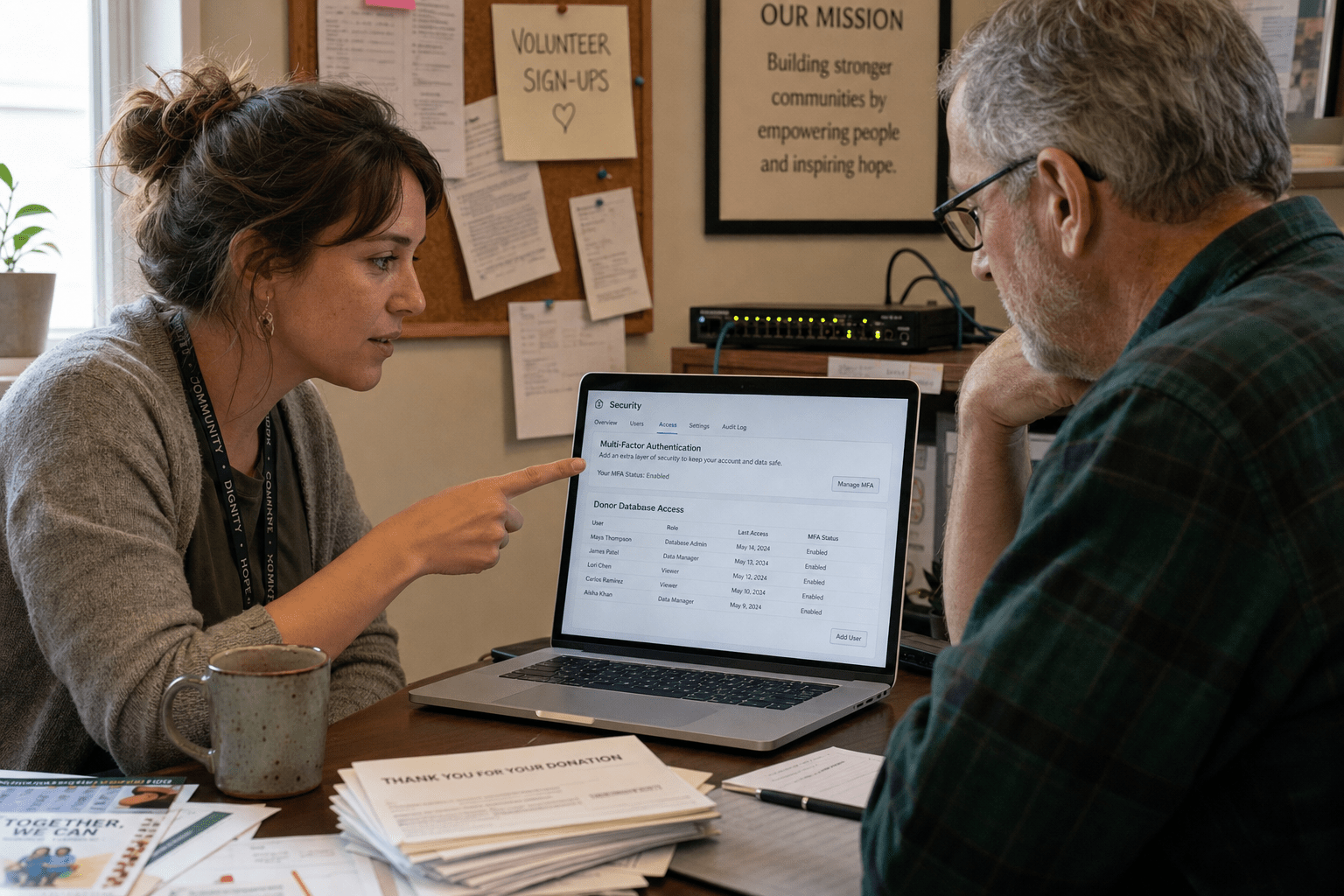
Network security for nonprofits does not start with a bigger budget. It starts with protecting the two things attackers actually want: your donor records and your email. Most of the controls that stop a breach at a small nonprofit cost little or nothing, because the biggest wins come from multi-factor authentication, tighter access for volunteers, and a tested backup, not from expensive appliances. We have secured networks for grant-funded organizations for years, and the pattern holds. The nonprofits that get breached rarely lacked money. They lacked a sequence. This guide walks the order we use, from the free controls that block the common attacks to the donated and discounted tools that harden everything else.
The 5 Principles Behind Nonprofit Network Security
Network security for nonprofits works best when you accept the constraints instead of fighting them. You run on grants, your staff wears three hats each, and half the people touching your network are volunteers on their own laptops. The organizations that stay safe treat those facts as the design, not the excuse. These five principles guide every decision below.
- Donor data is the target. Attackers want donor names, contact details, and payment history because that data has resale and fraud value. Protect the systems that hold it first.
- Free controls beat expensive ones you skip. Multi-factor authentication and staff training stop more attacks than any single purchase, and both cost close to nothing to turn on.
- Volunteers are part of the network. Every personal device that logs into your email or donor platform is an entry point. Access has to be scoped and removable.
- Grant and donated tooling fill the gaps. Programs like TechSoup put enterprise security tools within reach of a small budget, so the question is which to claim, not whether you can afford them.
- The board needs a plain-language picture. Security only gets funded when leadership can see the risk. A short, non-technical report keeps it on the agenda.
Why Nonprofits Are Prime Targets for Network Attacks
Network Security for Nonprofits is essential because these organizations often hold valuable donor data while operating with limited security resources. A donor database carries names, emails, home addresses, and often payment history, which is exactly the record attackers monetize. The federal CISA cross-sector cybersecurity performance goals treat this kind of sensitive record as a priority to protect regardless of organization size. The problem is that most nonprofits protect it with a fraction of the staff a business would assign, so the gap between the value of the data and the strength of the defense is wide.
Do Attackers Really Target Small Nonprofits?
Yes, small nonprofits get hit, though not always the way people expect. One view says attackers chase big targets and ignore a local charity, and there is truth in it for a manual, hand-picked attack. The opposite view is closer to reality for the automated attacks that make up most of the threat: phishing and credential-stuffing campaigns spray thousands of addresses at once and do not check your revenue first. A small nonprofit with a weak email password gets swept up in the same net as everyone else. Both things are true. You are unlikely to be singled out, and you are very likely to be caught in a wide net, which is why the baseline controls matter more than defenses against a targeted adversary.
What Data Are Nonprofits Actually Protecting?
Nonprofits are protecting donor personal information above all, and mishandling it carries both legal and reputational cost. Donor records usually count as personally identifiable information, and when payment details are involved, payment-card rules apply the same way they would to a retailer. Some argue a mission-driven organization faces less scrutiny than a corporation, and regulators do weigh intent. The other side is that a donor who learns their information leaked does not care about your mission when they decide whether to give again. The practical answer is to map where donor data lives, usually a fundraising or CRM platform plus email, and concentrate your strongest controls there rather than spreading thin effort across every system equally.
How Does Limited Staffing Change the Risk?
Limited staffing raises risk because security tasks fall to people whose real job is something else, and things slip. A development director managing the donor platform is not going to spot a suspicious login the way a security analyst would. One reading says outsourcing solves this outright. Another says a small team that knows the organization intimately can move faster than any outside vendor. Neither is fully right. The workable model for most nonprofits is a small internal owner paired with outside monitoring, so routine alerts get watched without adding a full-time hire. Our managed security services exist for exactly this staffing shape, where the organization keeps ownership and we cover the hours nobody has.
How to Build Network Security for Nonprofits on a Limited Budget
Building network security for nonprofits on a limited budget means sequencing free controls first, then layering donated and discounted tools where they close a real gap. The order matters because the cheapest controls also block the most common attacks. Turn on multi-factor authentication across email and your donor platform before you price a single product, since stolen passwords drive most nonprofit breaches and MFA stops the reuse of a leaked one. The NIST Cybersecurity Framework organizes this work into identify, protect, detect, respond, and recover, which is a useful checklist for a small team deciding what to do next without buying anything at all.
Which Free Controls Should Come First?
The free controls that come first are multi-factor authentication, staff phishing awareness, and a tested backup, because together they cover the three ways nonprofits most often get hurt. MFA on email and the donor CRM neutralizes stolen passwords. Phishing awareness cuts the click that starts most incidents, and our security awareness training is built to run in short sessions a volunteer-heavy team can actually finish. A tested backup means a ransomware hit becomes a restore, not a ransom payment. Some argue training is soft and money should go to technology. The counterpoint is that a trained staffer who does not click is cheaper and more reliable than any tool cleaning up after the click. Both technology and training matter, but at zero cost, the human controls come first.
Where Do TechSoup and Grant-Funded Tools Fit?
TechSoup and grant-funded programs fit right after the free controls, because they put enterprise-grade tools within a nonprofit budget once the basics are in place. TechSoup offers most registered nonprofits heavily discounted or donated access to security software, from endpoint protection to email filtering, that a small organization could not otherwise justify. The skeptical view is that donated tools sit unused because nobody configures them, and that happens often. The other side is that a claimed and properly deployed tool delivers commercial protection for a token cost. The deciding factor is deployment, not eligibility, so claim the tools you will actually turn on and configure, rather than stockpiling licenses that never leave the shelf.
How Do You Handle Volunteer and Personal Devices?
Network Security for Nonprofits should tightly scope access for volunteer and personal devices while making that access easy to revoke when roles change. Volunteers arrive, help for a season, and leave, and each one may use a personal laptop or phone to reach your systems. One approach locks everything to organization-owned devices, which is clean but rarely affordable for a nonprofit. The realistic approach grants volunteers access only to the specific systems they need, through accounts you can disable the day they leave, rather than shared logins nobody can trace. Pairing that with basic network security monitoring means an unusual login from a dormant volunteer account gets flagged before it becomes an incident.
The Access Controls Every Nonprofit Network Needs
Effective Network Security for Nonprofits requires strong authentication, least-privilege access, and clear visibility into who accesses donor data. Strong authentication means MFA everywhere it is offered, starting with email, because a compromised inbox is the launchpad for wire fraud and donor phishing. Least privilege means each person reaches only the systems their role requires, so a volunteer coordinator cannot export the full donor financial history. Visibility means you can answer, after the fact, who accessed a record and when. A periodic review closes the loop, and our cyber security audits give a small board the plain-language picture it needs to fund the next step. For organizations ready to go further on limited hours, AI-enhanced security watches for the anomalies a part-time human owner would miss.
Frequently Asked Questions
How much does network security for nonprofits cost?
Network security for nonprofits can start at almost nothing because the highest-impact controls, multi-factor authentication and staff training, are free to turn on. Costs rise only as you add donated or discounted tools through programs like TechSoup and optional outside monitoring. Most small nonprofits build a solid baseline for far less than the price of a single breach.
What is the most important security step for a nonprofit?
The most important step is enabling multi-factor authentication on email and your donor platform. Stolen passwords drive the majority of nonprofit breaches, and MFA makes a leaked password nearly useless on its own. It costs nothing to activate and blocks the most common attack against a small organization.
How do nonprofits protect donor data specifically?
Nonprofits protect donor data by concentrating their strongest controls on the systems that hold it, usually a fundraising CRM and email. That means MFA on those accounts, access limited to staff who genuinely need donor records, and a tested backup so the data can be restored after an incident. Mapping where donor data lives is the first move.
Can volunteers be a security risk?
Volunteers can be a risk when they reach systems through personal devices and shared logins that nobody can trace or revoke. The fix is scoped access through individual accounts you can disable the moment someone leaves. That keeps the convenience volunteers need without leaving an open door behind them.
Do small nonprofits really get targeted by hackers?
Small nonprofits are rarely singled out by hand but are very often caught in automated phishing and credential-stuffing campaigns that do not check an organization’s size or revenue. A weak email password puts a local charity in the same net as a large enterprise. Baseline controls matter more than defenses against a targeted attacker.
Protect Your Donors Before an Attacker Finds the Gap
Network security for nonprofits is a sequencing problem, not a spending problem, and the organizations that stay safe prove it every day on modest budgets. Start with the free controls that block the common attacks, multi-factor authentication, staff awareness, and a tested backup, then claim the donated and discounted tools that harden the rest, and scope volunteer access so a departing helper does not leave a door open. Concentrate all of it on the donor data attackers actually want, and give your board a plain-language picture so the work stays funded. The nonprofits that get breached did not lack money. They lacked the order. If you want a clear read on where your gaps are and which free controls to turn on first, book a free strategy call and our team will map your donor data, your volunteer access, and the exact next step for your budget.

