

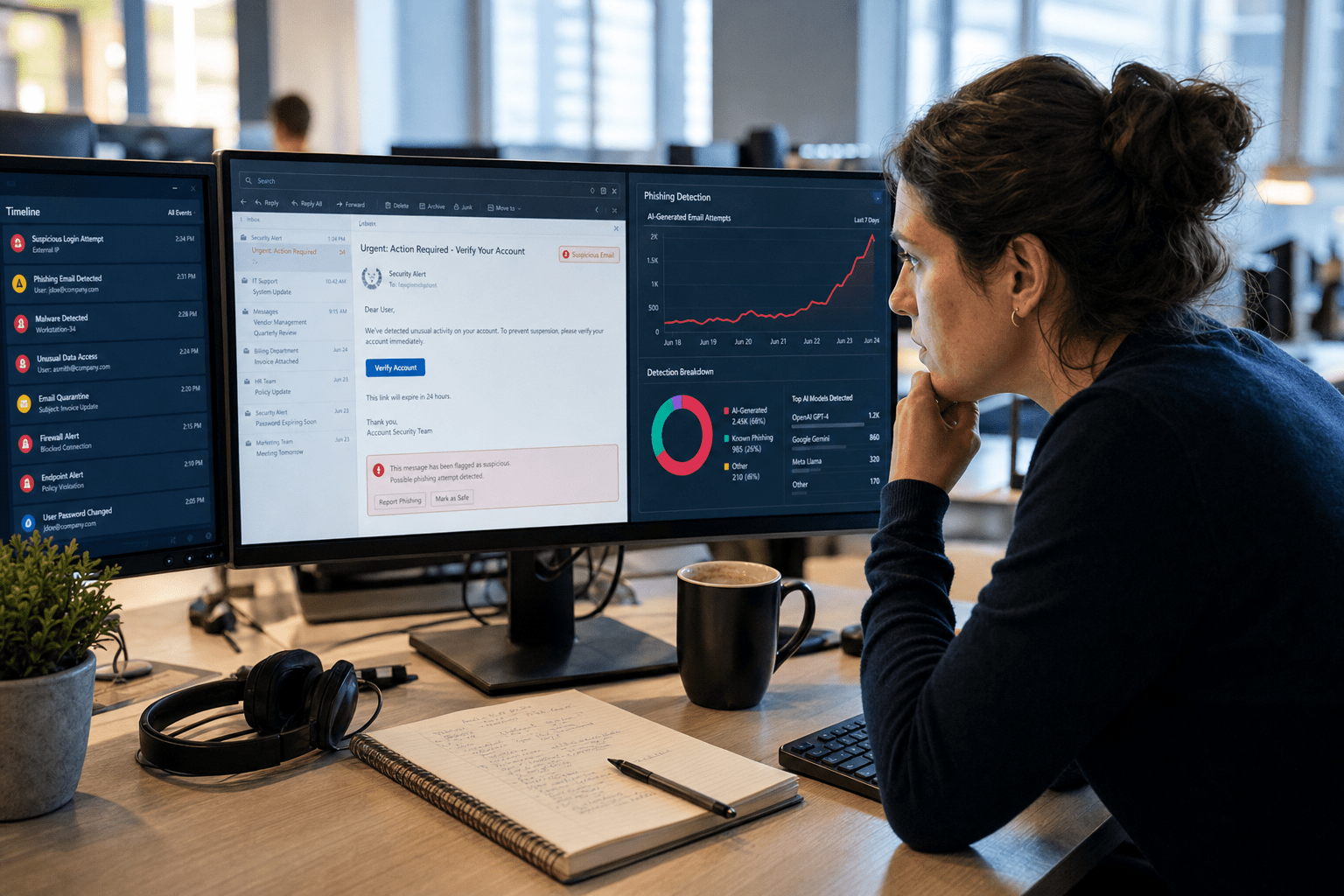
AI-generated phishing is the use of generative models to write, voice, and personalize scam messages that read like real business communication. In 2026 it hits small businesses in six main ways: flawless personalized emails, cloned voices on the phone, plain-text messages with no link to flag, fake profiles and deepfake video, hijacked reply chains, and sheer volume that overwhelms a small team. The old advice to watch for typos and odd greetings no longer works, because the machine writes cleaner than most of your staff. The fix is not a sharper eye. It is verifying requests through a second channel and hardening the accounts sitting behind them. Here are the six threats and how to close each one.
Why AI-Generated Phishing Is Different This Year
For a decade we told clients to spot phishing by the tells: broken English, a stranger’s name, a generic “Dear Customer.” Generative AI erased all three. I have watched a simulated attack write a follow-up email that referenced a real invoice number, matched the finance manager’s writing style, and landed the morning a payment was actually due. Nothing about it looked wrong, because a language model had studied the tone and timed the ask.
The numbers back up what we see in the field. Industry researchers now estimate that the large majority of phishing emails are drafted with AI in some form, and a rising share of business email compromise uses generative tools to personalize the lure. Losses from phishing have climbed sharply year over year, and roughly eight in ten of these attacks aim at small and mid-sized businesses rather than large enterprises, because SMBs hold real money and real data behind thin defenses. This is the same shift we broke down in our overview of how AI is changing the cybersecurity threat landscape.
Here are the five ideas this article keeps coming back to:
- The message will look perfect, so stop training people to spot fakes and start training them to verify requests.
- A second channel, a phone call or a walk to a desk, beats any filter for confirming money or access.
- Multi-factor authentication blocks most account takeovers even when a lure succeeds.
- Voice, video, and plain text are now attack surfaces, not just email.
- Volume is a defense problem, so automation and monitoring have to carry the load, not headcount.
Threat 1: Flawless, Personalized Emails at Scale
The first threat is the email that reads like it came from a colleague. Attackers feed a model public details from your website, LinkedIn, and past data leaks, then generate a message that names a real project, matches internal tone, and arrives at the right moment. There is no grammar mistake to catch and no awkward phrasing to flag.
The defense is a verification rule, not a sharper reader. Any request that moves money, changes banking details, or grants access has to be confirmed through a separate channel the sender did not choose. If the email asks to update a vendor’s account, someone calls the vendor on a known number, not the number in the email. Write that rule down and make it non-negotiable for finance and leadership. Our team drills exactly this reflex in security awareness training, because the habit of pausing to verify is what actually stops the loss. For a plain-language primer to share with staff, our guide on how to spot a phishing email before it is too late still helps, as long as everyone understands the new tells are behavioral, not typographical.
Threat 2: Voice Clones and Vishing Calls
The second threat moved from the inbox to the phone. With a short clip of someone speaking, pulled from a webinar, a voicemail, or a social video, a model can clone the voice well enough to fool a rushed employee. A cloned executive calls the controller, asks for an urgent transfer, and the panic does the rest. Voice phishing now touches a meaningful share of organizations, and small teams are easy marks because everyone knows everyone and trust is assumed.
Defend with a callback policy and a shared code word. No money moves on a voice instruction alone, no matter whose voice it is. The employee hangs up and calls back on the number already in the directory, or asks for a pre-agreed passphrase that a cloned voice would not know. It feels awkward to question the boss, so leadership has to give explicit permission to do it, out loud, in advance. That single cultural change defuses most voice-clone attacks before they reach the bank.
Threat 3: Plain-Text Lures With No Link to Flag
The third threat is built to slip past your email filter by carrying nothing technical to detect. A growing share of AI-generated attacks contain no link and no attachment. They are short, polite messages that ask an employee to “confirm the updated banking details” or “reply with your cell number so I can text you.” There is no malicious payload for a scanner to quarantine, so the message lands clean in the inbox.
Because filters cannot see intent, the human process has to own this one. Treat any unexpected request for account changes, contact details, or credentials as suspect until verified, even when the message looks internal and harmless. This is where a single click or reply cascades into a full compromise, a chain we walked through in how one phishing click causes a data breach. Pair the human rule with layered defenses through managed security services so that even a lure that reaches an inbox meets monitoring behind it.
Threat 4: Fake Profiles and Deepfake Video
The fourth threat targets trust itself. Attackers use generative tools to spin up convincing fake profiles, forged supplier identities, and even deepfake video on a call, so the person you think you are dealing with does not exist. A “new account manager” emails from a lookalike domain, connects on LinkedIn, and builds a week of rapport before the ask ever comes. We covered how these synthetic identities get built in our breakdown of AI-generated fake profiles and content in cybercrime.
The counter is to anchor trust to verified channels, not to a face or a name. New vendors and new contacts get validated against records you already hold, and high-stakes video calls for payments or contracts get a second confirmation in writing through an established address. Keep a simple reference of the social-engineering patterns your staff will see, like the ones in our spear phishing resource, so the fake feels familiar the moment it appears.
Threat 5: Hijacked Reply Chains
The fifth threat hides inside conversations you already trust. When an attacker gains access to one mailbox, generative AI lets them read the history and insert a reply that matches the thread’s tone, subject, and timing. Because it comes from a real address inside a real conversation, it sails past both filters and instinct. This is one of the most effective modern lures precisely because there is no new sender to question.
The structural defense is to protect the mailbox so it cannot be hijacked in the first place. Multi-factor authentication on every account blocks the majority of takeovers even when a password leaks. Beyond that, behavior monitoring that flags a mailbox suddenly sending unusual replies gives you a chance to catch a compromise early. Tools that apply AI-enhanced security are useful here, since spotting a machine-written intrusion increasingly takes machine-speed detection.
Threat 6: Volume That Overwhelms a Small Team
The sixth threat is scale. What once took an attacker an hour to research and write now takes seconds, so a small business can face more targeted attempts in a week than it used to see in a year. For a team of ten with no dedicated security staff, the sheer count is the danger. One tired click on the hundredth well-crafted message is all it takes, and the odds stack up as volume climbs.
You cannot out-hire this problem, so the load has to shift to automation and monitoring. Managed detection watches accounts and endpoints around the clock, filtering and flagging so your people only handle what genuinely needs a human. This is the same defense-in-depth logic behind stopping AI-written malware, which we covered in how to defend against AI-generated threats. For the underlying mechanics of how these campaigns work at scale, our phishing attacks resource is a useful reference to keep on hand.
How Small Businesses Defend Against AI-Generated Phishing
Defense in 2026 comes down to four moves, and none of them require a large check. First, turn on multi-factor authentication everywhere, because it blocks most account takeovers even after a lure works. Second, write a second-channel verification rule for any money movement, banking change, or access grant, and give staff explicit permission to use it on anyone. Third, run short, regular awareness training built on the new reality that messages look perfect, so verification, not detection, is the skill. Fourth, put monitoring behind the inbox so the attacks that get through still meet a defense. Start with the two free moves this week, multi-factor authentication and the verification rule, then layer the rest against your real risk.
Frequently Asked Questions
What is AI-generated phishing?
AI-generated phishing is the use of generative models to write, voice, or personalize scam messages so they closely mimic real business communication. Attackers feed the model public details about a company and its people, then produce emails, texts, or even cloned voice calls that reference real projects and match internal tone, which removes the grammar and formatting mistakes people were trained to spot.
Why are small businesses targeted by AI phishing attacks?
Small businesses are targeted because they hold real money and sensitive data while running on thin defenses and no dedicated security staff. Roughly eight in ten AI-driven phishing attacks aim at small and mid-sized organizations, since automation lets attackers hit thousands of easier targets cheaply rather than fighting through enterprise defenses.
How can I tell if an email is AI-generated phishing?
You often cannot tell from the writing anymore, which is the core problem, so stop relying on typos or odd greetings. Judge the request instead of the wording: any unexpected message that asks to move money, change banking details, share credentials, or grant access should be verified through a separate channel before you act, regardless of how legitimate it looks.
Does multi-factor authentication stop AI phishing?
Multi-factor authentication does not stop the message from arriving, but it blocks the most damaging outcome, which is account takeover after a password is stolen or entered on a fake page. It is free on Microsoft 365 and Google Workspace and stops the majority of takeovers, so it is the single highest-value control a small business can turn on this week.
What should a small business do first to defend against AI-generated phishing?
Turn on multi-factor authentication for every account and write a second-channel verification rule for money and access requests, since both are free and block the most common losses. After that, add regular staff awareness training focused on verifying requests and put monitoring behind the inbox so attacks that slip through still meet a defense.
Stop Judging the Message, Start Verifying the Request
AI-generated phishing wins by looking exactly like the real thing, so the defense can no longer depend on a sharp eye catching a mistake. The six threats above, perfect emails, voice clones, no-link lures, fake identities, hijacked threads, and raw volume, all fail against the same discipline: verify money and access through a second channel, harden the accounts behind the inbox, and let automation carry the volume your team cannot. The businesses that get hit are rarely the ones that lacked a tool. They are the ones that never made verification a rule or turned on the second lock. If you want a second set of eyes on where AI phishing could reach you, our team offers a free strategy call to map your gaps and prioritize the fixes that matter, through our managed cybersecurity services.

