

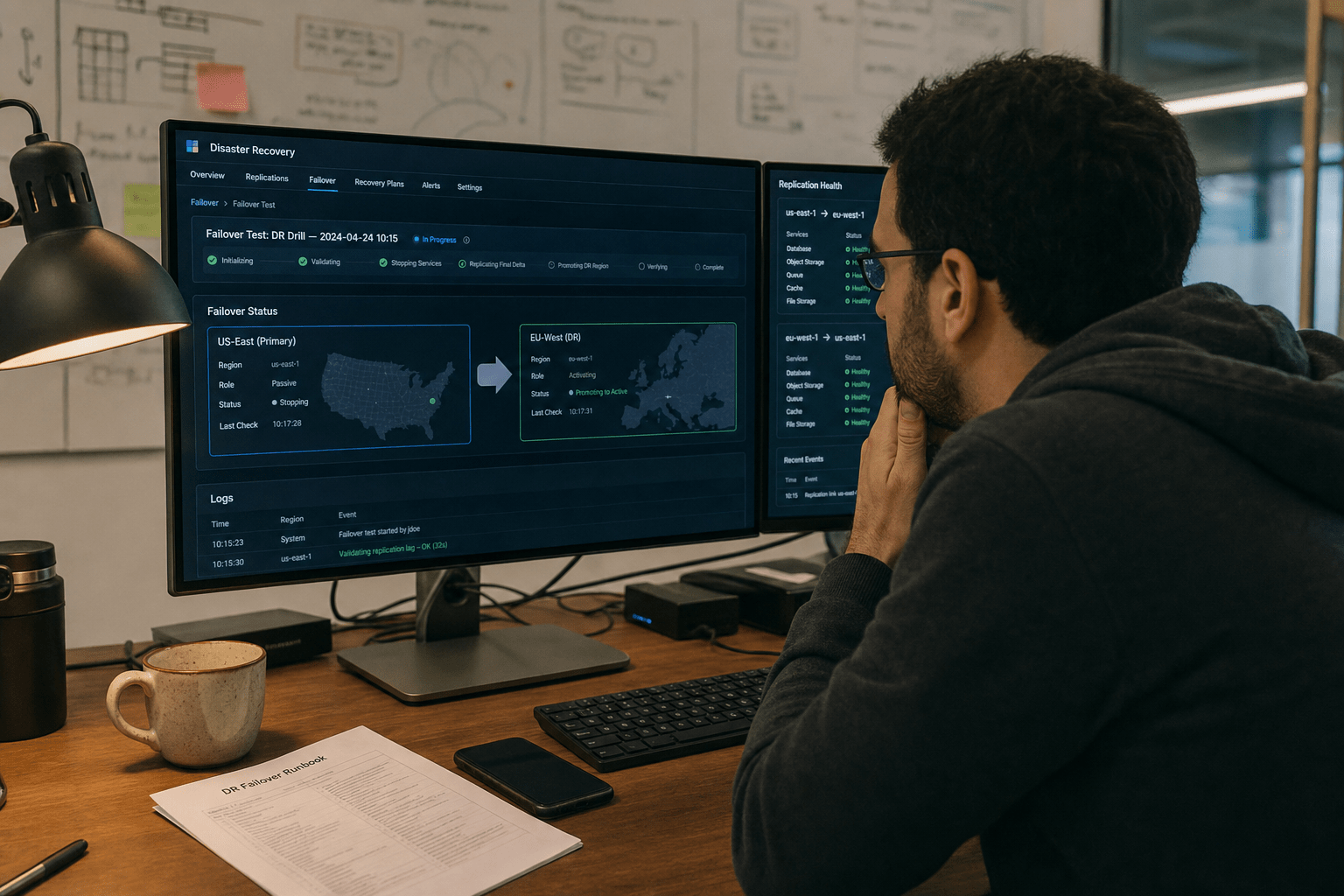
Understanding a Disaster Recovery Plan for Cloud Services helps businesses leverage cloud solutions to replace expensive standby infrastructure with on-demand capacity, replication, and managed recovery services. Traditional disaster recovery meant building and maintaining a second data center that sat unused, an expensive insurance policy you hoped never to trigger. Cloud changed the economics. Now you replicate data to cloud storage continuously, keep recovery infrastructure minimal until disaster strikes, and scale up full capacity in minutes when you fail over. The standby that once drained budget while idle costs almost nothing until the moment you actually need it. For growing companies, this shift put enterprise-grade recovery within reach for the first time.
The Five Ways Cloud Strengthens Recovery
If you are planning disaster recovery for a 50 to 500 person company, these points matter most:
- Cloud turns recovery from a capital expense into an operating cost, paying for full capacity only during an actual failover.
- Continuous replication to the cloud shrinks data loss, pushing your recovery point objective toward minutes instead of a day.
- Disaster recovery as a service hands the complexity to a provider who orchestrates the failover for you.
- Geographic distribution across cloud regions protects you from a disaster that takes out a whole area.
- Cloud recovery still needs a plan and regular testing, because the technology enables recovery but does not guarantee it.
Why Traditional Disaster Recovery Priced Out Most Companies
Traditional disaster recovery priced out most small and mid-sized companies because it demanded a second site that cost real money while delivering nothing day to day. You bought duplicate hardware, paid for the space and power to run it, and staffed it, all for a facility that ideally never got used. The U.S. government’s continuity planning guidance frames recovery capacity as a core requirement, but for years that requirement carried a price only large enterprises could justify. Smaller companies often went without, gambling that disaster would not strike.
Our team has worked with companies that carried exactly that gamble for years, knowing their recovery plan was a hope rather than a capability. Moving recovery to the cloud changed the conversation entirely. Instead of a duplicate data center, they replicate to cloud storage for a modest monthly fee and keep only minimal infrastructure running until needed. When we run a failover test, the recovery environment scales up, takes over, and then scales back down, with the full cost incurred only during the test or a real event. That pay-for-what-you-use model is what finally made real recovery affordable for them. We detail this approach in our overview of cloud disaster recovery services for business continuity.
Replication Shrinks Your Data Loss
Implementing a Disaster Recovery Plan for Cloud Services ensures continuous replication of data offsite, minimizing potential data loss and improving recovery objectives. Rather than a nightly backup that risks losing a full day of work, replication keeps a near-current copy ready in the cloud. Amazon’s disaster recovery options whitepaper describes a spectrum from simple backup to continuous replication. A view that favors continuous replication everywhere overlooks its cost. A view that sticks with periodic backup overlooks the data loss it accepts. The grounded approach matches the method to each workload, using continuous replication for systems that cannot lose recent data and scheduled backup for those that can.
DRaaS Hands Off the Complexity
A Disaster Recovery Plan for Cloud Services can include DRaaS, allowing a provider to manage the recovery environment and failover, reducing the operational burden on your internal team. The provider handles replication, the standby infrastructure, and the runbook that brings systems back during a crisis. The case for DRaaS is strong for companies without deep recovery expertise, which is most small companies. The counterargument is dependence on a third party and the need to verify their performance. Holding both, DRaaS makes sense when recovery expertise is scarce in-house, provided you test the service regularly and confirm it meets your targets rather than trusting it blindly. Our disaster recovery service is built on this model.
Geographic Distribution Survives Regional Disasters
Planning a Disaster Recovery Plan for Cloud Services involves distributing recovery infrastructure across multiple regions, ensuring business continuity even in regional disasters. A flood, storm, or extended power loss that disables your local area leaves a recovery copy in a distant region untouched. Traditional recovery struggled with this, since a second site close enough to manage was often close enough to share the same disaster. One view treats geographic distance as always better. The reality adds nuance: greater distance improves protection but can add latency and, in some industries, raise data residency questions. The balanced approach picks a recovery region far enough to be independent yet compliant with any residency rules your business faces.

How to Plan Cloud Disaster Recovery Well
You plan cloud disaster recovery well by setting recovery targets from the business, choosing the right recovery method per workload, and testing the plan regularly, because cloud enables recovery but does not guarantee it.
Set Recovery Targets From the Business
Recovery targets, your RTO for downtime and RPO for data loss, should come from what the business can tolerate, not from what the cloud defaults to. Map each critical system to how fast it must return and how much data it can lose, then design the cloud recovery method to meet those numbers. A customer-facing system may need near-instant failover, while an internal tool can tolerate a slower restore. Setting targets from the business is what keeps cloud recovery from either overspending on speed nothing needs or underdelivering on systems that matter. This step links recovery to your wider continuity plan.
Choose the Right Recovery Method per Workload
Cloud disaster recovery spans several methods, from simple backup and restore to a warm standby to a fully active setup running in two regions at once, and the right one varies by workload. Backup and restore is cheapest and slowest. A warm standby keeps minimal infrastructure ready for faster failover. An active setup gives near-instant recovery at the highest cost. Choosing one method for everything overspends on low-stakes systems or underprotects critical ones. Tiering the method to each workload’s targets is how a single budget protects what matters, the same discipline that governs our business continuity and disaster recovery program.
Test the Recovery Plan Regularly
Regularly testing a Disaster Recovery Plan for Cloud Services ensures that cloud recovery infrastructure functions correctly during an actual disaster, validating your continuity strategy. Run failover tests that bring systems up in the cloud and confirm they work within their targets. Each test reveals gaps, a misconfiguration, a dependency you missed, a process that takes too long, while there is time to fix them. Cloud makes testing easier and cheaper than it ever was with physical sites, since you spin up the recovery environment, validate it, and shut it down. Companies that test walk into incidents confident. Companies that do not discover the gaps at the worst possible moment.
Frequently Asked Questions
What is cloud disaster recovery?
Cloud disaster recovery is the practice of replicating data and recovery infrastructure to the cloud so a business can restore operations after a disruption. It replaces the costly idle standby site of traditional recovery with on-demand capacity you pay for mainly during a failover. This makes enterprise-grade recovery affordable for smaller companies.
Is cloud disaster recovery cheaper than a second data center?
Cloud disaster recovery is usually far cheaper than a second data center, because you pay for full recovery capacity mainly when you actually fail over rather than maintaining idle hardware year-round. You replicate data for a modest fee and scale up infrastructure only during a test or a real event. This pay-as-you-go model is what made recovery affordable for smaller companies.
What is DRaaS?
DRaaS, or disaster recovery as a service, is a model where a provider hosts your recovery environment and orchestrates the failover during a disaster. It hands the complexity of replication, standby infrastructure, and recovery runbooks to a specialist. DRaaS suits companies that lack deep in-house recovery expertise, provided the service is tested regularly.
Does using the cloud guarantee my data is recoverable?
No, using the cloud does not guarantee recovery, because the technology enables recovery but a plan and regular testing make it real. Cloud replication and DRaaS provide the capability, yet an untested plan can still fail on a misconfiguration or missed dependency. Regular failover testing is what turns cloud recovery from a hope into a guarantee.
Talk to a Cloud Architect About Recovery That Fits Your Budget
Cloud services rewrote the economics of disaster recovery, turning a capital expense most companies could not justify into an operating cost they pay mainly when they need it. Replication shrinks your data loss, geographic distribution survives regional disasters, and managed recovery hands the complexity to a specialist. None of it matters, though, without recovery targets drawn from the business and a plan tested often enough to trust. Our team builds cloud disaster recovery for growing companies by matching the recovery method to each workload, sizing it to real targets, and testing failover until the plan holds. If your current recovery plan is more hope than capability, book a free strategy call with a Mindcore cloud architect.
Cloud Disaster Recovery and Business Continuity Expertise from Matt Rosenthal
Matt Rosenthal, CEO of Mindcore Technologies, has over 30 years of experience helping SMBs replace the unaffordable idle standby site of traditional disaster recovery with cloud-based replication and managed recovery services that deliver enterprise-grade protection at a fraction of the cost. He has seen firsthand how companies carrying recovery plans built on hope rather than tested capability discover mid-crisis that a misconfiguration, a missed dependency, or a restore process that runs twice the expected time makes the plan useless when it matters most. Matt leads a team that sets recovery targets from the business, tiers the cloud recovery method to each workload’s actual tolerance, and runs regular failover tests so the plan is a confirmed capability rather than a documented assumption.

