

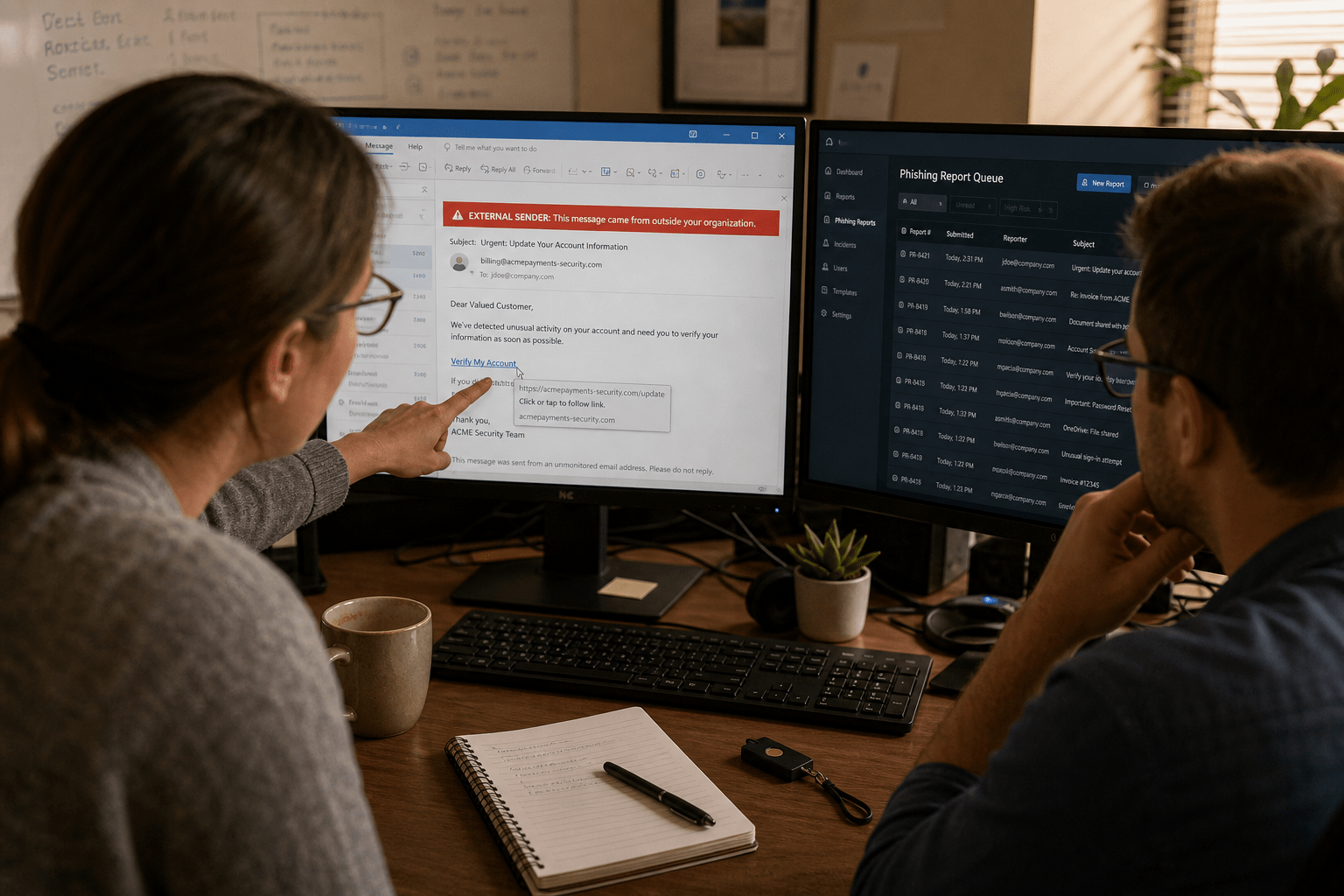
A working phishing defense guide for a small business comes down to five moves: cut the value of a stolen password with phishing-resistant multi-factor authentication, extend monitoring past email into the chat and file-sharing tools your staff actually live in, train for reporting speed rather than for a passing grade, write the first fifteen minutes of your response down before you need it, and measure report-rate instead of click-rate. Most programs we inherit have bought tools for the first item and skipped the other four. That is why the same firms keep getting hit after spending real money on filtering.
Five Things This Guide Assumes About Your Situation
We wrote this for owners, office managers, and IT leads at firms between roughly 10 and 500 people, where nobody’s full-time job is security and the budget has to earn its place. Five things shape every recommendation below:
- You already have a mail filter, and it is not enough. Filtering catches the volume. It does not catch the one message written by hand for your controller.
- Your attack surface is no longer just the inbox. A message in Microsoft Teams, a SharePoint share notification, or a calendar invite reaches your staff without passing the gateway your budget went to.
- Your people are not the weak link, they are the sensor. Staff who report fast are the fastest detection you own. Staff who feel graded stay quiet.
- The cost of a phishing incident is set by the clock, not the click. Ninety seconds to a report and four hours to a report are different incidents with different price tags.
- You need sequence, not a shopping list. Two of the five fixes below cost nothing but a decision and an afternoon.
Why a Phishing Defense Guide Built on Filtering Alone Falls Short
A phishing defense guide that stops at email security is measuring a shrinking share of the ground attackers actually use. Gateways inspect mail flow. They do not sit inside your collaboration tenant, so a malicious link delivered through a chat message or a document-share alert arrives with your platform’s own branding around it and none of your inspection in front of it.
Does the inbox still matter most?
Email is still the highest-volume delivery channel, and any honest reading of the field says so. Business email compromise remains the attack with the worst dollar-per-incident record we see, and it usually arrives as plain text with no attachment and no link at all, which is precisely why filtering struggles with it. The counter-argument deserves air: if you only have money for one control, spend it on mail. Volume matters, and authentication records like SPF, DKIM, and DMARC stop a whole class of domain spoofing for the cost of some DNS work.
Where that argument breaks down is in what it teaches your staff. A team trained to be suspicious of email and nothing else learns that a message inside a trusted application is safe by definition. We have watched that assumption cost people their credentials in under a minute. The honest position is that mail is where the volume is and collaboration is where the trust is, and attackers go after trust.
How do attackers get inside trusted platforms?
They rarely break in. They log in. A single set of harvested credentials from a partner, a vendor, or one of your own staff turns into a legitimate account sending legitimate-looking messages to everyone in the directory. That is the pattern behind the Microsoft Teams phishing attacks we keep responding to, and it is why external-sender warnings help less than people expect: the sender is not external.
There is a reasonable position on the other side. Platform vendors have added meaningful protection, and external-access controls in Microsoft 365 genuinely reduce the surface if someone turns them on. The gap we find on assessment is almost never that the control does not exist. It is that the default was never changed, and nobody owns checking.
What does an attacker do with sixty seconds of access?
Enough to matter. Mailbox rules that hide replies, a forwarding rule to an outside address, an OAuth consent grant that survives a password reset, and a fresh set of messages to your finance contacts. Knowing the mechanics of how phishing attacks work changes how you think about response time, because most of the damage is configuration that outlives the stolen password.
The opposing view holds that credential theft alone is not a breach, and technically that is true. Plenty of stolen passwords go nowhere. We do not plan around that, because the difference between a nothing-event and a reportable incident is whether anyone noticed in time, and noticing is a process you either built or did not.
What Belongs in a Phishing Defense Guide That Actually Holds
A phishing defense guide worth following orders its controls by how much risk each one removes per dollar, and phishing-resistant authentication wins that comparison every time. The five fixes below are sequenced deliberately. Work them in order.
Fix 1: Make a stolen password worth less
Turn on multi-factor authentication everywhere, then go one step further and move your privileged accounts off push notifications. MFA fatigue attacks work by firing approval prompts at a tired person until one gets tapped, and prompt-bombing beats push approval reliably enough that we treat push as a transitional control. Number-matching helps. FIDO2 security keys or passkeys help more, because there is nothing to approve and nothing to read aloud to a caller.
Start with the accounts that can move money or change configuration: finance, owners, and anyone with administrative rights in your tenant. That is usually under a dozen people, which makes hardware keys affordable in a way full-company rollout is not.
Fix 2: Watch the tools your staff actually use
Extend detection past mail into chat, file sharing, and identity. Practically, that means alerting on the events that follow a successful phish rather than trying to catch the message: a new inbox forwarding rule, an impossible-travel sign-in, a fresh OAuth grant, a mass file-share from an account that has never done one. Those signals are available in Microsoft 365 today and go unread at most firms we assess because nobody is assigned to read them.
Turn off unrestricted external chat access if your business does not need it. Where you do need it, keep the warning banners on and make sure guest access expires on a schedule instead of living forever.
Fix 3: Train for reporting speed, not for a passing grade
Awareness training has a reputation problem because it has usually been run as an annual video and a compliance checkbox. Effective security awareness training is short, frequent, and built around one behavior: report it, fast, with no penalty for being wrong. Teach the tells that survive contact with a good attacker, mainly urgency plus authority plus an unusual channel, and give people a one-click reporting button so the path of least resistance is the right one.
A quick way to see whether your training took: ask three staff what they would do at 4:55 PM on a Friday with a payment-change request from someone claiming to be a partner. If the answers differ, the training is decorative. Our walkthrough on how to spot a phishing email before it is too late covers the tells we teach.
Fix 4: Write the first fifteen minutes down
Most firms have a plan for a fire and nothing for a click. Put four steps on one page and post it where staff can find it: who to tell, how to reach that person after hours, revoke the session and reset the password, then check for rules and grants the attacker left behind. Naming a decision-maker matters more than the technical detail, because the delay we measure in real incidents is almost always people waiting for permission.
If you want the unvarnished version of why that page pays for itself, read what happens when one phishing click causes a data breach. When it does go wrong at scale, data breach incident response is the difference between a contained afternoon and a notification letter.
Fix 5: Change the number you report to leadership
Click-rate is the number nearly every program reports, and it is close to useless on its own. It tells you how many people failed a test you designed. It says nothing about whether you would find out about a real one. Track report-rate, the share of staff who flagged the message, and time-to-first-report, measured in minutes from delivery. Those two numbers predict incident cost because they predict how long an attacker sits inside your tenant unobserved.
We have seen a client cut click-rate from twelve percent to four and stay exactly as exposed, because report-rate never moved. We have also seen a firm hold a mediocre click-rate while median time-to-report fell under three minutes, and their next real incident ended in a session revoke instead of a wire transfer. If leadership only ever sees one slide, make it the reporting slide.
How SMBs Know the Phishing Defense Guide Is Working
Verification comes from four checks you can run this quarter without buying anything. First, attempt a privileged login and confirm it demands a factor that cannot be phished over a phone call. Second, pull your tenant’s audit log and find out who read the last forwarding-rule alert. Third, run one unannounced simulation and record time-to-first-report rather than click-rate. Fourth, hand your one-page response sheet to someone who has never seen it and ask them to walk it out loud.
Every one of those is a rehearsal, and rehearsal is the whole point, because every breach starts the same way and the firms that come out of it cheaply are the ones who had practiced. If two of the four checks fail, you have a project, not an emergency. Start with Fix 1 and Fix 4, since those cost a decision and an afternoon rather than a budget cycle.
Frequently Asked Questions
How much does phishing defense cost a small business?
The two controls that remove the most risk, phishing-resistant authentication on privileged accounts and a written first-fifteen-minutes response sheet, cost a few hundred dollars in hardware keys and one afternoon of someone’s time. Monitoring and training carry a per-user monthly cost that scales with headcount. Sequencing matters more than spend, because a firm with keys on its finance team and no training is safer than a firm with training and push-approval MFA.
Is phishing simulation training worth running?
Yes, if you change what you measure. Simulations that grade people on clicks produce quiet staff who hide mistakes, which is the opposite of what you need. Simulations that measure report-rate and time-to-report turn your staff into a detection layer and give you a number that genuinely tracks incident cost.
Can a mail filter stop business email compromise?
Rarely on its own. Business email compromise usually arrives as plain text from a real, compromised account with no attachment and no malicious link, so there is little for a filter to catch. Stopping it depends on out-of-band verification for payment changes and on watching identity events inside your tenant.
Does multi-factor authentication stop phishing?
It stops the most common outcome, which is a stolen password being reused, but not all of it. Attackers defeat push-approval MFA with prompt-bombing and defeat one-time codes with real-time relay pages. Phishing-resistant factors such as FIDO2 keys and passkeys close both of those paths, which is why we put them on privileged accounts first.
What should an employee do in the first minute after clicking?
Tell the named contact on your response sheet immediately, before trying to fix anything. Speed beats accuracy here: a fast report with an uncertain description lets someone revoke the session while the attacker is still setting up, and revoking early is what keeps a click from becoming a breach.
Get a Second Opinion on Your Phishing Defense
Run the four checks in the verification section above and you will know within a week which of the five fixes your firm is missing. If two or more come back short, or you would rather have someone who does this daily walk your tenant with you, our cybersecurity team does exactly that. We look at your authentication posture, what your tenant is already telling you that nobody is reading, and how fast your staff would actually report, then hand you the order of operations for your situation instead of a generic checklist.
You do not need a bigger security budget to be meaningfully harder to phish this year. You need the right two fixes first and a number on the wall that reflects reality. Book a free strategy call and we will tell you where you stand, including the parts you have already handled well.

