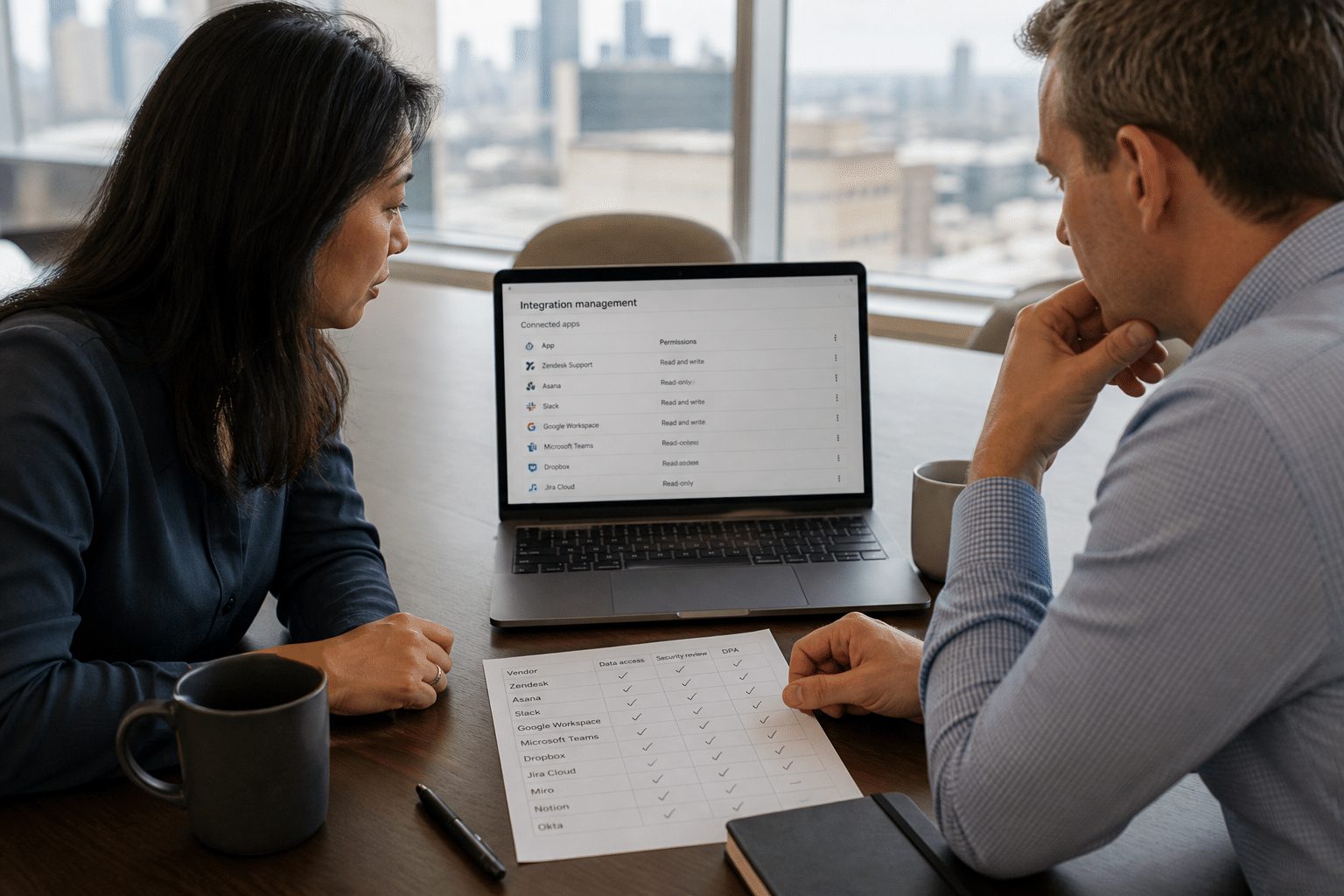
Third-party data access is the risk that a partner or vendor you have legitimately connected to your systems becomes the route attackers use to pull your data, and Denmark’s Central Population Register breach shows it at national scale. Attackers misused a private Danish company’s lawful access to the CPR system, apparently guessing their way through valid identity numbers and pulling the record behind each one, and took names, addresses, CPR numbers and other details for about 8.8 million people, roughly 80 percent of the register. The theft happened in September 2026, the register’s administrators learned of it on October 2 and announced it on October 5, and the company’s access has since been blocked. For a business, the lesson is that every integration, API connection and partner login into your customer or employee data needs limits on volume, monitoring for unusual patterns and an owner who can switch it off.
Why Legitimate Access Is the Hardest Abuse to Spot
Legitimate access is the hardest abuse to spot because the requests look exactly like normal business: the right credentials, the right system, the right kind of query. Security tools built to stop intruders have little reason to flag a known partner doing what it was allowed to do, only far more of it.
Our team sees the same arrangement at many clients. A payroll provider, a marketing platform, a background check service or a software integrator was given an API credential or a service account years ago. It was scoped broadly to save time during setup, it has no volume limits, and nobody reviews how much data flows through it each month. If that partner is compromised, or a credential leaks, the attacker inherits all of it, one of the identity-based attacks that cost SMBs real money.
Here are the five principles behind the steps in this article:
- List every connection into your data. Integrations, API credentials and partner accounts all count.
- Grant the least data, not the most convenient. Scope each connection to the records and fields it actually needs.
- Volume is a signal. A partner pulling ten times its normal records is an alert, not a statistic.
- Enumeration should be impossible or slow. Rate limits and lookup rules stop record-by-record harvesting.
- Every connection needs an off switch and an owner. Someone must be able to cut access within minutes.
This guide is written for owners, operations leads, IT managers and compliance staff at organizations of 50 to 500 people that share customer, patient or employee data with outside providers through integrations or portals.
What Happened in the CPR Case
The CPR register holds identity data for Danish residents, people who moved abroad and the deceased. A private company had lawful access to look up records. Attackers used that access to enumerate valid CPR numbers and extract the data behind each one, reaching about 8.8 million of roughly 11 million records before the activity was found.
A fair point is that a national register is a far bigger target than any small business. The mechanism, though, is ordinary: an authorized connection with enough reach to collect records one at a time, and no control that noticed millions of lookups.
Why Enumeration Works
Enumeration works when identifiers follow a predictable pattern and the system answers each lookup without checking whether the volume or sequence makes sense. Customer numbers, invoice numbers, patient IDs and employee IDs are often sequential or easy to guess.
Some teams believe that requiring authentication is enough. Authentication confirms who is asking. It does not ask whether this partner should be making a hundred thousand requests in a night, which is the question that would have caught the CPR harvesting.
Mapping Every Connection Into Your Data
Mapping every connection into your data means building a list of every outside party and system that can read or export customer, patient or employee records, along with what it can reach and who approved it. Most organizations have never assembled this list in one place.
Where to Find Connections
Look at API credentials issued from your CRM, practice management, ERP and HR systems; OAuth app consents in Microsoft 365 or Google Workspace (a favorite trick in Microsoft Teams phishing attacks); service accounts used by integration platforms; and partner portal accounts. Your finance team’s list of software subscriptions is a useful cross-check.
The objection that IT already tracks this is reasonable in larger firms. In many small and midsize organizations, departments connect tools directly, and IT learns about them only when something breaks. A cyber security audit is the fastest way to build the list.
Scoping Each Connection
For each connection, record which records and fields it can reach and compare that with what the partner needs. A marketing tool rarely needs dates of birth; a payroll provider rarely needs customer data. Reduce scope wherever the system allows it, the same least-privilege idea behind zero trust security for a small business.
Putting Limits and Monitoring on Partner Access
Putting limits and monitoring on partner access means setting rate limits on API connections, alerting on unusual volume or patterns, and reviewing access logs regularly. These controls catch harvesting that authentication alone cannot.
Rate Limits and Lookup Rules
Where your systems support it, set per-credential limits on requests per minute and records per day that match the partner’s normal use with some headroom. For lookups by identifier, require additional matching fields so a guessed number alone returns nothing.
Vendors sometimes say rate limits will break their integration. Ask for their normal volume and set limits above it. A partner that cannot describe its normal volume is itself a finding.
Alerts on Unusual Patterns
Set alerts for sudden jumps in records accessed, sequential lookups, access at unusual hours and new source addresses for a partner’s credential. Many cloud platforms and identity tools provide these signals; they need to be turned on and routed to someone who reads them, which is the job of network security monitoring.
Regular Access Reviews
Review each partner connection at least twice a year: is it still needed, is the scope still right, is the credential rotated, and who owns it on both sides? Remove connections for partners you no longer use. A team providing managed security services can run these reviews on a schedule.
Responding When a Partner Connection Is Abused
Responding to partner access abuse means cutting the connection quickly, preserving logs, working out what records were taken and meeting your notification duties. Speed matters, because harvesting can continue as long as the credential works.
Cutting Access Fast
Know in advance how to disable each partner credential or integration, and who has the rights to do it. Test it on a low-risk connection so the first time is not during an incident.
Working Out the Scope
Use access logs to identify which records were retrieved and when. Then assess, with counsel, whether state breach laws, HIPAA or contractual obligations require notice. Logs kept only a few days can make this impossible, so confirm retention now, and include partner incidents in your business disaster recovery plan.
Making Third-Party Access Part of Vendor Management
Making third-party access part of vendor management means your contracts require partners to protect the credentials you issue, notify you quickly of any compromise and accept limits and monitoring on their access. Vendor questionnaires should ask how partners secure the connections into your systems, not just their own. The same thinking applies to suppliers, as covered in defense supply chain security risks for small firms.
Questions to Ask This Month
- Which outside parties can read or export our customer, patient or employee data?
- Does each connection have volume limits and an owner?
- Would we notice a partner pulling ten times its normal records overnight?
- Can we cut any partner’s access within minutes?
Frequently Asked Questions
What happened in the Denmark CPR breach?
Attackers misused a private company’s lawful access to Denmark’s Central Population Register to collect personal data for about 8.8 million people in September 2026. The company’s access was blocked after the breach was found in early October.
How can attackers abuse legitimate partner access?
They steal or misuse a partner’s credentials and then request data the partner is allowed to see, often in far greater volume than normal. Because the requests are authorized, basic security tools rarely flag them.
What is enumeration in a data breach?
Enumeration is guessing valid identifiers, such as account or ID numbers, and requesting the record behind each one. Predictable identifiers and missing rate limits make it easy.
How do we limit what a vendor integration can access?
Scope its credentials to the records and fields it needs, set request and record limits, and require extra matching fields for lookups. Review the scope at least twice a year.
Who should own third-party access in a small business?
A named person in IT or operations should own the list of connections, with a business owner for each one. Both should know how to cut access quickly.
Who Stands Behind This Guidance
Mindcore Technologies helps small and midsize organizations secure the data they share with partners, vendors and software platforms, from Microsoft 365 app consents to API connections into business systems. Our team follows major breaches and exploited vulnerabilities daily and turns them into checks our clients can run against their own environments. That approach reflects the priorities of Matt Rosenthal, Mindcore’s CEO, who has built the company around giving leaders clear ownership of the risks their business carries.
Take Control of Who Can Reach Your Data
Denmark’s CPR breach shows how one partner’s legitimate access, with no volume limits or pattern alerts, let attackers collect records for most of a country. List every connection into your data, scope each one to what it needs, set rate limits and alerts, and make sure someone can cut access in minutes. Those controls turn a silent harvest into a short incident. If you want help mapping your third-party connections or setting up monitoring, book a free strategy call and we will work through it with you.