

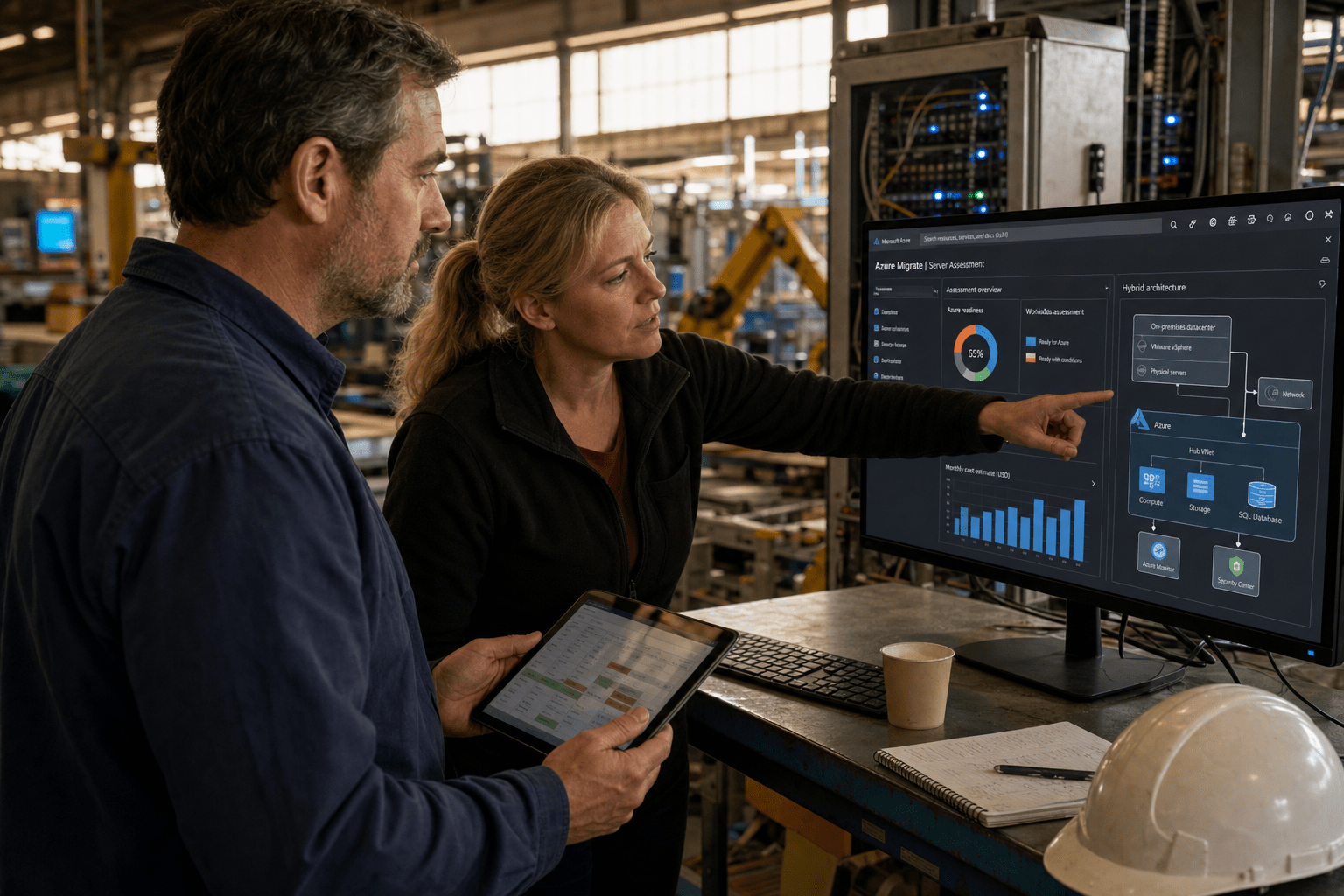
Cloud Migration for Manufacturing requires careful planning since production lines cannot be paused, making it unlike standard IT migrations. A production floor runs on machines that took months to configure, on data flows tied to physical equipment, and on schedules that book out weeks in advance. When we plan a migration for a plant, we sequence every move around production windows and around the OT and IT dependencies most teams have never fully documented. Get that sequencing right and you shift to a usage-based cost model, gain real-time visibility across sites, and stop paying to maintain aging hardware. Get it wrong and you halt a line that costs thousands per minute.
Why Manufacturing Cloud Migration Is Not a Standard IT Lift-and-Shift
Manufacturing cloud migration carries constraints that office IT migrations never face, and treating the two the same is the fastest way to stall a project. Unlike office IT, Cloud Migration for Manufacturing must account for tightly scheduled production equipment; a poorly timed cutover can halt entire shifts.
Our team sees the same pattern in the wild: a manufacturer copies an office migration playbook, hits an undocumented dependency between a legacy MES and a machine controller, and the project freezes for weeks. The fix is planning that starts with the floor, not the data center. Before we touch anything, we map which workloads tolerate latency, which cannot leave the building, and which production windows can absorb a controlled switch. That mapping is the real work of cloud migration for a plant, and it is where most rushed projects fall apart.
How Undocumented OT and IT Dependencies Derail Timelines
One of the main challenges in Cloud Migration for Manufacturing is undocumented OT and IT dependencies, which frequently extend project timelines. OT, meaning the hardware and software that runs physical processes like PLCs and SCADA systems, was often installed by a vendor years ago and never fully mapped. When you move an ERP or an analytics workload, you can sever a data link nobody knew existed.
Some argue you should freeze all discovery until you have a complete asset inventory, because moving blind invites failure. Others counter that a full inventory can take a year, and by then the business case has aged out. Both hold water. We take the middle path: inventory the systems that touch production first, document their data flows in detail, and accept a lighter survey for back-office workloads that carry less risk. The point is not a perfect map. The point is knowing exactly which links break if a given system moves, and following the NIST guidance on industrial control system security to protect those links during the transition.
How Production Schedules Dictate the Migration Sequence
Cloud Migration for Manufacturing must follow production schedules, not IT convenience, to prevent costly downtime. A migration plan that ignores the manufacturing calendar will collide with a shipment deadline eventually, and the line always wins that argument. We build the sequence backward from the plant’s own calendar, slotting cutovers into planned maintenance windows and slow-demand periods.
There is genuine disagreement on pace here. One camp favors a fast cutover to minimize the window where two systems run in parallel and data can drift. The other favors a slow phased move that keeps a fallback running at every step. Neither is universally right. For a plant running near capacity, we lean phased so a failed step never stops shipping. For a plant with clear seasonal downtime, a faster cutover inside that window can cost less overall. The service line stays live either way.
How Manufacturers Choose the Right Cloud Architecture
A hybrid approach is common in Cloud Migration for Manufacturing: latency-critical systems stay on-premises while ERP, analytics, and collaboration tools move to the cloud. A hybrid model, meaning a mix of on-premises hardware and public or private cloud, is not a compromise. For a plant floor, it is usually the correct design. The systems that control machines or demand sub-millisecond response stay close to the equipment, and the workloads that benefit from scale and cross-site visibility move up.
We match each workload to the environment that fits its constraints, then connect them with a secure, monitored link. A Microsoft Azure cloud services deployment, for example, can host the ERP and analytics layer while the floor keeps its real-time controls local. Microsoft’s own Cloud Adoption Framework treats this workload-by-workload assessment as the foundation of any sound migration, and our experience on plant floors backs that up.
Which Workloads Stay On-Premises and Which Move
In Cloud Migration for Manufacturing, on-premises systems handle physical process dependencies, while scalable cloud workloads gain from backup and remote accessibility.Machine controllers, real-time SCADA data, and any system where a network hiccup could stop a line belong close to the equipment. ERP, business intelligence, historical production data, email, and file collaboration move well.
There is an honest tension here. Moving more to the cloud simplifies management and cuts hardware spend, which argues for an aggressive migration. Keeping more on-premises reduces exposure if a link goes down, which argues for caution. We resolve it per workload rather than by rule: we ask what breaks if this system is briefly unreachable, and if the answer is “the line stops,” it stays local or gets a hardened redundant path. Protecting those moved workloads with proper cloud security controls is non-negotiable, since a plant’s data is now a target.
How to Protect Data and Continuity During the Move
Cloud Migration for Manufacturing ensures data protection by maintaining verified fallbacks at every stage to prevent loss of production-critical records. Manufacturing data, from quality logs to machine telemetry, often has regulatory and warranty weight, and losing it during a move is not recoverable by starting over.
Some teams treat backup as a post-migration task, arguing you should stabilize the new environment first. We disagree, and we have seen the cost of that order. A validated cloud backup has to be running and tested before the first workload moves, not after. Our team also keeps the source system live in parallel until we confirm the migrated workload holds under real production load, then decommissions the old path in a controlled step. That discipline is what separates a migration that recovers from a bad hour from one that recovers from a bad quarter.
How Manufacturers Should Phase a Cloud Migration Project
Successful Cloud Migration for Manufacturing begins with a single operational workload, validating the process before moving higher-risk systems. A big-bang migration that moves the whole plant in a single event puts every production system at risk simultaneously, and few manufacturers can absorb that.
We open with a workload that carries real value but low floor risk, often analytics or a reporting database, so the team learns the process where a stumble costs nothing on the line. That first move surfaces the integration gaps and the training needs before they can hurt production. From there, each phase builds on a proven pattern, and the business sees results early instead of waiting a year for a single cutover. Our full range of cloud services supports each phase, but the sequencing matters more than any single tool.
How to Build the Business Case and Measure ROI
The business case for cloud migration rests on shifting from heavy upfront hardware spend to a usage-based model, with most manufacturers seeing meaningful infrastructure cost reduction inside the first year. The savings come from retiring aging servers, cutting the maintenance overhead of on-premises hardware, and paying only for the capacity a workload actually uses.
The counterargument deserves airtime: migration itself costs real money, and the first-year savings can be offset by project spend and dual-running costs during the transition. That is true, and we say so plainly to every plant we work with. The honest measure is not year one alone. It is the multi-year view, where the removed hardware refresh cycles, the reduced downtime from better monitoring, and the analytics that catch equipment issues early compound. We build that model with real plant numbers, not vendor averages, so the decision rests on your floor, not a brochure.
Frequently Asked Questions
How long does cloud migration for manufacturers take?
Cloud migration for manufacturers typically runs several months to over a year, driven by the number of production systems and the depth of undocumented dependencies. A phased approach that moves one workload at a time takes longer on the calendar but reduces the risk to production. The discovery phase, mapping OT and IT links, is usually the step that most affects the total timeline.
Can manufacturers move to the cloud without stopping production?
Yes, manufacturers can migrate without stopping production when cutovers are scheduled inside planned maintenance windows and a fallback system runs in parallel. The key is keeping the source system live until the migrated workload is verified under real load. Rushed cutovers without a fallback are what cause the downtime manufacturers fear.
Should manufacturers use a hybrid cloud model?
Most manufacturers should use a hybrid model, keeping latency-sensitive and equipment-tied systems on-premises while moving analytics, ERP, and collaboration workloads to the cloud. This matches each workload to the environment its constraints require. A pure public-cloud move rarely fits a plant floor where real-time machine control cannot tolerate network variability.
What is the biggest risk in manufacturing cloud migration?
The biggest risk is severing an undocumented dependency between an OT system and an IT workload, which can halt a production line without warning. This is why detailed discovery of production-adjacent systems comes before any workload moves. A validated backup running before the first cutover is the safeguard against unrecoverable data loss.
How much can manufacturers save with cloud migration?
Many manufacturers reduce infrastructure spend meaningfully in the first year by shifting to a usage-based model and retiring aging hardware. The larger return builds over several years through fewer hardware refresh cycles and less downtime. The honest figure depends on your current hardware footprint and workload mix, which is why we model it on your real numbers.
Talk to a Manufacturing Cloud Strategist
Cloud migration for manufacturers is won or lost in the sequencing, not the technology. The plants that come through it stronger are the ones that mapped their OT and IT dependencies before touching a system, matched each workload to the right environment, kept a verified fallback running at every step, and moved in phases that respected the production calendar. The plants that struggle are the ones that treated the floor like an office and learned the difference the hard way. None of this requires you to gamble a production line. It requires a plan built around how your plant actually runs, with the systems that control machines protected and the workloads that gain from scale moved deliberately. Our team has guided manufacturers through this sequence, and we build every plan backward from your schedule and your risk, not a generic template. If you are weighing a move and want a clear read on what should move, what should stay, and in what order, book a free strategy call and we will walk your workloads with you.

